Desert Online General Trading LLC
Dubai, United Arab Emirates
Desert Online General Trading LLC
Dubai, United Arab Emirates




🌍 Take full control of your PC from anywhere — because your desk should never limit you.
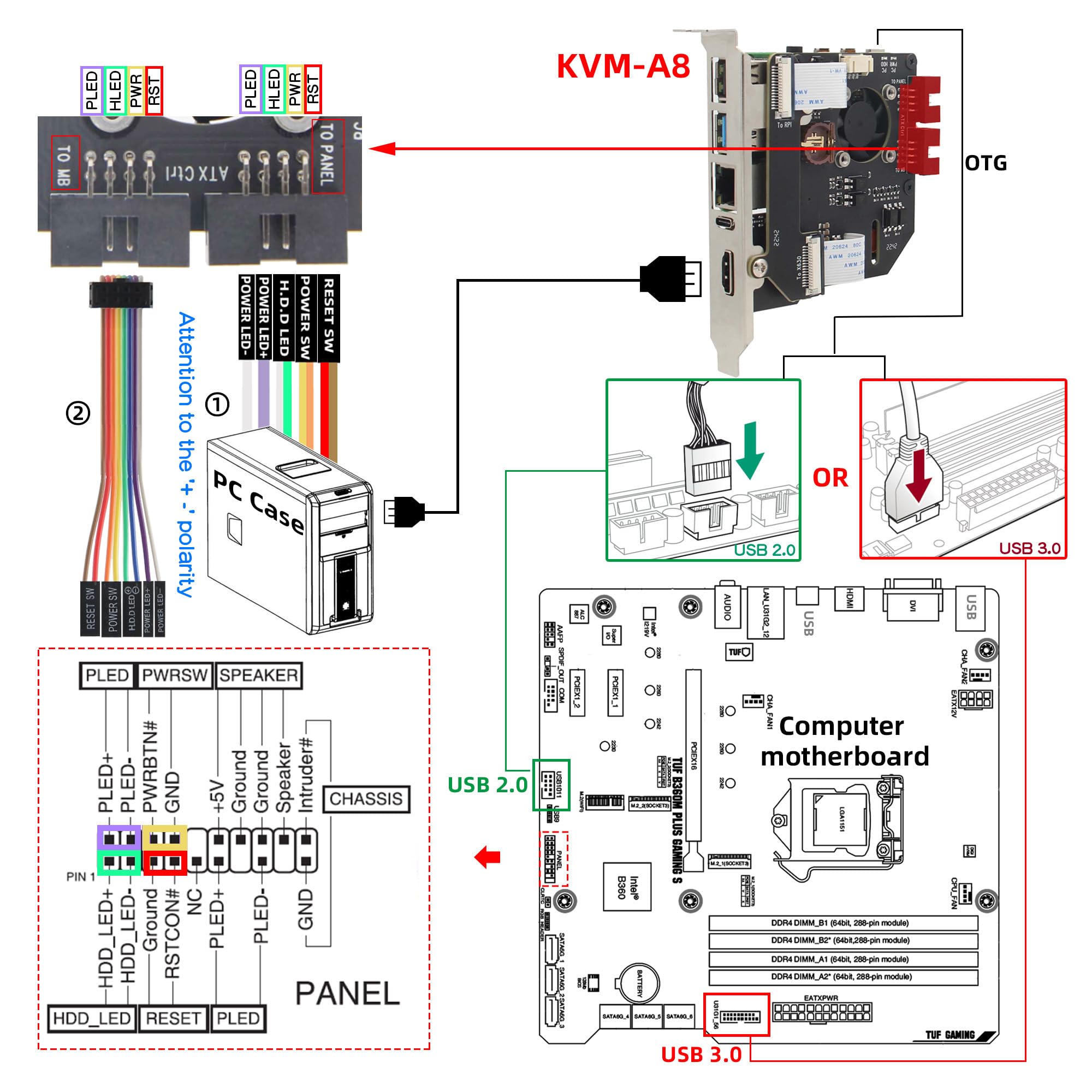
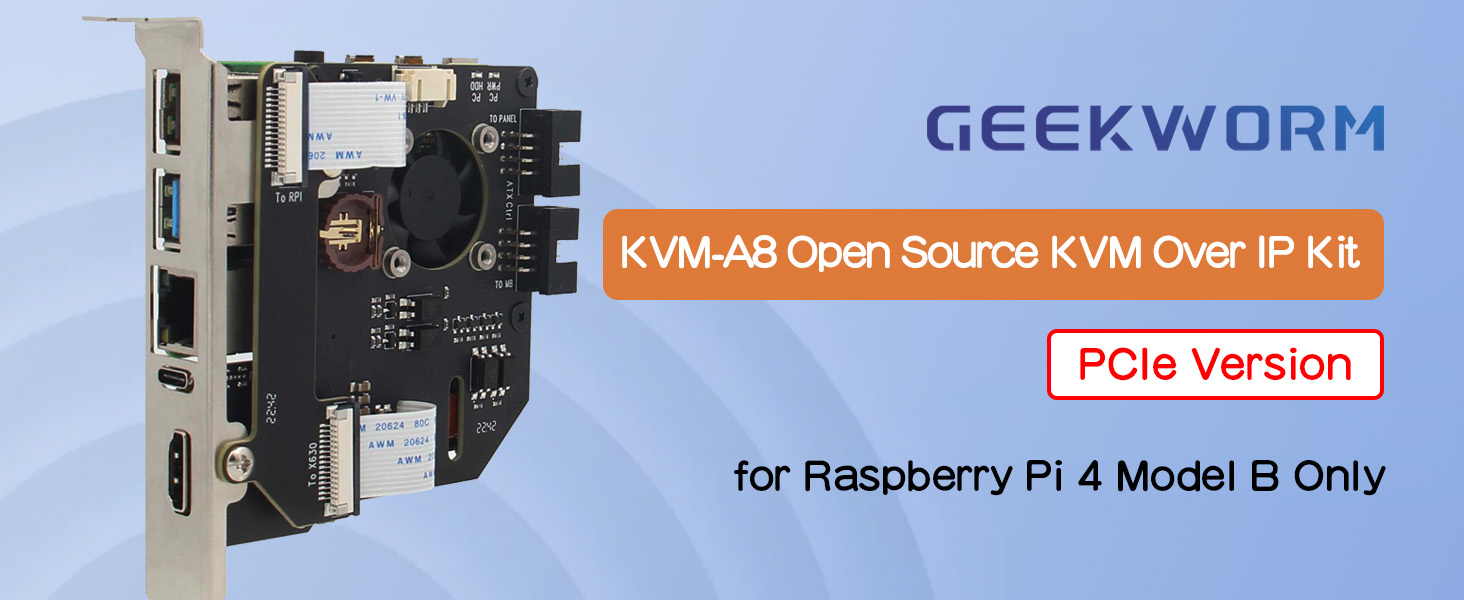
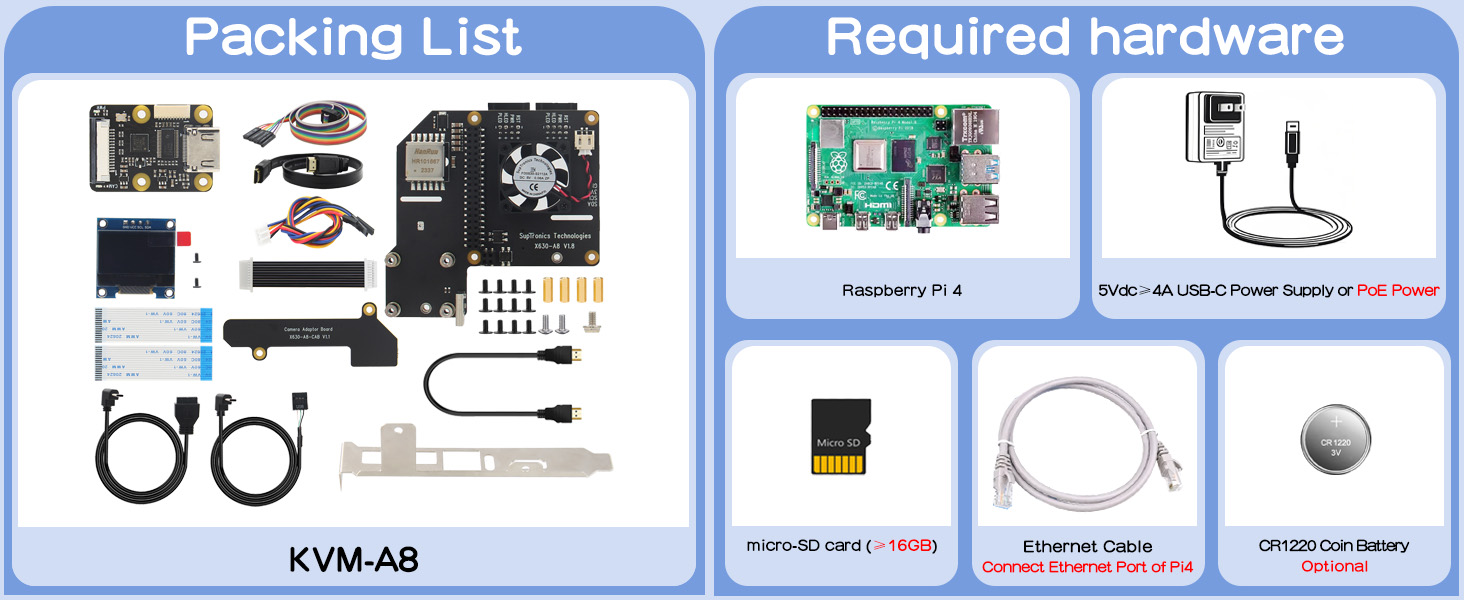
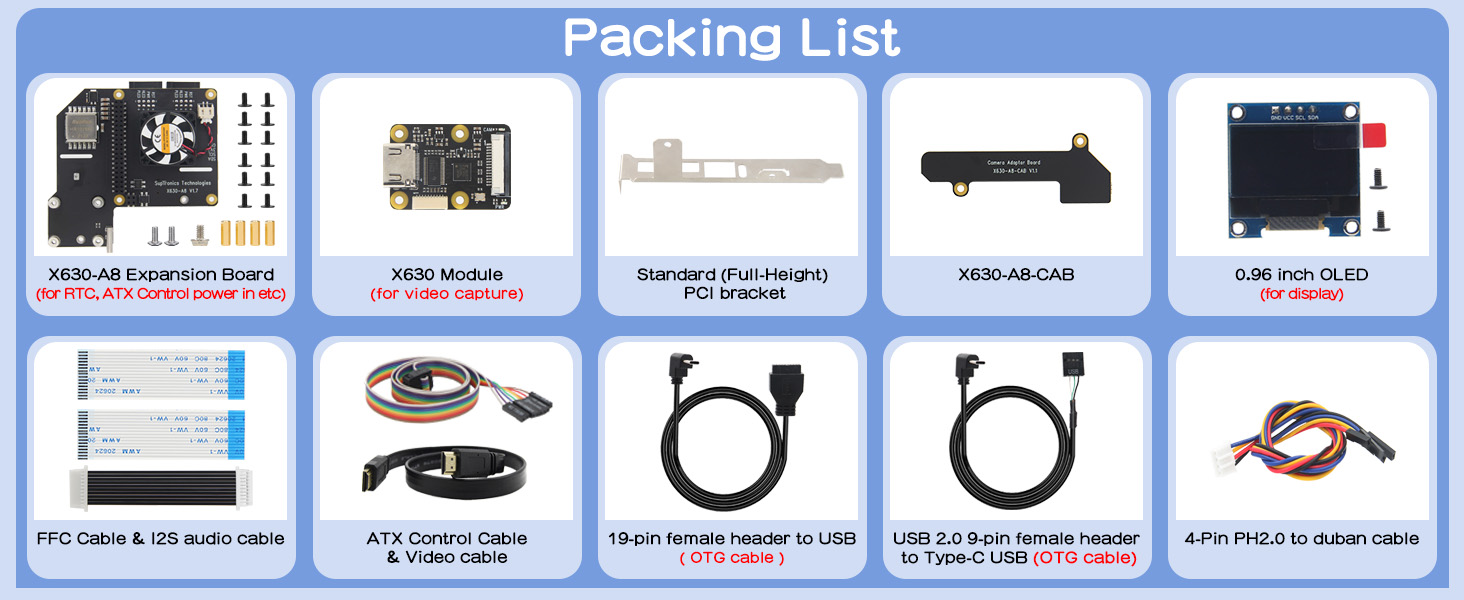
The Geekworm KVM-A8 PCIe kit transforms your Raspberry Pi 4 Model B into a powerful remote KVM switch, enabling full computer control—including power management, BIOS configuration, and OS reinstallation—via any web browser. Designed for professionals, it supports PoE power and virtual peripherals, delivering seamless remote IT management with compact, flexible hardware.
| Processor | none |
| RAM | LPDDR4 |
| Wireless Type | 802.11b |
| Brand | Geekworm |
| Series | KVM-A8 |
| Item model number | TB-2022-63 |
| Operating System | PiKVM V3 Platform |
| Item Weight | 2.19 ounces |
| Product Dimensions | 4.72 x 3.54 x 0.79 inches |
| Item Dimensions LxWxH | 4.72 x 3.54 x 0.79 inches |
| Processor Brand | Broadcom |
| Number of Processors | 1 |
| Manufacturer | Geekworm |
| ASIN | B0BN1MFHMW |
| Date First Available | November 21, 2022 |
K**Y
A Must-Have for Raspberry Pi Enthusiasts
I recently added the Geekworm KVM-A8 PCIe kit to my Raspberry Pi 4 setup, and I couldn’t be more satisfied with the results. This kit offers an incredibly convenient and efficient way to remotely control my computer, all through a simple web browser interface. The assembly process was straightforward, especially with the available online resources, making it easy to get everything up and running in no time.What really impressed me was how seamlessly this kit integrates with my existing setup. The ability to power the system using PoE reduces cable clutter and ensures a clean and efficient installation inside my computer case. The performance is top-notch, allowing me to remotely reboot, access the BIOS, and easily manage my system. This kit has truly transformed the way I manage my Raspberry Pi projects, offering a level of control and flexibility that’s hard to match. This is an absolute must-have if you’re into Raspberry Pi projects and need a reliable KVM solution!
D**N
Works great. Does the job and does it well.
Worked out great for my 2U server build. The little display is a plus.I carefully crafted a piece of cardboard to cover the backside PCB so I could safely install it resting on metal. I wanted this unit because of the detached display. It works, it's in there and does the job. I had the perfect space for it in this specialized, purpose built machine. Using in production, exactly 60 days of uptime so far.When I built this I also ordered a couple of JetKVMs from Kickstarter. They just got here yesterday, now you can't even get them at all because of tariffs . I wouldn't have been able to put this machine into production 60 days ago without a KVM solution. This was available immediately and works awesome. I highly recommend building it yourself. And this is a great kit to work with. I think it took about 5 minutes to get it all ready to rock. Just watch the video before your unit arrives.Plug in a pi4 with a pikvm image, wire it up... put tailscale on it (make sure to disable key expiry) and it's ready to do the job and do it well.
J**N
Nearly perfect, but underpowered PoE
So this works great for PiKVM.However, I also wanted to use the external USB 3.0 port for an external hard drive for use by a different application (Proxmox Backup Server) running on the Pi. However, the Pi is not getting enough power from PoE to work with an external HDD. Despite PoE supporting 15W, the Pi only seems to be drawing roughly 9W per my Ubiquiti switch, and the USB HDD doesn't even spin up.Powering via USB-C gives the requisite power to work with the USB HDD, so it's super disappointing that it won't work with PoE when that was half of the reason I bought this.That being said, if you only want to use the Pi for KVM, then you won't have any issues.
P**L
Awesome device. Lots of functionality. Would Highly Recommend!
I am not normally one to leave reviews but this is great! I enjoyed putting it together. It requires a little bit of technical skill, but I'd assume if you know what a KVM is and have a Raspberry Pi, you will already have enough technical know how.There are detailed videos on how to put it together along with detailed documentation on various PiKVM sites if you need help. I initially couldn't get the video output to work, but I stupidly was using the wrong .img when I flashed the micro sd card. (I initially planned on using the hdmi to usb adapter and had downloaded that image, but then found this device instead) Also make sure you are using the v3 image to get the oled screen to work etc. It's all documented on the wiki pages.The only negative thing I can think about is there isn't really anything to do with the oled screen. I wasn't going to use it, but it's kind of a neat feature so I just have it hanging out the back of the case. Would've been nice if there was a little plastic enclosure or something that you could put on top of your PC or something.Great product, works great! Everything works as advertised. I would definitely recommend to anyone who likes Raspberry Pi projects and needs a KVM that does everything! Can't say enough how happy I am with this.
S**)
Remote FULL control of a computer(s) is da bomb!
Works as advertised. You'll have to use (or buy of you don't have one) a Raspberry Pi (version 4) to use this. READ the product info carefully to make sure you understand what is needed to use this as an IP KVM. If you are not familiar with using a Raspberry Pi, the do some reading (or YouTube video) research before you buy this product to make sure you understand how and know how to use this device with your Raspberry Pi. On a side note, I took the cooling fan off and am using a heat sink on the cpu. The Pi seems to work well (temp is about 10 degrees higher than using the fan) and there is no fan noise (the fan is pretty quiet anyway). Also, I am using a POE for power. I highly recommend it as there is less clutter behind the computer you have the Pi working with.
C**S
Great Product - Warning on I2S cable
I've got about 5 of these deployed now and love them - very hand for what they do.My only cons:1. Non-standard pinout doesn't allow some case LED/Switch connectors to plug in without modifications2. BIG ONE - the last 2 units I just got have a I2S audio cable, but no details. I plugged it in, however my PI WOULD NOT BOOT with the cable installed. After removing the cable everything works fine. Just FYI for anyone receiving this later edition with the cable, it appears to not work currently.
S**.
Perfect little kit
10/10. Works like a dream, easy enough to put together. I personally don't have a need for the screen or RTC but if I do need them they'll be a nice addition.I LOVE that it runs POE and nests into any empty expansion card slot. Absolutely perfect, and relatively cheap, solution for my UnRaid NAS - mind you I already had a Pi 4 laying around looking for a job.The cost adjusted to include a Pi 4 - I very much still think it's a great deal.
T**N
Does not work
Could never get working. Tried replacing the CSI cable, no success. Tried different HDMI cables without success. Tried different PiKVM images. Tried reaching out to support, support kept giving me the run around. Would not recommend.
Trustpilot
1 month ago
2 days ago