We remain fully operational. Our teams are working around the clock to ensure your deliveries continue safely.

DOWNLOAD THE APP


Customer Services
Copyright © 2025 Desertcart Holdings Limited
DOWNLOAD THE APP


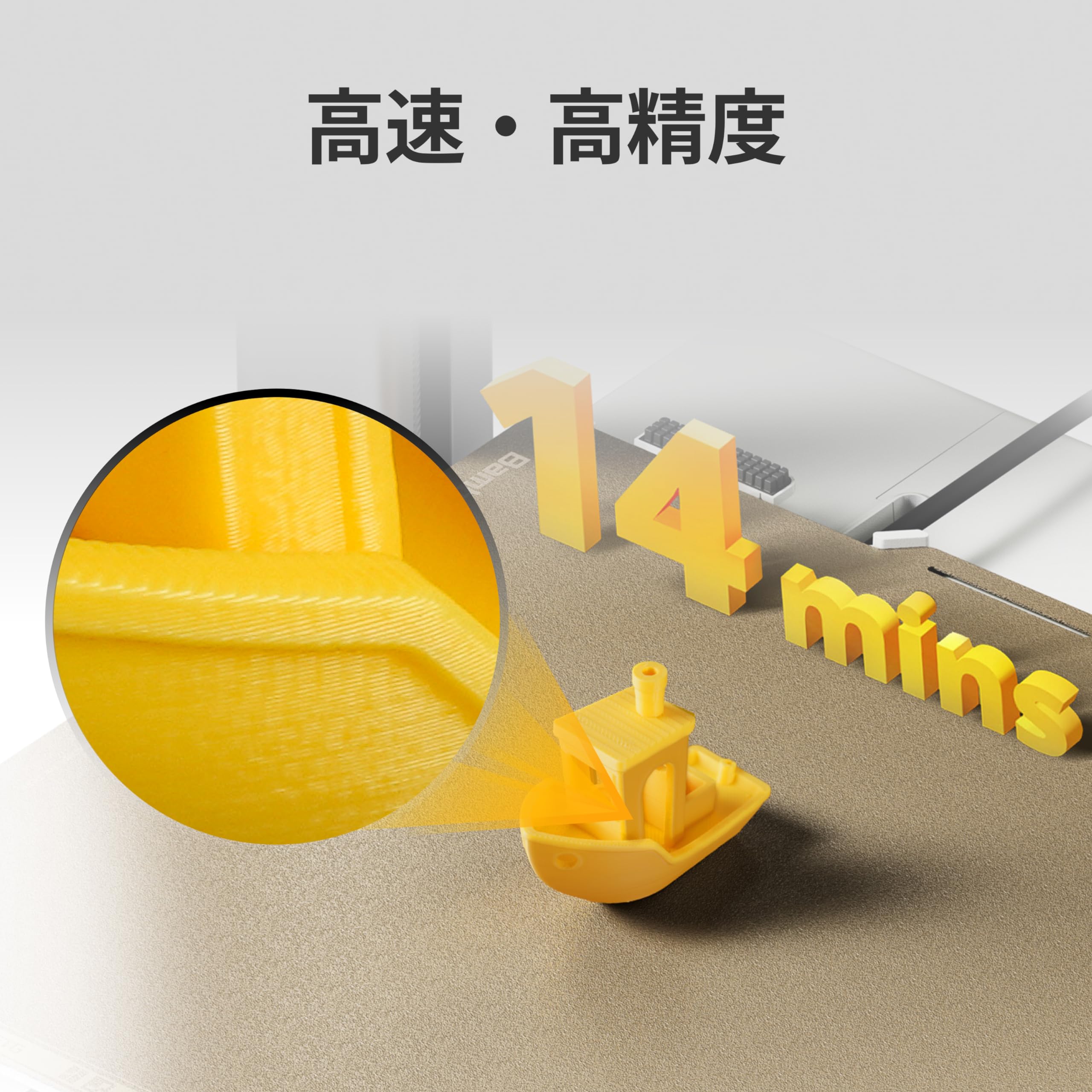


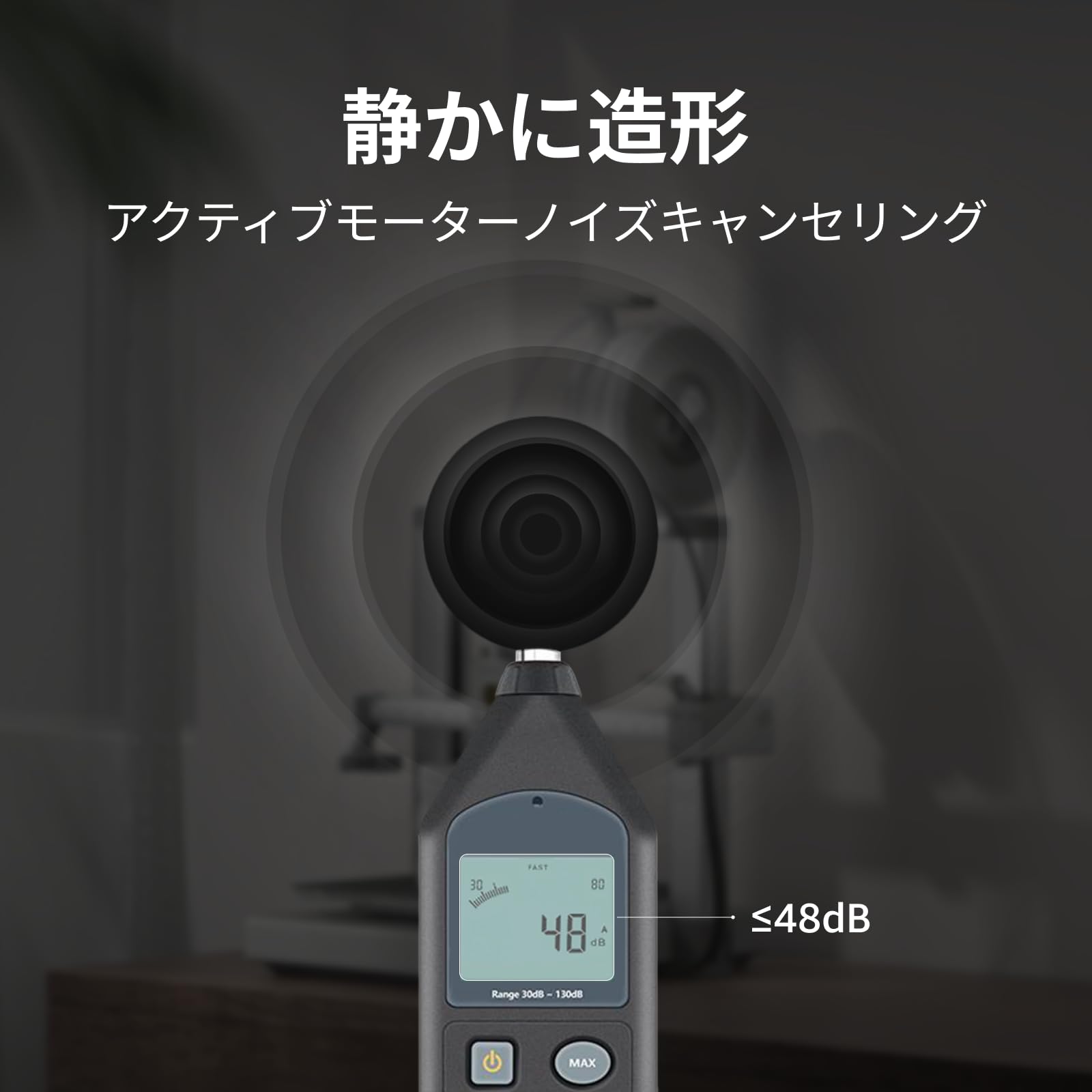

⚡ Elevate your creativity at lightning speed with whisper-quiet precision!
The Bambu Lab A1 Combo 3D Printer redefines desktop printing with industry-leading 500mm/s speed, multi-color AMS lite support, and fully automatic calibration. Designed for professionals and enthusiasts alike, it delivers high-precision, vibrant prints with minimal setup and near-silent operation under 48 dB. Its active flow compensation guarantees smooth extrusion, while easy nozzle replacement and quiet motors make it perfect for any workspace. Experience cutting-edge 3D printing that keeps pace with your imagination and lifestyle.


| ASIN | B0D17V4SKM |
| Amazon Bestseller | #800 in Industrial & Scientific ( See Top 100 in Industrial & Scientific ) #2 in 3D Printers |
| Batteries Required | No |
| Brand | BAMBULAB |
| Color Name | gray |
| Compatible Devices | Laptop |
| Connectivity Technology | 3D Printer |
| Customer Reviews | 4.5 4.5 out of 5 stars (790) |
| Date First Available | April 10, 2024 |
| Included Components | Bambu AMS lite, Bambu Lab A1 3D Printer |
| Item Model Number | PF002-A |
| Item Weight | 12.93 kg |
| Item model number | PF002-A |
| Manufacturer | BAMBULAB |
| Material | Metal |
| Operating System | Linux |
| Product Dimensions | 58.45 x 53.49 x 42.6 cm; 12.93 kg |
| Size | A1 Combo (with AMS lite) |
B**O
Good for starter
Very satisfied, it's easy to use, assembly and a great app which there a lot of shared usefull model
A**ー
【良かった点】 ・最大500mm/sの高速造形でも品質が安定していました ・AMS liteによる多色造形で、作品に彩りを加えられました ・全自動キャリブレーションで、面倒な調整が不要でした ・アクティブ流量補正により、押出が安定して仕上がりが美しかったです ・静音性が高く、造形中でも生活空間に溶け込みました 【気になった点】 ・AMS liteが必須なので、多色造形を楽しむには追加投資が必要でした ・造形サイズは十分ですが、大型作品を作る人にはやや制限を感じるかもしれません ・ノズル交換は簡単ですが、予備ノズルを揃えておく必要があります 実際に使ってみると、組み立ては驚くほど簡単で、初心者でもすぐに造形を始められる安心感がありました。 高速造形でも造形品質に妥協がなく、細部までシャープに仕上がるのは感動的でした。 AMS liteを使った多色造形では、単色では表現できなかった鮮やかな作品が完成し、創作の幅が大きく広がりました。 静音性も特筆すべき点で、サイレントモードでは48dB以下。 『造形中でも図書館みたいに静かね!』と感じるほど、生活空間に馴染みました。 夜間でも気兼ねなく稼働できるのは大きな利点です。 電気代についても、定格消費電力を約300Wと仮定すると── 300 ÷ 1000 × 27 ≒ 8.1円。 『1時間造形しても電気代は約8円ね!』と安心できました。 毎日数時間使っても月額は数百円程度で、趣味として続けやすいコスト感です。 造形中にフィラメントが途中で絡まり、思わず『糸玉が逃げ出したみたいね!』と笑ってしまいました。 小さな事件も祝福のユーモアに変わりました。 まとめると、高速・高精度・静音・多色対応を兼ね備え、初心者から上級者まで安心して楽しめる3Dプリンターでした。
A**ー
一度、ノズルが詰まり対応に苦慮しましたが、対処方法がわかれば問題ありません。 印刷スタートで、後は勝手に印刷してくれます。なんのストレスもなく、とにかく早いので印刷しすぎてエレメントがすぐに無くなりそうです😆
電**き
3D入門用に購入しました。 素人でも簡単に操作し易く、YOUTUBEにも参考になる動画が多く登録されていて、説明書が無くても扱えます。
中**秋
3Dプリンター2台目、以前のものはオートレベリングもなく手動で調整しなければいけなかったことを考えると、 天と地ほどの差。初心者ならこれを買っておけば問題なし。細かい調整が全部自動でやっていくれるので、かなり楽だと思う。
A**ー
XYZ社製のダヴィンチや中華製のデルタプリンターを使ってましたが、当時のものは機械をメンテ出来る技能がないと扱えず誰でも使える物では有りませんでした。 このA1は組み立て簡単でオートレベリングが超優秀!3dプリンターの面倒と感じる操作が一切なくプリントが捗ります! ユーザー登録が1番めんどくさいと思えるほど簡単でした! やっと家庭用プリンターになったんだなと時代の進化を感じます。 価格はこれだけ高性能なのに安すぎるくらいです! 使い始めたその日にもう一台買いたいと思いました! 追記 しばらく使ってみてフィラメント切れ、フィラメント絡まりが起こりましたがどちらも検知して自動停止。トラブル解消後に途中からの印刷再開できました! 昔のプリンターにはこの機能が無かったので時間と材料が無駄になってました。 音も静かで高速で精度が良い! まったく不満の無いプリンターですね!
メ**チ
多くの人と同じようにA1 miniで驚愕し、A1(AMS lite付き)を追加購入しました。 当初はP1SやCentauri Carbon、Kobra S1やQidi Q2あたりのエンクロージャモデルを検討していたのですが、使い勝手やサポートの面が未知数だったため、結局慣れ親しんだBambu Lab製品を選びました。P1SではなくA1にしたのは、マグネット式ホットエンドの採用、ノズルが共用、静音設計、PLAやPETGが主、同等の造形クオリティ、そして何より価格が決め手となりました。 良かった点として、重量増と接地幅が広いことで安定感があり、振動による積層ズレが軽減されるように感じました。またAMS liteが優秀で、絡みや引っ掛かりのトラブルが激減しました。トップマウントできるので場所を取らないのもいいですね。本体の組み立ては難しくありませんが、時期によって若干仕様変更があるようで、組み立て動画は参考程度、説明書を確認しながら作業する必要があります。 じつは少しでも費用を抑えようと中華製オープンソースのAMSとやらも使ってみましたが、フィラメント絡みまくり、動作不安定でトラブル対処に追われて、うちでは使い物になりませんでした。情報が少ないので自力で改善できる方はいいですが、安定動作する純正の代用としてはまったくおすすめできません。 使い始めてまだ数週間ですが、総じて満足度は高く、P2Sへのアップグレードはしばらく先になりそうです。
S**Y
3Dプリンターベストバイ商品 3Dプリンターがここまで普及したのもこの商品のおかげかもしれません。 UIやクラウドサービス、ハード面でもユーザーライクで親切設計。 機械音痴の方でも手軽に楽しめるくらいの親切設計。 基本的に公式は英語ですがアプリは自動で翻訳されているので、あまり不自由しません。 過去mega-sを使っていましたがそれに比べると段違いの性能を見せてくれます。 なにより印刷速度も速い!綺麗!静か! A1miniのほうが静からしいです。 メンテナンスも簡単! いろんな人が作ったモデルをスマホから印刷できるのもお手軽感の要因。素晴らしい。
J**L
Great 3D printer for someone starting out or just a hobbyist. Easy to use and quiet. My wife set it up herself and used it first. I bought this for my wife for Christmas and we've printed gifts for people, containers for fruits and vegetables, and light switches. I've also printed shelves and holders for the network gear and hubs on the office desk. It's compatible with many filament types - you can even print your own shoes similar Crocs. Recommend any first timer for any 3D printer watch a few videos about protecting filament from moisture in the air and you'll have great success with print jobs. I've found the Bambu filaments the most reliable and easiest to use - especially since their spools are tagged so the printer automatically knows what kind and color filament is on the roll. The AMS lets you keep four different spools loaded which is great for multi-color prints
M**I
Vengo de usar una Ender 3v2 y la diferencia es noche y día. Esta es definitivamente la mejor compra que he hecho en cuanto a impresoras se refiere. Muy contento con ella.
A**7
This review is exactly what I wish I had read when I first started researching this printer. As a beginner, this printer was more than enough to take me to the next level in 3D printing. It is an excellent printer, very beginner-friendly, easy to use, and simple to operate for daily printing tasks. The setup process was straightforward, and the printing quality has been consistently impressive. One important note: the printer does NOT come with filament included, so you will need to purchase filament separately before you start printing.
D**W
After reading many reviews about 3D printers, I settled on this one with AMS Lite. I was not disappointed. The Bambu Lab A1 was recommended as an excellent unit for beginners and intermediate users, at an affordable price point. I have to admit that I am a complete 3D printing novice but reasonably tech savvy and quick learner. I was still a little nervous about setting it up, but the instructions from Bambu were very clear, and all the parts were well labelled and packaged. With lots of care, I took about 90 minutes to set it all up and needed about another hour or so to figure out the basic configuration and settings. After downloading the Bambu Handy app for my iPhone and later, Bambu Studio for my computer, I was off and running. Depending on your level of familiarity with tech devices and 3D printing, your experience could be quite different. The initial learn could take some time. But I am pleased to say that I managed to set up my printer including my AMS Lite (external filament spooler) and completed my first print job in the same afternoon. The printer comes with some 3D models preloaded into the printer and I selected a simple scraper which can be used to scrape the printer bed. By the next day, I was able to download 3D models from the internet and had them imported into Bambu Studio and successfully printed off on the Bambu Lab A1. But a word of caution, you do have to be patient as 3D printing takes time and there are many concepts and terminology that you have to become familiar with, and I still have a long way to go. But it was very satisfying to have my first 3D printer fully set up in an afternoon and successfully get my first few 3D prints working. I have already printed off 4 models, one taking up to 8 hours to complete. But if my experience is anything to go by, the Bambu printer is an excellent unit to get started with and offers so much more. The results so far have been amazing. I'm very happy with my purchase.
C**K
The Bambu Lab A1 has been a workhorse in my setup. After putting significant time into various projects, from functional prints to detailed models, I have a clear picture of where this machine stands for both hobbyists and power users. Performance and Reliability The print quality remains consistent even after extensive use. The setup is straightforward, and the active flow rate compensation ensures that layers stay smooth without constant manual calibration. It handles intricate geometries with ease, which is a testament to its motion control system. Long-Term Durability With over 1500 hours printing on it, I am still really liking it. The machine has held up remarkably well under heavy workloads. While I have encountered minor material compatibility warnings in the past, the hardware itself is resilient and continues to deliver reliable results day after day. Future Outlook While the A1 is an incredible entry and mid-level machine, there are limitations when it comes to high-temperature materials or specific enclosure-dependent prints. Because of this, I am looking at upgrading to the H2C at some point in the future to expand my capabilities. Final Verdict If you want a printer that just works, the A1 is a top contender. It is a reliable tool for anyone looking to get serious about 3D printing without the constant headache of troubleshooting hardware failures.
Trustpilot
4 days ago
3 weeks ago