We remain fully operational. Our teams are working around the clock to ensure your deliveries continue safely.

DOWNLOAD THE APP


Customer Services
Copyright © 2025 Desertcart Holdings Limited
DOWNLOAD THE APP

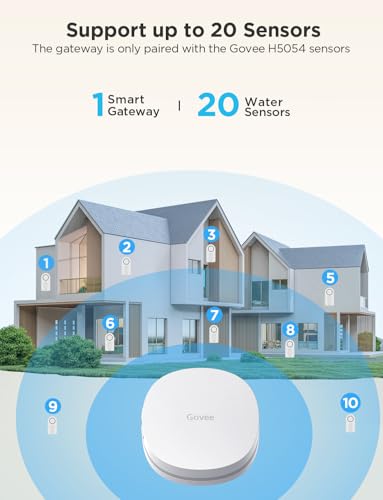
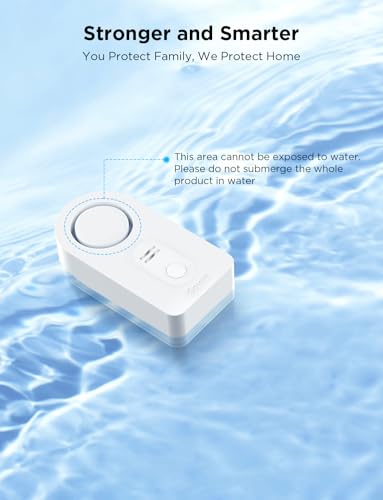


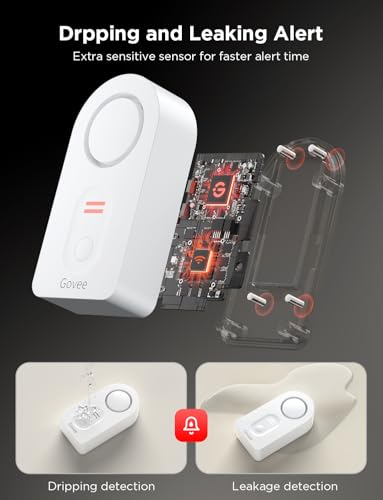



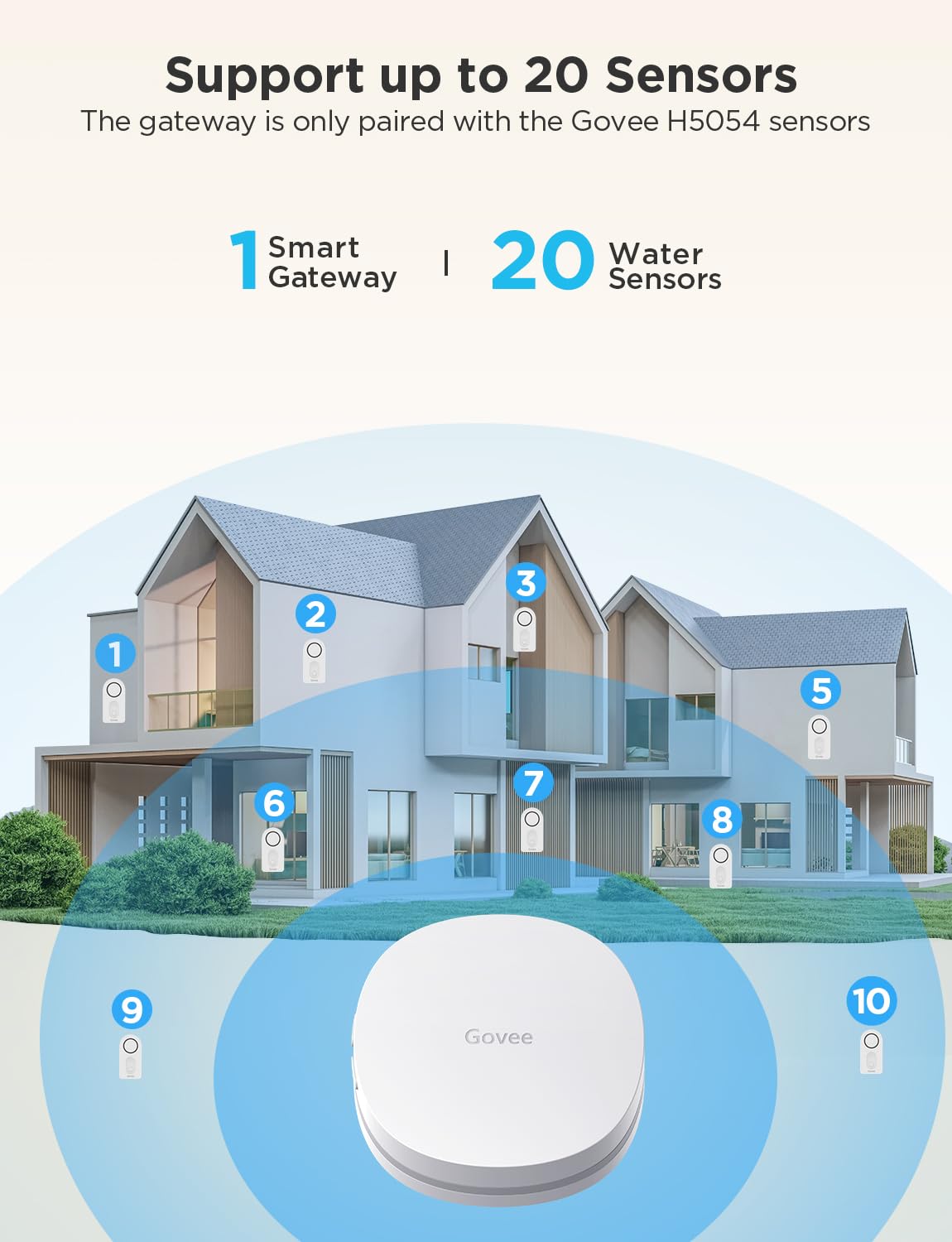


💧 Stay dry, stay ahead—smart leak detection that never sleeps!
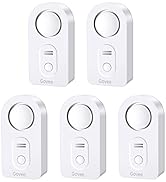
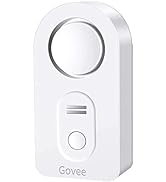
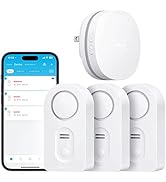
The Govee WiFi Water Sensor 2 Pack offers professional-grade leak detection with instant app and email alerts, a piercing 100dB alarm, and multi-probe sensors for precise drip and leak monitoring. Designed for 2.4GHz WiFi, it supports up to 10 sensors for whole-home coverage and features an IP66 waterproof design for durability in moisture-prone areas. Perfect for proactive homeowners who demand peace of mind and smart home integration.







| ASIN | B095STF6FG |
| Control Method | App |
| Item Dimensions LxWxH | 13 x 9.3 x 5.6 Centimeters |
| Item Weight | 259 g |
| Item model number | H5040+H5054 |
| Manufacturer | Govee |
| Noise Level | 100 Decibels |
| Number of Batteries | 4 AAA batteries required. (included) |
| Product Dimensions | 13 x 9.3 x 5.59 cm; 259 g |
| Voltage | 6 Volts (DC) |
B**G
Highly recommend this product for the what-if scenario of detecting a water leak. It works great and easy to installation. The size is minimal and doesn’t take up a lot of space. It even gives you a leak detection when there is slight condensation. When detected you can hear it perfectly clear!
E**.
Anyone that’s gone through water damage will tell you this is definitely worth the time and investment. Time will tell if these devices will work down the road but what I like about this product is that there are alarms on each sensor as well as an app that will trigger email notifications and app notifications. If your Wi-Fi and power is down for some reason, you still have the alarm in each individual sensor as a fallback. As others have pointed out, the initial set up can be a bit of a pain, particularly if you were on 5G so I decided to outline the steps for my process as a Verizon FiOS customer using gigabit service and 5 GHz WiFi. Fios Setup First go to the FiOS app on your iPhone or android. Depending on your app set up, click on Internet (Manage your home network)/Advanced Settings/Self Organizing Network (SON) and disable it. Once you come back out to the Prior menu screen you should see both your 2.4 GHz and 5 GHz networks. In order to set up the Govee, I temporarily disabled my 5 GHz networks to avoid any issues with the device pairing. After I was done setting up the hub and pairing all sensors, I reenabled the 5 gig service. Step-by-step setup Govee Hub Setup: Plug-in Govee hub device so buttons are on the left. Download Govee Home app. Open it and click the plus button to add a new device. Type 5040 or 5041 depending on your model. Create a Govee account with the email you want to be notified when there’s an alarm. With the hub plugged in so the buttons are on the left side, press and hold the top button for three seconds until the blue light starts blinking in a slow steady manner. Click confirm on the Govee app and type in your Wi-Fi password. That should create the Govee gateway in your list of Wi-Fi options, which you will need to select. So go to settings/ Wi-Fi and click the Govee gateway option in your list of Wi-Fi SSIDs. Once your phone connects to the Govee Gateway, go back to the Govee app and continue through any prompts. Make sure your phone is close to the Govee hub and that you’re within range of your router. When the hub is done connecting, you should automatically see the sensors that came in your kit, listed in your Govee app on your phone. From here, you can select the sensor in the app, click the gear icon in the top right corner and rename each individual device with the location where you are putting it. E.g., 5040-T67G (XXXX) can be renamed to dishwasher or washing machine, etc. Pairing Additional Govee Sensors: If you purchased additional sensors, you will need to pair those with the Govee hub individually. At least that’s how I did it so I could keep track of each sensor and rename it appropriately. To pair a new sensor, remove the battery cover from the sensor so that the device is active. With the hub plugged in so the buttons are on the left, press and hold the lower button for three seconds. It should begin to blink red and blue. At this point press and hold the sensor button for three seconds and let go. You should hear a subsequent beep from the sensor within a few seconds of letting go of the button. From here, your device should be added to the app within 30 to 60 seconds and you should be able to see the new sensor number listed the app. You may need to change screens (click on profile then click back to the home button) within the app to see the update. Follow the same steps to rename each sensor as needed. I purchased additional sensors so I needed to identify them individually and decided to use a label maker on each one so that I don’t get them mixed up. Because I had so many sensors, and could not figure out how to identify the individual sensors in the app, I was forced to trigger the alarm (by getting each sensor wet momentarily). This allowed me to see which sensor in the app was triggered and from there I was able to rename it. It also allowed me to test the function of each sensor. Hope this helps those of you in my situation!
K**O
Feel the need to write a review. Bought these two months ago just because. This morning I got notification that I had water in my basement. Turns out my hot water heater broke. Very grateful I was able to run downstairs quickly and turn off the water. Didn’t hear the water in my basement so I would have left for work and been in a worse predicament. Can confirm they work!!!!!
S**P
I would definitely recommend and buy again if in the same position. Bought a set of two and then an expansive set of five for 7 total. That might seem like a lot, but isn't. One for under both bath sink cabinets; one behind both toilets; one for the kitchen sink cabinet; one for the laundry room; and finally one behind the fridge for the water line. We were finishing up a major renovation and something convinced me these might be a good idea. Think about it. How long would it leak under a sink before you would notice? Would the cabinet shelf or bottom get ruined? And behind your fridge? When would you notice that leak? So I bought 7 total. In the 4-5 years since, I have had 5 or 6 alarms. All but one was legit. The one anomaly was notifying that the battery was low. Not all leaks were just water. The first alarm - happened the first day and we were no home - was because the dryer hose had come off and was filling the room with hot moist air. It was enough to set the alarm off. And once, I had a hair spray can spring a leak under.a bathroom sink. How often does that happen? So yes, I would definitely recommend these for anyone. The faster you know about a leak, the faster you can prevent damage. The ability to get a notice on the app when not at home is a must. Alarm is loud and the app notification works well. The battery life is good. I've only replaced once recently after 4-5 years. The app tells you the battery level, so you can plan ahead and check periodically.
4**2
This water sensor system comes with the sensors pre-paired to the hub. It's relatively easy to pair them to a different hub if needed. The detection works well but requires more than just a barely damp floor to activate as the bottom contacts are slightly above floor level. There's also a very sensitive set of top contacts if you place the sensor precisely under a known potential leak and it leaks right onto the sensor. When water is detected the sensor itself alarms along with push notifications from the app (if enabled) and email and text notifications too. The significant drawback is that the user is not notified of weak or dead batteries at all. I had one sensor's original batteries fail yesterday after 27 months and I received no notification of any type. The sensor itself emitted a very faint beep that sent me investigating to find and deduce the cause. My belief is that the sensors only communicate with the hub when water is detected and during the pairing process. So unless you test your sensors periodically (a damp fingertip on the top contacts works) you'll have no idea of battery status. Now I need to go and test a whole bunch of these.
Trustpilot
5 days ago
3 weeks ago