
DOWNLOAD THE APP


Customer Services
Copyright © 2025 Desertcart Holdings Limited
DOWNLOAD THE APP

💼 Elevate your data game with speed, space, and style!
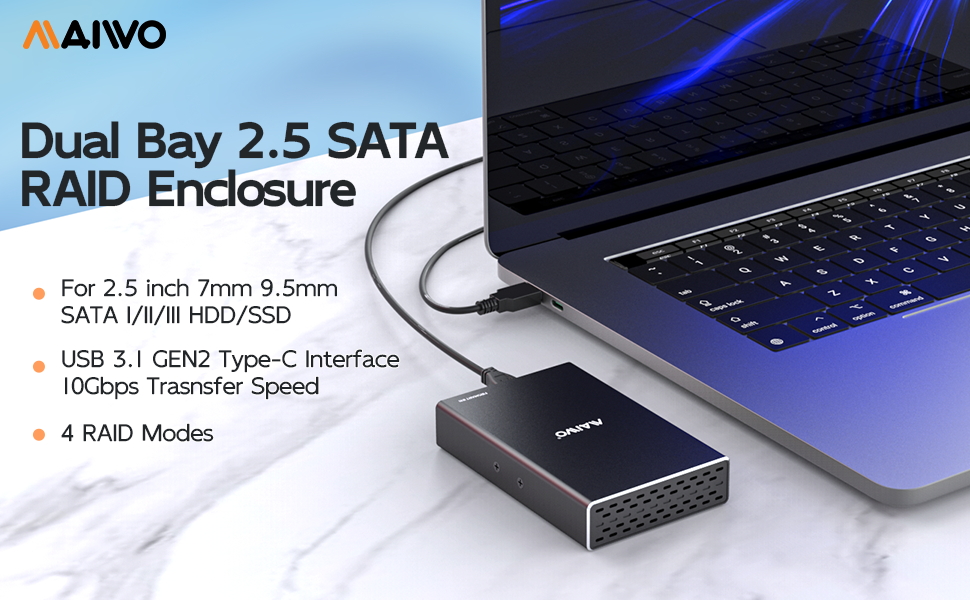
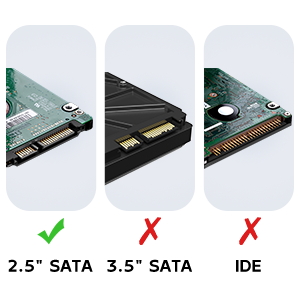
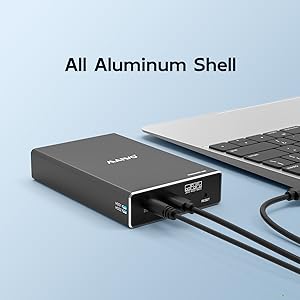
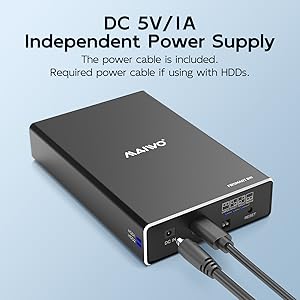
The MAIWO Dual Bay Hard Drive RAID Enclosure is a compact, aluminum-encased external storage solution supporting two 2.5" SATA SSDs or HDDs with up to 16TB capacity. Featuring USB 3.1 Gen 2 for blazing 10Gbps transfer speeds and four versatile RAID modes (0, 1, JBOD, NORMAL), it offers professional-grade flexibility with tool-free installation, hot swapping, and portable design—perfect for millennial managers who demand speed, security, and scalability in their digital workflows.


| ASIN | B083FQFGLM |
| Best Sellers Rank | #81,487 in Computers ( See Top 100 in Computers ) #364 in Enclosures |
| Compatible devices | 2.5 Inch Mechanical Hard Drive, 2.5 Inch Solid State Hard Drive, USB 3.0 Device |
| Data transfer rate | 10 Gigabits Per Second |
| Hard disk form factor | 2.5 Inches |
| Item model number | K25272C |
| Item weight | 80 Grams |
| Manufacturer | MAIWO |
| Material | Acrylonitrile Butadiene Styrene (ABS) |
| Max number of supported devices | 2 |
| Memory storage capacity | 16 TB |
| Product Dimensions | 12.7 x 7.62 x 2.54 cm; 80 g |
| UPC | 737838778428 |
N**E
I don't have a need for another RAID unit per-se. But I've accumulated lots of laptop hard drives over the years. Seemed wasteful to just toss them. So what do I do with them? I use this unit in large drive mode, and use old drives as scratch space. Like temporary quick storage for media files on the go. Large mode means that you get 1 big drive. 1TB + 250GB drives get you a virtual 1.25TB drive with this unit. I just run the drives until one of them finally dies. Figure out which one is bad, get rid of it, reset, reformat and keep going. It just works. And I feel like I'm not wasting old hardware.
M**S
Includes screws and a few appropriate screwdrivers to install the SSDs. In 'normal' mode it appears as two disks. Under linux I partitioned them, assembled a raid mirror , formatted them then mounted them. Just a few minutes. JMicron JMS551 bridge in the box.
G**S
Easy to install & setup using the dip switches - make sure to turn the enclosure off/on after setting the switches to make sure the change takes effect. I installed 2 X 1tb hard drives in RAID 1. The only thing I noticed is that it gets quite hot as there is no active cooling.
E**R
This unit works well in my QNAP NAS. My NAS was giving write errors on the cheap NVMe disks so I replaced them with newer ones and use these as a backup in this enclosure. So Far, so good.
J**D
It was hard to find this, it is exactly what have looked for. Just enough size to keep two 2.5" SSD and capable of RAID 0, 1.
Trustpilot
1 month ago
1 month ago