Desert Online General Trading LLC
Dubai, United Arab Emirates
Desert Online General Trading LLC
Dubai, United Arab Emirates


🚀 Upgrade your internet game with the NETGEAR CM1000 — speed, savings, and future-proof tech!
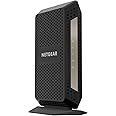
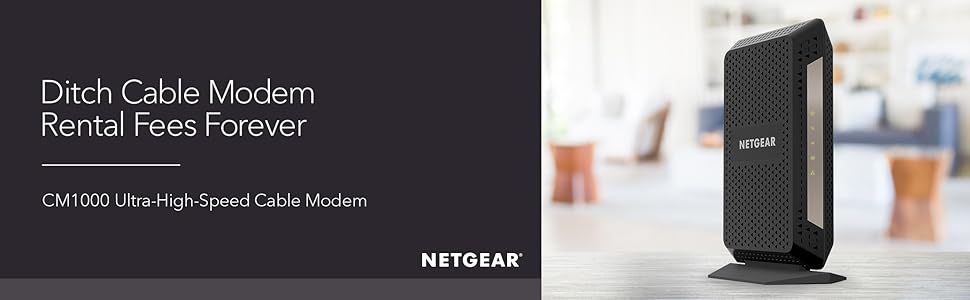
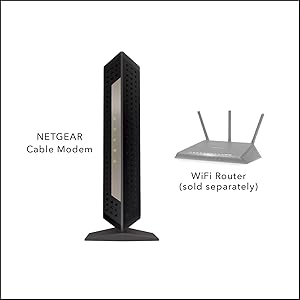
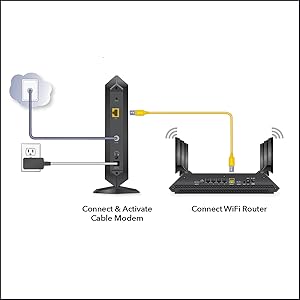
The NETGEAR CM1000 is a DOCSIS 3.1 certified cable modem delivering gigabit speeds up to 1 Gbps, compatible with major cable providers including Xfinity, Spectrum, and Cox. It supports both DOCSIS 3.0 and 3.1, ensuring future-proof connectivity and ultra-HD streaming. With a single Gigabit Ethernet port, it pairs seamlessly with any Wi-Fi router. By replacing your ISP’s rental modem, it saves you up to $168 annually in rental fees, making it a smart, high-performance choice for professional millennials demanding reliable, fast internet.


| Brand | NETGEAR |
| Series | C7000 |
| Item model number | CM1000-1AZNAS |
| Item Weight | 2.14 pounds |
| Product Dimensions | 8.8 x 5.4 x 5.9 inches |
| Item Dimensions LxWxH | 8.8 x 5.4 x 5.9 inches |
| Color | Black |
| Voltage | 120240 Volts |
| Manufacturer | Netgear |
| ASIN | B0781VN7W5 |
| Is Discontinued By Manufacturer | No |
| Date First Available | December 15, 2017 |
B**N
No hassle setup and money well spent
I purchased this to replace an aging Motorola/Arris SB6141 after I moved to the Comcast Xfinity Gigabit Internet tier. After setting it up and a quick call to Comcast/Xfinity to have it added to my account and an activation signal sent, I was good to go. Works as intended and I am getting the max download/upload speeds advertised so I couldn't be happier, not to mention no rental fee. Word of caution if you are an existing Comcast/Xfinity customer replacing your modem, don't bother with the instructions that mention to visit xfinity.com/activate to activate your equipment, it will most likely fail at the end right out of the box. To save yourself time and aggravation, do the following:1. Remove your old modem from the coaxial and attach the new CM1000 modem.2. Power it on and wait for the first 4 LED lights to go solid green (there are 5, but you won't see the fifth until you attach it to a NIC or home router)3. Attach the included Cat 5E cable to the back and plug it into a laptop or nearby PC4. Call 1-800-934-6489, go through the prompts until it connects you to the Comcast/Xfinity activation support agent.5. Say you would like to replace the modem on your account, answer the account verification questions, and have your modem MAC address handy.6. Provide the MAC address and wait for them to add it to your account and send the activation signal. They may ask you which version of the CM1000 you have, in which case answer the 1AZNAS. Once they confirm and send the activation signal, you will see the modem recycle itself a couple times before settling back on four solid green LED lights.7. The support agent should have you test the connectivity after that and if all went well, you should be up and running.8. (If you have a home router) Turn the router off/unplug it, and attach the Cat 5E/6 cable from the cable modem. Power cycle the cable modem one more time and wait for it to come fully back online with the four solid green lights. Turn on/plug the router power back in and let it fully come online as well. At this point, you will see the 5th green LED light on the modem indicating NIC connectivity and you should be good to go.NOTE: Once they properly send the correct bootfile/configuration to your modem the first time, any subsequent activations/provisioning (for instance if you move or swap modems then swap back) seem to work fine off of xfinity.com/activate. It is that out of the box initial configuration that fails with the automated setup.
G**Y
Fixed my random rebooting problem
First, I’ve been in networking for 25 years most recently running a group doing L2/L3 SDN development. I just moved on to another company and got rid of the Comcast Business service and went with their GB offering. I was using an Arris Docsis 3.0 cable modem into an Orbi network with 6 nodes covering ~6000 square feet. I have over 30 devices connected to the network and do everything from video conferencing, Roku, AppleTV, Ring, Nest, PS4 and VoIP just to name some of the services I run. I also live in a canyon and I don’t have mobile phone service, so my mobile runs over my network, I’m definitely not suffering from the cobbler children scenario and I’m very picky when it comes to my network.When I got Comcast GB, I was between their business service and the new service so I used their Comcasts cable modem for a week, made by Netgear. It ran hot, provide slow service (using Speedtest and doing my own TraceRTs) and I turned their wireless service off to help stabilize the box, however, the box rebooted constantly. To replace it I originally went with the Arris 8200. Over the course of two months the network would go down randomly multiple times a week and usually with my son yelling “the network is down again” during Fortnite. I looked at the logs, nothing. Turned features on the Orbi off after reading their forums, didn’t work (not to blame but poor advice). Hard wired Roku, AppleTV, again reading forums, didn’t work. I had Comcast specialists come out check the wiring, look at the logs on their end, nothing. I finally concluded mostly because there was nothing else to try that it was the cable modem so I purchased the Netgear CM1000.Installation: I followed the poor instructions included with the modem and nothing, it showed connected but hardwired I wasn’t able to get anywhere. On my third try I decided to call Comcast support and have them install it. Gave them the mac address and my network dropped (I knew this would happen since again my network is my only source to the outside communications world). I noticed this time that the lighting sequence was different so I gave it some time, hardwired into the modem and all was well. I connected and booted the Orbi and the network has been up and stable since then, no random reboots. I run daily Speedtests and have noticed ~10% in overall performance from both wired and wireless devices over the Arris, however YMMV.Pros:- Works and I haven’t had the random reboots- By my measurements ~10% faster- Like the black over the Arris 8200 whiteCons:- It does run a bit hot but nothing I’m worried about- Didn’t set up out of the box with Netgear saying in their documentation that if you have problems call the cable provider, poor customer service. Definitely the Arris was easier to set up.
K**E
Higher end modem with good performance and guts!
This is one of the best modems currently on the market. Works great with higher speed internet services. Gig speeds are a go with this guy. Also, uses Broadcom chipset, much better than intel puma’s that are in a lot of other products. This device does not have WiFi nor would I have bought it if it had. Not a big fan of the combos modems. For WiFi, you will need a dedicated wireless router for that part of the service. I’d recommend orbi and most nighthawks depending on your needs, size and budget. I am a seasoned cable repair/ install tech and I ve seen some reviews that say this is a bad product. I’d highly recommend if you have issues to get a technician from your internet service provider to trouble shoot your home cable system and network set up. Potentially minor cable issues here and there can add up, so it’s worth a call even if it’s a charge for them to repair any issues they may detect. Lastly my only regret was buying this in Dec 2018. I had been waiting patiently for a docsis 3.1 internet and telephone service capable modem but decided not to past up on a holiday sale. Current set up I have is my own modem for internet and a leased modem for telephone service only. So, a month or so later (2019) that’s exactly what netgear released but I was unable to return my modem to buy one of those because the return policy expired after 30 days. Guess I’ll have to wait a while for this one to pay its self off before I get that other model I believe is the docsis 3.1/telephone 1200 model number. So if you get both internet and telephone you will want that model not this one ( model 1000 does internet only).
Trustpilot
1 week ago
1 week ago