We remain fully operational. Our teams are working around the clock to ensure your deliveries continue safely.

DOWNLOAD THE APP


Customer Services
Copyright © 2025 Desertcart Holdings Limited
DOWNLOAD THE APP

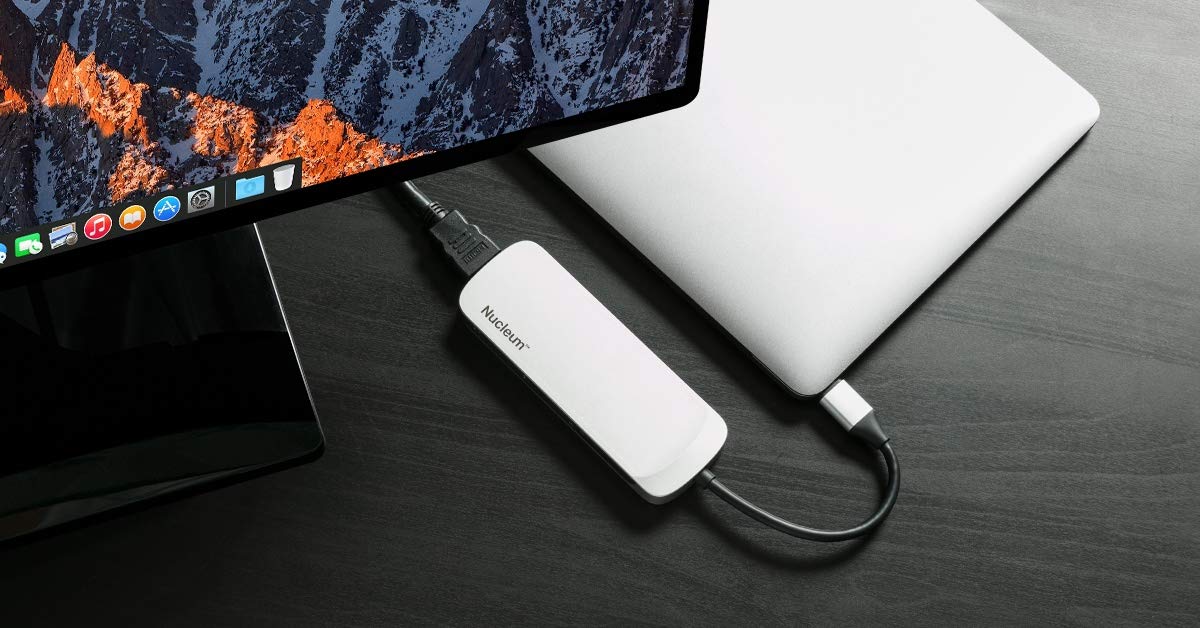

🚀 Elevate your workspace — all ports, no limits!
The Kingston Nucleum USB-C Hub is a premium 7-in-1 adapter designed for professionals who demand versatility and reliability. Featuring 7 ports including USB 3.1, dual SD/MicroSD card readers, and 4K HDMI output, it enables seamless connectivity and high-speed data transfer. Its compact, aluminum build matches the aesthetics of MacBook and Chromebook devices, while delivering up to 60W power pass-through charging. Perfect for content creators and multitaskers, it offers a flawless MacBook Air M1 experience and comes with a 2-year warranty for peace of mind.


| ASIN | B076BGJXTG |
| Best Sellers Rank | #1,735 in USB Hubs |
| Brand | Kingston |
| Built-In Media | USB hub |
| Color | Black, Silver, White |
| Compatible Devices | Laptops (MacBook, Chromebook), Monitors, Smartphones (iPhone) |
| Customer Reviews | 4.4 out of 5 stars 2,010 Reviews |
| Data Transfer Rate | 10 Gigabits Per Second |
| Enclosure Material | Aluminum |
| Global Trade Identification Number | 00740617271270 |
| Hardware Interface | USB 3.1 Type C |
| Item Dimensions L x W x H | 5"L x 1.77"W x 0.56"H |
| Item Type Name | Apple Macbook USB-C hub: USB 3.0,HDMI,SD/MicroSD,power,type-c |
| Item Weight | 0.1 Kilograms |
| Manufacturer | Kingston Digital, Inc. |
| Number of Ports | 7 |
| Operating System | Chromebook |
| Total USB Ports | 7 |
| Total Usb Ports | 7 |
| UPC | 740617271270 |
| Warranty Description | 2 years |
C**R
Only hub that works flawlessly with my Macbook Air M1, with some caveats
As many of you know, Macs are super fussy with peripherals. I tested 6 other USB-C hubs on my Mac and this is the only one that will charge from both of the Mac USB-C ports. All the other ones would NOT charge when connected to the forward port. The HDMI port also works flawlessly with my Lenovo monitor, every time I boot up. Can't say the same for some of the other USB-C hubs I tried. Also it actually has two USB-A ports, one on each side. The Amazon ad does not show that the other side of the hub also has a port. I have a Wavelink 7-port (powered) USB 3.0 hub connected to one of the ports on the hub, and it works flawlessly, so that give me 7 additional ports. I have not tested the memory card slots, so don't know about those. That being said here are the caveats with this hub: - If you disconnect power to the hub while charging it, it pretty much kicks out anything connected to the hub. This is common knowledge now with a Mac; this won't happen on a Windows laptop. If you look at a lot of ads now for USB-C hubs, they will tell you this, so this is nothing unusual if you own a Mac. Don't be copying files over with an external drive connected to the hub, if you want to disconnect power. - The USB-C socket for data transmission is really loosey goosey. There is no positive 'click' when you plug a cable in. Just stick it in as far as you can, and you should connect up. - There are a lot of negative reviews about this hub, in regards to it failing after a few months or a year. Well the thing has a 2-year warrantee from Kingston, so just send it back for refund or replacement. A lot of the USB-C hubs on Amazon are made by non-descript vendors from China, and are lucky to have a 1-year warrantee, if you can contact the company at all.
S**S
Nice looking device, but not all the ports work
**Update: I did a little more research and found that the issue is not with this Kingston device, but is it the the Luna display key. I attempted to use the Apple USB type C dongle in the TypeC Port of the of the Kingston device and found this USB device to be working. After doing more research on the Luna display, I found that they intentionally disable the use of their devices through hubs. Other than that, solid hub. Hardware seems high quality. I like not losing a USB Type C port when charging, and having both SD and Micro SD readers in one hub. **Old review: The hub itself is of pretty sturdy construction. However, the extra USB type C port doesn't not work properly. I attempted to use my Luna Display to connect my iPad as a second monitor but when connected through the hub, the device as never detected. The charging passthrough appears to be working. However, I can't comment on whether or not my Macbook is charging at full speed. I will be returning this device as I purchased the device to be able to charge my MacBook and use my iPad as an external display at the same time.
N**E
Love this! It's like a tiny power bar!
This little power bar works great with my MacBook Pro. The Nucleum USB-C Hub gives me two USB ports, plus every other kind of connection I might need. I love that the cord attaching it to the Mac is so sturdy, and I also like the nice metal cover that seems to match my MacBook.
E**B
Works, but not the solution I was looking for.
The Nucleum is a good hub, and it works, I've tried everything but the SD cards. Am I happy with it: not really. It's not a fault with the Nucleum as such. What I really wanted was a way to power my device at the same time I'm using a headset, the use case of several hours of business meetings. The hub works fine for this as long as I use my mobile device's charger for power. If I just connect to a computer USB-A port or to a USB-A on a power strip, I run down the battery faster than I would just using the headset on battery power. Of course, the hub consumes extra power for the other functions it supports and my device doesn't charge from computer ports. So it makes sense, but since I really need power and headset and not the other features, it isn't really satisfying. I was hoping for a solution where USB-A can be used and the device battery drops only slowly or stays the same, which is what happens if I just directly power the device from USB-A. If you are considering this for the same use case - because there seems to be no solution out there - this can work. It is close to more trouble than it is worth, but there have been a few occasions where this hub saved the day. As long as I use the charger, I can get through several meetings with my battery still charged and good to go. If I rated this hub just as as solution for this, I would drop one or two stars. What I want is a smaller hub, that doesn't add significant power requirements of its own, and has two USB-C ports. Bluetooth headsets work great initially as a solution. But my experience over several Bluetooth headsets is that if you use them consistently for hours of meeting calls a week, after about a year the quality becomes unusable. So if I've started preferring wired headset solutions.
R**N
Great build quality and works right out of the box
There isn't much to be said about this adaptor except that the build quality is really great and that it just works. I've been using it mostly to connect my USB wireless mouse, and to connect my iPhone and iPod to my MacBook Pro. I've used it for all the available ports with no issue. SD, Micro SD, USB 3.0, USB C, and HDMI and it has worked fine. I have packed this in my bag and bring it everywhere my MacBook goes and it's durable. The cord is of high quality and I expect it will be a long time before there is any visible wear on the cord. Worth the money for what it is. Great build quality, works as expected.
R**K
Note: Does not support thunderbolt
This is a decent hub and one of the very few portable hubs with data passthrough from a second USB-C port. However, I just learned the hard way that Thunderbolt seems not to be supported. There's a lot of confusion about this and I don't think the manufacturers are being transparent enough about it. USB 3 and Thunderbolt 3 are all different things that happen to be supported or not over a USB-C connection. In my case, I did hope that I could use a USB-C to Thunderbolt 2 adapter with an audio interface, but no dice. Luckily, I can just use one of my other USB-C ports, but I really would have loved to use just one cable for everything.
P**S
Not cheap, but worth it
Ordered this for my new MacBook as that has only one USB-C connector. At first I only used it to charge the MacBook while running backups on an external USB-C hard drive (LaCie LaCie Rugged 1TB USB-C and USB 3.0...
T**.
One of the best USB-C hubs out there, but not the best choice for the iPad Pro (2018)
As USB-C hubs go this is one of the most versatile out there. That said, it is not a great match if you are looking for a solution for the iPad Pro (2018). The cable is just slightly too short and dangles from the iPad. With that said, this is one of the most hubs on the market. Kingston’s hub features both a PD port and a USB-C data port, something you almost never see on a hub. Be aware the that but is significantly larger than it appears in the photos and is made completely of plastic.
Trustpilot
1 month ago
2 months ago