
DOWNLOAD THE APP


Customer Services
Copyright © 2025 Desertcart Holdings Limited
DOWNLOAD THE APP

💼 Secure your legacy with WD My Book — where capacity meets confidence.
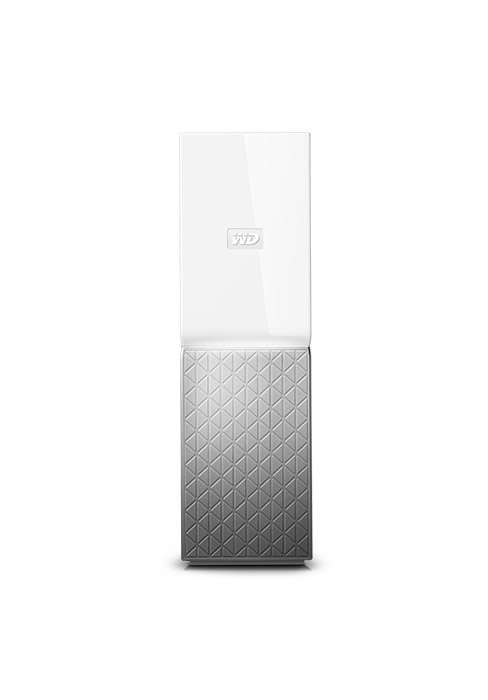
The WD 8TB My Book external hard drive combines massive desktop storage with advanced 256-bit AES hardware encryption and SuperSpeed USB 3.0 connectivity. Designed for both PC and Mac users, it includes WD’s intuitive backup software for effortless data protection. Its sleek black design houses reliable WD quality, making it an essential tool for professionals who demand secure, high-capacity storage with seamless performance.




| ASIN | B01LWVT81X |
| Are Batteries Included | No |
| Batteries | 1 AAAA batteries required. |
| Best Sellers Rank | 8,255 in Computers & Accessories ( See Top 100 in Computers & Accessories ) 43 in External Hard Drives |
| Brand | WD |
| Colour | Black |
| Customer Reviews | 4.2 4.2 out of 5 stars (7,946) |
| Date First Available | 11 Oct. 2016 |
| Form Factor | 3.5-inch |
| Graphics Card Description | Dedicated |
| Guaranteed software updates until | unknown |
| Hard Disk Description | Mechanical Hard Disk |
| Hard Drive Interface | USB 3.0 |
| Hard Drive Size | 8000 GB |
| Hardware Platform | Standard |
| Item Weight | 960 g |
| Item model number | WDlBBGB0080HBK-EESN |
| Lithium Battery Energy Content | 2 Kilowatt Hours |
| Lithium Battery Packaging | Batteries packed with equipment |
| Lithium Battery Weight | 960 Grams |
| Manufacturer | WESBX |
| Number Of Lithium Ion Cells | 5 |
| Number of Lithium Metal Cells | 5 |
| Operating System | Standard |
| Power Source | Hand-operated |
| Product Dimensions | 13.93 x 4.9 x 17.06 cm; 960 g |
| RAM Size | 8 TB |
| Series | My Book |
| Supported Software | Mac OS X 10.9 Mavericks |
| Voltage | 12 Volts |
| Wattage | 3600 |
C**W
I love these, it's the BEST way to buy WD Red NAS drives
So far I have bought 12 of these WD My Book Duo drives (The 24TB capacity model). I have 3 NAS servers at home, one of which is a media server, another is used to backup the media server and the third is my main network server for all my data. I had previously purchased WD Red 6TB drives to populate the servers and as time has gone on, the drives have started to get quite full (Each server takes 6 disks in a RAID 5 config, meaning that each server had around 27TB of storage space available). I had been looking to upgrade the servers to a higher storage capacity, but reader, as you know, buying hard drives is very expensive and for some bizarre reason, prices can fluctuate by around +/- £100 in a day on Amazon, which makes no sense whatsoever. I found out about "shucking" drives which is an ok way of getting drives of a higher capacity at a cheaper cost to go inside servers, but they can have issues with one of the pins needing to be covered so that the drive will power up. I don't know if my servers would have that issue - and as the drives in the servers are in a RAID config, I didn't want to run the risk of losing all my data. I then saw these WD My Book Duo drives that come with WD Red drives inside them. I downloaded the manual to see if the drives can be easily removed - and it said in the manual that Western Digital provide a plastic tool for popping the drive box open so that the individual drives can be removed. So, I took the plunge and bought 3 of these so that I would have a total of 6 x 12tb WD Red drives. On the day that I placed the order, they were down in price - and if you put these in your "wish list" you can monitor on a daily basis how frequently the prices change. I bought them on a day when they had dropped in price by approximately £100. So, thanks to Prime, the My Book Duo's arrived the next day and I set about removing the disks from their cases. This was a bit fiddly at first, but once I got the first drive out of it's plastic holder, the rest were easy. I downloaded WD's own drive diagnostics program from the WD website as I wanted to make sure the drives were all ok and had no bad sectors. I have a external hard drive enclosure that I connected each drive up to in turn and ran the extended diagnostic test that checks every single sector of the drives. This takes around 18-20 hours per drive, but my data is important, so I was happy to take the tests slowly. All 6 drives passed the tests and I was then able to put them in the NAS. While the diagnostics were running, I used that time to backup the main media server NAS to it's backup server, just to be on the safe side and then when all 6 drives had been thoroughly tested, I set about putting them in the media server. I won't bore you with that process as it's irrelevant to the review, however, it worked ok and at the end of it, I had around 55TB of usable space on the media server. Once that server was completed, next time that Amazon reduced the price of the My Book Duo's again, I purchasd more for the rest of the servers. And, best of all, as I had previously used 6TB WD Red drives on my servers, once each disk had been removed and partitions deleted, I was able to put 2 6TB drives inside each My Book Duo so that I have additional backup storage available for all my other data. So - if you plan on shucking the drives to increase capacity in a server, these are the best way of buying WD Red drives. If you plan on just using the drives as they are, inside the My Book Duo enclosure, then again, these are the best way of buying WD Red drives. WD Red's are the best drives for use on servers and I also find them to be the best to use for backups.
R**S
An excellent, great value, and reliable external hard drive.
I've been using Western Digital drives for years, as anecdotally I've found them to be more reliable than Seagate. Thus far, this 14TB external drive is no exception. I regularly write and read data from this drive and find it to be more than capable of large data transfers whilst staying cool and quiet. Inside the enclosure is a white label 14TB drive, which I believe to be a varient of the WD Red NAS drives, which bodes well for reliability. Via USB 3.0, I am getting around 200mb/s read speeds and 180mb/s write speeds, which is excellent for a HDD, especially via USB. The drive isn't silent when operating, but it's certainly much quieter than my Toshiba N300 drive which easily drowns out the WD when both are being used. The drive also runs cool, topping out at around 45C when writing in an open air environment with plenty of ventilation. The only complaint I would have is that WD are still not using USB-C connectors, having to keep a specialised USB Micro-B cable around is a real pain when everything else I use has USB-C. It's a minor complaint, but the difference for a manufacturer to use USB-C over Micro-B is around 25p per connector, so it's definitely doable from WD's side. Pros: - Runs cool and quiet with proper ventilation. - Large capacity for the money. - Shuckable should you want to remove the drive from the enclosure (this does void warranty). - White label WD drive inside, similar to a WD Red NAS drive (but much cheaper). Cons: - USB Micro B. - Can slow down after an hour or so of solid writing, but you won't find a hard drive that doesn't do this. Overall, thus far I'm very happy with the drive, sustained writes maintain a decent speed and it stays cool and quiet when in use. I've had several external WD drives and all are still working to this day, so I have confidence that this one will continue to do so too. Though if you have crucial data, you should always back it up, no drive will last forever!
B**A
Excellent external drive but a bit noisy
Sturdy, well made, fast data transfer, good backup software. The only negative point is the drive mechanism is quite loud. I put some sound absorbing rubber feet on the bottom of mine but it's still quite noticeable.
S**N
WD 28TB My Book Duo Desktop
I'm quite impressed with this harddrive unit. At first I had to format it to get widows to recognise the harddrives. Even though it states that it's ready from work the box to use. There was also a big issue with the fan blowing it's head off which was very loud. It was only later I discovered the there's is a clear plastic wrapping around the fan area which has to be removed. I've got poor eye sight so this doesn't help me. Once all the flaws where resolved it worked a like a charm. The harddrives do go into sleep mode and does take a while to wake up. But upon reading the reviews from the website this is normal to save wearing the harddrives out. Also there's a constant ticking noise which again is normal. Transfer speeds vary. But it serves its job for reliability and performance. Would I buy again. Yes it's ticked everything I was expecting.
B**O
Il disco è arrivato con un adattatore con spina di collegamento rimovibile, premontato con la variante inglese, e la spina europea "classica" inclusa nella confezione. La velocità di lettura e scrittura sequenziale è molto alta per un hard disk meccanico, si mantiene mediamente sopra i 165MBps anche dopo utilizzo intensivo per diverse ore. Il disco contenuto all'interno ha 256 MB di buffer, e non è un WD Red (come spesso capitava per gli storage esterni della serie Elements) ma un Ultrastar di nuova generazione (HelioSeal) con camera interna sigillata e riempita ad elio, prodotto dalla divisione HGST (ora marchio Western Digital e in precedenza di Hitachi). Il disco supporta la crittografia hardware SED (self-encrypting drive technology) e viene offerto con vari software in bundle, ma il software in dotazione (se vi interessa) non si trova precaricato nel disco, ma va scaricato dal sito ufficiale. Lo ho ormai da un po' di tempo. # Aspetti positivi: - veloce (relativamente a un hard disk meccanico); - capiente; - case esterno più robusto dei modelli precedenti; - prezzo competitivo, specie se si considera a che prezzo viene venduto il drive al suo interno. # Aspetti negativi: - nessun led operativo; - nessuno switch per lo spegnimento; - non molto silenzioso (si sentono distintamente sia la rotazione dei piatti che i movimenti delle testine). # Stranezze: - Nella descrizione pochissima chiarezza sul modello di unità all'interno e le sue caratteristiche, malgrado l'unità all'interno sia pregevole; - Dall'analisi dei dati S.M.A.R.T. si nota che il disco è rimasto acceso probabilmente per qualche test di funzionamento un periodo stranamente lungo (il disco è stato acquistato come completamente nuovo e lo stato degli altri parametri oltre il dato relativo al tempo in cui è rimasto acceso, non fa supporre sia stato inserito qualche disco ricondizionato).
S**-
36 değil 32 terabayte bukadar büyük fark varken ya byte diye pazarlayın yada tam 36 yapın artık 1000 1024 çarpanı geride kaldı. Başlangıçta herşey iyiydi veri gönderim hızı vs my booktan my booka teracopy ile kopyalama yaparken driver ve partitionlar hepsi göçtü günlerce uğraş sonrası dosya dizililimi stabil olduğundan sürücüleri kurtarabildim şu an verileri başka bir hazneye atıyorum ancak veri aktarIm hızı 4 25mb snlerde veri kaybına karşılık aktarmayı da kesemiyorum my blokların ikiside çöktü ürünü geri gönderin arızalı hatası veriyor veri kurtarna sonrası tam format çekip duruma göre iade etmeyi düşünüyorum. NOT MY booktan my booka her dosya kopyalama cabalamda teracopy ile aniden çöküyor istisnasız herzaman windows ile kopyalarken zaten çok yavaş başlıyor sonra 4 5 dk içersinde erişim hatası verip diskleri kapatıyor. Su an başka bir hd ye veri atarım çabalarıma rağmen max veri hızı 4mb ile 25mb arası gidip geliyor bu gidişle haftalar dahi sürebilir not ikinci my book u baglayana kadar 20tb olan olan güzel çalışıyordu ama sonuçta 15 gün içersinde 2side şu an göçük tüm partitionlar silindi ext fat formatından dosya indexi alip kurtarabiliyorum ama ntfs tamamen gitti sonuçta iki partition u da tavsiye etmiyorum hpfs 3. Parti yazilimla kurun daha sağlıklı olabilir exfat çok sık çöküyor ama kurtarmaya daha çok imkan veriyor ntfs çökerse dosyalara ulaşmanız daha zor çökene kadar daha dayanıklı ama çökmüş harddiskte veri kurtarma çok sınırlı.
I**U
It makes noise. Including bzz bzzz from the electric socket.
B**X
Très bon , à conseiller
R**C
Lot of noise But it does his job
Trustpilot
1 month ago
4 days ago