We remain fully operational. Our teams are working around the clock to ensure your deliveries continue safely.

DOWNLOAD THE APP


Customer Services
Copyright © 2025 Desertcart Holdings Limited
DOWNLOAD THE APP


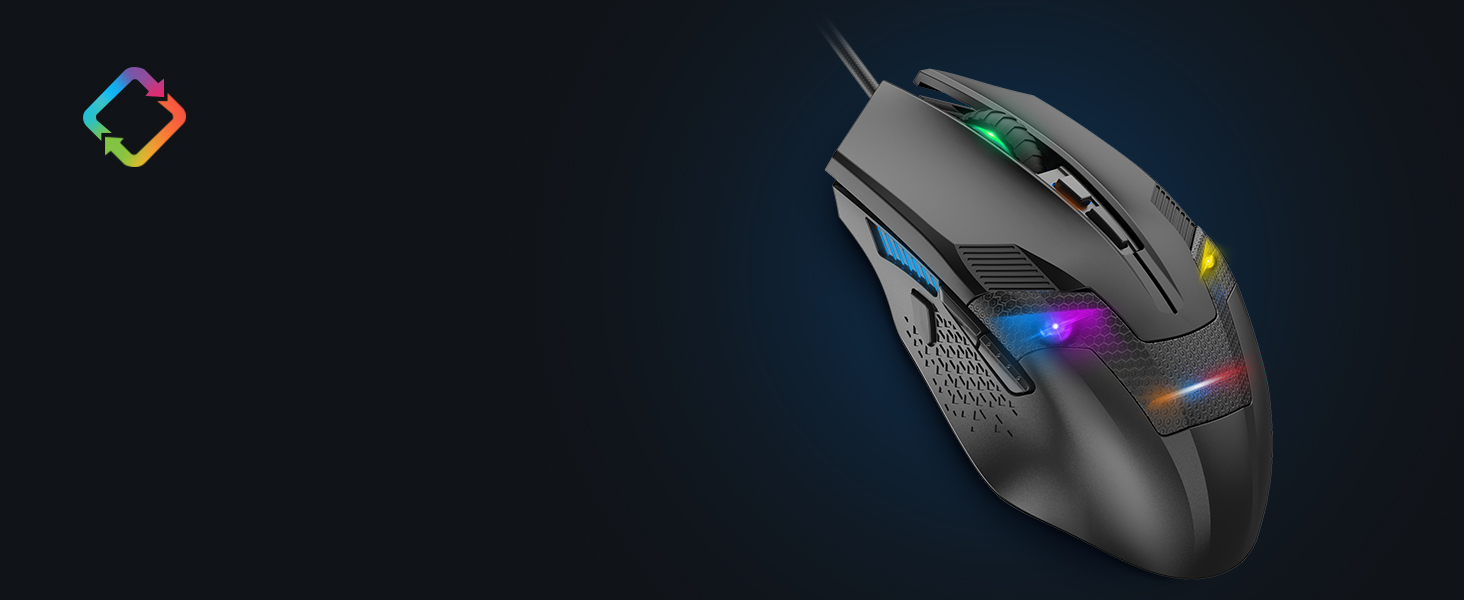
🔥 Dominate your desk with precision, power, and style!
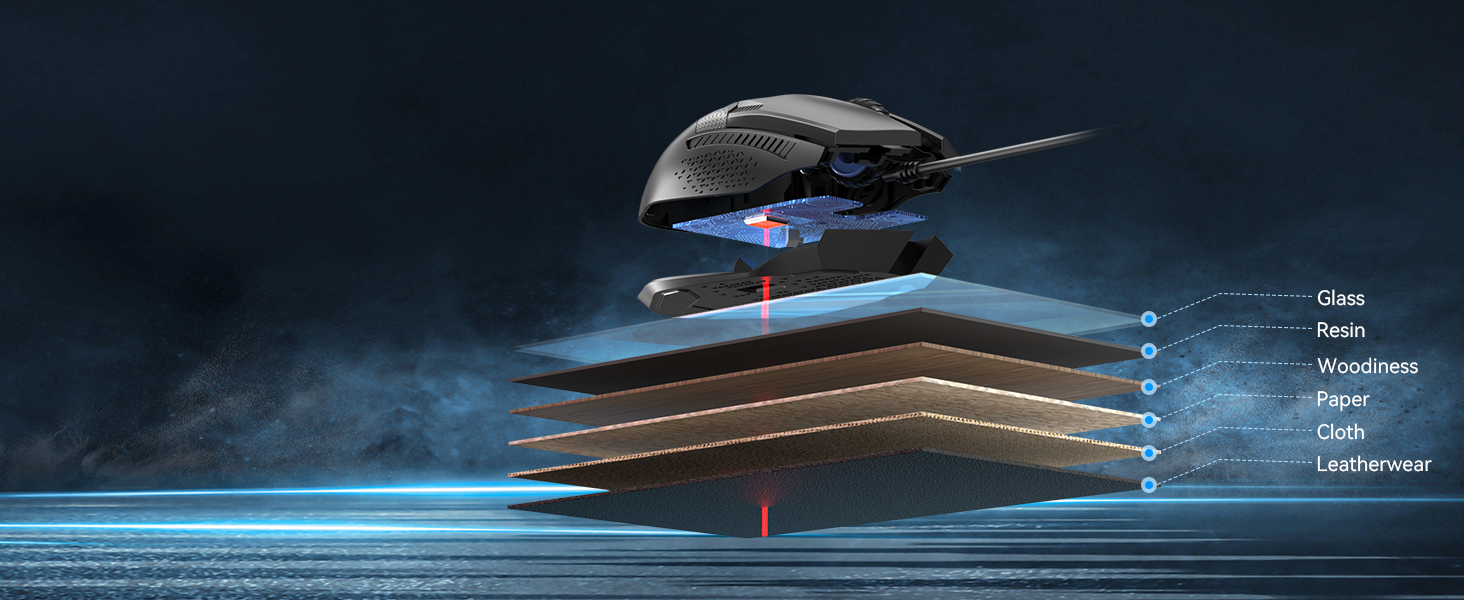
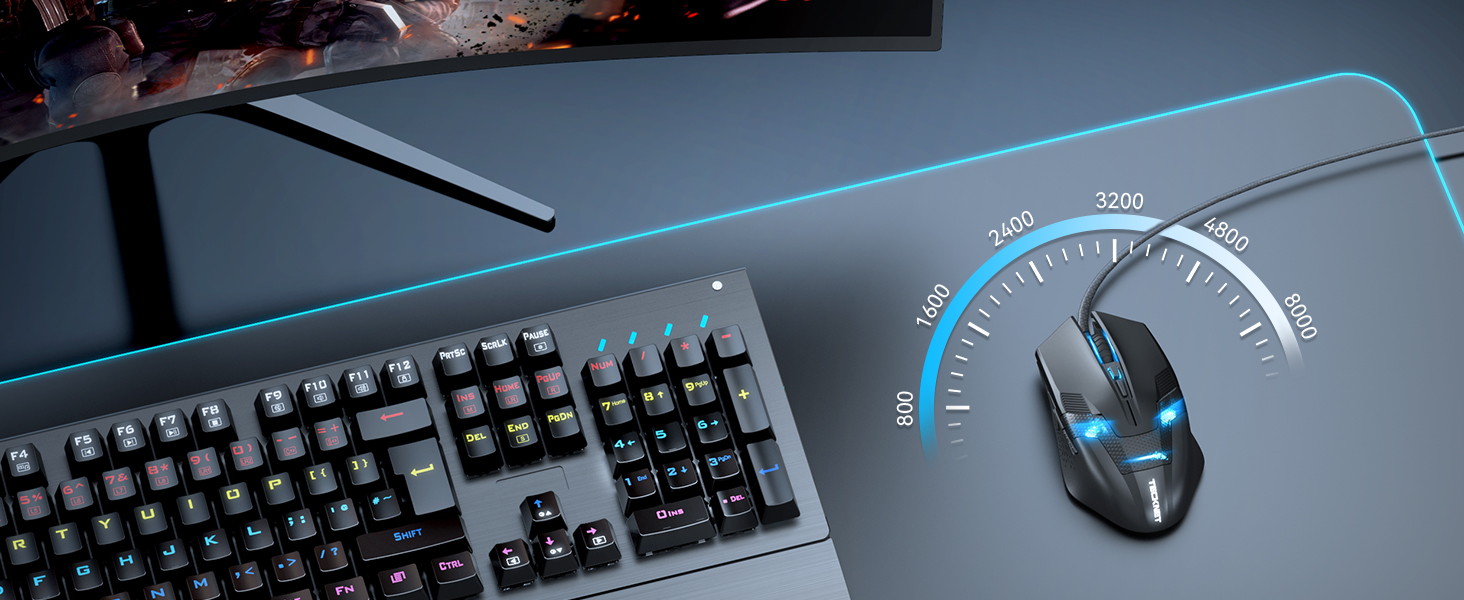
The TECKNET Wired Gaming Mouse combines an ultra-responsive 8000 DPI optical sensor with 6 programmable buttons and customizable 6-zone RGB lighting. Designed with a flexible braided cable and durable switches rated for 25 million clicks, it offers professional-grade performance and ergonomic comfort for both gaming and productivity. Compatible across Windows and Mac systems, it’s backed by a 36-month warranty, making it a smart, stylish upgrade for any millennial professional seeking precision and personalization.





| ASIN | B00E290JRE |
| Best Sellers Rank | 1,562 in PC & Video Games ( See Top 100 in PC & Video Games ) 69 in PC Gaming Mice |
| Guaranteed software updates until | unknown |
| Item model number | x2680 |
| Manufacturer | TECKNET |
| Product Dimensions | 7.6 x 3.8 x 12.76 cm; 152 g |
A**.
Great value, stylish, and works very well
I bought this mouse about a month ago when the sensor on my Razer Naga died. The impression I got from the company known as Redragon was that of a more budget-oriented version of the kind of products that Razer put out. Even the box for the Centrophorus looked pretty much like "a Razer box, but in red". But don't let that dissuade you - I've been using the Centrophorus for nearly a month, and I can safely say that it's the best mouse I've bought, both in terms of usability and value (The latter being particularly relevant, given the price of the Naga). So how does the Centrophorus hold up in comparison to my previous experience with the Naga? Really well, as it turns out. The mouse itself moves very smoothly on my desk without the need for a mouse mat, and if it feels too weighty, there are some removable weights inside the mouse that can be accessed through a circular slot on the bottom. In terms of buttons, I got used to the main buttons much faster than the Naga's, with the less upwardly-curved design of the Centrophorus meaning that there's less chance of you accidentally right-clicking through the slightest instinctive twitch of your right middle finger, much like I did with the first few weeks using the Naga. The two side buttons have a "click" to them that feels similar to the main buttons, as opposed to the quieter, more rubbery feel of the Naga's keypad. By default, they serve as "back and forward" buttons on web browsers, but can be customised through software that installs with the drivers that, for me at least, automatically installed when I first plugged the mouse in. The mouse wheel feels great, with the texture giving a nice feel and an appropriate amount of friction when using it. It doesn't feel loose at all, and serves its purpose well. Below the mouse wheel is another button for cycling between three mouse sensitivity settings, meaning that the brighter the light between the buttons, the more sensitive the cursor is to mouse movement. While I haven't needed to use this button much (as the default setting suited me fine), I can easily imagine people more serious about on-the-fly mouse sensitivity would get something out of having this feature. I've also read up on a lot of people saying that the only problem is that the light on the mouse doesn't turn off when a PC turns off, but as someone who defines "turns off" as "fully shutting down" as opposed to something akin to hibernation or sleep modes, I can safely say that I did not experience this. Overall, I would highly recommend this to anyone who has at least a passing interest in budget gaming hardware, or in general wants to get into the gaming hardware side of things without spending tons of money on a well-known brand. I would definitely keep an eye on Redragon and see what they do next, since a lot of their other products look pretty promising!
A**N
Comfortable High Resolution Mouse
For some time I have been using a Microsoft Basic Optical Mouse for everyday use on my desktop machine. It's a simple, reliable no-frills option that I have been very happy with. However, having had the chance to test out this TeckNet Gaming Mouse and using it as my everyday mouse for a few days now, I am actually quite pleased with the change. The big advantage, for me, of the new TeckNet mouse is size and speed. I have largish hands, and the MS mouse always felt just a shade wee - the TeckNet Raptor mouse fits my hand perfectly. This doesn't make a huge difference, but it is that little bit more comfortable in the hand. The other thing is speed - I have two 1920x1080 monitors on my desk, and the higher resolution of the gaming mouse means that the cursor fairly zips around. At first I found this a little disconcerting, and I was planning to change the pointer speed in the settings - but I quickly got used to it. I especially like that I don't have to lift the mouse off my desk nearly as much as I used to. I am a cluttered-desk kind of guy, so this is really a help to me. The biggest downside I've experienced so far has been the two thumb buttons on the left side of the mouse (unlike my old mouse, this Raptor gaming mouse has a definite 'handedness'!). These are mapped to browser back/forward (at least in Ubuntu), and I found myself accidentally pressing them when grabbing the mouse. There is, however, a little 'nub' on the side for your thumb to rest on, where it is clear of the buttons - I am getting into the habit of letting my thumb rest on that, and it helps with the accidental navigation. The mouse itself is rather attractive. The matte black looks smart, and the blue LED 'face' - while not especially to my taste - is understated enough that doesn't bother me too much. The textured feel of the plastic is nice, and as I've mentioned the size is right for me - and the subtle flare out to the base is comfortable, too. In use, the mouse moves easily and with precision - in the end I'm finding the higher resolution to be really helpful - enough that I will be using this mouse as my everyday pointer. As for buttons, there are the usual two top buttons, which 'click' with very little pressure, though there is a definite tactile feedback - no doubt handy for games which require rapid clicking. Nestled between them is the scrollwheel, which is wrapped in a rubber ring - a nice, smooth movement with subtle but clear detentes. The scrollwheel also 'clicks' as a third mouse button, and the action is such that it is easy to click without activating the scroll. Just behind the wheel is a little rectangular button, just about accessible without sliding your hand off the mouse. On the left side of the mouse are two thumb buttons, easily accessible even while the mouse is in use - as long as you're right-handed. The shape of the mouse is symmetrical, and it's easy to use as a leftie - except for these two buttons. The mouse without cable weighs in at 95g, versus 58g for my old Microsoft mouse. You don't notice the extra weight except that it feels a bit more 'solid' - a good thing, in my view. The cable is also wrapped in what appears to by braided nylon, which will presumably help it last, but I don't think I've ever worn out a mouse cable! Overall I am more pleased than I had expected with the mouse, and will be keeping it on my desk. It's a quality item for a budget price. As you would expect, it works without a hitch in both Linux and Windows machines. Note: I received a free mouse in exchange for this unbiased review. Further Note: I figured out that I could use xev and xmodmap to disable those thumb buttons... mouse is now perfection! Also, something I didn't notice before but is handy for 'fiddly' work: the small button just behind the scroll wheel actually cycles the mouse resolution - so you can slow your pointer right down (eg for photo retouching) without having to mess about with settings!
C**N
Ce produit est tout simplement parfait! J'ai voulus me lancer pour une installation du "Gamer content" et je suis tombé sur ce produit, je voulus essayé cette souris (première souris Gaming) qui me paraissait plutôt sympathique. Elle a été livré dans une petite boîte qui en prenait vraiment pas de place de tout (pas une tonne de polystyrène pour 1 gramme de marchandise comme pour tout les autres produits achetés sur le internet), ce que j'ai beaucoup apprécié. J'en suis à mon deuxième mois d'utilisation et je suis toujours aussi heureux de cette souris, les deux boutons à gauche de la souris sont vraiment bien et amplement suffisant, elle n'accroche pas mais ne dérape pas pour autant donc pas vraiment besoins de tapis de souris. Elle émet une petite lumière bleue très sympathique qui se marie très bien avec son design très agréable . Un petit défaut, si on éteint l'ordinateur, la lumière bleue de la souris elle ne s'éteint pas. Mais bon malgré ce petit défaut, cette souris est vraiment géniale pour ce prix vraiment bas. Je la recommande énormément pour ceux qui souhaite avoir du matériel Gaming pas très chers, vous ne serez pas déçus! Merci beaucoup pour ce produit Tecknet.
K**X
After using this (Wired) edition mouse for a few months on some extreme FPS gaming, I have decided that it is finally time I should write a review about this. -Setup/Installation- The setup and installation was quite complicated when I first received the mouse, I plugged my mouse into my PC as it was installing the drivers I waited for about 5 minutes and the mouse still wouldn't move. So I unplugged the USB for the mouse and replugged it back into my PC and the mouse booted up instantly and I was able too start using. I then had the same issues with my other PC whilst trying too install it. -Info- Now I don't usually write reviews about items, but I think this really needed it. One of the things I like about this mouse is the price, most name-brand gaming mice are around $60 - $100 and I was thinking about going with one of them. I came across this mouse and I decided too give it a try so I can get rid of my stock HP wireless mouse. I went with the wired mouse so I wouldn't have too change batteries like I had too do frequently for my old HP mouse. -Cable- The cable for this mouse is braided which it really feels like a high-quality mouse that you would buy from other brands. The cable is long enough too be able to reach from the back of my thick all-in-one computer monitor around the monitor, too my mouse pad and still have enough cable length too pull the mouse off the mouse pad and pull it past my chair. Yes, the cable is quite long. -Mouse Buttons- The mouse has 6 buttons that are clickable in which I will explain later on. The buttons feel like a weird material, I don't know how I would explain it, whether it is plastic or some other material the mouse buttons do feel like they will last along time. I have put the mouse buttons through some torture in games like "Counter-Strike: GO" in-which I had mapped the 2 side buttons (Left side of mouse) too reload and switch weapons, which I click WAAAY too much, so the buttons durability is really good. Then the mouse has another button at the top in which it changes the DPI for the mouse, and whilst you change the DPI the mouse wheel lights up in "3" different stages. (Off (lowest DPI), semi-bright (Around 1,000 DPI), full-bright (2,600 DPI). The final buttons would be "right click, left click, scroll wheel". -Lighting- The lighting in this mouse is what turns me off, I am a light junkie, I love being able too change the colors of my equipment and seeing the different colors that I can do. This mouse has 1 color and it is "Blue" although you can see red inside the mouse from the lazer at the bottom of the mouse. The lighting is quite bright I can see it really well at night whilst it is dark in my room. In gaming sessions the mouse light won't matter but it just gives it that little bit of detail. -Build Quality- The build quality for the mouse itself was really great it doesn't seem like it will be breaking down on me anytime soon. It feels like a sort of plastic material on the mouse itself, and the clear space where you can see the lighting is feels a little worse than the plastic. I would rather the mouse feel a little bit more like a logitech, and maybe some more comfort. But either way the mouse is really great and I would recommend it too anyone! I would even buy another one myself.
R**T
tl;dr: + gute Verabreitung von Mausrad und Seitentasten + gute Lage der Seitentasten + Kabel in Kunststoff eingewickelt + Preis + Laserabtastung funktioniert auf nahezu jedem Untergrund - Kabel etwas starr - für große Hände nicht perfekt (gibt es in der Preisklasse aber auch sowieso nicht) - kein horizontales Scrolling (wer's braucht...) Ausführlich: Zum Vergleich ziehe ich die Logitech G500s heran, die allerdings auch das 6fache kostet. Die Maus liegt relativ gut in der Hand und macht einen einigermaßen stabilen Eindruck. Sie ist natürlich deutlich leichter, als das o.g. Logitech-Modell. Das Kabel ist mit einem Kunststoff umwickelt und wirkt dadurch hochwertig. Es ist dadurch allerdings auch relativ starr, Logitech-Kabel sind um Einiges flexibler. Da das Kabel aber auch relativ lang ist, kann man sich das gut hinlegen, wie man es braucht. Der Stecker ist vergoldet, aber ich glaube kaum, dass man da einen spürbaren Vorteil draus zieht. Für meine große Hand ist der Mausrücken etwas zu niedrig, da liegt das Logitech angenehmer in der Hand. Es gibt kein horizontales Scrolling, das Mausrad lässt sich auch nicht "aushängen". Tückischerweise liegt der Knopf zum Einstellen der DPI da, wo bei Logitech das Mausrad ausgehängt wird. Die Seitentasten und das Mausrad wirken gut verarbeitet und haben einen angenehmen Druckpunkt, die Maustasten wirken minimal "billiger" verarbeitet, vom Klickgeräusch her, aber es ist absolut im Rahmen. Fazit: Für den Preis hatte ich weniger erwartet und wurde positiv überrascht. Die Maus befindet sich bei mir allerdings ausschließlich im Arbeitseinsatz, für den Büroalltag ist sie absolut geeignet, zumal man sich durch die Laserabtastung das Mauspad auf nahezu jedem Untergrund schenken kann. Update Juni 2019: Nach drei Jahren nun eine erste Macke, das Mausrad scrollt nur noch sehr ungenau und oft auch in die jeweils falsche Richtung. Scheint mir nicht reparabel, da es keine optische Abtastung ist, sondern mechanisch umgesetzt wurde. Ich lasse die 5 Sterne stehen, weil die Maus für diesen geringen Preis sehr gute Dienste geleistet hat.
M**O
Il mouse è di buona qualità e lo consiglio. Non avevo il cd incluso, ma ho facilmente recuperato il programma dal sito del produttore ed è possibile scaricare anche il manuale (anche se non aggiornato). Voglio fare qualche appunto: - in rete e nella gallery delle recensioni si trovano immagini e video della versione vecchia del programma, che sembra includere alcune funzionalità che sono state tolte, come la possibilità di assegnare ad un pulsante l'esecuzione di un programma o impostare il loop dei colori combinato alla modalità breathe (peccato...), ma in compenso ne sono state aggiunte altre; - la documentazione del programma è al minimo essenziale: si riesce a settare tutto senza problemi, ma non mi sono chiare le funzioni "blink" e la seconda "steady" dato che si attivano solo quando si cambiano i DPI; - il mouse non è proprio RGB: ti permette di scegliere qualsiasi colore dal color picker, ma poi usa quelli che ha a disposizione (se per esempio viene impostato il marrone, il mouse si illuminerà di giallo). Per quanto mi riguarda questi sono piccoli dettagli e per questo do comunque 5 stelle e, visto anche il prezzo (16.99€), lo reputo un mouse adatto a chi vuole il fascino dei led senza andare a spendere troppo per un mouse full RGB.
O**H
Lot of people say that this the best gaming mouse under the price tag. And I think that too. This is a gaming mouse Having 2000 DPI 6 buttons and its wired. The wireless models of this dude also comes but I would suggest go for wired because in the world of gaming wired stuff are better but if you have a wireless setup then go for wireless and its all based on that also this comes in several colors I am having the black colored mouse cause its the cheepest you can go for the color that fits your setup nicely. Ok. Well the packaging isn’t great. But its fine for a cheap product. In the box you will find a mouse a warranty card and a user manual. I am finding that the packaging is bad. But anyway this mouse is having a braided cable.because of this your cable wont break. 6 buttons as I said the left click right click scroll wheel you can press it also and that’s the third button dpi button and the two side programmable buttons. You can change the dpi in three modes 600 dpi 1200 dpi and 2000 dpi the higher dpi the faster the mouse will move on screen. Now you would ask how will we know in which dpi I am? That its very easy. When you will plug this mouse in your computer or laptop or whatever thing you have its leds will light up if the light in the dpi button place is high then you are in 2000 if the light is medium then you are in 1200 and if the light isn’t glowing at all then you are in 600 dpi so thats great. One thing that I find great about this mouse is that it is big and fits my hands nicely. it is 12 cm long. the leds are pretty visible it is having a button like thing below the dpi button but it cannot be pressed dont worry that is just the design and there should be no button there. The left and right clicks are nicely made and are springy which I am liking. The weight of this mouse is neighther high nor low so both gamers who want heavy or light mouses can buy this mouse. It nicely glides on the mousepad and if you have a laminated table like mine but dont have mousepad then also the mouse works great. The cable is also long. All of its buttons are programmable and you can program it using a software known as X mouse button control . What you have to do is when you have installed it correctly then it will come in your task bar you can see the mouse logo right click on it and click on setup here you can see you can program any button you want like in this mouse the default button are of remember I am talking about the side button the default is the upper button make a web page to go forward and the lower button make you go to the last web page. If you dont know the defaults then it will be in the user manual. thank you for reading and pls hit the helpful button.
Trustpilot
5 days ago
3 weeks ago