✈️ Elevate your flight game with pro-grade precision and cockpit immersion!
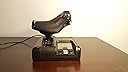
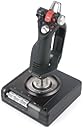
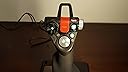
The Saitek X52 Pro Flight System Controller is a premium joystick and throttle combo designed for serious flight sim enthusiasts. Featuring an advanced Multi-Function Display with customizable buttons and rotary dials, precision centering joystick technology, and a progressive throttle with tension adjustment and detents, it offers unparalleled control and realism. Compatible with Windows XP through Windows 7, it’s engineered for durability, ergonomic comfort, and deep game integration.


| Color | Black |
| Item Dimensions | 15 x 9 x 10 inches |
| Package Quantity | 1 |
| Item Weight | 1.9 Kilograms |
| Button Quantity | 2 |
| Additional Features | Rumble, Ergonomic |
| Power Source | Corded Electric |
| Hardware Platform | pc |
| Controller Type | Joystick |
| Connectivity Technology | USB |
| Compatible Devices | PC, Windows |
D**C
The quality of Saitek, continues with the X52 Pro!
I am a long time flight sim enthusiast. I used to be the type who would always look for a better joystick on the market; that is until one day I purchased myself an X52 joystick from Saitek. This joystick was excellent, and it lasted me several great years of flying and fighting in combat sims. Recently however, I started to want an upgrade because my old x52 was beginning to wear after 7 years of use. I finally bit the bullet and purchased the x52 pro. First impressions: My first impression out of the box was that the joystick was exactly the same as the X52... I thought this was strange. I then pulled all the packaging away and realized that this x52 pro was a whole new world compared to the regular x52. Further inspection: Upon further inspection of the joystick I found that the same features that made the x52 great were still there; You had the toggle switches on the joystick along with the famous pinkie button and the protected fire button up top. Along with that you also had the multiple POV hats on the joystick. I really enjoyed the new button texture of the toggle switches, it gave me a better ability to feel the switch as I was attempting to use it. The biggest improvement I noticed among everything else was the increased spring tension of the joystick. No longer would I have to worry about my joystick floating about when I wasn't touching it. The throttle still had its many great features including the thumb stick for the mouse as well as the button that acts as a mouse button. The throttle Quad: Moving onto the throttle quadrant I noticed the same great shape and layout that the old x52 had, however I started to notice several difference. The first difference I noticed is that they removed the three buttons below the mini screen and replaced them with two buttons that are also scroll wheels; this gave the ability to have two extra axi's of control on the throttle quadrant. Moving on I also noticed that they made the slider sensitivity greater, that way you could move the thing with much more precision. As I continued to look at the details I also noticed that the throttle part of it had a much stronger tension to it, which is nice for when you want to find that sweet spot in your fighter; Saitek also kept the tension adjuster on the throttle for those of us who don't like the extra tension. Most of all, I really enjoyed the new texture they have on the potentiometers on the throttle; instead of the normal rubber grips from the old x52 they now have a more easily gripped plastic ridge feel to them. Now if my finger tips get sweaty during combat I can be guaranteed that my fingers will not slip off of my potentiometers. I think the best feature of the throttle is that they have added lights to the part of the throttle that tells you the throttle position. This way you can see the numbers. More of a minor detail of the throttle is that they have added a stopwatch basically into the screen display part. There is a start/stop button along with a reset button. I still do not see a benefit of this feature but it has limited use in my combat sims. I can now time my flights to and from a target for example. The joystick: The joystick held all of its details from the x52. Different textures give the x52 pro a better look than its predecessor. The mode selector wheel still exists in the same great location, although it no longer has the old rubber grips. You can still adjust the lower part of the joystick up and down for your hand size to give you a better grip of the joystick. Overall the most noticeable difference is the spring tension. It is much greater which gives you much better accuracy in your sims. Overall construction: Overall the construction of the joystick has stayed the same with the layout of the buttons and the style of the joystick; however, the joystick has gained many new parts made out of a harder plastic and even some metal parts for better durability. I see no problems with my joystick breaking on me unless I was to throw it against the wall. Minor details: Among the more minor details of the joystick we have the new color of the lights. Honestly I find the green lights to be very attractive to the joystick, however, the sheer brightness of the new lights causes some distraction while I am trying to use the joystick. There is also the addition of the protected button on the joystick having two different light colors for which mode its in. If it is protected it is a green color while if it is unprotected it turns red. That is nice to have, just in case you forget that you have unprotected the button. Overall score: Personally, I enjoy all details of the x52 pro; most of all I enjoy the new spring tension as it gives me greater flying accuracy in my sims. The joystick has a real sturdy feel to it. I would give it a 4.5 out of 5 stars if possible, but since I cant I will give it 5 stars instead.
T**M
A good HOTAS value if you are new to the game or are not a rich person
I purchased the X52 Pro at the beginning of my DCS A-10C Warthog obsession (WARNING: AVOID THIS IF YOU WANT TO HAVE ANY SORT OF SOCIAL LIFE) as I needed a decent HOTAS but wasn’t ready to drop $500 on the Thrustmaster (at this point). There are a lot of mixed reviews of the X52 Pro, so I wanted to give my 2 cents. Build Quality: The X52 Pro is overall a well built Hotas. The rubberized finish has a great hand feel and makes me feel like I’m an actual pilot. The switches all work well and give you a nice positive feedback. The action of the stick and throttle is very smooth, and is adjustable on the throttle side. It is a little light, so I recommend using the enclosed suction cups. Buttons: This thing has buttons like whoa. Obviously, when compared to the Thrustmaster it is a little lacking as the Thrustmaster throttle has the actual labeled switches as they appear in the A-10C. This being said, you can map this bad boy however you please. If you are playing DCS A-10C, I recommend looking up a map made by a user named JackBauer, as it is a near perfect mapping Software / Drivers: So, the downloaded driver from Saitek’s website is totally broken (in my experience). With is loaded, the stick WOULD not center, no matter what setting I changed anywhere. What I did was to uninstall that driver, and allow Windows 7 to find a default driver, which worked perfectly. The Madcat profile editing software works fine and is totally necessary. Overall: This stick is a good option if you are getting your feet wet in DCS or FSX or ROF or COD or XPlane, or whatever. The price point is attractive, and you get a product which is totally worth the money. My plan is to spend the entire summer indoors mastering the A-10C, avoiding all social contact, except with my friend who will also be playing DCS with me, and who I will only speak to over Teamspeak. At that point, I might upgrade to the Thrustmaster, but who knows.
L**E
Unparalleled level of flight control and accuracy!!!
I bought this for use with Elite Dangerous. In one word INSANITY!. This is the coolest thing I have ever owned!!!!! PROS: 1. Unparalleled level of flight control and accuracy!!! I was using a game pad for Elite Dangerous prior to this and it was barley usable, cumbersome at best. I was always bumping into things. However using the x52 Pro I have more control than I ever felt was possible! It's insane! I really feel like I am piloting something. I can zoom thru the tightest spaces with full confidence, and I own dogfights now. With the x52 I am in full control! 2. Very Sturdy High Quality Construction. This feels like a real piece of equipment and not a toy. I am very impressed with the design and quality of the materials used. 3. Fully Customizable. At first I could not easily press all the buttons on the Flight Stick, a quick twist of the screw adjuster and I was able to adjust the base to fit my hand size. I can now easily reach all the buttons without having to remove my hands. You can also customize the colors of each button from Green, Red and Amber. 4. Tons of VERY WELL PLACED Buttons! It can seem a little overwhelming at first but you will quickly appreciate the intelligent placement and amount of buttons, switches, hats, and sliders this thing has. The throttle has a built in mouse stick. One can use to access all the in-game menus and functions (minus chat) without ever needing to use my mouse of keyboard. The joystick on the throttle is very useful for vertical and horizontal thrusters. CONS: 1. The LCD screen on the throttle is cool, but not very usable. At least I have not found much of a use for it other than to display the time. CONCLUSION: I would recommend this to anyone who is serious about flight simulation. This is literally the coolest part of my gaming rig. I recommend using 3 displays with Nvidia Physx Surround, and a Tracker IR for a fully immersive experience!
M**N
Hardware is great but SST is unusable
The x52 Pro is a nice piece of hardware that feels solid when used. It does have a few things I don't like such as the "afterburner" detents near its 0% and 100% throttle. I would really like a way to disable them without having to open up the throttle housing. On both the throttle and joystick the buttons feel solid and work crisply and the LEDs make it look really aggressive. The MFD on the throttle is pretty useless. It tells you what profile you have loaded, the time and date, and what mode the stick is in. You can program 2 other timezones for kicks and gigs. Overall the hardware is good. Not great, but good. Now comes the sole reason I am giving this a 1 star review, the software. My setup right now is a 2012 Apple MBP that I run Windows 7 64bit on to play various games. I have constantly had issues with Saitek's SST software and drivers since day 1 to the point that each use is a gamble as to whether the joystick is going to work. The one game I bought this setup for is DCS A-10C. If you know what it is, you know that you absolutely NEED a HOTAS setup because of the amount of functions you need to access quickly during the game. In my case, I use a profile to map out my setup but because the SST software is garbage my stick will freeze (all the buttons stop working) and the Profiler software will freeze as well forcing me to restart my computer and trying again. The drivers are also awful, making your PC randomly BSOD (well documented across the web) and the best part is Saitek has done NOTHING to fix this in the last 2 years. Be prepared for generic answers from them that just keep shifting the blame to you instead of being smart and updating their extremely buggy software and drivers. The issues are so bad I can't go 15 minutes ingame without having my stick freeze. I have tried multiple versions of both SST and driver software and have tried multiple profiles, even making my own and its always the same issues over and over. Heck, I have lost a good 6-8 hours of my life trying to fix these issues. Too bad Saitek codes about as well as a 10 year old because this setup could be really nice. If all you need is a joystick and wont install the SST software, the stick is nice. If you want to take full advantage of what the setup SHOULD offer, then look somewhere else. I guess I'll be buying Thrustmaster's Warthog HOTAS setup because I know it works on my pc and everyone else's just like it should with or without the TARGET software.
M**1
Great Controller, but USB 3.0 users beware
I purchased this controller to replace my Cyborg X joystick which had gone bad. The new controller has a TON of features, is well supported in the various flight sims that I've tried it with and is easy to program with the included "Smart" software that allows users to create their own custom configuration files. I have a high end Digital Storm gaming rig with an Asus Z87C motherboard running a 6 core over clocked Intel processor with 64bit Windows 7 and 16gb of memory and 2 x GTX 770 4gb SLIed graphics cards. This motherboard provides 8 USB 2.0, 4 USB 3.0 and 2 SATA ports. This controller will not work with that combination at least not with out making some rather important changes.. The driver actually hangs your entire computer during installation. In my case I was able to work around the issue by disabling the USB 3.0 controller in bios by turning off the xHCI option. I confirmed the issue by testing the installation against my older 64 bit windows 7 system that only has USB 2.0 ports. My internet research into this problem indicates that many others have had similar problems with hangs during installation and have resolved this issue by turning off xHCI in the registry file or by not installing the drivers or using any of the software from Saitek. If you encounter similar problems, one easy test that can help you to confirm if you have a bad controller or system is to boot the system into safe mode + network and then try the installation there. If this works than chances are very good that the controller is ok and that there is some problem with either driver interaction or the USB ports on your system. BTW, after confirming it worked using the same method myself, I tried one installation with all of the USB drivers and devices removed and still had the same hang condition after the driver starts installing. In all cases once the system hung, the only way I found to recover was to power down the box. PS - if you are having this issue, don't try booting with this device connected, it will hang your system after the welcome prompt. I give this controller high marks for the quality of the hardware and all of the options it provides Including being able to set almost all of the critical buttons to one of three different colors and thing the controller is offered at a reasonable price point for what you are getting. This controller offers similar features to controllers 2 and 3 times the price point and is a good first investment for those of you getting into flight sims. That said I do wish Saitek had done a little extra testing against some of the more modern systems that have a mix of 2.0 and 3.0 USB ports and for that reason have taken away one star. One other note, don't bother installing the drivers that come on the enclosed DVD. They are very old and don't allow you to change the colors on the major buttons as noted above. The latest drivers and software are available for download at [...]. Start there instead of using the CD.
R**R
Comparison to Older Saitek Versions
I bought this flight stick along with a Saitek Pro Flight Rudder Pedals , as a replacement to my older Saitek X45. Some misfortunes or bugs with previous versions, the Saitek X45 had a very stiff spring within the joystick causing significant problems. Also, the X45 suffered a loose connection on the throttle controller connector to the joystick, and had to resplice the cable. The Saitek X36 only had 32 bit drivers, but there are open source drivers with the additional bug of not being Signed Drivers, causing boot problems with later versions of MS Windows. These previous controllers had the wonderful embedded rudder within the throttle. So far, I am extremely impressed by the quality of workmanship after just a few hours! Initially, I thought this was going be another plastic toy I was going to live to regret purchasing. # lsusb -v Bus 003 Device 003: ID 06a3:0762 Saitek PLC Saitek X52 Pro Flight Control System idVendor 0x06a3 Saitek PLC idProduct 0x0762 Saitek X52 Pro Flight Control System Linux Driver: joystick Windows Driver: Windows Update and Saitek Website. Both, Windows Update and the Saitek Website drivers are the same. Pros: 1) The colors and lighting are very conservative. As opposed to the color of the X45 looking like a toy from a childs' toy boxes. (NOTE: Many of the photos of this joystick on the Internet, have the LED's at maximum brightness. It is far more likely common to significantly reduce the brightness within the driver settings.) 2) The main joystick spring is much lighter than the X45, fixing the previously mentioned bug. Matter of fact, I just noticed the main joystick rod is made of metal, which effectively allows for a smoother bearing surface compared to using plastic! Any future problems can be easily mitigated by a drop of oil. 3) On MS Windows 8, Saitek drivers installed easily and cleanly, separate of any bloat ware. (ie. Other less useful or possibly buggy software.) 4) There are three colors within each of the LED lights! (ie. Green for Common Buttons, Yellow for Counter Measures, Red for Fire or Braking.) With the numerous buttons, this helps to identify buttons that are not easily labeled! 5) A three toggles at the base of the joystick, providing an additional six switches. (ie. Map one toggle to recenter view.) 6) Mode switch might be more well placed near the joystick top hat axis, with an associated three color blue purple red to each of the three modes, to help identify which mode the joystick is currently in. 7) Throttle display, displays three time zones including GMT. 8) Main triggers have hardware mechanical switching, while other buttons have similar quality switching mechanisms. All of which, seem to be superior to previous models of this joystick! 9) The twist rudder within the joystick, can be disabled by a sliding mechanism within the joystick. (ie. You have rudder pedals or prefer to fly without rudder.) I have noticed, it's best to use the joystick twist rudder when flying helicopters. Using additional rudder pedals might provide additional rudder control, during times the twist rudder is commonly inadequate during stressful flight dynamics. Flying helicopters without the embedded throttle rudder or joystick twist rudder, solely depending on floor rudder pedals, is almost virtually impossible or extremely difficult within the current computer simulations or games. Cons: 1) NO Embedded Rudder Controller within the Throttle Handle! The rudder is now embedded within the main joystick axis as a twist, which is hated by most. However, was likely engineered to free the throttle handle for other features, buttons and axis. Workaround is to buy a set of rudder peddles, and will likely provide a better simulated experience? 2) Not sure if MS Windows 8 provides default drivers for the joystick or rudder pedal for this X52, but if they do, they will likely omit such features as controlling the LED light levels and colors, for which most of us dislike not needed bright lighting. Also, default Windows drivers will likely omit setting the throttle time zones. 3) Stupid safety cover for the fire button. On my X45, I simply taped the thing in the open position. (Who cares if I accidentally use it? It's just a game. ;-) On this X52, the cover does halfway stick open and has a neat effect of turning the LED green when closed. 4) My throttle LED display flickers. All other LED's have a steady consistent glow. No apparent loose connections and have tried multiple powered USB ports. This looks to be due to the dimness of the LED display on the throttle, being lowered further than it's specifications causing a flicker effect. (I'll choose to ignore the flicker, as I prefer the dim display.) 5) I brought the device from outside 30F temperatures and all knobs were very stiff. After warming to ~69F, the knobs moved much more easily. 6) There is a catch at minimum and maximum thrust axis. Likely for locking the thrust and preventing further movement of the thrust axis when on ground, or locking into afterburner or maximum thrust while in flight. But over all, it might be more annoying to some, such as when flying a helicopter. (Shrugs, not really much concern currently.) 7) The style or feeling of gripping the controls at first, seems a little awkward as compared to previous versions; such as the X36 and X45. After a few hours or so, I'm getting much more accustomed. 8) About the only really significant Con so far and I noticed almost immediately, the two dial knobs on the throttle have a difficult to feel center, due to the center notch or dimple on the axis not being significant enough. The bottom knob on the throttle controller is very stiff and difficult to turn, while the top knob is slightly easier to turn. (Past versions had adequate easily turning knobs with a definite feel for the center of axis.) 9) For the past twelve hours, I ran into a bunch of .NET errors with the Saitek Profiling software, resulting in MS Windows 8 crashes. Avoiding it's usage and only depending on Saitek's drivers, seems to preserve stability. 10) I avoid the Saitek Profiling or Programming software and, at most and when needed I only use Saitek's drivers. Saitek's Profiling software, along with it's interface drivers are subject to cause operating system instabilities. More specifically, the Saitek Programming or Profiler Direct Output or Direct Input driver is the cause of problems. Again, especially users of Windows 8, avoid the Saitek Profiler or Programming software and only install the device driver! (I have been getting operating system crashes with something in reference to "IRQ NOT LESS THAN", I simply uninstalled the software after the second kernel level crash.) So far, Con #8 is probably the only significant degrading factor, but even then, I am still thoroughly impressed! If you have one of the older X36 or X45 controllers, probably a good time to upgrade even though you might have to purchase additional rudder pedals. That's it for now. Again, a very nice product. HACKS AND FIXES 1) Plugs keep pulling out. To prevent this, use a hot glue gun to place a ring of hot glue around the plug. This pretty much solves the problem, but isn't pretty. Additionally, use two eight inch wire ties to tie the plugs wire to one of the empty eye wholes within two corners of both the base units. (Both bases of the joystick and throttle controller have two empty eye wholes.) 2) Can't feel the middle axis for X and Y axis. The throttle controller has had some really excessive grease used on some of the axis, such as the X and Y rotation axis. (ie. "E" and "!" button axis.) The excessive grease prevents the indention device from signalling the middle of the axis. This can be solved by removing the throttle controller cover, using a mixture of small philips screwdrivers, averting having to open the base. Once open, the rotation axis plastic gears and plastic bearing surfaces can be cleaned using something like a 50/50 mixture of Ammonia and vinegar to aide in breaking plastic safe grease. The X rotation axis ("!" button) has a spring indention device that may buckle underneath the bearing surface, or at least mine was malfunctioning due to unsecured plastic pins holding this metal spring in place. Use a hot glue gun to place a small dab of glue at the base of the two plastic pins while making sure the metal spring is raised above the middle of the plastic bearing surface. This ensures the spring relaxes to at least the middle of the bearing surface, while also ensure the spring does not slip off the plastic bearing surface. The Y axis (or "E" button axis) can be cleaned of the excess grease, but to remove all the grease, the four or five tiny phillips screws need to be removed from the face of the button, which are underneath the plastic outer snap-in rippled ring. Care needs to be used to prevent stripping the heads of these screws. Removing and clean is then trivial. When replacing the gears, have the Windows Control Panel joystick game controller software open to find the center of the axis, and then insert the gear and place the spring into the dimple on the bearing surface. 3) Excessive force is required when moving the throttle to maximum or minimal axis. Open the bottom base of the throttle controller. On the plastic plate, there is an indenting device placing force on the plastic bearing axis of the throttle. Lift of the plastic or rubber indenter and you'll find two small springs. You can remove one of the springs. You may also desire to remove some of the grease per #2 above, but I haven't bothered as removing one springs seems have solved this issue. 4) Flickering Lights. I tried looking for loose wires and have found none that I can see. From the amount of grease used on the axis, including electronic axis swivels, it is possible this grease maybe shorting the power from the device. However nothing I do seems to reproduce any flicker. I have found mention on the Cypress Semiconductor website concerning something about a firmware bug within their Cypress Semiconductor CY7C64215-56L TXC controller chip causing problems between 3.3v and 5v devices. Cypress has published a fix, but it's kind of unknown whether Saitek has pushed this fix into their devices. I initially contacted Saitek by email about this issue, but they have dropped subsequent follow-ups for return or replacement. So I've taken it upon myself to figure some of the problems and provide possible fixes. If while removing the covers, you find you need to loosen some wires secured by hot glue from the manufacturer, the hardened glue will break it's bond easily with the plastic parts and wires with a little pressure applied with a small screw driver. Hot glue can then be easily reapplied. 2013.10.16 - I have reduced the star rating from five star to three star after noticing excessive grease used within the X and Y rotation axis on the throttle controller. (ie. "E" and "!" button axis) Also, the throttle axis has too much tension on a indenting device, causing using maximum and minimum throttle to require excessive force. The solution for this problem is to remove one of the two springs providing force on the indenting device. Switching the LED display to use the two lowest level causes the throttle lights to flicker. I'm not sure if it's caused by excessive grease applied to the axis control slider, loose connection, or a bug with the firmware embedded within the Cypress Semiconductor CY7C64215-56L TXC controller chip within the throttle controller. (The firmware bug mentions something about a 3.3v and 5v bug.) Added some fixes.
J**N
Great Experiance with the Saitek X52
After reading all the talk online about this having issues with Windows 10, or with USB 3.0 specifically intel's z97 chipset (supposedly doesn't work with any of the USB ports for that chipset), I was pretty worried after I ordered that I would have to disable USB 3.0 in my bios, or get a separate USB card for the controller to work properly with out massively screwing up my system. I was pleasantly surprised with the ease of install and use... I downloaded the latest drivers from the Saitek website, for Windows 10 x64, began the setup, when it told me to plug in the controller, shockingly, I did :-O, and it worked perfectly. I did not attempt to use any of the USB 3.0 ports on my computer, instead opting for 1 of the 2 USB 1.1/2.0 ports, but even that wasn't supposed to work since I have a z97 chipset, and no other USB controllers in my system... But there it was, working beautifully. As to the controller itself, it's great! I have been dying to get a new one for years and years, ever since I had been unable to use my Microsoft Sidewinder precision pro (unfortunately it was one of the first versions with a game port connector, but no USB support even with adapter) in my TIE Fighter and XvT days. So this has been quite an upgrade from that. Everything seems to be intuitively placed, and easy to access and use. The sheer amount of buttons, sliders, dials, switches could be overwhelming when trying to remember which every one does, but the more you use, the easier it is to remember. The only thing I'm not sure about yet is the pinky button on the Stick, I like it, I use it, but my hand isn't the most comfortable while not using it, because I don't have any good place to put my pinky finger, small sacrifice, and not worth a star removal, because I do still use it, so it is still useful. I like the tension amount on the stick, and it is adjustable on the throttle, so no qualms with that. I also do like that, even without the software, just the driver installed, I still have control of all of the lighting and various settings of the stick itself. I haven't tried that actual software for it yet, just messed with some of the settings in game controllers in Windows control panel, and really, for me that's enough... If you have multiple profiles you use for different, or even the same games, that's where the software will come in for you.
A**R
DO NOT BUY. Or do. Depends on your level of patience.
Let me first say: I love it. I'll buy another when this one wears out. But this review isn't about what I like or don't. It's about whether you should buy this and you probably shouldn't. Out of the box, it WILL NOT WORK as advertised. On any version of Windows, you have to dick around with different driver versions because MadCatz uses unified drivers for their products. https://www.reddit.com/r/hotas/comments/38hfq0/having_issues_programming_saitek_x52_pro/ Start there. Cons: Stick is ABSURDLY loose Mouse controller needs a deadzone of about twenty percent to make Windows realize I'm not touching it Pinky switch can't be just a regular button (making it absolutely useless for me and probably most gamers (as opposed to simmers, who will probably love to double the number of available controls)). QA. MadCatz seems not to have a QA department but I seem to have gotten exceptionally lucky to get a good one on my first go. MFD is basically worthless. Unless you're playing a hardcore flight sim that actually has a radio stack, this is a clock with a stopwatch. Frankly, I wish it wasn't even there. Hat 2 (the upper one on the stick) is also ridiculously loose. The other two hat switches (one each on throttle and stick) are nice and tight. You can't move them without clicking them. Hat 2 moves almost 1/8" before it clicks. Pros: Button placement Aesthetic Adjustable throttle resistance. Throttle detents. Some have reported they're a little touch to fight through but I've found them to be absolutely perfect. I mostly play X-Wing Alliance (I'm old; I know) and I basically keep the throttle between the "clunks" about half the time unless I'm trying to cover a large distance. So I like the fact that they're as clunky as they are. Even if I didn't play the way I play, they're really not very hard to push through. And if your hand is light enough on the throttle that you're rocking it to push through the detent, then you should drill that sucker onto your desk. Or put a moderate amount of downward force on the controller. Rotaries. I don't know WTF I'll ever use them for but they're damn cool. Pretty sure Darth Vader had a couple on the yoke in his TIE Fighter. Mouse controller. When used for anything other than actually controlling the mouse, it's pretty useful. Customizable LEDs. Definitely a stupid gimmick but it's just so cool. Wish I could program the LEDs to show different colors depending on the position of the stick's three-way mode-select switch. Bottom line: If you're looking for the best HOTAS setup around, you shouldn't even be reading this review. Look at Thrustmaster and CH Products. If you're looking for bang for your buck, I can't say. If this lasts as long as my Saitek Cyborg 3D USB Gold (over a decade), I'll be very pleased in the "bang for my buck" department. If I just paid over $150 for a controller that's going to crap out after a year or two, I'm going to throw a temper tantrum, hurl it through the window, then call MadCatz and get a replacement. If you don't mind spending a few hours figuring out which versions of drivers and software you need, then another hour per game setting up keyboard emulation profiles, this is a decent product. Not great; not praiseworthy; just decent. There is nothing extraordinary or spectacular about it. It is the definition of mediocre. It is acceptable. For the price, I would expect it to work right out of the box and be a little sturdier (and heavier; I'm seriously considering putting weights inside the casings).
Trustpilot
3 weeks ago
2 months ago