We remain fully operational. Our teams are working around the clock to ensure your deliveries continue safely.

DOWNLOAD THE APP


Customer Services
Copyright © 2025 Desertcart Holdings Limited
DOWNLOAD THE APP
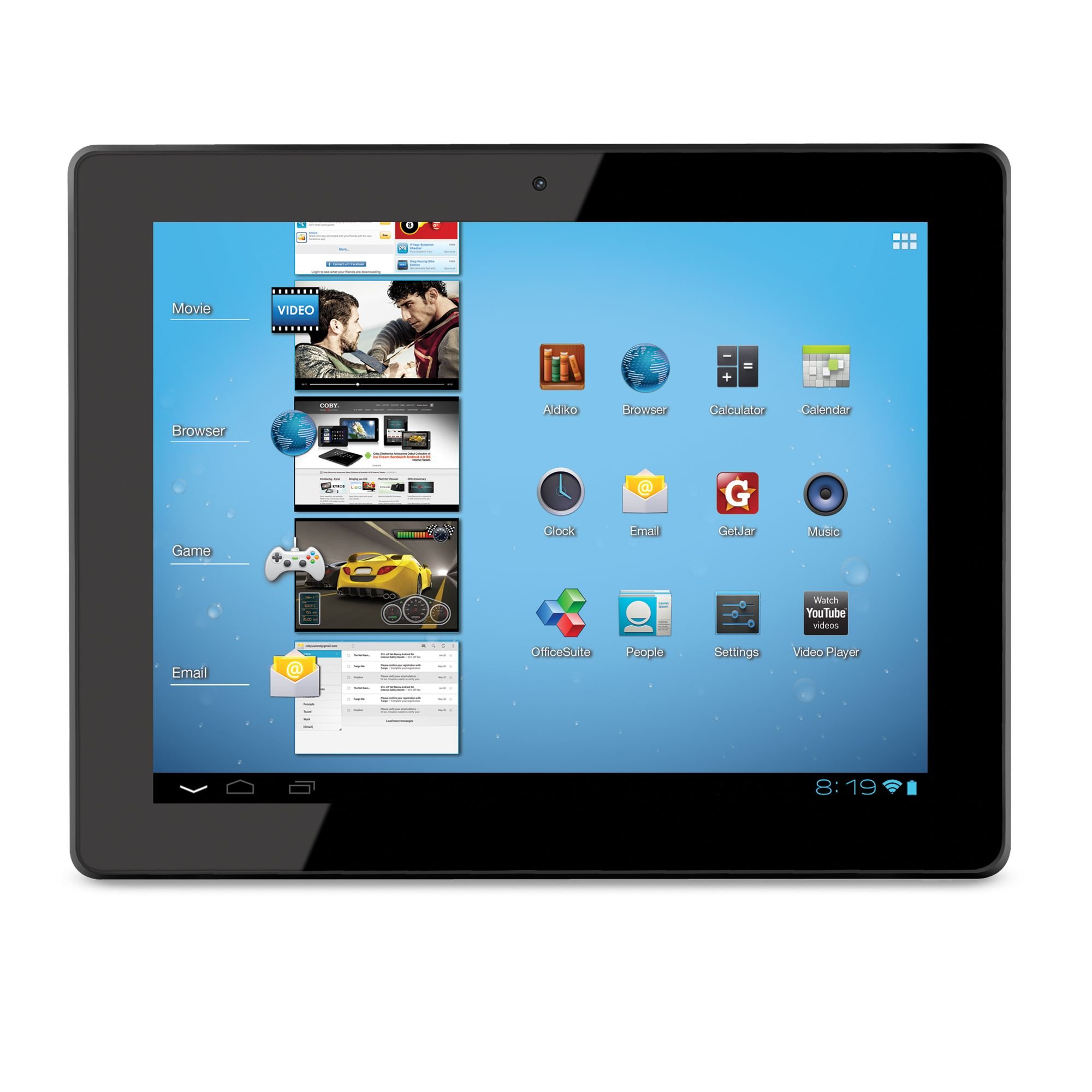
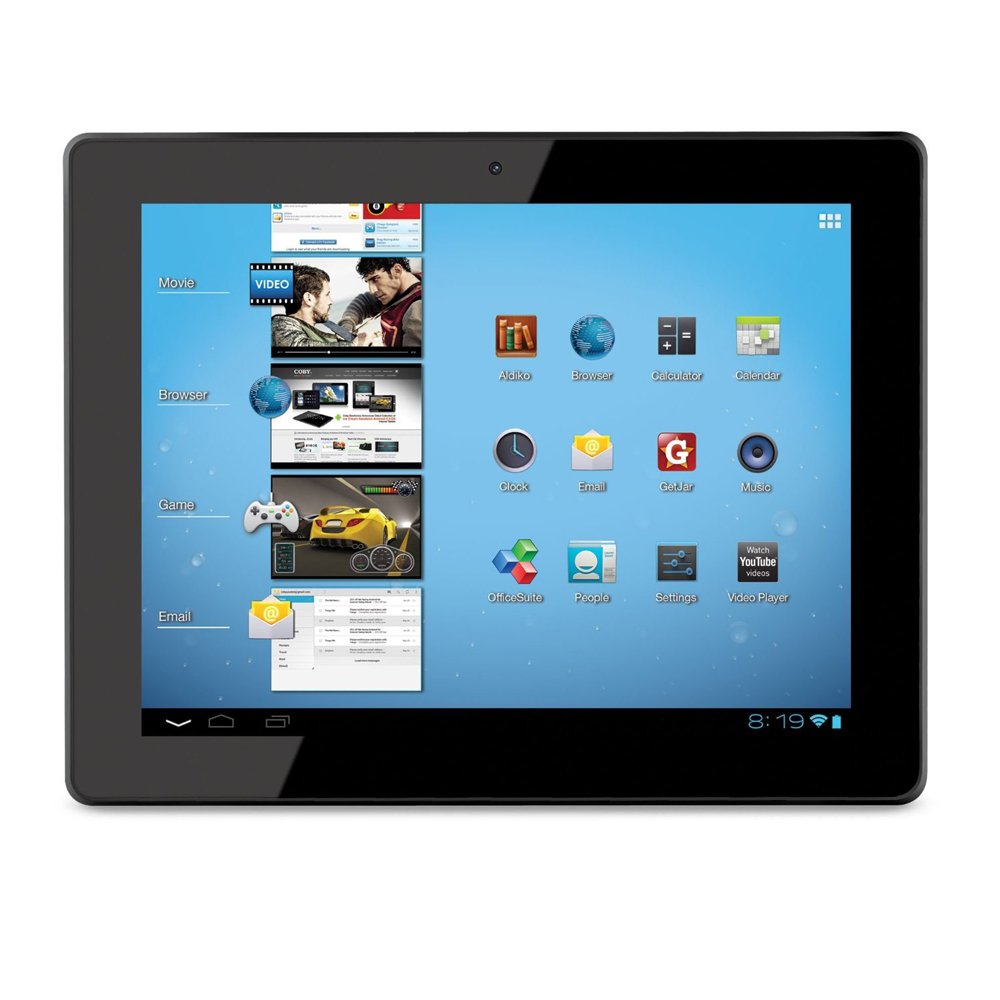
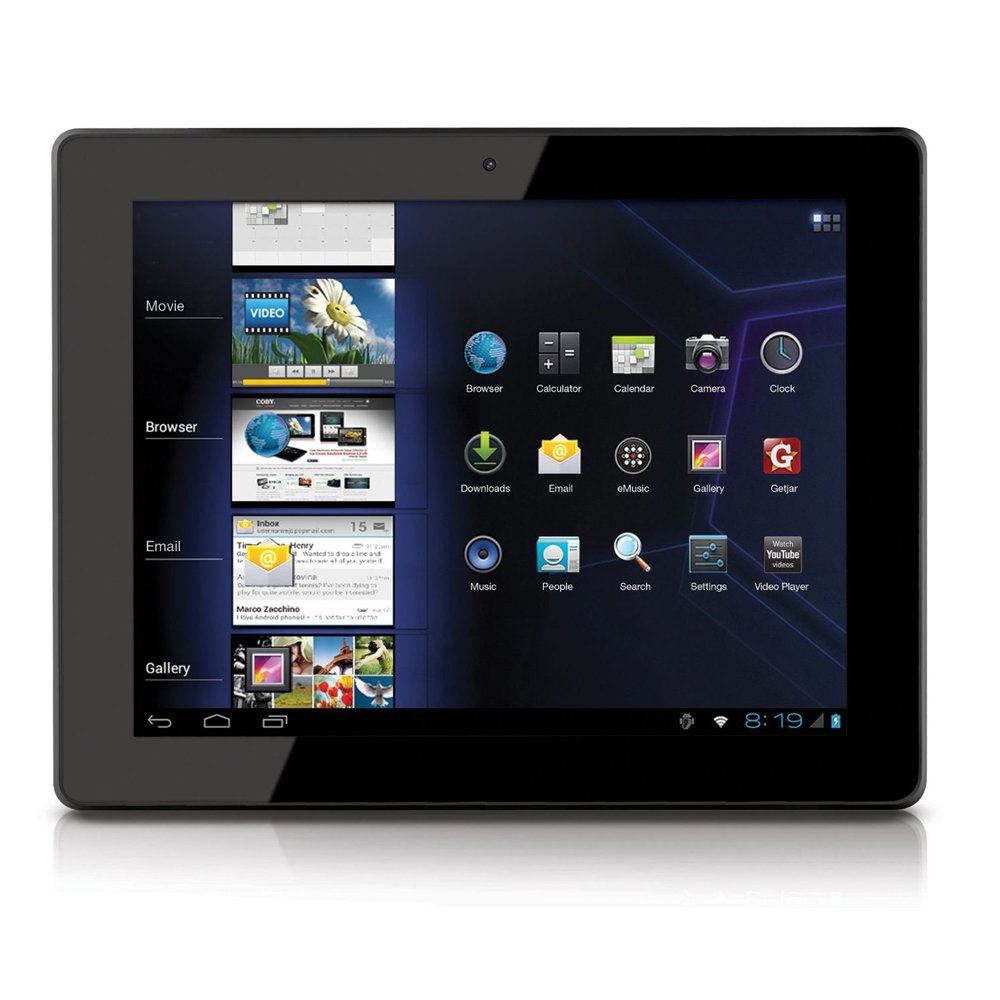
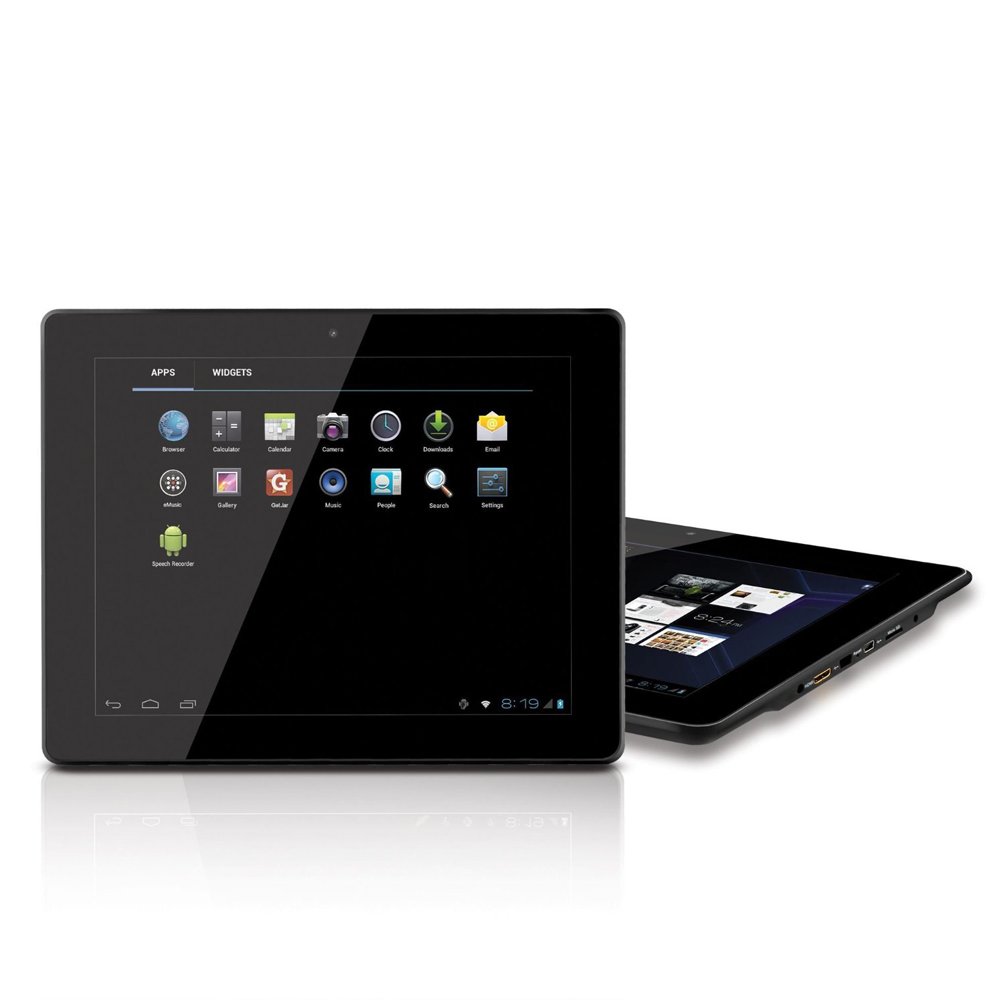
🚀 Unlock smart productivity and entertainment without breaking the bank!
The Coby Kyros MID9740-8 is a budget-friendly 9.7-inch Android 4.0 tablet featuring a crisp 1024x768 capacitive touchscreen, 1 GHz ARM Cortex A8 processor, 1 GB RAM, and 8 GB internal storage expandable via microSDHC. It offers Wi-Fi 802.11 b/g/n connectivity, a built-in camera, and a rechargeable lithium-polymer battery, making it an ideal all-in-one device for casual browsing, e-reading, and media consumption with reliable brand support.
| ASIN | B0093XTHIG |
| Age Range Description | Adult |
| Battery Cell Type | Lithium Polymer |
| Best Sellers Rank | #441,299 in Electronics ( See Top 100 in Electronics ) #5,243 in Computer Tablets |
| Brand | Coby |
| Camera Description | Front |
| Cellular Technology | 3G |
| Color | Black |
| Connectivity Technology | Wireless |
| Customer Reviews | 4.2 out of 5 stars 1,570 Reviews |
| Display Resolution Maximum | 1024 x 768 Pixels |
| Display Type | LED |
| Front Photo Sensor Resolution | 0.3 MP |
| Generation | Android 4 |
| Hardware Interface | USB |
| Human-Interface Input | Touchscreen with Stylus Support |
| Item Weight | 1.3 Pounds |
| Lithium-Battery Energy Content | 7 Watt Hours |
| Manufacturer | Coby |
| Memory Slots Available | 1 |
| Memory Storage Capacity | 8 GB |
| Model Name | MID9740 |
| Model Number | MID9740-8 |
| Native Resolution | 1024_x_768 |
| Operating System | Android 4.0 Ice Cream Sandwich |
| Photo Sensor Resolution | 2 MP |
| Processor Brand | Allwinner |
| Processor Description | ARM Cortex |
| Processor Speed | 1 GHz |
| RAM Memory Installed | 1 GB |
| Screen Size | 9.7 Inches |
| Specific Uses For Product | personal |
| UPC | 716829774083 |
| Warranty Description | One Year Parts and Labor |
| Wireless Compability | 802.11bgn |
| Wireless Technology | Wi-Fi |
K**S
Great tablet
This tablet is one of the best purchases I've made in a long time. For the price, I really don't think it can be beat. One nice thing about it is that Coby, while a cheaper brand, is at least a BRAND. They have a website with contact information, help topics, and support available. They have products available everywhere etc. The reason I point this out is because in this price range, you will mostly get no name tablets from who knows who. If you have trouble, I would not know who to contact or even who to be mad at, since so many of the cheap tablets are not branded at all. Coby is a value brand, but seem to be putting everything they have into building better and better products. The main thing I would stress to anyone interested is that in addition to Getjar app store, you can also access the Amazon Android app store (as well as several others you can find online). You can easily find the information online on how to download it. It's also on Amazons app site, just do a search for it. You can even get the free app each day that they charge for every other day. I check every day and there are some good ones that it's fun to get for free. Even Getjar is pretty good. Unless you have a very specific predetermined list of apps you must have, the sources available on this tablet will suit you well. And for many things, you can simply bookmark the mobile website if there is no app for something that is primarily a link to the website anyway. Now, I use my tablet as a book reader, to play some games, check email etc. Just normal stuff. No business apps. No need for the games that only a few powerful computers can run. I'm just a casual user. I have looked at some of those lists like "the 100 best android tablet apps" etc and have not found any that I wanted that I couldn't get from Getjar or Amazon. But that' just me. The screen is better than I expected. I have used the Kindle Fire and it's screen is definiately better. However, this screen is crisp, clear, bright, and accurate. The touch mechanism is perfect. Just an easy tap and things work. Side by side, they may look differently, but I don't anyone would look at the Coby by itself and think anything is bad about it. I have read ebooks on it for hours at a time and have no complaints. Page turns are very smooth. All of the normal adjustments are there. Font, font size, black on white/white on black lettering etc. The speaker is fairly strong. The sound is loud and doesn't distort much when turned up. Wifi reception could be a little better. Doesn't drop the signal, but has less bars than my laptop sitting right next to it. Seems like it's a little slower on the downloads when it's getting minimal bars. When I'm close to the router, it's faster. Haven't used Skype yet, and may not ever use it. But the camera on this tablet is pretty low quality. But I did want one with a camera, just in case I want to video chat once in a while.. Some of the really cheap ones have no camera at all. Battery life is not as long as the Nexus 7 or Kindle Fire, but I have been getting about 6 hours if I am downloading apps or watching video the entire time. I get longer if I am reading books. I do adjust the screen brightness down a bit for reading. It is better for my eyes and does keep the battery fuller longer. I am satisfied with the battery, just don't expect 12 hours like some of the tablets are advertising now. I don't think they actually get quite that long for most people, but it is how they are advertised. Note for anyone looking at this tablet--Coby is coming out with a newer, updated 7 inch model called the MID7065 in spring of 2013. I didn't want to wait and pay $50 more for it, but it dual core and has Google Play installed. Otherwise, it appears to be exactly the same, appearance wise. But I look at it this way--if I really wanted a dual core tablet with Google Play for more money, those were already available when I chose this one. I am quite happy with the tablet and would recommend it to everyone except "power" users who know they need more. For the rest of us, for under $100, it's really hard to beat. I don't think I could have gotten anything better for this price and I didn't really want to spend much more. Nothing about the tablet has been a disappointment. It also comes with a regular wall charger in addition the usb cable. Amazon charges for it with the kindle fire. This also has no ads like the kindle fire. This Coby case also included a sleeve style case to protect it when carrying it around. Cases are extra on most tablets. This tablet also comes with a nice manual to help you get started. Some others don't really include a guide at all. Edit: Now that I have had this tablet for a while, I still love it. The Amazon app store is great, content wise, although I do have to reload it on the tablet sometimes to get it to work. I don't think it's the tablets fault, just a compatibility issue between the hardware and software. I really don't think the Google Play store would give me anything significant I can't get from the Amazon Store. The only downer of this tablet is that it doesn't charge from the mini USB port. The only way to charge is by the included charger. Battery life is good though. I turn off wifi when I am not actively using it and it makes a huge difference in battery life. I would not recommend leaving wifi on when the tablet is just sitting around but turned on or while reading books etc. I also do not keep the screen at maximum brightness all of the time. It helps preserve battery as well. I have downloaded an app to make turning wifi on/off quick and easy and adjusting the screen brightness easy too--without having to go into menus and find the settings.
W**I
good
Okay, I've had this little gem for about 5 days now. I was looking for a ten inch tab, but didn't have a lot of cash. I already have the Acer Iconia A-100, which is a great tablet. But i wanted a 10 incher. When i first got it, it ran fine but there was no Google App Store, bummer, So I got the Amazon App Store. everything was working fine but when I loaded Netflix it didn't work, the app loaded fine but the screen would just go blank. I called Coby Customer Service and they said it was a problems with Adobe flash not running right? Anyways, with Coby you actually get a live person however, you may not get one that knows anything. So i looked around on the internet and found that this is a problem with the tablet. I also found a solution. A tech advised to reboot the system and erase factory files. Here is the message ---- "Power the unit off (holding power buttom) and selecting Power off, then hold simultaneusly back button and on buttom 8 seconds,when the android icon appears press the back button, in the menu select wipe data/factory reset pressing home buttom and then press back buttom, in the next screen select "yes delete all user data" pressing back buttom, and in the next screen select "reboot system now" with the back buttom and wait. IT WORK FOR MY TABLET." ------ After doing this download the Good e-Reader app store through Getjar. The Good e-Read app store has everything. Netflix now works great on my tablet. I was also able to down load pretty much every app the Google Play Store has. They even have the Google Play Store app. Anyways, after doing this my tablet runs smoother, seems to be faster and everything works. Took this tablet from a 3 to a 5 star. I now love this tablet. Oh, when doing this it will erase things (music, pics, videos) on the tablet but not on the SD Card.
B**N
For the price
This is my first tablet so I can claim no real expertise. The Coby Kryos MID7048-4 did however meet all my expectations. My main reason for purchasing this tablet was in order to read E-Books. I installed Kindle for Android and all works great. I wasn’t sure that I would like reading on a tablet but soon found that I actually prefer it to paper books, not to mention the convenience of not having books stacked all over the place. Amazon has tons of books available and if you have an Amazon Prime account many are free and many more are very inexpensive. Browsing the net is expectedly not as convenient as on a full sized computer, but it is certainly a reasonable option when needed. The screen resolution is quite good though I know more expensive tablets have higher resolutions. There are tons of applications available from Amazon and the many other Android App. Stores. I have a 32gb Micro SD card installed which works great. I also purchased a OTG (On The Go - Male Micro USB to Female Standard USB) cable and have accessed both 16 and 32gb USB flash drives. I have had a little trouble reading the flash drives a couple of times but suspect that it is more the cable than the tablet that is at fault. I have ordered another, hopefully better, cable. The touch screen works well with the exception of some difference in where you touch the screen and where it registers on the screen. This seems to be mostly around the edges of the screen. Once I turned on the option (in the system settings) that shows a blue dot where your touch is registering I soon learned how to compensate. There have been some minor glitches here and there, but nothing that was more than a minor issue and certainly nothing more than one might expect from ANY computer. I had intended to purchase a keyboard case for the tablet but decided that the screen keyboard worked well enough so as not to need one. I did purchase a basic case made by Poetic. The first one did not fit properly even though it was said to be for the MID7048-4 as it covered up part of the RH side of the screen. I returned it and ordered another case also made by Poetic which did fit well and which I am quite happy with. That case is an ASIN: B00ANGOIR2 (product number). If you are interested in a case do an Amazon search for B00ANGOIR2 and it should bring it up. It did at the date of this review. One more thing, do not step on the tablet. Mine slipped off of the bed and I did not realize it until the crunch. LOL Ok, so I didn’t laugh at the time, but I did order another Coby MID7048-4.to replace the unfortunate one.
W**R
Decent tablet at a great price
I almost gave this tablet a 4, but I'll get to the points that left it short. I was considering an Ipad, but I just can't justify 500 bucks for something my wife will surf the web with. Sure the Ipad has great points, but I think all their products are a bit over-priced. So my main need for a tablet is Kindle/Ebooks, surfing, Facebook, and Youtube. Got this tablet; right out of the box it looks pretty good. The resolution is average, not terrible. The device booted right up and not being familiar with Android I was able to make my way around. It did take me a while to figure out how to load Kindle. First you have to load Amazon app store; then Kindle. I found a defect after the first time using Amazon app store; it does not return any app searches and just appears as a black screen. Tried re-installing a few times; same problem. Not overly concerned because I can buy my books using my laptop or Iphone and store on Amazon cloud. The good: Kindle performs well. The web browser is good. Youtube app is good too. The response time loading pages is actually really fast. Took a great deal of research(will cover in bad)but I found a Facebook app that works well. So the basic points that I bought this tablet for are accomplished. Capacitive touch is really cool too. The bad:Heard a LOT of other folks mention; you CANNOT use Google play. Not being an Android person I did not know this is the Droid equivalent to Apple Store. Major letdown, I looked and this tablet is not on the supported device list. WHAT does this mean? Did Coby not pay a license fee to participate in Google play?? The device runs the most current Droid O/S. Really poor. Sent email to tech support - still waiting for response. I'm hoping they come up with a solution. Battery life has only been 3 hours; acceptable but not great. They leave you with an app store called Get Jar which is an open source app store that has the same feel as using something like Ubuntu Linux. If you want an app and can't find it; you're best bet is to find what is called an apk file for the app you want. That is how I finally got Facebook installed. I could not find it on Get Jar. I cannot say enough bad things about Get Jar so I will stop; oh one good point I did find Angry Birds on Get Jar. The camera as mentioned is pretty useless. Device does seems to heat up; but nothing extreme. So all in all I'm happy so far. The hardware is pretty darn good for 90 bucks. The major drawback is the app support, as I mentioned. I would have given this 4 stars had it come with Google play support. Please Coby, fix this problem and make this compatible with Google play!!
G**N
Seems very nice for the money...but read on...
9-10-2012... I bought this to store and read technical PDF files that I use at my business and in the field every day. It's VERY good for viewing text documents and reading books. The quality seems good and the display is bright and fairly easy to read in the sunlight. The Browser is nice..it's tabbed for multiple page viewing. And having the 10 inch screen has it's advantages. I seldom have to zoom in to read something. I do have trouble viewing flash video in the browser...it just won't do it or I haven't figured it out yet. It does come with a You Tube viewer though and it works nicely. Of course it's being an Android system there are many apps that are fun and useful...you just can't download them from the Google store. Doesn't make sense to me...it's (Google) Android for pitty sake. It just says that it isn't an approved device. Thank goodness for Amazon's Appstore for Androids. You will find most anything you need there. It is a little thick and heavy as tablets go. It isn't an iPad for sure but it works for me...and at a great price, too. 5-21-2013... After using it for a few months I have changed my rating from 4 to 1. It was OK as far as reading books and documents, and playing most apps. I had some problems with it though. It gets to where it takes 2 - 5 minutes to load a web page. I called Tech support (no problem getting through)and they told me to try a full reset. I hated to do that because it meant that I would have to re-install ALL of my apps but I did it anyway. It worked so I was happy with it for a short while until it started doing the same thing again. I called them back and they sent me a email explaining how to return it...to include the receipt and a $15.00 money order for return shipping. What really gets me is they state that it will be 6 to 8 weeks to process the claim...WHY SO LONG? It's been 3 full weeks since they received it so I just called and they told me that it still hasn't been entered into the system and that it will probably be a couple more weeks until it does. I'm sorry...that's just unacceptable. Well...I hope I get it back someday. In the mean time I bought a Samsung Galaxy 2 and am enjoying it immensely. 8-14-2013... I wish there was a minus star that I could check. I will never buy another Coby device again. It has now been almost 4 months since I returned my tablet to Coby for warranty repair. I WAS able to contact customer care by phone...now even that is unavailable to anyone. You call the PUBLISHED phone number on their website and you get a recording telling you to go to cobyusa.com where the only option you have is to email them...so I did. I have emailed them twice asking them to simply return my tablet. After weeks I have yet to receive even a confirmation that they received my email. I wish I could understand how a company as successful as Coby is could deal with a customer in this manner. I must give Amazon some high praise here. I copied them the last email that I sent Coby. I got an email back from Amazon within hours of when I sent it apologizing for the problem that I have suffered with Coby. Not only that...they have refunded the entire amount that I purchased the tablet for, including tax and shipping. Amazon...you are a class act! I was unable to send return email to them thanking them but I can do that here...Thank you very much. I will defiantly continue buying from Amazon...just not anything Coby.
D**E
great for certain things
This is for the 10" coby. I got it to replace the functions of an e-ink kindle. I wanted to be able to read books, surf some simple web pages, maybe check my e-mail and calendar, play some simple games. I liked the idea of a bigger screen that I could see page-size pdf (and maybe a comic book) on. It turns out that this tablet is fine for those needs. It actually seems made pretty well. The touch screen seems to work well - by way of comparison, I've had a couple of older tablet pc's, and older windows ce pda's, my wife has an older resistive touch 7" android, I have an android phone. So on the one hand I've used a lot of touch screens, on the other, I can remember when you had to have a proprietary batter-powered stylus to use one. So to me, the touch screen seems pretty good, but I don't know how that will translate to others. It is a finger print magnet and picks up smudges like mad. It is perfectly adequate for e-book reading and playing simple android games. I am an average sized male and the size is fine for me for a big book reader. The trade off of the bigger screen is that you have a bigger device to hold. I can just "palm" it with one hand - it is 16 X 9 so it seems longer than it does wide. I don't think it is too large to be a comfortable reader. The wi-fi connected in a snap, couldn't be easier. One thing that is sort of annoying is that everytime I resume from a suspend I have to disconnect and reconnect the wi-fi for it to connect. I haven't figured a way around that yet, but I think it may be an ice cream sandwich "feature." It connects easily to our linux computers with the cable. I found that I was more bugged by the lack of google play marketplace than I thought I'd be. As best I can tell, everyone who has tried rooting the 10" has bricked it. So I didn't root it. You can get the apk for google play easy enough and side load it, but the device isn't on google's list of approved devices so the apk won't run and connect to the market. Because you can't root it, you can't edit the boot file to spoof it as a device on google's list. So unless you root it or google adds it you won't be connecting to google play. Which isn't really that big of a deal. It has a get jar market on it, but I had already put on amazon market before I bothered looking at it, and there's really not much use in it. The amazon market is easy enough for anyone to add - just point the web browser to amazon and follow the directions. Of all things, the only thing I wanted to put on it so far but wasn't able to yet is tux math for the kids - it is on google play but not amazon market and I can't find the apk on the web. It was easy enough to side load other apks. It runs the angry birds apps fine, and the cut the ropes, fruit ninjas, temple runs. I had a devil of a time getting where's my water/Perry to install. It just wouldn't install. I tried different versions and nothing, then one time I tried it for a lark and both just installed and now they play fine. I must have installed something with a needed library or something along the way. Who knows. I downloaded free solitaire and freecell from amazon and they work fine. That's enough games for me, so I haven't bothered putting any emulators on it, without hardware buttons I don't care to. It has both a regular size usb and a micro usb, which is nice because you can use something like a usb key board. The power plug is an additional little port. The batteries last longer than I thought they would - good enough for me to read and play some games. I put some videos on there just to see them and they worked fine. The kids watched some youtube on it and that was fine. I couldn't get netflix to install on it though. It has an micro sd card slot, that is important to me. The file structure is a little wonkey, but you'll find the sd card if you look around. After the first time it didn't really matter to me because it remembered the location in the history and I can just click the short cut there. It comes with a book reader built in. I side loaded an epub file and it seemed to present it just fine. I went ahead and put the cool reader app on it because I like the flexibility of that app. I used it to read A Dance with Dragons an it was a good book reading experience - I turned off the background and just use white text on black or yellow on blue. Honestly I didn't miss e-ink and I was a fan of it. It isn't an ipad and it isn't a tegra 3. It is $150 bucks. So if you want the ipad or a tegra 3 don't get this. If you have some basic android experience then this will seem familiar and easy, and if you want a basic tablet then this is a fine one. I got lucky here, it fits my needs very well - so if you are looking for something like that, book reader, web, simple games, with a bigger screen I'd recommend this to you.
T**E
Mid1042-8 10.1 Inch Android 4.0 8 GB
Amazon-- for whatever reason -- lumps all these Coby Kyros reviews together by product generation. The 7 and 9 inch screen Kyros are easily rooted by now, and I'm sure the 10.1 inch version will eventually be rooted, but even without rooting the little device is FANTASTIC. Don't get me wrong, the tablet has flaws and if I cared about using the internet browser, I'd most likely not be as satisfied as I am. I knew what I wanted when I bought the tablet. I wasn't 100% sure that the Kyros would accomplish everything I wanted, but I took a gamble and came out very satisfied. The first thing you're going to want to do if you're not rooting the tablet is get Amazon Market app from amazon.com on the device's browser. After that... 1. I wanted something to read comics while at work without bringing my physical copies with me. I downloaded ComicCat from the Amazon Market app. The app let me import and read every CBR file I'd all ready had in my PC's library. It works great on this device. 2. I wanted to be able to draw and sketch with the tablet. Once again, I hit up the Amazon Market app and downloaded SketchBook Pro. The app works great, with only a very small delay between my strokes on the screen and the brush's stroke through the app. If you want to use SketchBook, you'll definitely want to get a stylus for your device. Works great though. 3.I wanted to read Ebooks, and the Kindle for Android app works great on this as well. 4.I wanted to play some simple games. The Kyros has handled everything I've downloaded for it. The SD card expansion is great. You can even use an external USB HDD for removable storage but it's not as convenient as the SD Card. If you're wanting to watch videos you could buy multiple cards and fill them with video and just pop them in and out of the device for unlimited storage. So the stuff that would have disappointed me if I'd been into other activities. The screen position sensor is a little wonky and sluggish at the same time. If you want to turn the tablet and change the view mode from portrait to landscape, the device will take a little over a second to make the transition... but on occasion the sensor will tell it that the little wiggles and body shifts natural to holding the device without resting against a desk or something means that you want to shift it to another view mode. This means you have to wait for it to shift, then wait for it to shift back. In apps where this becomes annoying, I just turn off the app's use of that function. The keyboard is sluggish at times. If you're wanting to write a book or something, I'd definitely recommend getting something else. You'll want to periodically fully power down the device and make sure that you aren't running extraneous apps in the background to prevent over taxing the processor. As long as you're somewhat attentive and patient, the tablet is fantastic. If you can't take a few seconds to set up your apps to counteract the tablet's flaws... then maybe you'd be better served spending several extra hundred dollars on a Xoom, Touchpad, or Ipad.
J**D
Good Internet Browsing Tablet
I purchased two of these tablets, and have had them for almost six months now. My wife and I wanted tablets that we could use to browse the internet, as these tablets are much quicker than powering up a laptop each time you need to look something up. It is important to note that I knew what I was purchasing when I got this tablet, I knew that it did not come with the Google Play store, but that I could root the tablet if I wanted it bad enough. I don't make use of a lot of apps, but I do use the tablet to view videos on Youtube, which it works perfectly for. The screen and the speakers are not going to be comparable to a Kindle Fire HD or a iPad, but keep in mind that this tablet isn't priced like those are. The GetJar appstore that comes with the tablet is respectable, and you can download the Amazon app store to get additional apps if you don't like the selection on GetJar. Neither of these app sites are going to have the selection that the Play Store does, so if you are looking for a lot of the same apps that you may have on your Android powered smart phone you are going to be disappointed unless you root the tablet. Battery life has been fair, but it does charge rather quickly. Overall my wife and I have been impressed, because the tablet does exactly what we would want it to do, I think it would be the perfect tablet for kids for parents that didn't want to shell out the money for a iPad or Kindle Fire HD, in fear that it might get broken. Overall a good solid entry level tablet in my opinion.
Trustpilot
3 weeks ago
5 days ago