We remain fully operational. Our teams are working around the clock to ensure your deliveries continue safely.

DOWNLOAD THE APP


Customer Services
Copyright © 2025 Desertcart Holdings Limited
DOWNLOAD THE APP

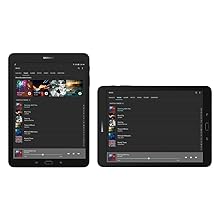
🚀 Elevate your mobile lifestyle with the Galaxy Tab S3 — where power meets precision and style.
The Samsung Galaxy Tab S3 features a 9.7-inch Super AMOLED HDR display delivering vivid visuals, a pressure-sensitive S Pen that never needs charging, and quad AKG-tuned speakers for immersive sound. Equipped with a Snapdragon 820 processor, 4GB RAM, 32GB storage expandable via microSD, and a lightweight keyboard accessory, it’s designed for seamless productivity, creative freedom, and premium entertainment on the go.




| ASIN | B01MTGLBP5 |
| Age Range Description | Adult |
| Aspect Ratio | 4:3 |
| Battery Average Life | 12 Hours |
| Battery Capacity | 22.8 Watt Hours |
| Battery Cell Type | Lithium Ion |
| Best Sellers Rank | #358,319 in Electronics ( See Top 100 in Electronics ) #4,583 in Computer Tablets |
| Brand | Samsung |
| Built-In Media | S-Pen |
| CPU Model Speed Maximum | 2.15 GHz |
| Camera Description | Front, Rear |
| Cellular Technology | 4G |
| Color | Black |
| Compatible Devices | Keyboard |
| Connectivity Technology | USB |
| Customer Reviews | 4.4 4.4 out of 5 stars (1,610) |
| Display Resolution Maximum | 2048 x 1536 Pixels |
| Display Type | AMOLED |
| External Testing Certification | CE |
| Flash Memory Supported Size Maximum | 32 GB |
| Frame Rate | 60 |
| Generation | 3rd Generation |
| Global Trade Identification Number | 00887276200408 |
| Graphics Coprocessor | Adreno 530 |
| Graphics Description | Integrated |
| Hardware Interface | USB |
| Headphones Jack | 3.5mm Stereo |
| Human-Interface Input | Touchscreen |
| Item Type Name | Galaxy Tab S3 w/S-Pen |
| Item Weight | 0.95 Pounds |
| Lithium-Battery Energy Content | 22.8 Watt Hours |
| Manufacturer | Samsung IT |
| Memory Slots Available | 1 |
| Memory Storage Capacity | 32 GB |
| Model Name | iPad Pro |
| Model Number | SM-T820NZKAXAR |
| Model Year | 2017 |
| Native Resolution | 2048x1536 |
| Number of Rear Facing Cameras | 1 |
| Operating System | Android 7.0 Nougat |
| Photo Sensor Resolution | 13 MP |
| Processor Brand | Qualcomm |
| Processor Description | Snapdragon 820 |
| Processor Speed | 2.2 GHz |
| RAM Memory Installed | 4 GB |
| Rear Facing Camera Photo Sensor Resolution | 13 MP |
| Screen Size | 9.7 Inches |
| Sensor Type | Accelerometer, Fingerprint Sensor, Gyro Sensor, Geomagnetic Sensor, Hall Sensor, RGB Light Sensor |
| Specific Uses For Product | personal, gaming, business |
| Total Usb Ports | 1 |
| UPC | 887276200408 |
| Video Capture Resolution | FHD 1080p |
| Warranty Description | 1 year |
| Warranty Type | Limited |
| Wireless Compability | 802.11abg |
| Wireless Technology | Wi-Fi, Bluetooth, GPS |
P**K
Best Android tablet out there
I was looking to upgrade from my trusty Nexus 7 (2013) and waited on an update to the Tab S2. When Samsung refreshed the S2, I almost pulled the trigger, but decided to wait on the Tab S3. As someone who had an iPad in the past, I looked and either an iPad or the Tab S3. The price cut and the fact I prefer android over iOS sealed the deal for me. I have only had it for about a week, but so far I love it. I waited until it was 100 dollars off because I think the original price is too high. There are still quite a few apps that only work in portrait mode and the number of apps that are formatted for a phone screen are readily apparent (Hangouts I AM LOOKING AT YOU!). I think both Google and Samsung could do better here. Highlights Screen - Amazing Speed - Fast and smooth. S-Pen - It's nice that its included for free unlike the iPad. Haven't used it much, still trying to find a good note taking app. Using evernote so far. Would like to have a built-in slot for the pen, but I got a ProCase that has a place to store it. Speakers- No complaints here, sounds good. Fingerprint Sensor - Works as good as the one on my S7. Battery life - Can easily get two days worth on a single charge with lots of usage and the fast charger fills it up quick. WIFI - No problems connecting or staying connected to any networks I have tried. Speed is fast and seems reliable. Minor Nitpicks Since this is a Galaxy tablet, I would like to have access to the theme store that I have on my Galaxy S7. I have bought a couple so it would be nice to use them here. The game tuner is also strangely absent, but I was able to side load it from apkmirror. Without game tuner, the screen defaults to a lower resolution. Also, the nifty motion effect for the wallpaper on the home screen is absent from the Tab S3. Since Samsung is not keen on updating tablets very often, I suspect it will take a long time to get the Android O if it ever gets it. Android 7.0 is nice though, just hope that Samsung tries harder with updates but that can be said about their phones too. IMHO This is the best Android tablet out there right now as far as build quality, speed, screen, and features.
H**R
Fast and powerful, great keyboard cover, perfect combination for light duty work.
I waited quite a while before doing a review on my new Samsung tab S3 tablet. I wanted to give it at least a week of use in my office and in daily activities. I have had many tablets, including and using Microsoft tablets, the Samsung tab S2 8 and Samsung tab A 10.1 inch tablets. I am a person who prefaces this review by noting that I am not a gamer. I use if for work, for e-mail correspondence, updating myself on new and current features, and also using Android apps. I need to be able to perform light editing on papers, interact with an online office system that allows access to a data base, and get access to multiple web sites without a problem. Also, I use my tablet to watch movies when I travel. I tend to be a little OCD in my desire to read other reviews. I also am an editor of several publications, so I look at these reviews with an editor’s eye. I always try to figure out if their biased, or if they represent a view point that may not reflect my needs. That does not dismiss the other reviews, it merely points out that some people have different expectations and demands. And, I dismiss outright any review from someone who has neither purchased nor used the item. You cannot evaluate a product on the basis of the specifications. So, here is my opinion and finding; 1.) The screen is much brighter than the Tab S2. I have used it outside with a Phantom 4 drone. The S2 is almost useless in the sun. This one is absolutely more visible. The brightness based on critical reviews finds it one of the brightest screens, brighter than the Apple and second only to the Google Pixel C. 2.) The GPS is very sensitive. One of the reasons I didn’t choose the Google Pixel C is the google tablet has no GPS. 3.) I have not found any lag with any application. I have read the reviews about problems with certain games. I agree, they may not run as well on this processor as with the Apple. However, for me this is a non issue. 4.) Flawless video streaming from all services including Netflix, Amazon and Hulu. 5.) I can connect to a office networking system using a Citrix receiver and not have delay or lag issues. With my Tab S2 the processor was inadequate to load the system. I have never had any Android system that would load the Citrix receiver and load the connection to the main system. 6.) Excellent and extremely stable and fast WIFI. 7.) The SD card does not load or hold all programs. The tablet is only 32gb of ram. However, having downloaded all of my prior Android apps, my photos (which do go to the SD card), and with daily use, I have over 19GB of storage. 8.) All downloaded files can be stored on the SD card 9.) I actually like the 8 inch Tab S2 as it fits in my jacket pocket. However, the added size of this tablet offsets the inconvenience. And, as phones get bigger, there isn’t much difference between my 6 inch phone display and my 8 inch tablet. 10.) I got the silver. It matches the cover and only the back is silver, the entire front is black. For those who have noted over and over about the black back being a fingerprint magnet, get the silver. There are no fingerprints to be seen on this color. I also got the Keyboard, purchased separately at Best Buy as it was out of stock on Amazon. I honestly think that there is an expectation by some to have tablet keyboard to be the best most wonderful keyboard in the world. It is functional and does a good job. It is for a tablet that is 9.7 inches and cannot be a full sized keyboard. Having had many tablet keyboards, including ones from Samsung, here is my opinion and update to correct or add previous information. 1.) When detaching the tablet, it turns off the tablet. Someone noted this was a disadvantage, claiming he/she then had to turn the tablet back on. I find this turn off function when taken out of the dock and advantage. I'm done with the task,remove the tablet, and it's off. 2.) The comment that it has no magnetic "off" contact when closing the cover does not happen on my cover. If the tablet is on and I put it in the keyboard cover and close it, it turns the tablet off. When using the keyboard cover, place it in the dock, and it turns on the tablet. Remove the tablet, it turns off. Turn the tablet on while outside the cover, put it in the cover, close the cover, it turns the tablet off. 3.) It runs off the Tablet power. I can't tell you how frustrating it is to have a keyboard need charging independently from the tablet. One less thing to have to charge. .4.) The lack of blue tooth hook up, noted in another review is a plus. The direct connection eliminates the independent power need of the keyboard. And, for anyone who has ever used a tablet blue tooth keyboard, the constant lost bluetooth connection and need to resync is a big problem. 5.) The keyboard has a nice feel 6.) The cover has a holder for the pen. 7.) I have not had the problem of the tablet sliding out of the cover. I have tried to reproduce the tablet sliding out, described by the other review. I have to either hard drop it into a knapsack, or smack it on the side. Maybe I'm more careful, or less abusive. In either case, in one week of daily use, the tablet has never slipped out of the case. What the tablet keyboard is not, is a full sized keyboard. It is cramped. But the key detention and feel is good. Remember, this is not a lap top or a full sized keyboard. It is for use with a 9.7 inch tablet. Big enough to be useful, too small for full productivity. What it isn't is a big, comfortable keyboard. However, it functions perfectly without a hitch. No bluetooth delay or need to sync. Someone noted the color. I got the silver Tab S3, the grey cover is perfect. What I don't like is that It is kind of pricey. I'm giving it five stars because honestly think it is about as good as any tablet keyboard I have had and does the job. I have read multiple criticisms on review sites. I do think many reviewers believe that applying an unrealistic standard and expectation to a device elevates the reviewer's standing among those who believe that every device must provide a quantum leap in technology. This is a tablet keyboard. It turns the device on when connect, off when disconnected, and off if the device is placed in the cover. Ok, lots of words. Short and sweet. Bright, light, fast, fully capable Android tablet. It meets my needs better than any other Android on the market. And for the people who point out the slightly brighter and faster Google Pixel C, remember, no GPS and it’s heavier. The keyboard integrates perfectly and works. If you want more processing power and more RAM, you need to go Apple. But, they have no SD card and you are stuck in the Apple system. I give the entire system five stars. For the moment, although pricey, this is one of the best out there. Update on 4/29/17 Many reviewers note that the tablet does not have a pen holder. There is one on the keyboard. I just got the yueton 5pcs Self-adhesive Leather Pen Holder with Elastic Loop for Notebooks, Journals, Planners and Calendars yueton 5pcs Self-adhesive Leather Pen Holder with Elastic Loop for Notebooks, Journals, Planners and Calendars https://www.amazon.com/yueton-Self-adhesive-Notebooks-Journals-Calendars/dp/B01N8X33Y9/ref=cm_rdp_product Here's my review. It works very well. I got the Samsung tab S3 with the pen. The cover has a pen holder, but the tablet does not. What to do? I got this and placed it on the tablet. Now, my tablet has a pen holder. It is the perfect size. What don't i like, it would be nice if there was a color other than black, and the elastic holder for the pen is not totally flush to the leather making it a little "proud." But, as they say, lots of bang for the buck. And easy to put on and use.
L**P
Good value
Love this tab, using it now in fact. No issues.
E**.
Very happy with this tablet so far. It is light, very fast, and the screen is amazing. The battery seems to last a long time, and charges quickly with the supplied charger. I wish there was a proper place to store the pen, this is a pretty big miss on Samsung's design team.
M**W
Typical Samsung performance and quality, great portable computer
D**A
best tablet for the price
N**Y
Bought this for note taking with NEBO - works great for me not so well for my dysgraphic son.Charges fast and great picture. We got ours at a reduced price. Equivalent to ipad.
B**G
New to Tablets having used Desktops and a Sony Vaio Notebook over the years. At first I was on a learning curve navigating through the myriad of Apps and functions of a Samsung Tablet. I'm happy to say that most applications will sync to a Desktop or Notebook running Windows 10 O/S. Not all Apps however are of any use especially for Canadians. Some are designed strictly for a US audience, especially Quicken money management which will function on the US version but not the Canadian version. The Samsung S3 tablet connectivity is Wi-Fi and since we don't use a cell phone, access to some Apps is limited. It is fast, a colorful screen and we added 32 GB memory to support the storage capability of the tablet. The main applications used will be e-mail and other Apps for traveling outside North America. It is over priced but this market is largely controlled by Samsung and Apple and price point for new Tablets is strictly controlled. This same S3 Tablet in the grey version has dropped to US$499 however the currency values still don't make it a worth while purchase for Canadians. I will probably debate for a lengthy period of time, is a Tablet or Surface Pro from Microsoft the better deal. Time will tell. When not traveling, what do you do with a Samsung Tablet? It will make a nice decoration on a table - but don't spill the coffee on it.
Trustpilot
4 days ago
1 week ago