
DOWNLOAD THE APP


Customer Services
Copyright © 2025 Desertcart Holdings Limited
DOWNLOAD THE APP


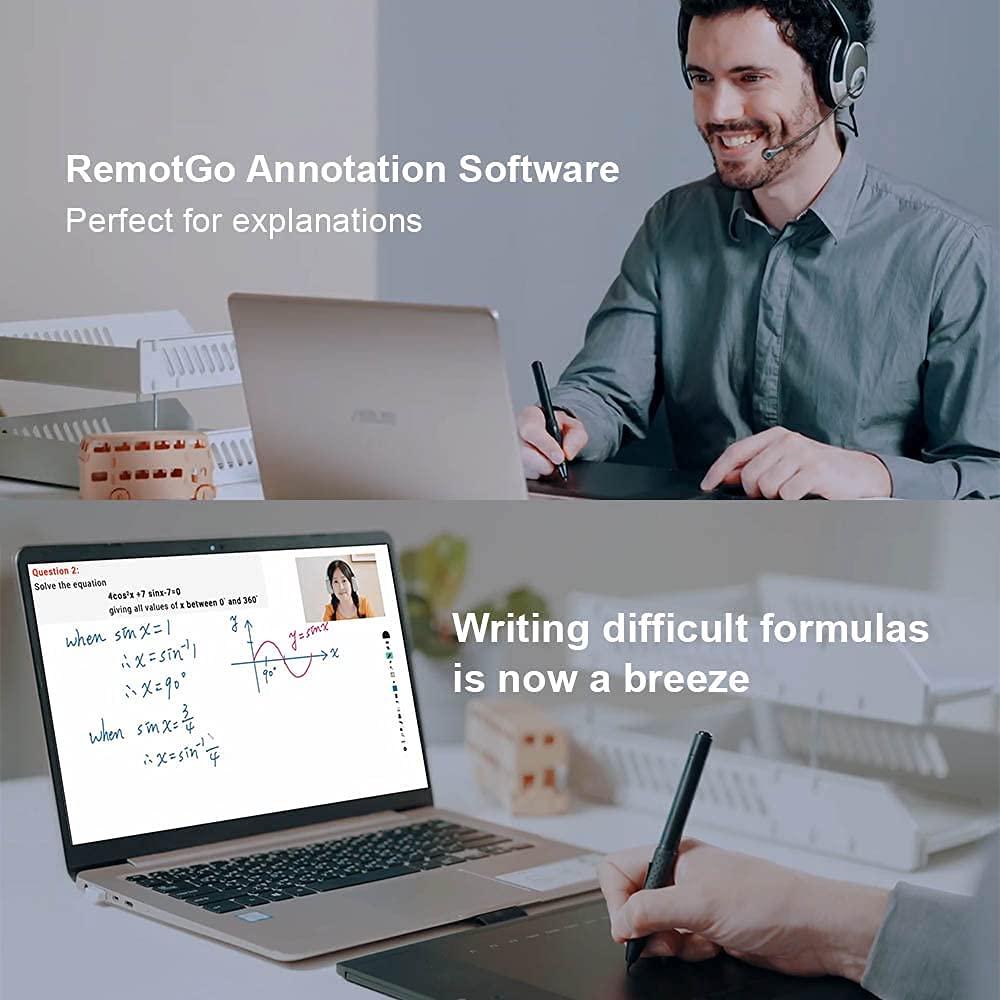
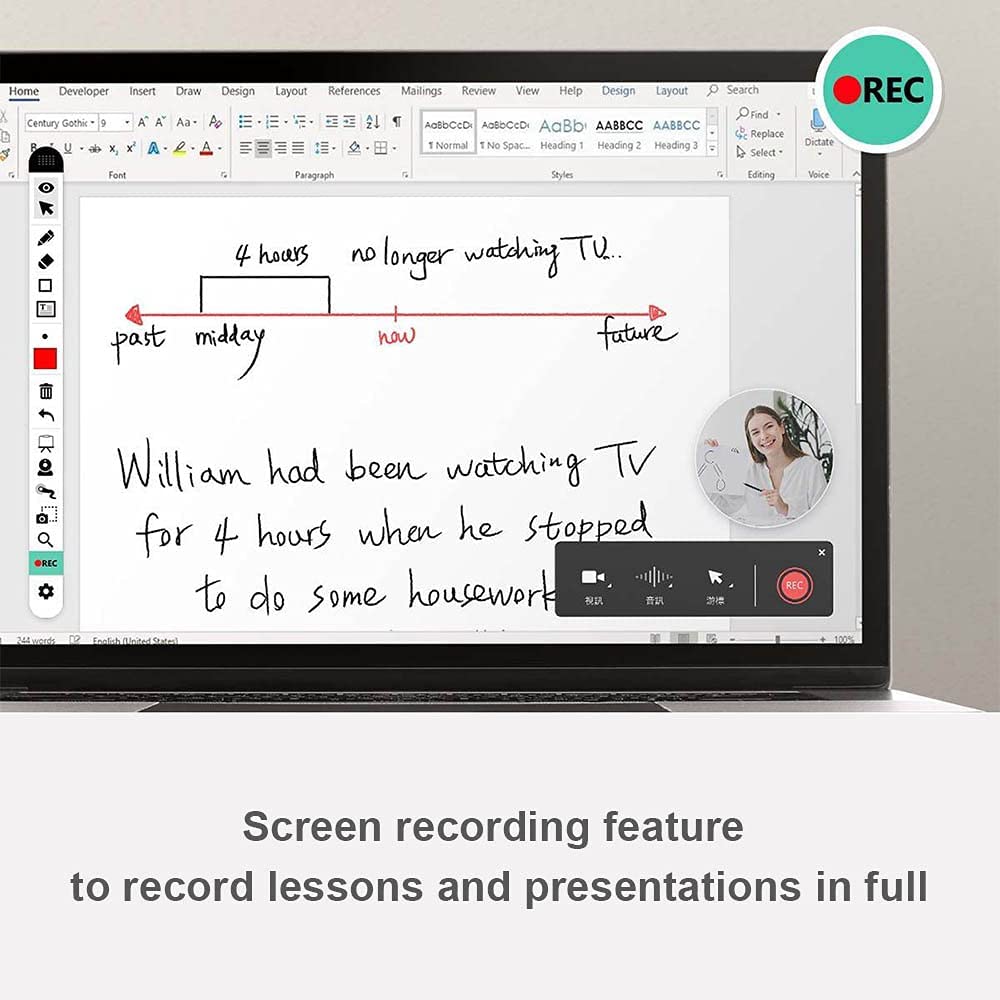


🖊️ Elevate your remote collaboration—where ideas meet action!
The Penpower RemoteGo Digital Writing Pad is a versatile pen tablet designed for professionals and educators, offering seamless integration with major video conferencing platforms, advanced annotation tools, and built-in video recording. It includes a 1-year free subscription to DocuINK for enriched PDF collaboration, making it an essential tool for dynamic remote teaching, presentations, and interactive meetings.


| ASIN | B09GK5X4PP |
| Best Sellers Rank | #319 in Computer Graphics Tablets |
| Customer Reviews | 3.8 3.8 out of 5 stars (123) |
| Date First Available | September 17, 2021 |
| Item Weight | 1.89 pounds |
| Item model number | 73-92E5-0LOO |
| Manufacturer | PenPower Inc. |
| Package Dimensions | 15.91 x 10.24 x 1.85 inches |
T**O
LCD Writing PAD Best for the price
The easy use whiteboard. Best for live teaching.
E**N
Affordable price and easy to use
It was ok to use as soon as I got it working. The price is fine. I can recommend it as a first writing pad.
A**L
Well package
Good product
S**.
Pen stopped working/ Customer Service Horrible
first of all of this product I thought it was great in the beginning but then after three weeks of having it my Penn stop working I reached out to the company was there all the way in China somewhere and they email me constantly but the emails do not provide a solution all I want it was a new pen and now they’re talking about I need to mail the product in to them at my expense a no this is your product and it doesn’t work and I just purchased it. You should be paying for the shipping and other stuff. I would never buy their products again. They also sent me to some US contacts, he never answers the phone, and when he finally did answer the phone, he asked me to email him the problem. Boom still haven’t heard back from him . SMH.‼️. SMH.
M**E
Great for virtual teaching
This tablet has been a life saver with teaching virtually. It is so much easier to write on a flat surface with the tablet pen than trying to deal with a mouse. I use it for all my classes.
O**O
Smart and good product
This has been a lifesaver for me. I teach math in high school and during the coronavirus outbreak, I’ve had to adapt to online teaching via Zoom… This was a real headache as writing complex mathematical formulae with a mouse was a constant struggle. My whiteboard writing is messy at the best of times but when using a mouse the students complained it was illegible! So you can imagine my relief when I discovered this handy piece of kit. The pad itself came with electronic whiteboard software and after a quick set-up I was good to go. I can now write as fast and legibly as on an actual whiteboard and students can once more understand my written explanations. I use Zoom but it supports Google Meet and other platforms, too. There’s no learning curve to speak of, just plug in and use. Brilliant. I’ve recommended it to the other teachers at my school and several have started using it and love it too.
A**G
Spend the money and get a quality one.
This thing does what it claims. That's about it. It feels cheap, it's cumbersome to use, and the ultimately no one at the office uses it anymore. If you're going to get one get one that has a display.
H**D
Mixed feelings but mostly positive
This was easy to install and get configured. The instructions included a link to a website that turned out to be completely in Chinese so that was useless for me. Luckily the link for the software was in English so I was able to download and install it. I think calling it a "Remote" Writing Pad is a little deceptive as it has to be tethered to your computer via a USB cable. It is a writing pad, but not so much remote. It works well once you have it configured and have figured out how to use it and turned off all those "helpful" screens where it tells you what you are doing. I could not click the "Don't Show this Again" box fast enough. The software allows you to capture anything you write as a note and then you can drag and drop that note into other software programs. While creating a note and then dragging it into a program is pretty neat, it is still more complicated than it needs to be for most of my needs. As it turns out I was able to draw directly in Word if I need an illustration and did not need to create a not and drag it into Word or anything like that. Likewise, I was able to use it to make notes and annotations inside my pdf program directly without any need for intermediary software. It has other features such as a group whiteboard or a whiteboard that you can use through the Cloud and share with others. Some are ones I might use and others not so much. The ability to make an illustration in a document and to mark up a pdf are the most important features for me and it does very well at both of those. The reason for the four stars instead of five is because the screen on the pad does not really show the illustration very brightly when using it. You have to look closely and if you have a vision problem then it may not be the best option for you. If you are not in a brightly lit room then you might not be able to see what you are drawing or writing very easy at all. This is a significant issue and I considered taking off two stars because it is so bad, but it does work well in a well-lit office even if it does not in my room at home.
M**.
Das Pad kommt gut verpackt daher. Es kommt mit einem Stift und 2 Ersatz spitzen sowie einem Tool zum Austausch. Download der Software ist easy und es wir keine Registrierung benötigt. Soweit zum positiven. Negative Punkte: - Keine Lage Veränderung von Quer zu Hochformat möglich (man kann das zwar drehen aber die Übertragung auf dem PC erfolgt dann auf der Seite liegend was keine Texterkennung erlaubt.) - 32 bit Software mittlerweile sollte eigentlich immer 64 bit zur Verfügung stehen. - Das Pad funktioniert nur mit der Software richtig. Als Stift oder Mausersatz ist es unbrauchbar - Multi Monitor ist möglich funktioniert bei mir (2 x 24" +1x 14" Notebook display) nur wenn das Notebook display als Primäres Display eingestellt ist. - die Mausfunktion ist auch hier nur quasi vorhanden - keine Integration in Office oder andere Programme möglich. Alles wird über sticky notes gemacht noch einige positive Punkte zur Software. - die Funktion Whiteboard, integration von Videos etc. ist schon gut. wer es nur dafür Nutzen möchte um in Präsentationen oder in meetings über Ausschnitte diskutieren möchten ist sie super.
J**H
Easy to attach.
R**O
Problème d'exécutable. 1 seule couleur de stylet à l'écran de disponible (rouge). Touche A, B et marche ne fonctionnent pas.
S**S
we bought this for our daughter who is a tutor and started doing virtual tutoring. She says it performs very well and she loves using it and would recommend.
A**R
Product worked well for the first month or two, but no I have issues with it picking up the pen when it’s hovering above the screen, it’s leaving a trail when I write. Tried changing the nib it did nothing. Contacted help desk they said to go back to where I bought it and return.
Trustpilot
2 weeks ago
2 weeks ago