
🎯 Game, study, repeat — the mini controller that keeps up with your hustle!
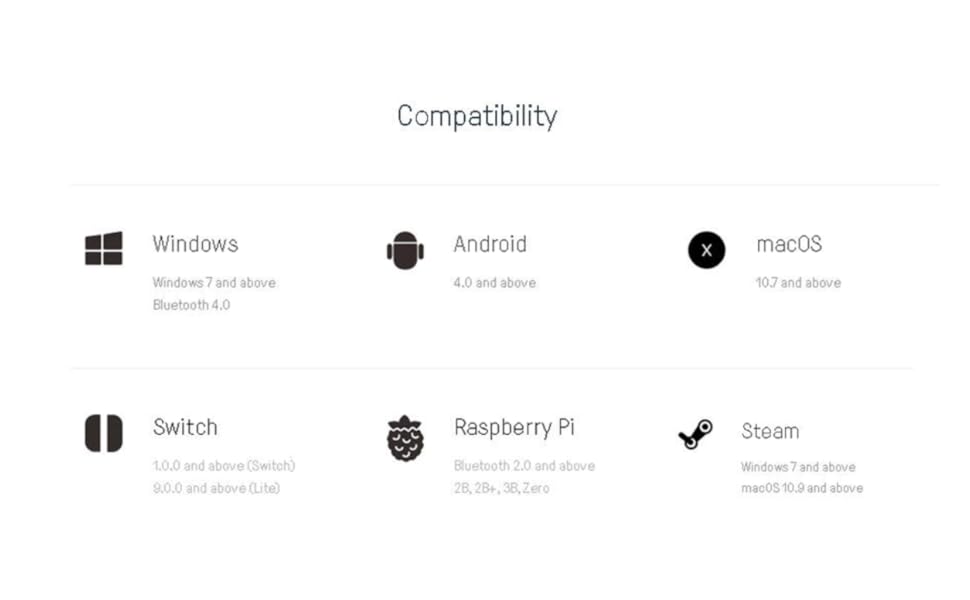
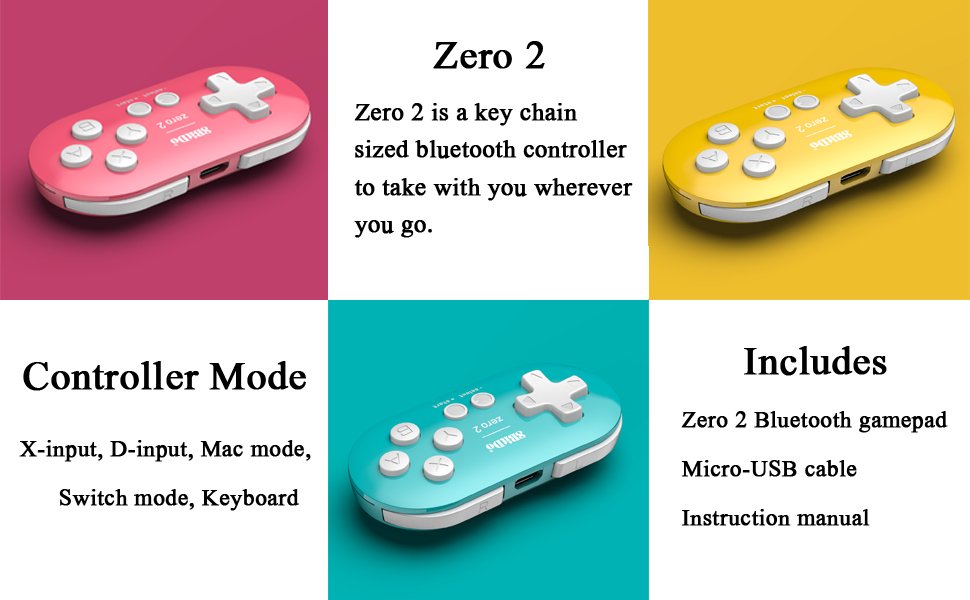
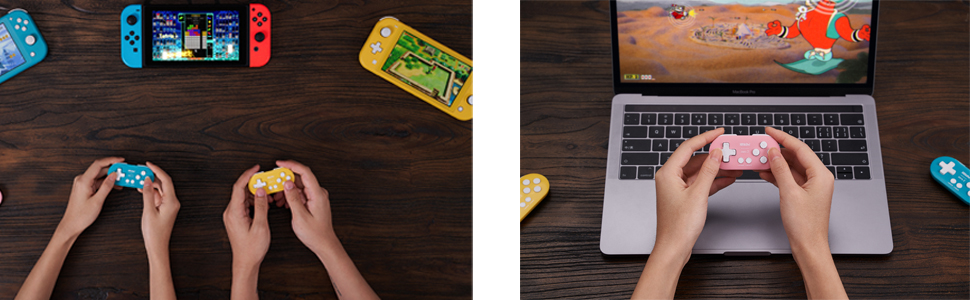
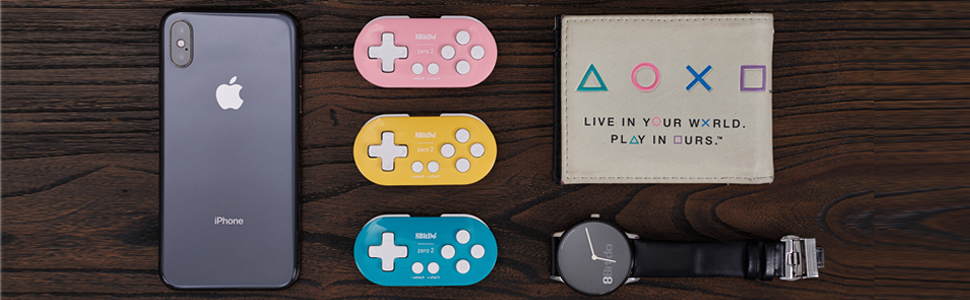
The Nargos 8Bitdo Zero 2 is a Bluetooth mini controller designed for 2D gaming and productivity, featuring a compact keychain size, 8-hour battery life, and multi-platform compatibility with Nintendo Switch, Windows, Android, and macOS. Its ergonomic one-handed design and upgradeable firmware modes make it a versatile tool for gamers and professionals alike.
| ASIN | B084SP8QWT |
| Best Sellers Rank | #832 in Video Games ( See Top 100 in Video Games ) #21 in GEM Box Microconsole #33 in Nintendo Switch Controllers #96 in PC Game Controllers |
| Customer Reviews | 4.3 4.3 out of 5 stars (1,760) |
| Date First Available | February 14, 2020 |
| Item Weight | 0.741 ounces |
| Item model number | Zero 2 |
| Manufacturer | Nargos |
| Package Dimensions | 4.45 x 2.2 x 1.54 inches |
A**A
Makes studying so much more efficient!
So so helpful for flash cards! I am a medial student and linked this to my flash card software an it has made me so much more efficient. I’d say almost everyone in my class that uses that same software has this remote and loves it. It is so useful that we had a meeting at the beginning of the year to teach new users how to set it all up with our software. Easy to connect easy to use comfortable grip
A**A
Good for Anki
I’ve had it for about 2 weeks now and it works super well with Anki for studying. I’ve used it at the gym as well it’s super light and easy to hold. Battery hasn’t died once yet and I’ve used it multiple times. Just had to look at the directions for how to set it up and they were easy to follow. Definitely don’t need to buy the expensive Anki brand controller this is cheaper and works perfectly fine.
A**Y
Studying game changer
I use Quizlet and this works good for my computer. I wish I could get it to work with Quizlet on my iPad but that is a Quizlet issue. This controller makes it so much easier to fly through my flashcards and study. I gave it 4 stars since it can be a bit tricky to set up but nothing YouTube can't help with.
G**Z
Great product, I keep re-purchasing it when I lose my old one
Easy to configure, super useful for Anki flashcards and is easy to hold. Links easily to my computer (I have a macbook and had zero problems). It has a really good battery life too, i rarely had to charge it. It was pretty durable, I always lost the remote (it's pretty small) before it ever gave out on me. I keep re-buying it because i like it and haven't found a better product.
M**H
Much better than “Anki Remote”
Great product. Full disclosure: I’m not tech savvy at all. I’m terrible with computers and I absolutely dread downloading programs and figuring things out. That being said, I initially bought “Anki Remote” and had an absolute nightmare trying to figure it out and I FAILED. I couldn’t get it to work. It was glitchy and I couldn’t get to use all the buttons. Their support was helpful but I had already moved on and I decided to buy this 8BitDo product and I got it to work right away. There’s lots of helpful instructions on youtube for help. I watched a 3min video by Apoorva Sinha and visited a website by jessefsimon and that was enough for even a computer-illiterate person like me to figure it out. I LOVE this product.
A**N
Unreliable study tool
Great when it works, emphasis on the when part. The remote keeps disconnecting from my Mac and not reconnecting, leading me to continually forget the device to attempt to pair it again. Sometimes, even doing this doesn't get it to work
B**R
Surprising
I actually use this in my off hand while drawing on my Android tablet. You can map it to undo, color swatch, change brush tip etc. It's honestly the perfect little device for that specific thing, trust me, I looked and looked EVERYWHERE for a decent little offhand remote for android, and there wasn't any. The only other device I found useful was a bluetooth number pad, which is a little difficult to hold on the back of the tablet, so this controller is a step above. When I first got this I took it to my friend's house and was playing Symphony of the Night on my S22 and my friends 10 year old daughter literally ripped it from my hands and wouldn't give it back. I had to get her one for her birthday. She was obsessed with it. It's an awesome gift or stocking stuffer. Honestly, if you're not going to invest in a standalone portable retro device, I think this mini keychain controller is actually the best option for a real legit portable "always on me" gaming device. If you use this as a keychain and keep it charged, and your phone has a kickstand, then you always have a gaming console with you without having to deal with on screen buttons. Even if you have a miyoo mini or something, you're probably not always going to carry it everywhere, but you will always have your phone on you, and your keys, so it's a truly dependable combo. I actually recommend 8 bit do controllers in general, they are just great.
A**R
Connection issues
EDITED REVIEW: 3 stars: I will add a star because since switching to Mac, I’ve had a MUCH better experience. Mapping keys is way easier and the remote connects every time. However unless you market your product specifically for Mac, it should be just as effective in both windows and Mac devices so that’s why I still won’t give 5 stars. It’s really only a good product for a specific subset of people and it should be good for all users. But yeahhh definitely wayyyyy better and actually useful on a Mac. Also, not many people make mention of this but if you want to use as a keyboard, there’s a specific way to power the remote on so it connects as a keyboard. If you don’t do it that way, it’ll connect as a controller and you’ll have issues with it being recognized as a keyboard. So take note. Those specific instructions are included in the manual. ORIGINAL REVIEW: 2 stars: The reason I give this 2 stars is because it doesn’t really matter how comfortable it is to hold or how good the battery life is if half the time it doesn’t connect. This remote gives me nothing but trouble. Setting it up initially was a hassle. I had to try at least 10 times and then I thought I was in the clear only to find out it doesn’t reconnect to my device after turning my computer off or to sleep. So I have to go through the pairing process again and this only works about 1/4 of the time. My computer will say the device is connected then some unknown error will happen and there’s no communication between the remote and computer. If I want to reconnect it, I have to restart my computer and hope it works after that. Sometimes it does, sometimes it doesn’t. I’m so mad I kept this past the return window. I kept trying to look up solutions and each time thought it was fixed but I should’ve just returned it. Not worth it at all.
M**D
Good
X**L
Great for Anki on my iPad. The d pad works as an analog stick so it can’t be mapped but can be used to scroll. All other buttons can be mapped as expected. I hold it vertically in my right hand.
T**N
Great little (it is tiny) controller. Bought to play games on Chrome cast with Google TV and works great.
Y**N
Lo utilicé para la aplicación Anki de flashcards en mi mac y funcionó perfecto
R**.
Era justo lo que estaba buscando. En lo personal no lo uso como control para juegos, lo uso como control para atajos en mi programa de dibujo y ha funcionado de maravilla.
Trustpilot
1 month ago
2 weeks ago



