
DOWNLOAD THE APP


Customer Services
Copyright © 2025 Desertcart Holdings Limited
DOWNLOAD THE APP
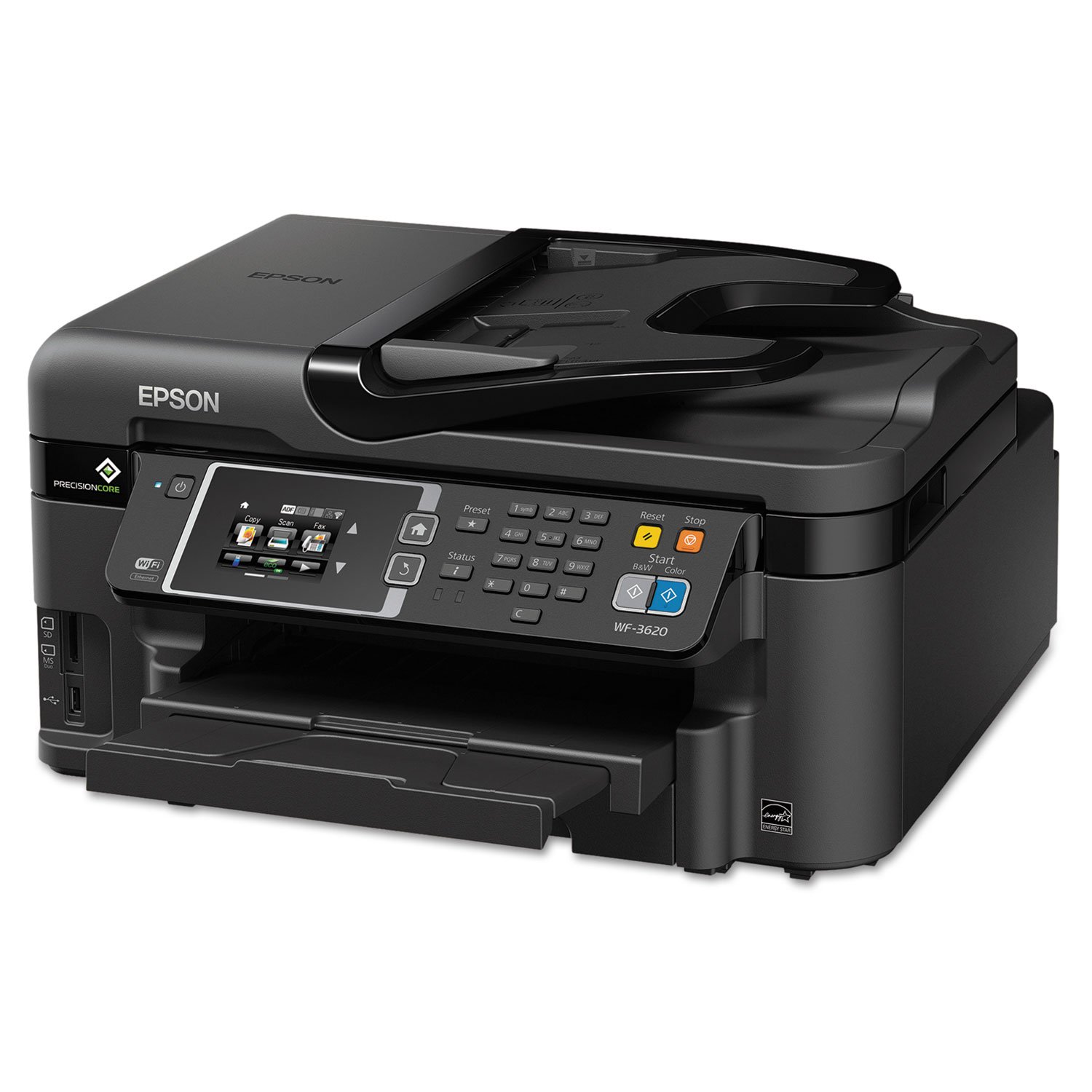
🖨️ Elevate your home office game with speed, smart tech, and seamless connectivity!
The Epson WorkForce WF-3620 is a versatile all-in-one color inkjet printer designed for professionals seeking fast, high-quality prints with wireless convenience. Featuring 19 ppm black and 10 ppm color print speeds, auto 2-sided printing, a 35-page Auto Document Feeder, and smart ink replenishment via desertcart Dash, it streamlines your workflow while cutting printing costs by up to 40% compared to color lasers. Compatible with laptops, smartphones, and voice control, it’s built to keep your home office efficient and connected.


| ASIN | B00JXLGF06 |
| Additional Printer Functions | Copy |
| B&W Pages per Minute | 19.00 |
| Brand | Epson |
| Built-In Media | Printer Accessory |
| Color | Black |
| Color Pages per Minute | 10 ppm |
| Compatible Devices | Laptops, PC, Smartphones |
| Connectivity Technology | Ethernet, USB, Wi-Fi |
| Control Method | Voice |
| Controller Type | Amazon Alexa, Vera, iOS |
| Customer Reviews | 3.4 out of 5 stars 2,493 Reviews |
| Display Type | LCD |
| Dual-sided printing | Yes |
| Duplex | Manual |
| Global Trade Identification Number | 00010343908154 |
| Hardware Interface | USB |
| Ink Color | Cyan, Magenta, Yellow, Black |
| Is Electric | Yes |
| Item Dimensions D x W x H | 19.2"D x 21.1"W x 12.9"H |
| Item Height | 12.9 inches |
| Item Weight | 24.7 Pounds |
| Manufacturer | Epson |
| Maximum Copy Speed Black and White | 19 ppm |
| Maximum Sheet Capacity | 250 |
| Media Size Maximum | 8.5 x 11 inch |
| Model Name | WF-3620 |
| Model Number | C11CD19201 |
| Model Series | WorkForce |
| Number of Trays | 2 |
| Other Special Features of the Product | Auto Document Feeder |
| Paper Size | 8.5 x 47.2 inches |
| Power Consumption | 17 Watts |
| Print media | Paper (plain) |
| Printer Connectivity Type | Ethernet, USB, Wi-Fi |
| Printer Output Type | Color |
| Printer Type | Inkjet |
| Printing Technology | Inkjet |
| Resolution | 4800 x 2400 |
| Scanner Type | Sheetfed |
| Special Feature | Auto Document Feeder |
| Specific Uses For Product | Office |
| UPC | 714547242549 804993422944 800011203038 806791961250 642125186841 809301943210 801593159942 823019573811 629427687153 103439081548 010343908154 012302745732 638084615508 |
| Warranty Description | 1 year limited |
| Warranty Type | limited warranty |
| Wattage | 17 watts |
S**E
Absolutely Professional with the Highest Standards and Quality that you would expect, HIGHLY RECOMMENDED
The Epson Workforce 3620 is a fabulous machine. It took me several months of research to finally decide which model to purchase, after much research and review I finally decided on the 3620 or the 3640. I finally realized that both machines are practically identically except that the 3640 has the capacity to load 500 sheets of paper in two different trays, while the 3620 with only one try can hold 250 sheets. They are both priced at the same level, so the decision of which to chose would come down to a individual choice, depending on your print usage. I must admit that setting up the printer was a bit tedious and it took sometime to complete, my only disappointment so far is that the instructions and user guide needs to be vastly improved, its obvious that not much time and thought was put into creating a user friendly, easy to follow instructions guide or manual, the minor details were not properly explained and that in itself creates more confusion and time constraints in setting up the printer. For example in Step 2 "Turn on and configure", the first few prompts on the touch screen were easy to follow but when you get to entering the date feature, I got stuck because there is no feature for you to select indicating that you are done, all I was left with is a blinking light on the last number in the year, there is no "OK" or "ENTER" button that allows you to continue with the Time prompt, it just leaves you hanging, then no matter what key you press, I was just not able to complete the date and time. So I had to call tech support and even the technician I spoke to was not able to quickly offer any solution, until he placed me on hold to get advise from his supervisor, then he finally had me select the but with the Arrow, which is actually the return button, so it appears that this is return button performs the function of "OK" or " ENTER" allowing you to continue with the installation, it was only then that I was able to continue to entering the Date. It would have been so much easier if this minor but important detail was noted somewhere in the manual. Other than this somewhat minor glitch, the rest of the steps went smoothly, but it did slow down my momentum as I tried to find a solution on line, I went to Epson website and spent many hours just trying to find a answer. I was not able to find any discussion or solution so that was when I decided to call tech support. I would still highly recommend this printer over any of the competitors, the print quality is excellent and the color copies are very professional. You also have the ability to send and receive fax so with this printer you have the ability to run your complete home office
R**R
ExcellentNON-COLOR printer!
Since the day my printer was purchased the color printing has not worked. I bought it NEW only a few months ago and I've tried everything. I thought it was the ink it came with originally, so I switched it out for new ink and it still does a poor job(see the attached pictures). I did A LOT of research for home-office printers and actually this one came very highly rated! I read reviews, I did the consumer reports research, I did it all! However, since the day I bought mine, it hasn't functioned properly! Now I am rating it with 1 star really for the COLOR PRINTING ONLY. I mean, who buys a color printer that can't print in color anyway and expects it to get over 1 star? I went online looking for a customer support phone number; I couldn't find one. So I sent a facebook message to Epson explaining the issue. I needed help quickly and I was hoping they could do it online since most of my experience with technical support for computer stuff has been bad and I'm stressed enough. Well, needless to say I think I've had my intelligence insulted by Epson more times than I can handle. The person basically told me a list of things I should try to AVOID with my Epson printer; I never knew a lot of these things. Apparently their printer works better if you download what you need to print, save it first to your computer then print it-- instead of printing directly off the screen or website. However, the worst was when the person on the phone with customer service (I wanted to avoid this) asked me to take out the ink cartridges and read her the numbers on it (making sure I had installed the right ink to begin with) and then CHECK THE BOTTOM FOR TAPE. I never said it wasn't printing ANY color by the way, I have been saying it prints color POORLY!! So by the end of my conversation she decided I'm eligible for a replacement under warranty. However, my printer arrived broken. They want to give me a refurbished one, which I politely explained angered me for a number of reasons. First, my printer still is brand new, and I didn't buy a used printer off Amazon. Second, it arrived this way, it isn't like it all the sudden broke, it's been broken the whole time. I really loved what Epson said though. Her technical support is CLEARLY not customer support because her reasoning behind me getting a refurbished one is laughable, "it's not like we can resell yours, it's defective". Well duh! However, what about the NEW ONE that I was promised when I paid money for it? That one I'm still kind of waiting for... Well my point is, BUYER BEWARE...DON'T BUY THIS PRINTER... DON'T DO IT, DON'T DO IT!
R**E
Great Printer! Easy Set Up.
I received this Epson WorkForce WF-3620 today. I set it up on my network & on my desktop computer & two laptop computers. The setup was easy with no problems & went relatively fast. I did have to manually configure my network however. The automatic set up was unsuccessful. The manual setup was easy & went well. I have my router password protected so that may have been the reason for having to do the setup manually. Once the printer was set up it operated with no problems at all from all computers over our WF-FI network. The menu system is very easy to understand. I love the display window/touch screen & find it very responsive & easy to use. The printer is fast & the print quality very good. I also like the SD card & MS slots. I tried a few color copies & they came out perfectly. I have not tried the fax yet but will soon. Ink cartridges are easy to install & I will closely monitor ink usage since we do a lot of printing. Since I have just received this printer I can not report much more at this time. I would highly recommend this printer based on easy my easy set up & first days use. A very nice looking printer as well.
G**H
Decent ink gobbler
I've had this printer about a year. It gives great print quality as long as you use the premium paper settings (doesn't actually have to be the premium paper) and set it to high quality. Printing standard quality on plain paper is really only good enough for printing documents, online tickets, things like that. I make & sell stickers, greeting cards, etc, and I've used this printer for that since my WF 7620 had a printhead go bad - which cost nearly as much to replace as the printer itself. The 3620 has done well, but like all printers, they now have designed obsolescence so they all have issues eventually. Recently it started being unable to align the printheads even after running numerous alignments and the colors are no longer coming out correctly. I started having those color issues about 8 months in but I was able to work around it for a while by adjusting the color settings, now no amount of adjustments corrects it. Tons of head cleans haven't fixed the issue so I'm replacing it with an EcoTank model - because this printer goes through ink cartridges like crazy. I do print a lot, probably 20 or more pages a week on average, and I buy cartridges about every month or two which gets really expensive and ends up being several hundred dollars a year in cartridges. Horrible ink cost (but kind of typical) I had no issues setting up the wifi - works great. The scan feature works great, I love that it can scan straight to PDF for documents. I've never used any devices other than my PC to print from it so I can't comment on print anywhere features I have no issues with the menu or buttons I have had paper jam issues, where the paper doesn't actually jam, it just doesn't want to pull a sheet out of the tray. Usually if I open/close the tray and tell it to try again it resolves the issue. I had issues with my WF 7620 denting the end of the paper when pulling it from the tray and causing jams - this printer did not have that issue. This printer has never sat unused for more than a couple of days, so I have never had any issues with ink drying out. Print speed for plain documents is really fast, print speed for high quality photo type prints is much slower but I found it to be as expected for any printer laying down that much ink and detail. This printer is a good size, not hard to move around and not terribly heavy. One person can do it. The WF 7620 I had previously has a large scanner bed so that printer is a nightmare to move compared to this printer - it can be moved by one person but I don't recommend it if you like your back the way it is. I have printed on 110 lb card stock from the paper tray with little to no feed issues (other than the one feed issue that happens with any paper I put in) I have printed glossy sticker paper with the only issue being the leading edge of the image sometimes smudges but only if there's a lot of dark ink at the top of the page. Plain paper printed with no issues Glossy holographic card stock printed with no issues. The only paper I have had consistently jam in this printer is Silhouette's sticker paper - no idea why, as it isn't any thicker than my glossy sticker paper from LD All in all, for what I originally paid for it, it has done its job and served me well. I've worked it hard, and it held up to a lot of abuse. Attached pictures are items that were printed on this printer, greeting card, stickers, bookmarker (laminated after printing on matte cardstock)
T**D
Didn't last
UPDATE: The black failed on this printer. I tried cleaning the print head with a cleaning kit and replacing the cartridge. Neither worked. So it is now just a paper weight. I'll try HP next. My original review follows. I was impressed with the printer until now. Just got my new printer and printed a test page successfully. It took about half an hour to unpack and set up the printer, including the wireless interface to the computer. The setup instructions were very clear, there were just a lot of steps. The printer was heavier than I expected, since my previous inkjet printer was very light and felt almost like a toy. This one is quite solid. The LCD screen is small but readable. The most difficult step for some users will be finding the SSID password for your router. I haven't printed anything more than the test page, but that page looks terrific. Being wireless it's nice to have one less cable dangling behind my desk. It also allows me to print from any other wireless device without having to download images to my computer. The printer does make a bit of noise, but what printer doesn't. The initial setup was particularly noisy as it was aligning the print head. The motor that drives the print head makes a nice zipping sound and the print head clunks at the end of its travel. These are familiar sounds and nothing unusual. It is a bit faster in all respects than the HP printer that it replaced. I will be interested to see how thirsty it is for ink. I did a bit of research before buying and learned that it has a replaceable maintenance well that holds the ink that is ejected from the print head to clear it. This is part of the razor and blade economics common to all printers. Since I don't do much printing it won't break the budget. But for high volume printing it is something to consider. Update #1: The setup I described above did not include Epson Connect, which is how you can get the printer to print from any device with WiFi or internet capability. It took me a couple of hours to figure out how to make that happen. But eventually it did, and I managed to print a color photo from my Samsung Galaxy III phone. It worked as advertized. Several reviews complained about the cartridges that come with the printer. While I haven't printed enough to get a true assessment of how much ink they contain, the printer status shows all four cartridges as being full and being the XL size. As for replacement cartridges, I found a source, inkproducts.com, that offers third party replacements that can be refilled. If these work, the cost is way less than buying new cartridges every time. As I mentioned in my original review, the cartridges can be replaced individually, and you can buy the four different colors individually and replace only what is consumed. The website and youtube have very good videos that show you how to refill the cartridges. The website also sells a maintenance unit that can be reused over and over. It has a small cup that receives the ejected ink that you can just dump out. It has a device for resetting the chip so the printer thinks it's a new unit. Their ink cartridges don't even require resetting, although the printer will recognize them as not being Epson cartridges. It doesn't seem to mind. After I got my printer set up I ran their software updater. It allowed me to download the latest firmware for the printer. I suspect that with the right firmware the printer could be made to continue printing in black without having to have all the color cartridges full. It would probably take a lot of continued complaints about this to Epson to change this, but I just bet it could be done. So let Epson know this is something you want. If you are silent then you can't expect a change.
G**R
*********Please stay away from buying this product as they don't even have any technical support available!********
The Printer worked fine for 1 year. Now I'm going through hell to get it to work. I called Epson support and it connected me to Aaxiom technologies, as there is no direct support for Epson Printers!It connected me to some Overseas Indian guys with different vendor companies. One guy remotely accessed my laptop to fix printer and then sd i have numerous issues with my laptop and so its not working. He kept my laptop under monitoring session, sd to fix the printer , i need to fix laptop( which works fine right now!). He gv me $199.99 Christmas offer to fix it ..he did few things before I can tell him to fix my laptop and drew logs showing me that my laptop is trying to be hacked, my passwords & data isn't safe.and he took my IP address etc.. Imm scared and stressed now as he has so much details and he wanted me to pay in advance to begin 1 hr troubleshooting. I told him to call back.. I'm mortified as this is not what I expected from Epson..i tried another number on google and they sd they provide tech support for Epson..again some overseas Indian guy..I'm so scared that they may hack my data now..WHAT SHOULD I DO? When i questionedhow he reached to this conclusion he got pissed.. he didnt help out with printer instead said, after doing it all if u stil cant use your printer then give us a call.. while told me to give remote access to some MS certified tech who will perform things listed below: 1. Cleanup and Tune up 2. Computer Optimization 3. Repair all the files and application 4. Remove all the Junks and Infections 5. Install the drivers and programs 6. Browser optimization and cleanup 7. Security Setup 8. Firewall security 9. Remove all unwanted application and software _____________________________________________________ Company Name: Aaxiom technology Toll Free: 1800-766-0446 _______________________________________________________ TWO YEARS $199.99 *********Please stay away from buying this product as they don't even have any technical support available!********
J**D
If the ink doesn't clog it, then the ink prices will clog you.
+4 stars for being a very versatile printer (5), -1 star for going too far trying to enforce use of Epson ink. (4) -3 stars for designing a printer that's too complicated/cheap to last past 1 year or 1-2 ink changes. (1) +1 star for customer service sort of trying to help, and at least paying for shipping of broken printers or bad Epson ink that it can't detect. Bringing us to a fairly poor 2 Star Review. Scans, copies, can print on a large variety of paper types in many different qualities. Easy wi-fi access. The printer is cheap. I would be very happy with this printer if it wasn't for its tendency to clog/stop working and the ridiculous ink practices. Worked great as a home printer for ~8 months, changed the ink cartridges and immediately clog problems began. Auto-cleaning programs worked for another 3 months while HEAVILY wasting ink the entire time. 3rd ink change (much sooner than should be necessary) and one color no longer prints entirely with no help from the auto-cleaning program. The printer is too "complicated" to be cleaned at home or have a nozzle replaced so in the end I ship it out for a replacement printer. New printer arrives, and the Epson branded ink that comes with it don't work with the printer. They've designed so many guards against re-fills and off brands that there isn't even work-arounds to their own ink failing the test. If a different ink cartridge doesn't work, then I'll get the joy of shipping out my 2nd printer for a replacement. TLDR: It is cheap, appears great, does lots of amazing things, but it is a lie. It will break, or clog, or cost far more in ink than you ever would have accepted if you'd known. At least that's how I feel at the end of this, and I just keep going because they just keep sending me replacements.
N**8
It's Ok - definitely not the best
After my previous Canon All-In-One gave out in less than 3 years, I figured it was time to try a new brand. This Epson model has had many reviews on Amazon and other sites that claim many of the printers are dead on arrival. The first one I received was dead, but Amazon was good to replace it. I would not buy this printer from any seller that does not have an easy exchange policy. The only problem with Amazon was that they wanted me to print a return shipping label, but they had sent me a broken. However, the UPS guy came with a label, so I really didn't need to print it. Amazon should make that more clear. I'm more interested in the scanning than the printing. I'm trying to get rid of paper, not create more. But sometimes printing is necessary. Setting up the unit was easy. It was set up over the wireless network. Scanning worked initially, but was terribly slow. I tried lots of different settings to speed up the scanning, but nothing worked. I really didn't want to have to plug in the printer/scanner by USB. My previous all-in-one worked really well over the same network and I wanted this same convenience. Nothing helped. I searched for help on Epson's site, but nothing there helped either. Scanning speeds were fine when scanning to a thumb drive, or when the unit was connected via USB. I finally settled on connecting the unit to the router by ethernet cable. This made the speed acceptable, but added an undesired cable. Scanning quality is ok. Scans can be initiated by the machine or from a network computer. However, settings are very limited when starting scans from the machine. You can do multi-page through the automatic feeder, but not from the flat bed. Print quality is good, but ink is expensive. I don't print real pictures - more documents. It's cheaper and better quality to print photos at the store. This machine gets the job done, but it definitely is frustrating and not my favorite. I seriously considered returning the unit due to the poor scanning speeds over wireless, but honestly didn't see many better options from other manufacturers. It's frustrating that a 3 year old machine was actually better than a brand new one, other than dying after 3 years - hopefully this Epson beats the Canon in that point.
Trustpilot
3 days ago
1 month ago