We remain fully operational. Our teams are working around the clock to ensure your deliveries continue safely.

DOWNLOAD THE APP


Customer Services
Copyright © 2025 Desertcart Holdings Limited
DOWNLOAD THE APP


🚀 Upgrade your Mac Mini, upgrade your workflow!
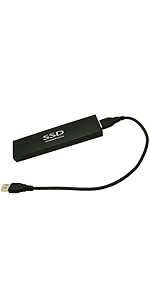
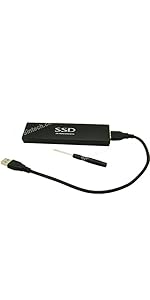
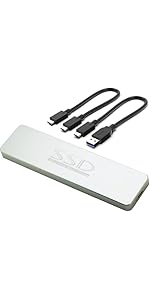
The Sintech M.2 NGFF NVMe SSD adapter is a specialized upgrade solution designed exclusively for the Late 2014 Mac Mini A1347 MEG series. Supporting blazing 6 Gbps NVMe speeds and MacOS High Sierra or later, it offers a straightforward installation with included screws, delivering a significant performance boost to extend the life and responsiveness of your Mac Mini.




| ASIN | B07Q5FBNVG |
| Best Sellers Rank | #383 in Internal Solid State Drives |
| Brand | Sintech |
| Cable Type | NVME |
| Compatible Devices | Mac Mini |
| Compatible Phone Models | No Compatible Phone Models |
| Connector Gender | Male-to-Female |
| Connector Type | M.2 Nvme |
| Customer Package Type | Standard Packaging |
| Data Transfer Rate | 6 Gigabits Per Second |
| Date First Available | July 27, 2018 |
| Indoor/Outdoor Usage | Indoor |
| Item Weight | 2 pounds |
| Item model number | ST-M2A1347 |
| Manufacturer | Sintech Electronic |
| Number of Pins | 22 |
| Package Dimensions | 4.41 x 1.89 x 0.35 inches |
| Special Feature | Portable |
| UPC | 701017253884 |
| Unit Count | 1.0 Count |
A**T
Upgraded 2018 Mac Mini & Load Times Are MUCH Faster!
In 2023 I decided to finally try out a MAC. I initially bought a used 2018 Mac Mini off eBay. Load times weren't that great & as I upgraded to newer versions of MacOS they got worse. Had read how installing an NVMe SSD drive could speed things up. Well, let me tell you -- it's night and day! What's I'm doing is probably a bit untypical. I'm using the 2018 Mac Mini as a thin client basically, connecting to a more powerful desktop PC that I call "The Beast!" through Microsoft Remote Desktop. I also bought a Mac Mini M2 in 2023 a few months after I had upgraded the 2018 Mac Mini. And I can connect to the Mac Mini M2 from the 2018 Mac Mini as well. So basically I have the option of working on a powerful computer from the basement, either a Windows Desktop or Mac Desktop through this thin client. It's worked out wonderfully. I even have dual 24" monitors setup on the 2018 Mac Mini and have it kicked into the highest resolution (non-4k). I'm actually very surprised how well the remote desktop connections work these days -- no different than being right at the PC itself as long as you're on a wired connection. In any case, this adapter helped me try out a Mac and going forward I'll probably do more of these thin clients as I upgraded to newer versions of the Mac Mini. The adapter was pretty straight-forward to install. It's best to verify you buy a compatible NVMe SSD first, so do a bit of research. Oh and, in my case I got the screws needed for installation in the package. I don't think I had noticed the description mentioned including screws, so I had purchased some, but turns out screws were included.
S**B
Upgraded late 2014 Mac Mini - excellent results
This adapter & results were amazing. The procedure to add an M.2 NVME using this adapter was so easy, compared to a complete disassembly of the mac mini to replace the hard drive with a sata ssd. My late 2014 mac mini with low specs of 4 GB (non-up-gradable) ram,1.4 Mhz processor, & a possible failing 500 GB 5400 rpm hard drive was barely usable. The addition of the M.2 NVME drive made a marked improvement even on this low end late 2014 mac mini. Also the TRIM function was turned on when I checked to make sure.
J**.
Solid Product...
If you have a 2014 Mac Mini, this is a solid product upgrade if you are coming from a spinning HDD or even an SSD SATA drive. Easy to install - and if you remove your SATA cable/drive for this upgrade, simply use the screw retainer hold down on the PCIE coupling. I was a bit skeptical of the tape to hold the board in place, but - it's 3M brand and Sintech also adds the screws for the rear hold down as well - so your SSD will be fixed properly... As for performance? It drives my WD NVME at nearly full speed of the bus design - or just under 500Mb/s for read/writes. It's a definite upgrade over either a SATA HDD or SSD... Again - well done product that does what it says it will do....
T**Y
A great addition to Mac Mini
I purchased for a Mac mini I was upgrading. Unfortunally the Mac was broken beyond my skill level.
P**S
Works like a charm.
I used this adapter to install a NVMe SSD into my late 2014 Mac Mini. You will need #6 and #8 Torx SECURITY screwdrivers to access the interior of your Mac Mini. I mention this because even though I had a Torx set, they weren't "security" and I had to rush to the store for the right ones so I could use my computer the next day. The adapter fits perfectly. the NVMe attaches with a bit of adhesive tape and one screw (supplied). It was fairly easy to install and works great. I'm happy with the quality of this adapter.
M**B
Works great with Samsung 990 EVO
Worked great with the new Samsung 990 Evo 1TB drive in my 2014 mac minis. First boot into the recovery mode took some time and made me think it wasn't working but it was just like having any other drive in the system except much faster.
W**9
Inexpensive way to wake up a (late 2014) MacMini
Had an old MacMini (late) 2014 that was just too tired with its 5,400 RPM 1 TB drive, so decided to get the inexpensive Sintech M.2 NGFF NVMe SSD adapter and a Crucial 1 TB SSD NVME SSD (as it was on sale). Install was a breeze (I've dabbled in the MacMini dozens of times), but a few issues to highlight: a) depending on the alignment of the PCIe connector on the motherboard, you might have to gently 'struggle' to get the screw holding the adapter in place at the far end. b) try the adapter is place first, no adhesive exposed. Then just remove one corner of the adhesive cover so you can grab it with a pincer or a pair of pliers later. Then mount the adaptor, ensuring that is aligns smoothly with the PCIe connector. Once it does and the screw has been placed in the slotted hole, pull away the rest of the adhesive cover. c) do not rely solely on the included adhesive strip. Highly recommended to use a bracket (similar to what Apple uses for their PCIe connected adapter) or place to place a piece of temperature resistant foam as padding between the adapter and the mini's cover. You DO NOT want this adapter to suddenly fall out of its connector due to some micro tension when mounting it. But when all was done, the SSD stick in place, and after a fresh install of MacOS Monterey and eventual migration of user profile from the old HDD, this previously sluggish aluminum 'puck' is now again a perfectly usable, even speedy, computer. I have now installed SSDs of various type in a dozen computers or more, and if there is one 'upgrade' that truly changes the experience on a PC, SSD must be the top choice. For those looking to working the MacMini; carefully review what HW version you have, as they differ quite a bit in regards to what can be done and not in terms of upgrades.
A**M
Funciona perfectamente. En el paquete viene: El adaptador, un destornillador y 2 tornillos (iguales). La única pega que se puede poner es que el tornillo es corto y pequeño para sujetar el adaptador al Mac Mini de finales del 2014. Lo he utilizado para instalar en un Mac Mini de finales de 2014 un "Sabrent 512GB Rocket NVMe PCIe M.2 2280 SSD Interno Unidad de Estado sólido de Alto Rendimiento (SB-ROCKET-512)". Para lo que he necesitado utilizar también "WIHA 27630 - Destornillador con varilla intercambiable SYSTEM 6 284 SYSTEM 6 T6H / T8H Ref. 284TR51".
M**A
Ottimo ed immediato per l’aggiunta di un HD su macmini 2014
A**S
fast delivery, exact item, easy to regognise by mac mini 2014
C**.
Quedo perfecto para mi mac mini
N**C
Snabb leverans och fungerade perfekt. Snabb och enkel installation
Trustpilot
2 weeks ago
1 month ago