Buy anything from 5,000+ international stores. One checkout price. No surprise fees. Join 2M+ shoppers on Desertcart.
Desertcart purchases this item on your behalf and handles shipping, customs, and support to Nicaragua.
🔒 Elevate your home security with crystal-clear zoom and smart tracking—because your peace of mind deserves the best.
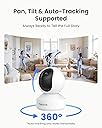
The Reolink 4K Indoor Camera E1 Zoom delivers professional-grade 4K UHD video with 3X optical zoom and advanced AI auto-tracking for people and pets. Featuring dual-band WiFi 6 for fast, reliable connectivity and multiple storage options without monthly fees, it’s designed for seamless monitoring of your home, baby, or pets—day or night—with privacy mode and crying detection included.


| ASIN | B07K7HPCVJ |
| Alert Type | Motion Only |
| Antenna Location | Security |
| Batteries are Required | No |
| Best Sellers Rank | 5,289 in Electronics & Photo ( See Top 100 in Electronics & Photo ) 100 in Dome Cameras |
| Brand | REOLINK |
| Colour | White |
| Compatible Devices | iPhone, iPad, Android Phone, Windows PC, Mac PC |
| Connectivity Protocol | Wi-Fi |
| Connectivity technology | Wireless |
| Control Method | App |
| Controller Type | IOS |
| Customer Reviews | 4.2 out of 5 stars 6,944 Reviews |
| EU Spare Part Availability Duration | 2 Years |
| Effective Still Resolution | 8 MP |
| Effective Video Resolution | 5 MP |
| Focus Type | Auto Focus |
| Form Factor | Dome |
| Frame Rate | 20fps (Default: 15fps) |
| Included Components | Reolink E1 Zoom, 5V1A Power Adapter(3m power cable), Mounting Plate, Reset Needle, Mounting Hole Template, Quick Start Guide, Pack of Screws, Surveillance Card |
| Indoor Outdoor Usage | Indoor |
| Indoor/Outdoor usage | Indoor |
| Installation Type | Surface-Mounted |
| Item Dimensions | 48.8 x 26.2 x 25.7 centimetres |
| Item Type Name | E1 Zoom |
| Item Weight | 300 Grams |
| Light Source | Infrared |
| Manufacturer | Reolink |
| Manufacturer Warranty Description | Reolink provides 2 years’ limited warranty. |
| Material | Plastic |
| Model Name | E1 Zoom |
| Model Number | E1 Series |
| Model name | E1 Zoom |
| Mount Type | Surface Mount |
| Network Connectivity Technology | Wireless |
| Night Vision | Night Color |
| Night Vision Range | 40 Feet |
| Number of Channels | 2 |
| Number of IR LEDs | 10 |
| Number of Items | 1 |
| Optical Zoom | 3 x |
| Other Special Features of the Product | 4K 8MP, 3X Optical Zoom2.4/5GHz Dual-Band Wi-Fi 6 |
| Photo Sensor Technology | CMOS |
| Power source | Corded Electric |
| Rear Webcam Resolution | 8 MP |
| Recommended uses for product | Security |
| Room Type | Office |
| Shape | Round |
| Special feature | 4K 8MP, 3X Optical Zoom2.4/5GHz Dual-Band Wi-Fi 6 |
| Unit Count | 1.0 count |
| Usage | Inside |
| Video Capture Format | MP4 |
| Video Capture Resolution | 4k |
| Viewing Angle | 355 Degrees |
| Voltage | 5 Volts |
| Water Resistance Level | Not Water Resistant |
| Waterproof Rating | nicht wasserdicht |
| Wattage | 6 watts |
| Wireless Technology Type | Wi-Fi |
| Zoom Ratio | 3X Zoom |
| Zoom Type | Optical Zoom |
S**G
Good camera
I've had several brands of IP cam in the past, each one with its own issues such as poor build quality, horrific setup and poor support. I've always managed to get them working but I pitied anyone going through the same experience if they didn't have a background in IT. Now the Reolink E1 Zoom. Must haves for me were good image quality, email and FTP support, and no sneaky tie-in to subscription services. Oh and easy remote access. It ticks all those boxes. I have had to contact support to discuss HTTPS browser niggles but they were responsive and I feel assured if anything more serious needs discussing they are there to help, which is more than can be said for some of the cams I've had in the past where support has been non-existent, even if you use the documented routes. For some reason 1 of my cams put up a small fight during initial setup, but that was sorted with a little perseverance. On top of the features I really needed, other details are handy and easy to configure. I've seen comments about poor picture quality but that's not what I have experienced. There are options to calibrate and focus, as well as image quality settings via browser or app (Windows or iOS) I've not even bothered with night mode and IR as I am getting decent colour images at night in daytime mode. Main use is via internal positioning to monitor car and driveway, and it's all good. I'm now making more use of tracking function and it seems pretty decent too. In terms of design it is a tidy unit, and doesn't even have an ugly Wi-Fi antenna as my previous cams have had, so it's a single cable install for power only. Only disappointment is that unlike other Reolink cams, there is no power extension cable available, and whilst the standard cable is decent length it would be good if they sorted that out. I've not made use of audio functions so can't comment on that, but all in all I am pleased, so much so, that I bought another.
J**D
Best WiFi camera I’ve had
Needed a decent camera to use as our baby monitor which we were watching via our phones and iPad I have tried eight or nine different cameras all of them claiming to be 1080p but in reality nothing like that when you actually set them up. If ever you tried to zoom in instantly you would see the blockiness and couldn’t really see the picture properly. Finally found this one with three times optical zoom and boy does that make a difference the picture without the zoom is a markable improvement on the other cameras we have tried including the ring indoor camera which I expected to be very good but it really wasn’t. With this camera having the added three times optical zoom feature I was really hoping that the picture quality zoomed in would be just as good And it didn’t let me down at all even fully sending the picture is still an amazing 1080p full HD allowing you to even examine your screen digitally picture still looking amazing. The build quality of the camera and the app that you use are both excellent & simple to set up. Certainly won’t be returning this camera as there are no other cameras on the market that do an optical zoom For anything like this price. This really is one amazing bit of kit and at an in believable price
P**R
Works well with a few niggles worth knowing about.
The camera was very easy to set up out of the box, with the app, even if it was extremely loud in shouting out setup instructions, in various languages before I could get logged in and get it to shut up. Don't try and set this up initially near a sleeping baby (or anyone else that is sleeping for that matter). I wanted to set this up with for directly accessing with RTSP streams on Linux/open source tooling and my heart initially sank with reading initial online documents suggesting this was not possible. Luckily it is absolutely possible, but I had to do a lot of manual playing around before I could get it to work. I will have to write a tutorial/blog post on doing this, but I'm sure that even if I do, the APP interface will likely have changed again, rendering my instructions out of date. Just know that at the current time, you can enable HTTP/HTTPS/RTMP/ONVIF, and then you can acccess it through your web browser or ONVIF client. I found that I had to reboot it after having enabled these, for these to become accessible. It is also good to look up the IP address from directly within the app, and use that for your browser. Somehow I was getting it wrong with my nmap scans but that may just be user error. The optical zoom is dead useful, but less than I had thought it would be. I was disappointed that it did not have a traditional thread-screw on the bottom so I could use some of the mounts I have around the house. In the end, I ordered some reolink-specific mounts off of amazon, and will then screw those into some wood to get the desired effect. I find that I need the mounts, in order to be able to tilt the camera down enough. The pan/tilt covers most angles well, but it does not want to face down much, which is exactly what I need for looking down on the baby in his cot. In the meantime, I just put a thin instruction booklet/leaflet under one side of the base to tilt it enough for what I need. Overall a great camera that is "open" enough for what I need. It would be great if it had a base screw to easily mount it, if it was a bit cheaper, and if the optical zoom zoomed in a little more, but you can't have everything.
S**H
Reolink 4K Indoor Camera
Excellent camera, Good colour pictures with motion detection.
K**D
Over Priced, Over Hyped. Please avoid.
This product launch was hyped with a future release date with all the high end features. It is worse than the other alternatives available for less than half price. To start with, it does not connect to the wifi via the app when you configure. No matter how much I tried it kept failing taking me back to try again screen. I finally had to connect the camera to the router using ethernet cable and then configure the wifi. It's inbuilt wifi seems to be of extremely poor quality. Even though its in the same room as the wifi router the connection drops significantly unless its kept next to router. If I move it slightly away it looses connectivity, both on 2.5 GHz and 5 GHz. It takes a while to load the video stream on the app owing to the wifi connectivity issues. The video or the photo seems stretched and the clarity is extremely poor, definitely not 5MP quality and clarity. The 3x optical zoom is rubbish, seems more like digital zoom. The camera tilt angle towards floor is very less and won't go beyond certain angle limiting its coverage, it turns reasonably towards the ceiling and back though. The horizontal rotation is good but the 2 antennas do come in way of the lens in certain positions. The alert is a bit of shame, as in other reolink cameras, as it sends alerts detecting change in light or picture and not motion. You end up getting lots of useless alerts and finally turning it off! The build quality is poor for price, made of cheap plastic and light, unlike the dome and bullet ones which are in aluminium casing. The overall look is good. I would like to warn the potential buyers of reolink cameras about the "warranty" from reolink. I had water damage in one of outdoor bullet cameras after a year of use. Since they discontinued the model I have they asked me choose another camera from the ones available. I selected the next available model. I was asked to pay extra $30 via pay pal as price difference for a different model and also arrange for damaged camera to be returned to them at my own expense. Only then the replacement will be dispatched. Or I choose a much lower spec camera, which is no where close to what I have. I have refused to do this. If I am paying ÂŁ100+ for a camera I expect it to last few years and not just over a year. And why do I have to pay for a faulty product return. They have refused to replace this even after a number of conversations and are now saying if I buy a new product they will do me a special discount of 30% instead of replacing the faulty camera. They have thrown their T&Cs at me which are no way in favor of customer and something which I was never made aware of when buying the product. A big let down.
D**4
Nice image
Working perfect after more than a year. App is easy to use and they are easy to set up.
J**E
Good value but sometimes fiddly and annoying, nice image detail
This is my second Reolink camera as I have one of the previous/similar 4MP versions (since Jan 2019). They both work with the same App. It works quite well but is a pain in some ways. * It's nice that you can control the motion detection area, but still it gets set off a lot by things like the Sun passing amongst clouds, or car headlights passing at night, so you can end up with a huge number of clips. * Note it doesn't come with a Micro-SD card. You do want one. I use 64GB cards in both of mine, and even when getting a large number of clips you can still go back several days (currently 17 days on the 4MP one, recording in full-res at 4Mbit/sec, which is the top E1-Zoom data-rate). The 4MP one has a "Samsung EVO Plus Micro SDXC" and the 5MP one an "Integral UltimaPro microSDHC" card. I have 18 months continuous usage with the former and no issues (it's set to record over the oldest recordings, so doesn't run out of space). Currently both are a little under ÂŁ11 on Amazon (so add that to the cost, I paid ÂŁ51.99 for the camera as it was cheap for a few days for some reason). * The E1 Zoom is particularly annoying as the card slot wasn't visible (and it came in a sealed box, so assume new). I decided where it was but didn't fancy trying to force anything, so used the PTZ function to aim the camera high up until it appeared (it's low down in the black rotating ball that contains the camera, not the base like my older Reolink camera, it only appears when the lens is pointing high up). Then pulled the power to insert the card. Also I found card insertion (and I've inserted a lot of these cards over the years) very fiddly (there isn't a nice channel to guide it exactly to the correct place) and it took maybe eight attempts to get it nicely seated. * Note you need to format the card in the camera before you can record anything to it. This is quite simple as you just go into the Playback screen and it will prompt you. Just don't leave it to record stuff without doing this, as you won't get anything. * I do like the technique in Initial Setup to send it your WiFi password. Rather than the old-style approach of it becoming a WiFi hot spot and you having to connect to it and input the data, this time you type the data in the App, it makes a QR code which you hold in front of the camera and move around a little until it beeps. Setup is (annoyingly) voice guided and it will tell you when it connects okay, I typo'd my first attempt (eeek) but powering down and up it then ate the correct QR code just fine. * The lens has a LOT of distortion at the wide end. I'm not sure I care about this, as it's a cheap camera and you get PTZ (Pan/Tilt/Zoom) as well, plus Auto Focus, and the image quality is good. Others might. * You can only screw its mount into something (e.g. the ceiling - note you can invert the image in the App) or rest it on its base, you can't put it on a mini tripod as there is no thread. * I do get occasional WiFi issues (I have a high-end router, so it isn't that), which are annoying, usually by persevering I get past them. Playback seems the main culprit (vs. live monitoring). If it's misbehaving I favour pausing the clip that is playing before going to another one, as that seems to help a little. *** Note this is a significant annoyance. * I find you can only save clips up to 30 seconds. So you need to choose the start point for a longer video to make sure you save the interesting part. Or save several clips. (I haven't checked in the latest version of the App, but would be unlikely to change at just this moment.) * Do note it tends to do everything in low-res by default. It calls low-res "Fluent" and high-res "Clear". You can change their settings in the App (e.g. depending on your WiFi bandwidth). I have live-view, playback and downloading all set to "Clear". There's a square button one in from the right end of the row of six just under the image window that changes between them. * Note the E1 Zoom records 5MP at up to 20fps and 4Mbit/sec (my older C1 Pro does 4MP at up to 25fps and 8Mbit/sec). * You might want to turn off the internal microphone to avoid recording yourself talking in the background (e.g. worst-case giving credit card details over the phone, on a "cute Cat" video you send out). * My older model is widescreen, the E1 Zoom is 4:3 (-ish) and the iOS App defaults to stretching it to widescreen, so worth turning that off if you want people to look okay (I looked really quite fat when stretched). It's in the menu at the top left of the highest level page where it shows you all your cameras. This probably makes the lens distortion at the edge of the image look worse too. * I have Brick internal walls in my house. With the E1 Zoom at the far back of the House and the Router at the front (and not in line of sight, sort of a diagonal, so at least one brick wall) I get a 180/216 to 240/243 Mbps connection (Tx/Rx). Note I'm using 5GHz WiFi. * It's great than you can access the videos from your phone and there's no monthly charge. Although you might get one from your data plan if you use a lot of cellular data rather than your WiFi. So in summary - a bit annoying, but a lot for the price.
S**N
A very good PTZ camera. I have bought 3!
The software App has lots of options (Good!) but the layout was not intuitive for me. It has hidden depths of function (less good). I bought this to look after an elderly person. I was so impressed I bought more. It is PTZ and records too. There are many nice features to like, such as remote playback and FTP transfer (protection against vandalism or theft) and recording locally from the remote clip playback. Easy ways for it to be even better? There are a few... A) Audio quality does not match the sensitivity of the camera. B) Remote clips of interest could be marked as read only, so they are not overwritten by the new data stream. C) The tiny mounting clip is a bit flimsy and should be upgraded AND it would be super easy and nice to supply more than one so the camera can have alternative positions without needing a screwdriver. The cameras work well when you have more than one at a site. Overall. Very impressive video quality!
H**.
Functions very well!
Great camera! Easy to install and it does the job very well!!!!
M**S
Es la mejor cámara que he probado.
Una cámara muy buena. El zoom se agradece. La app es la que más me gusta. En mi opinión, mejor que las Tappo. Funciona perfecta con Home Assistant en local y una cosa que me gusta, a diferencia de la Tappo C320ws, es que cuando conectas a la cam con la app, no se va la conexión desde Home Assistant. La única pega es que la calidad se paga.
M**E
Excellente caméra intérieure !
La Reolink E1 Zoom s’est imposée comme un élément clé de mon système de sécurité à la maison. Grâce à sa qualité vidéo 4K ultra-nette, même en vision nocturne ou couleur, elle capture chaque détail avec une précision impressionnante, ce qui est indispensable pour une surveillance efficace. Pour éviter tout risque de brouillage en cas de tentative d’intrusion, je l’ai connectée en RJ45 à mon NVR Reolink, garantissant une stabilité et une sécurité optimales, bien loin des vulnérabilités du Wi-Fi. Ce qui la rend encore plus puissante, c’est son intégration parfaite avec Home Assistant. J’ai configuré un scénario complet : en appuyant sur un seul bouton "Sécurité Maison", j'active l’alarme instantanément, toutes les caméras (dont la E1 Zoom) passent en mode enregistrement continu, et le simulateur de présence active les lumières et la télévision pour tromper d’éventuels cambrioleurs. Avec la détection intelligente, capable de faire la différence entre humains, animaux et objets, élimine les fausses alertes et rend le système encore plus fiable. Enfin, son audio bidirectionnel permet d’intervenir à distance, que ce soit pour rassurer un proche ou dissuader un intrus. Avec un design discret, une application mobile intuitive et des options de stockage flexibles (NVR, microSD, cloud ou NAS), cette caméra est un investissement incontournable pour une sécurité proactive, automatisée et sans faille. Je la recommande sans hésiter !
F**E
easy to set up and wide field of view
This is just the perfect price/quality indoor camera. It has pan, tilt, zoom and a lot of cool features. It integrates with Home Assistant without effort. Mine is wired to a router so I'm not using the wifi functionality. The app is easy to install and takes care of everything. You can set alarm schedules and it has different alarm functions. Just what I was looking for, for my living room!
J**U
Zeer fijne indoor camera
De camera hangt sinds een week binnenen geeft overdag en 's nachts prima beeld. De camera hangt binnen aan een zijmuur en kijkt de gehele kamer door. De camera wordt snel herkend door surveillance station van mijn QNAP NAS, ook het programma Shinobi op een raspberry PI herkent de camera. Desalniettemnin heb ik er voor gekozen deze QNAP NAS te gebruiken door de FTP functie van de camera te activeren. Ik heb een apart account voor iedere camera aangemaakt met alleen schrijfrechten naar een bepaalde map. Daar worden alle beelden door de camera automatisch naar geupload. Dat werkt goed. Om te voorkomen dat de schijf volloopt, heb ik een verwijder opdracht geprogrammeerd in Qfiling. daarmee worden bestanden ouder dan 3 weken weer gewist en loopt de NAS niet onnodig vol. Voordeel is dat ik ook geen extra camera licenties nodig heb. De App werkt ook prima. Installeren en activeren gaat bijna intuitief. De kwaliteit van de beelden is overdag en 's nachts prima. besturen gaat met een kleine vertraging. Inzoomen werkt ook en geeft meer details. Al met al voldoet deze camera prima aan de verachtingen.
Trustpilot
3 weeks ago
1 week ago