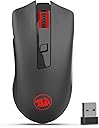


🔥 Elevate your workflow and game with precision wireless power!
The Redragon M652 wireless mouse offers 5 adjustable DPI levels (800-2400) and dual polling rates (125Hz/250Hz) for customizable responsiveness. Featuring a 10-meter reliable wireless range, ergonomic design, and LED lighting, it supports plug-and-play across major OS platforms. With a durable build tested for 5 million clicks and an 8-hour battery life enhanced by smart sleep mode, it’s engineered for professionals and gamers seeking performance and comfort without compromise.


| ASIN | B07D837ZLT |
| Antenna Location | Gaming, Office |
| Are Batteries Included? | No |
| Are Batteries Required | Yes |
| Battery Average Life | 8 Hours |
| Best Sellers Rank | 4,783 in PC & Video Games ( See Top 100 in PC & Video Games ) 161 in PC Gaming Mice 683 in Mice |
| Box Contents | Wireless Mouse, USB Receiver |
| Brand | Redragon |
| Brand Name | Redragon |
| Button Quantity | 6 |
| Colour | Black-M652 |
| Compatible Devices | Laptop, Personal Computer |
| Connectivity technology | USB |
| Country of Origin | China |
| Customer Reviews | 4.3 out of 5 stars 8,098 Reviews |
| Embellishment Feature | LED |
| Enclosure Material | Plastic |
| Hand Orientation | Right |
| Hardware Platform | PC/Mac/Linux/Unix |
| Item Dimensions L x W | 12.7L x 6.6W centimetres |
| Item Weight | 90 Grams |
| Item height | 0.1 centimetres |
| Manufacturer | Redragon |
| Model Name | M652 |
| Model Number | M652 |
| Mouse Maximum Sensitivity | 2400 Dots per Inch |
| Movement Detection | Optical |
| Movement detection technology | Optical |
| Network Connectivity Technology | USB |
| Number of Batteries | 1 AA batteries required. |
| Number of buttons | 6 |
| Operating System | PC/Mac/Linux/Unix |
| Power Source | Battery Powered |
| Product Features | Ergonomic Design, LED Lights, Portable, Rechargeable, Wireless |
| Product Finish Type | Glossy |
| Range | 10.0 meters |
| Special feature | Ergonomic Design, LED Lights , Portable, Rechargeable, Wireless |
| Style Name | Modern |
| Theme | Gaming/Technology |
| UPC | 641055599349 |
| Unit Count | 1.0 count |
S**X
M656 - The best mouse I've owned so far
The Redragon M656 Gainer is easily the best mouse I've owned to date, which is impressive considering the cheap price tag. BUTTON CONFIG Every button can be configured to whatever you want using the software, which is 7 buttons in total (including the two DPI buttons on the top). Scroll up/down on the mouse wheel can't be altered, which is a shame, though most games will allow you to set this in game, so not a huge issue. SOFTWARE To download the software, simply Google 'redragonzone', go to download > mouse > M656 (at the very bottom). Alternative download - Google 'redragon shop', go to products > mice > M656. The software is great, it's very easy to use, I've included screenshots. Buttons can be set to media actions, or keystrokes. Macros can easily be recorded inside the software. See screenshot. POWER MODES The mouse has a power switch with 3 modes - off, on and eco. The eco mode will switch off the LEDs and automatically put the mouse to sleep after 1 minute, until you move/click the mouse. If you put the power switch to the 'on' position the mouse seems to stay active, which is great for gaming, though the LED still switches off after 1 minute. It takes 1 x AA battery, which is good, because most wireless mice use 1 x AAA battery. This mouse should last approximately twice a long on battery life compared to AAA battery mice. LEDs The Redragon logo lights up red. It turns off after about a minute, even with the 'on' power mode. The mouse wheel briefly lights up red when the mouse if first switched on, though the LED turns off immediately. There doesn't seem to be any way to configure the LEDs in the software. LATENCY I haven't noticed any latency, the mouse seems to be as responsive as my wired mouse, even in eco mode. I've had a few mice in the past that would go to sleep pretty quickly, and when you try to click something, the first button click would wake up the mouse but wouldn't register a click in game. This mouse doesn't do that, it seems very responsive, even when it's been in sleep mode. OTHER STUFF Ergonomically, the mouse feels great in my hand. It's also slightly weighty and doesn't feel cheap. The mouse wheel feels good, and you can click the wheel button without accidentally scrolling up/down. The buttons all make a typical clicky sound, so it is not very quiet, though scrolling the mouse wheel is silent.
N**R
Surprisingly Excellent Gaming Mouse for the Price
I’ll admit, I was extremely skeptical at first. I couldn’t see how a “gaming mouse” at this price could compete with the bigger names—but honestly, the Redragon M656 is absolute class. It has a great weight to it, feels solid in the hand, looks the part, and is highly responsive. For everyday gaming, it performs far better than I expected. If I had to give one criticism, it’s that the buttons to change the mouse speed (DPI) are a little awkwardly placed. I keep accidentally catching them, which makes my pointer zoom off unexpectedly. That said, I suspect this is more down to my massive meaty hands than the mouse itself! Overall, for the price, this mouse is a fantastic buy and has really impressed me.
S**N
Good wireless mouse
I got this mouse purely on the basis of value and the fact it is wireless. I use it both for general use and for gaming. The mouse feels good in the hand, but the grips on the side where your thumb rests leaves a little to be desired - but it feels good for the price. Size-wise on the moderate sized front - big hands may find this mouse uncomfortable. There are indeed 5 speed settings that can be scrolled through, and the side buttons are good but may be too high up if you have big hands. The mouse wheel feels a bit cheap but that's ok, although mine has a minor problem whereby it moves slightly side to side and can begin to rub against the mouse itself, but I don't mind. The mouse can be turned through eco-mode - the lighting is of, or "on" where it is lit up. The mouse can either have a 125hz or 250hz polling rate - which is decent enough for gaming and general stuff - but would recommend using the 250hz mode for if you have a 144hz monitor as it can feel jittery otherwise. This can be turned on by holding down the middle mouse button and right mouse button together for 5 seconds. The mouse mat is a pretty standard mouse mat, not much to add to that. Overall, this is a good mouse for the price - there are arguably better on the market but this certainly gives the bang for your buck.
K**V
Pleased with purchase, great price too
This is a great wireless mouse, works very well
D**P
Nice gaming mouse
Great design ergonomic fits nicely in the hand . Has multi button which are easy to trash and don’t get overlapped
K**N
Lots of lag
Bought this as I have a Red Dragon keyboard and mouse currently (both wired) and they are both really good peripherals, so I thought a wireless mouse should be decent. It's easy to install, literally plug and play, but straight away I thought there was a bit of lag, the cursor seemed to take a split second to start moving once I moved the mouse. I confirmed this by trying a different wireless mouse & that was instant. It's a shame, as this is a nice and comfortable mouse with decent DPI settings. I processed a refund and sent it back this morning.
N**N
Great back-up mouse
I use this for my gaming laptop when I am away from my desk and it is a great alternative. It's lightweight but just enough heft to feel sturdy and responsive. I haven't had to use it at long ranges yet, but it seems more than capable at being used from across the room. The USB holder is snug enough that I don't fear the dongle falling out but not too much that it's a pain to retrieve
M**Z
Decent
It is a pretty good mouse for the value and has a very nice design however it has no software to customise the mouse like other red dragon products and the switch at the bottom is very small to turn the mouse off and on and requires alot of pressure which is a bit annoying. Overall it's alright
Trustpilot
3 weeks ago
1 month ago