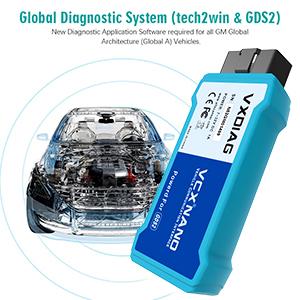
๐ Diagnose Like a Pro, Wirelessly and Effortlessly!
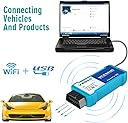
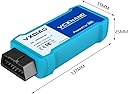
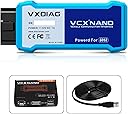
The VXDIAG NANO Vehicle Scanner is a compact, WiFi-enabled diagnostic tool designed for GM, Opel, Cadillac, and Saab vehicles from 2005 to 2017. Fully compliant with SAE-J2534 standards, it supports a wide range of protocols including CAN and KW2000, and works seamlessly with Windows XP and CE. Lightweight and portable, it offers firmware updates to keep pace with evolving vehicle technology, making it an essential tool for professional-grade vehicle diagnostics.


| Asin | B06XDHF3XX |
| Best Sellers Rank | #2,404,860 in Automotive (See Top 100 in Automotive) #4,874 in Code Readers & Scan Tools #6,479 in Engine Tools |
| Brand Name | VXDIAG |
| Customer Reviews | 3.4 3.4 out of 5 stars (333) 3.4 out of 5 stars |
| Manufacturer | VXDIAG |
| Manufacturer Part Number | AMSP241-W |
| Model Number | AMSP241-W |
| Operating System | Windows |
| Power Source | Corded Electric |
| Upc | 600682793643 889327020157 |
User
It all works! DISABLE WINDOWS DEFENDER, working windows 10 64 bit
Believe me I was skeptical of this Chinese product and bootlegged software. If you have any moral dilemma with stolen software and patent infringement this isn't the product for you! Most of the cheap MDI clones on ebay are actually knockoff VCX Nanos, so do it right and get something that works...I watched one youtube video and the software DVD was the exact same as the burned one I got. You've got 30 days to get the software running or return, so minimal risk.The complaints about needing 32 bit windows xp simply aren't true. I got everything working running windows 10 64 bit on both a laptop AND cheap tablet. Copy the DVD contents to the hardrive and run the autoinstall script that's in the tech2win folder. The VX Manager program should take care of the rest. The GDS2 for 2009 and newer vehicles runs off a virtual pc image of windows xp...so that won't run on an older windows xp machine anyways (does run fine on slow tablet).I emailed vxdiag for a password to the cloud service. It does work but you then tie up your wifi to the internet and have to be tethered to usb. I rarely am able to log into the American server and the Chinese one apparently doesn't offer English support so kinda worthless feature IMO...The wireless feature is worth the $10 for sure! Range is pretty good, my laptop requires too much juice to run on a cigarette lighter inverter so I parked vehicle in front of the house and had half signal. My 2007 Saturn Ion running Tech2Win worked fine. A little slow and laggy but likely faster connected to USB, or it might be my older vehicle too. I was scanning airbag codes with full bidirectional support, radio, transmission, secondary air pump, evap checks...pretty much everything a several thousand dollar scanner can do and more that it can't.UPDATE after several weeks of playing and pulling my hair out.The seller is diligently trying to remote connect in to help me with my tablet, but having problems on my end as I can't simultaneously power tablet, be on internet, and use the only micro usb to VX nano...tablet dies quickly while trying to diagnose mdi not found issue. I've had multiple quick email responses and they were able to remote in but couldn't fix wifi issued so returned for new unit without issue.The wifi was easy to setup for a few weeks then suddenly didn't show up as an available network on any device...will likely have to warranty return!The cheap $64 NuVision 8-inch Windows 10 64 bit tablet connects wirelessly to tech2win just fine and even runs GDS2 on virtual machine at an acceptably slow pace!I have attached photos on how to fix your connection issues. You have to modify your north America com port settings within tech2win!!! I was pulling my hair out trying to figure out why it was so random and sporadic working one minute and not after a reboot etc. You must point it to the COMMUNICATIONS PORT, I believe the drivers point the usb or wifi connection to port 1 at least in my case.
User
Zero stars STAY AWAY, Windows will remove 8 viruses needed files no matter what you do.
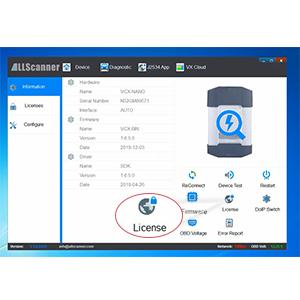
Updated, AGAIN.Total waste. Sure it says to turn off your antivirus but dang. I finally get it to work and even though auto protect is turned off ithe antivirus removes 8 files including the GDS2.exe and even removed the files on the usb stick that came with it to do the install. Did a full system restore on the PC, downloaded the entire suite, placed it on a usb drive, installed it again and it failed again, windows removed the GDS2.exe from the PC and usb. Went into the antivirus that is turned off and found the list of removed files, restored them (GDS2) and tech2win worked and the GDS2 worked but now I get a error message in boot up saying the pass through can't find the current version. Searched the registry and found it was referring to the MDI.exe.STAY AWAY total junk and nothing but viruses. I installed this on a spare laptop with no personal info and sync turned off. Did a total of 3 full system restores / clean installs. Had the usb drive that came with it wiped out by windows along with the one I made. I am a professional tech and just bought this out of cutiosity.Original reviewAfter reading the install instructions and installing step by step it wont work. I needed it for the Tech2win and instead of it initializing and then letting me pick the vehicle year make model I get a RS232 download mode message on that screen that never goes away. Installed it on another PC with another OS and everything acted different. Tech2win launched and acted like it was going to work with never got the option to pick the car or the type of functions I needed to do. Reinstalled everything again on both PCs and the same. The VCI needed a firmware updated both times when I already did it during the first install on both PCs. Then I notice the license is for 60days, why on earth would you want to pay for this hacked garbage. I bought this to do 1 job because AC Delco wanted 50 bucks to run Tech2win for 3 days. I'll pay the 50 bucks gladly after spending an entire day pissing with this AM junk.Update I got another unit and got it to work. Every where you look there is a different method to install this. It's all in the VX manager. I downloaded the CD image *.rar and it had both the 1.4 and 1.8 manager version. The video shows them starting by loading the 1.8 manager, reverting to 1.4 and back to 1.8. That's unreal but was going to give that method a try. When I loaded manager 1.8 I got a notice the firmware needed updated. I did and proceeded without reverting back to 1.4 and it worked this time. Tech2Win did crash the first time I used it though.UPDATE,Used it once and then I go back to use it again and get a no license message, Tried WiFi and it wouldn't see the unit and no connection. I have Window XP, Windows 8.1, Window 10 and Windows 10 Professional PC. No matter what all I got was frustration and 1 lost week in total trying to keep it working and yes I got another unit and the same.
User
Works great a little hard to get working
This diagnostic tool works great. A little hard to set up. Took about an hour and a half to get working. Could not get continuous data connection on a p4 , 1.6 gig , 512 ram and 5 gig hd with Windows 7 32 bit kept loosing and reconnecting every 10 sec or so. So I tried my newer (sill really old) dual core 1.6 Celeron 4 gig ram, 500 gb hd, windows 10 64. This tool works great on this laptop I have a GMC Yukon XL and it can talk to all the different modules diagnosing problems and also able to activate inputs/ outputs, reset and recalibrate various vehicle sensors through the software provided. I have bought several different scanners and none can do a fraction of what this is capable of. This is definitely the best tool I have in my toolbox and this tool was definitely worth every penny (and then some). Shipping was fast paid extra for next day shipping ( I think it was $7.99) received it on Sunday. I would definitely recommend this product.
User
2022 - This still works great
I saw some top reviews saying, "Look for the recent reviews, because this doesn't work well anymore".I'm writing to you from 2022. I just set this up on a Windows 11 (!!) laptop.I followed the video. I had one issue. The files in the USB drive for the 2nd setup didn't quite match the video. I googled "VXDIAG Download", which took me to their website. I downloaded the latest installer, and that was it.I took off 1 star mostly because the USB cable it came with was wound so tight that it now connects/disconnects if I bump it (not that it falls out, it but my laptop loses connectivity).I tested this on two vehicles. A 2006 Pontiac Montana SV6 and a 2000 Chevy Silverado 2500. Keep in mind that the internal menu's of a Tech II won't always have the names you are used to. For example my van was a "Pontiac APV U Body".The commands available for newer vehicles (2006 vs 2000) are pretty cool. I specifically bought this to do ABS speed sensor testing, but it's fun to play around with.
User
It gets the job done, but mentally taxing
There's no good directions on installing it. So I'll educate everyone. If you have to use AC Delco techline connect with it like I did. Install techline connect first with your antivirus software disabled. Install the vcx nano driver software afterwards. Otherwise it's not going to work. As for the Wi-Fi the device has, it's junk. Just get the USB connect model. I had to get a 12' USB cable extender for the unit to work. Techline connect requires an Internet connection. The Wi-Fi for this device just slaves your computer to it and you have no Internet (if original connection is Wi-Fi).so I'm not happy about that. But it gets the job done to relearn the theft deterrent system and the crankshaft position relearn if you're swapping out an ECM yourself. Hopefully the information helps everyone out.
User
Software issue prevent use.
I have been troubleshooting software issues with no assistance or replies to any of my emails sent to the tech support center. I have very diligently watched the videos that came in the software package and do the install as stated but for some reason the GM MIDI software throws up an error and aborts loading for both the Tech 2 and the GDS2 software. The error states that i cannot locate the BVTX-VCI-Helper.dll and to make sure the file is on the target system or already installed. When I checked before clicking OK on that message window, that file is actually in the directory and folder that it says it should be. After you click on OK it aborts that particular operation, removes all files installed during the GM MIDI installation and continues on loading everything else as it should. If I can't resolve this in the next two days I am going to send this back for a refund as it is useless without working software.UPDATE: WOW, I finally was able to get tech 2 and the newer GDS 2 to work, it took 5 full days.First off, you will be best suited to just run it on a Windows 7 PROFESSIONAL 32 BIT operating system. If you don't have something with that on it I wouldn't bother venturing down this path. Secondly you probably want a machine with a little more horsepower than what Windows 7 needs so your computer is sure to keep up with the data transfer and emulation processes. You will probably get one answer per day if you submit questions to the tech support they have and be aware that you are going to want to be precise and specific in your questions, as general questions basically just get vague general responses. Part of the issue I had was that some of the installation software I had received for some of the programs must have been corrupt and due the dependencies the programs have on each other it basically is a show stopper if ever everything is installed and working correctly. I was able to get them to send me an updated copy of the couple of programs that I suspected being corrupted and that finally resolved the issues I was having.Basically about every time I was just about to box it up and send it back, I would make a little progress and figure to continue one more day with it. If you are not patient and/or fairly computer literate I would probably forgo this particular option. Also if this tech 2 and GDS 2 is pretty close to what the tools the dealerships have in regards to troubleshooting, I can understand why they always seem to be very limited in what they can really do with them when you ask them for something out of the norm.
User
The VXDIAG performs as described
I like the fast delivery and how flawless the device works. Instructions were not provided, but after figuring it out and using it, five stars returned. Scanning with TECH2Win and programming with SPS no issues. Means that when using it , avoid disturbing the PC , USB cable, wire harnesses or other electrical circuits, especially during programming.Platform : Intel i3, Windows Pro 7, 4GB,1. Execute "VX Manager.exe" to install the software (I used options "PASSTHRU" & "GM GDS2/T2W" for the GDS2 module)2. Connect VXDIAG to PC using USB cable and wait for windows to completely install the device and return3. Start the "VX Manager" application (it should recognize the VXDIAG device)4. In "VX Manger" go to diagnostics and click "GM GDS2/T2W" and click "install" to install additional usb support5. Execute "AutoInstall.exe" from the "Tech2Win" folder to install Tech2Win6. Start "Tech2Win" application and it should recognize the device as a CANDi module using USB7. Installation is complete and can start vehicle scanning. (No need to install VMware-player.exe or Extracting GMEM.rar)
User
Checking Chevy Volt battery - Frightened by all the reviews but was fine
I drive a 2015 Chevy Volt and wanted to keep an eye on the three traction battery modules as I plan to drive it till 400 miles come up. There was a Youtube on this (sorry forget by who) and apart from the install it looked just like I wanted. Tentatively ordered and dug out an old Win 7 laptop. Wrote support and they came back with some install steps and a Chinese video but all involved browser links. My browsers were way out of date and I didnโt want to have the ancient laptop connected to the Internet due to malware possibilities. Device cam with an USB stick with all the files. Followed the Chinese video slowly - done. Works great. Can see all the 3 x 32 cells in the traction battery and will be watching them on the laptop as charge depletes when running and after a full charge. All should be about 4.07 v and all were.Very happy.
Trustpilot
1 week ago
3 days ago