

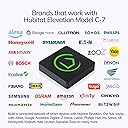


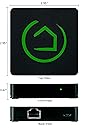
Hubitat Elevation Model C-7
Product ID: 80258570
⚡Local Processing Speed
🔗Multi-Device Compatibility
🔧Custom Automation Apps
🔌 Elevate Your Home, Elevate Your Life!
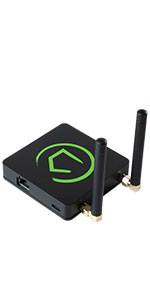
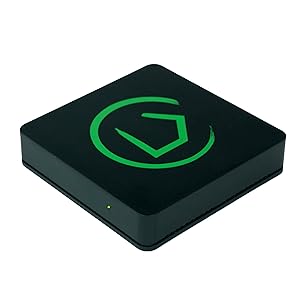
The Hubitat Elevation Home Automation Hub (Model C-7) is a powerful, compact device that enables seamless local processing for fast and reliable home automation. Compatible with a wide range of devices including Zigbee, Z-Wave, and major voice assistants, it offers customizable automation options without relying on cloud servers, ensuring your smart home operates smoothly and securely.






| Customer Reviews | 4.0 out of 5 stars 2,425 Reviews |
J**E
Excellent Hub. Switching from Wink? Get this one.
I had a Wink 1 and a Wink 2. Really liked them. Did not need any extra features. Wink is going out of business. I have 18 zigbee lights (Sylvania Osram and Cree), an Ecobee Thermostat, a Z-Wave switch, and some Ecolink door sensors. If you have used the Wink Hubs you can use these. Most annoying Wink feature? When the power goes out and everything comes back up, the Hub would not work without a reboot AFTER the router came up. So if I was away, and the power went out, and I looked at my IP cameras to see that 18 lights are burning at 100%, my hub would not work and I could not turn them off remotely. No good. The Hubitat WORKS after a power outage. Power comes on, modem and router come up, and hubitat works. As it should be. I don't have to reset things. If the power comes back on while I am in bed, I can just keep my eyes closed for a few minutes, then mumble "Alexa, turn on bedtime lights" and all the lights set themselves correctly. SOOOOOO much better then getting up at 3 am and rebooting routers and hubs. Ugh. Bye Wink. And THE LACK OF A PHONE APP DOES NOT MATTER. Once set up, Alexa or Google Assistant (GA) are your phone apps. Everything on the Hubitat can be synced to GA and/or Alexa. I control my lights remotely using Alexa whenever necessary. No Worries! You don't need an extra phone app. It is just not a concern. Setup? Not that bad. There is a bit of a learning curve with the browser-based interface. But for most simple smart home setups with some lights, a few plugs, and maybe a lock, it is pretty easy. Just do this: Don't even worry about "apps" in the interface. Not yet. Just "Add devices" from the "Devices" tab. Follow manufactures instructions to put devices into pairing mode and carry your laptop around the house from device to device. (To reset Osram bulbs: On, count to three, Off, count to three, On, count to three, Off, count to three...Do this FIVE times and then leave on and wait 5 seconds and the light will flash (pairing mode). For Cree, do this, counting time: On, Off, 1, 2, On, Off, 1, 2, On, Off, 1, 2, then On. On the THIRD on, the light will flash (pairing mode)). Once all of your devices are paired (up to an hour or two, no matter WHAT hub you get), go to the Apps tab and add the Alexa and/or Google Assistant app. You will have to tell the Alexa/GA apps WHAT devices to control (there is a "Select All" option). Then go to your phone, open the correct app (Alexa or GA) and Discover Devices. Then use Alexa or GA on your phone to set up groups (living room lights) and routines (bed time lights). It is not NEARLY as hard as reviews would lead you to believe. It is tedious to switch hubs. No getting around that. But this is a good hub. Works well. Seems bullet proof. Runs locally on your LAN. Does not go through external servers to work (Wink does/did). Note: Using Alexa or GA to control your home DOES require passing through external Internet servers as these devices only work if they pass through their respective servers. But, if the Internet is down but you have power, you can use your laptop to control your smart home. Otherwise...the hub essentially DOES require the Internet because you are using Internet devices to interact with it. The other app you need to install is the Dashboard app. But you DON'T NEED IT. AT ALL. You can stop your Hubitat setup as soon as your devices are discovered and your smart home apps are activated. The Dashboard gives you a fancy browser-based interface with all of your devices neatly lined up, with icons, so you can click on them to turn them on/off/dim (YOU have to set it up). But you don't really need to do this. Only if you want to poke around with your smart home on your computer. For the average Alexa end-user, just add devices, add Alexa, add All Devices to Alexa, then use Alexa to discover devices. Then Group devices, then set up Routines. Begin telling Alexa to control your home. Done. When you run into a road-block, use YouTube to get help. (Like if a device shows "on" in devices tab, but Alexa has turned it off, you can click "configure" and then "save" and it will likely fix the issue. Got that from YouTube.) It is pretty easy, but I did spend a about 4-6 hours setting everything up, including learning curve, watching a couple of youtube videos, and resetting all of my bulbs and routines. Not that bad. I am REALLY glad I switched. So much more responsive and everything works after a power outage. Just all around better than the Wink. The Rule Machine app is useful. It is basically an ITTT interface. I set up my front porch light as follows "turn light on, 30 mins before sunset. Turn light off, 30 mins after sunrise." I had to do it twice to figure out the interface and what to click on. Took a youtube video and about 15 minutes the first time. But now I have an automated front porch light. Pretty cool. But not necessary. You don't need the Rule Machine app. Or the Dashboard app. Just extras if you want to use them. If you have already set up your whole house using the Wink app, Alexa and you have set up routines, you can do this. If you have no idea what I am talking about....it might be a rough time for you. HIGHLY RECOMMEND (2019...these things change).
C**S
This is a very flexible and dependable Hub
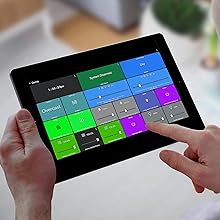
I have owned a Hubitat C7 for over a year now, and I have been impressed with it. I moved from SmartThings when they shut down the Groovy IDE and the ability to use Webcore, as I had hundreds pistons with all of my automation logic in Webcore. I was able to move all my Webcore automation pistons over when switching to the Hubitat C7, as it runs Groovy code. There is a Rule Machine app to create automations in Hubitat as well, but Webcore is powerful and easy to use and I never played around with Rule Machine. People complain about the need for a subscription to administer the hub outside of their local network. I have never had a reason to subscribe to this, and it really is only needed if you have a hub in a remote location (like a rental property) that you need to administer remotely. In this case the administration subscription gives you access to do administration stuff, like rebooting, adding devices, adding drivers, adding apps, etc. I have never had a need to remotely administer my Hub that is in my house. I can control everything for free from Dashboards remotely as far as actually controlling my home and devices. The Dashboards are available from the internet, and there are links provided on the dashboard setup page to use them remotely. There is a learning curve to really customize the dashboards to make them look nice. If you edit the custom CSS, you can do a lot of things with dashboards like changing text and using custom icons, layering tiles, changing colors, etc. I can run everything in my house from my dashboards, either remotely or on my home network. Over the last six months, I have learned that the true power of this hub for me is the ability to write your own custom apps and drivers, or to find and use (and modify) apps and drivers that the community has written. This hub can become a casual programmers hobby, as if you know the basics of programming you can learn Groovy fairly quickly. I have now written custom apps and virtual drivers to reproduce all my automation logic I had in Webcore down to just a handful of custom apps and custom virtual device drivers to run everything. Most of my automations are based on motion and illuminance sensors with some schedules for changing modes. I have over 200 devices connected and automated, and my Hubitat is never really idle, but the hub has handled all the work like a champ. I have not seen any of the issues other people have reported about devices not staying connected, lock-ups, etc. I have to assume this is user error or a defective hub, but the platform itself is rock solid for me even with taxing it with everything I can throw at it to make it do more work. It handles code exceptions well when developing apps, I've thrown code into it that was not debugged and it reports the exceptions in logging and just continues on without issues, allowing me to find and fix the issues in my code. I highly recommend this for casual users as well, as the UI is not as bad as people make out, and most people should be able to figure it out pretty easily. There will be a learning curve like with any new product, but once you get how it works it if fairly intuitive. Dashboards have their own learning curve, but they are important as they allow you to control everything easily and remotely once they are set up.
F**1
I use this device as a centralized control for both security and home automation
I've had this hub installed for about three months now and it seems to be working well. Not that I didn't have much difficulty at first because there is quite a learning curve, and I still have devices that I'm learning how to connect. This device has limited range when setting up new devices, but after setup, most devices use one of the mesh technologies to compensate for that initial limitation. That's why it's important to find a good location for it, provide a battery backup, and standardize on certain technologies, but not get locked into a single vendor's products. One of the reasons to use this hub is to be more independent from cloud based hubs, particularly for security devices. So, I tried to limit the number of switches and lights that needed third party apps to run. My environment would mostly use "Konnected" and Alexa devices. For example, Alexa tells me when Konnected detects doors open or closed, and that information is sent through the hub interface. Still, I ended up with some other devices that advertised to be compatible with Alexa but still needed third party apps. I also wanted the Hub to be the central control point for programming scripts, but I ended up having to write several routines in Alexa, some that conflicted with the hub because I've not yet been able to send information from Alexa controlled devices back to the hub to detect and manage. I expect Alexa to remain proprietary in that respect and difficult to communicate with. They are in the business of selling their own devices. Alexa basically only acknowledges Hubitat switches, so it's also difficult to work around that limitation by effectively creating and using variables and virtual devices. The hub database seems to be fairly stable if you remember to set the records properly and not exit a routine before a record gets updated. I had difficulty setting up some devices because of the way the screens are forced to handle the database interface. I can see how this might be difficult for not technical customers to learn and would expect Hubitat to try to make that more user friendly in the future. Hubitat has a community of talented programmers who write interface routines for some of the still incompatible devices, but these require a lot of flashing of devices and is still mostly in the hobbyist circles. I particularly want generic camera interfaces so that I can use the motion detection of my IP cameras as motion detect devices to my hub. Why purchase motion detectors when I have 16 cameras that already have that feature that could trigger events in the hub? So, bottom line is that Hubitat is a very good product that seems to be at least as good as the major brands. It's strength is its speed and flexibility. It might have began its life as Samsung compatible hub, but its not confined to any specific vendor now. Its weakness is that many of its features are not easily available to the general public outside of hobbyists. But, instead of becoming vendor locked, it means that there are many options for providing solutions to certain tasks. You may not have to purchase an expensive vendor specific garage door opener, fishtank, or fireplace starter, for example. Instead, you might program a Sonoff or similar device, depending on interface requirements. The hub is much faster than cloud based systems, and having local control is better for my security devices. The system configuration can be backed up and restored locally too.
J**S
The only *real* LOCAL alternative to SmartThings
I am so impressed with my Hubitat. I've been on Samsung's SmartThings platform for three years and they really don't seem like they care all that much about reliability or retaining customers. My SmartThings hub is a V1 hub which means that it cannot do any processing locally. If I have a z-wave light switch set up on a z-wave motion sensor using a "Smart Lighting" rule: The SmartThings hub sends the motion event to Samsung's servers hundreds of miles away. They process the event and send back a message to my local hub telling it to turn on the light. For this to work there cannot be any issues with your local router, your modem, any issues on your ISPs side nor any issues on the SmartThings server side. I did a traceroute and found there are at least 30 network router hops between me and the SmartThings servers. This leads to very large latencies (delays) between your motion sensor picking up motion and the trigger actually firing something like turning on a light. So Samsung tried to address this in their V2 hub... But they left customers on their V1 hubs stranded. Since the z-wave radio in the SmartThings hub is "built in", if you bought a new SmartThings V2 hub the process to migrate over would require literally excluding every single sensor or switch device one by one, and re-pairing it with the new hub. I contacted Samsung several times to see if they were planning on offering anything to help customer migrate from V1 to V2. The answer was always a resounding "No". So especially for me: Moving from a V1 hub to V2 hub would be just as much effort as migrating from ST to another HA platform. To add insult to injury the more I researched the "local processing" capabilities of the V2 hub the more disappointing I became. Only the simplest of "Smart Lighting" automations would be processed locally, and only on a limited number of "supported" devices. So I figured if migrating from V1 to V2 would be a hassle I might as well be open to migrating to a non-ST platform. I tried out Hass.io and OpenHAB and those platforms were both horrible. I gave each platform a weekend and ended up spending an entire weekend on each platform trying to pair just a couple Z-wave devices, and both platforms failed miserably. In two days neither platform could have even the most basic "If motion detected turn on a switch" capability set up. So then I decided to try Hubitat. Within 30 minutes of unboxing Hubitat I had made more progress in pairing devices and setting up automations than I made with either Hass or OpenHAB in the two days I spent on both. What is especially appealing about Hubitat is the automations (Apps) and Drivers (Device Handlers) in Hubitat are both written in Groovy: The exact same language that SmartThings uses. That means that if you have already invested a lot of time and effort building SmartApps or custom device handlers in SmartThings you can just copy paste that Groovy code over to Hubitat and it should work with only very minor tweaks. I did, in fact, have some very complicated SmartApps to port over so I was a bit worried about how difficult that would be. One of my custom apps was an app I had written that controls the recirculating pump for my water heater. It would monitor motion in the bathroom, monitor DS18B20 temperature sensors installed on the water line, compare that temperature to the ambient temperature in the attic (Where the water heater and hot water lines are run) and compare those temperatures to the temperature of the water in my solar water heater tank (We have solar pre-heater to heat the water before it enters the main tank). It would then run the recirc pump for a determined amount of time or until one of the temperatures reached a certain threshold. Fairly complex stuff (300 lines of Groovy code), and this app only took me about 5 minutes to port over! There have also been a couple older Z-wave devices that weren't "natively" supported by one of Hubitat's built in drivers and I was able to copy the "Device Handler" code from SmartThings and these devices immediately started working. Migrating to new Hubitat Hub's will also not be a future problem: Hubitat allows you to back up your entire Hub configuration to your PC, and the Z-wave stick is removable. So if Hubitat releases a new piece of Hub hardware migrating to it will be as easy as taking a backup, removing your Z-wave/Zigbee stick from the only hub, inserting into the new hub and restoring the backup onto the new hub. Since the devices are associated with the Z-wave/Zigbee radio inside the included USB stick on the Hubitat moving between hubs is a breeze. Overall I am blown away by the ease of migrating from SmartThings, the performance, capability and support I've received so far from Hubitat. If you're using ST or thinking of it and think it's silly that every single event or trigger that happens in your home is sent up to Samsung's servers to be processed: Then Hubitat is the perfect solution.
M**D
Product feels like a failed Alpha version
I read lots of reviews here on amazon stating, this is not a device for beginners. Fine, I am a Software Engineer with more than 25 years of experience in Network Design and Implementation. I am new to Zigbee and Z-Wave, though. This product feels so unpolished, so unfinished and so unstable, with absolutely no way of debugging any of the errors you will run into, and a list of supported products that will send you to hell and straight back. For the 3rd week now I am sitting in a dark bathroom every morning, enter a dark hallway and use a flashlight to get into my car, when the system decides that nothing works anymore from about half an hour ago. Forget having guests over on a dinner party, or hold a pack of flashlights ready so they don't sit in a dark guest bathroom. On usual days I have 4-5 motion sensor disconnecting, bulbs reacting with 4-5 seconds delay, even when the hub long has sensed the motion, the Thermostat settings are wonky at best and only cloud based. It works and is not working on random. I tried disconnecting devices to isolate, so far I am in week 3 of doing that. It is always down to surprise if the outlet switches work, even though they are supported. Be prepared to either spend hours figuring out if that device you want to buy is in any way supported and working well, or you will end up returning device after device. First of all, forget about the idea, that ANYTHING you already own will work with this system. Honeywell, Nest, Ring, Ikea, Sengled, Aqua, yeah it's not going to work so well. I also found no guidance at all, what will work well. The list of supported products, lots of them are not even being sold anymore. Forget about the idea that you will find ANYTHING useful on the product forums. It is filled with toxic replies about how people are at fault for buying the "wrong zigbee device" the "wrong z-wave device", and long philosophic replies from the Product Developers when people desperately are asking for help with devices. Well, you are at fault for buying a hubitat, that is for sure! So do not buy this product because it says it supports Z-Wave or Zigbee - it is down to an absolute chaotic mess of user developed drivers and most zigbee/z-wave is unsupported, EVEN THOUGH THE PRODUCT MARKETING SAYS OTHERWISE. Well, you have to google every single device, make sure the drivers are recent and used by anybody, that they are not abandoned by the volunteer that programmed them and so on and so on...... The driver pages are often years old and have 800 replies. Good luck with that!!!! Once everything is working...... Devices will start dropping off your network EVERY SINGLE DAY. This is not only my experience, but there are post after post after post about this on the forums. The hub web interface.... OH MY. Another whole different mess. There are NO DESCRIPTIVE LABELS for any switch or button in this application. Buttons are simply named "Mesh enable" or "Release" or "Enable override" Good luck finding out what any of that means!! I so far spent about 100 hours on "programming" or fighting what hubitat does. Yeah, some of it then works fine.... after lots of tuning due to the unlabeled functions. You will have to explain your spouse why the kitchen lights go off while they cook and that you will "look into it". Cryptic is an understatement. The web interface is SLOW. This is in my experience due to non-optimized code. Ok, next the Dashboard, where you should see what your devices do..... So this is a basic, basic barebone implementation of a dashboard. You will have to select every single device out of your list of 10, 20, 200 devices. the only way to select is scroll through an alphabetic list. No searching, No sorting, no limiting to room - No, ALL DEVICES shown in a little window. Then you have to select that ONE attribute you want to see in the Dashboard, out of like 50 attributes, like the battery level. Then repeat that for ALL your devices, and everything they do, and everytime you add a new one. The dashboard cannot auto sort the devices, so everything will be a mess unless you spend hours sorting everything by hand. Deleting a device? Sort everything again. Adding one, it gets even worse. If you skip clicking through the interface for a few hours, your dashboard will be of very little help. On mobile, you will not be able to read the last row of the dashboard, as it is overlaid with a system menu/label. You will find that out sitting in the dark in some room. Last but not least, there is no good way to debug any errors, mishaps, network issues with zigbee or z-wave. Yes, for zigbee you can open a secret hidden page that gives you 3 parameters. There is no way to show what is not working in your device mesh, what's active, only a log file you can follow. The debug log shows about half a screen of lines of what your devices are up to. To show more, you have to click show more. Click, it shows 30 more seconds of activity. You will end up clicking show more like 30 times to find the error you are trying to look up. This will take you forever alone! Outrageous. Horrible UI design, like a high-schooler project quite frankly. Welcome to Hellbitat. I'll be returning EVERYTHING, after installing new light switches, motion and contact sensor, thermostats and so on in my entire house. BUYER BEWARE!
L**.
Unit appears in early development stage, UI not polished
Short version: I really really wanted to like this Hubitat - and ended up returning it instead. Long version: Having used VeraPlus for years, dabbling with OpenHAB on Mac/RaspPi, I wanted to see if the moment is right to migrate to a "new" developed platform. Promises: no cloud storage, no monthly fees (A must in my opinion), local data so YOU own your own security and data for privacy, and a new development. The unit overall does provide all this. However - now for the deficiencies - the competitive OpenHAB is totally for geeks, with oodles of CLI-coding, a total science project basically, so I was hoping that Hubitat would provide similar openness and integration as OpenHab, but with a better graphical UI and modern user interface. But in the end, it appears to be hit or miss: integrating one zwave switch worked flawlessly, integrating another, took several retries. Then, removing the switch (the Achilles heel of the zwave world overall, imho) did not. In the end, even a force-remove -works on Vera and OpenHAB all the time!, did not succeed but ended up with an error-500, "please contact support or review the user community for a resolution". This was only 3 switches into my home automation migration! I suddenly felt like OpenHAB again, working feverishly to overcome development & integration issues. The UI is nice and customizable overall, but feels a little unpolished. This is subjective of course. All told - the unit did not work for me.
L**N
My Z-Wave switches finally work!
The Hubitat C-7 is the older version of the company’s smart Bridge. I needed a Z-Wave bridge, and this did not disappoint. I got this on sale and was looking for a “cheap” solution. This was not the cheapest potential solution, but it was by far the most complete solution at its price point. It’s small. It’s lightweight. It runs off the small micro-c usb (cable and plug + Ethernet cable included). I set mine next to my Router and have it direct wired to my network, so I cannot speak to the ease of WiFi set up. Scan the QR code with your phone and follow the instructions. Went really smooth. Once in, now it’s no longer a beginners game. This is a community supported “open source” device that will interface with Alexa (probably others from what I’ve read), but you need to be in the devices network address (if you ever had to log into the admin functions of a router, it’s like that), and then add your devices and enable cross connectivity to your Smart hubs and Smart apps. You can make run routines. You can access all the device features. For example, once my dimmer switch was found, Alexa can turn it on and off, as well as set the level. In the Hubitat account, I can make it flash, pulse, write a run routine program, integrate it to do things with other devices… pretty cool! Let’s face it. You want a lights on, lights off when you come home, and this lets that happen. The rest is fancy distractions. But if you are old like me and want to make your Gen Z kid who knows everything wonder why the new lights you installed are acting “sus”, those fancy distractions are there for you! Background: A couple years ago, I started buying items that would make my old house “upgraded” with smart home features, like LED lighting, dimmers, Smart TV’s… you get the idea. I bought a Ring doorbell, then a hardwired flood light, then went overboard with a whole lighting kit bundle with switches, bulbs, garage door opener, light bridge… what was I thinking! Well, the Ring light Bridge appears to be useless without a Ring security hub and I didn’t want that. Basically, everything with a Z-Wave logo and my garage door opener was useless. I gave up. Over time, I got the garage door opener to work on its own but not integrated with a single Smart interface. Then I started investigating why the switches didn’t work. Well, you need a hub. We had an Echo dot. Turns out, it only has “limited” connection features for WiFi and Bluetooth. I read the bigger and newer Echo 4 had Zigbee (mistook that for Z-wave… or a new name? Naive on my part) which is NOT Z-Wave. After confusing batch of misleading articles and incorrect A.I. generated responses, I found the Hubitat C-7. It was on sale. Online forums were hit or miss on its review, but consensus was I needed a Z-wave mesh network that would talk to Alexa and this was going to do that without a subscription. TL/DR: Z-wave, bridge, not for beginners, Alexa comparable, newer version available, pay subscription available, but not required.
N**S
BUYER BE HAPPY
*** Up-dated July 26, 2019 *** See my updated Review Below --------------------------------------- I know that’s a very ominous title and rating for this little Hub, but let me explain why I gave it such a poor rating. I started out by buying a SmartThings Hub and Zigbee Motion Sensor to add to my home automation setup based around several Echo Dot 3’s. Try as I might, I could never get the SmartThings Hub configured and registered in the cloud. I tried both WiFi and Ethernet configurations multiple times, but the process always failed trying to register the Hub. The Hub would connect and I could pair my Sensor, but the Sensor wouldn’t show up in my Alexa software. At this point I boxed up the Hub, obtained a return authorization from Amazon, and shipped it back. Now I was faced with finding a replacement for the Dumb-things Hub. I looked through the entire Amazon selection of Zigbee and Z-Wave hubs until I ran across the Hubitat. The idea of a Local Hub intrigued me. The more I read the product specs and watched the product videos, the more I was becoming sold on this Hub, until I finally went ahead and made my purchase. Hub setup went smoothly, with the possible exception that the web browser based interface seems to be agonizingly slow. Clicking on any selection that causes a new page to be launched takes up to 10 seconds (and I have a very fast PC). My next task was pairing my SmartThings Motion Sensor with the Hubitat Hub. This went totally flawless. All that was left to do was load the Hubitat Amazon Echo Skill App in the Hub, and install the Hubitat Amazon Echo Skill in my iPad’s Alexa software. I was finally ready to test my Motion Sensor in Alexa; that’s when the big disappointment happened. My Motion Sensor was not showing up in the Alexa list of detected devices. Up till now, I’d been using WiFi based AC Power Outlet switches and Light-bulb sockets, mostly because Zigbee and Z-Wave devices cost from TWO to FOUR times as much. But some things just aren’t available in WiFi, so I bit the bullet and bought a Hub. I emailed Hubitat support to ask them for guidance to get my Motion Sensor working, but was devastated with the reply they sent me. This is what they said: “Thank you for reaching out. At the moment Hubitat Amazon Echo Skill app allows you to control switches, dimmers and door locks. We are planning on expanding the skill to cover other devices, but I do not have a time-frame when this enhancement may become available.” Nowhere in any of the Hubitat product literature or product videos does it mention that their Hub is crippled and does NOT support an entire full range of Zigbee and Z-Wave products like all of their competitors do. So now I have another Hub that’s worthless to me unless I invest in replacing my existing WiFi based power switches with expensive Zigbee or Z-Wave alternatives. This is unacceptable. -------------------------------------- Updated July 26, 2019 As of this morning, a software update to the Hubitat Amazon Alexa Skill has added support for Motion Sensors. This is a game changing event. The ability to control my WiFi devices like Lights and Outlets from my Motion Sensors had been severely hampered up until this software release. Now, I'll be able to use my SmartThings Motion sensors to trigger an Alexa Routine to turn on lights and outlets as I've wanted to do from the start. This one software update changes my rating from 1 Star to 5 Stars. The flexibility that being able to write programs to control my Zigbee devices locally, without the agonizing delays that WiFi connections can sometimes impose, puts the Hubitat Hub far above its competitors. They still have a ways to go to provide specialized drivers for the vast numbers of home automation devices on the market, but at least their generic drivers have been successfully filling the void in the meantime. -------------------------------------- Updated Aug 6, 2019 What can I say, customer service on this product is beyond phenomenal. I was experiencing two problems that popped up in one of the hubs firmware updates, so I emailed Hubitat support about the problems on a Saturday afternoon. Tuesday morning I had an email reply with the procedure to install a new firmware version that contained fixes for both the problems I was experiencing. Hubitat, I will be recommending you to every one of my friends who are looking to buy a Home Automation hub to extend their Alexa experience. Thank you for such a fine product.
V**S
No inspira confianza
El producto llegó abierto
Trustpilot
2 days ago
4 days ago