🚀 Elevate your hustle with the Surface Pro 2-in-1 — where power meets portability!
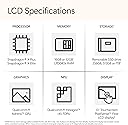
The Microsoft Surface Pro 2-in-1 (2024) combines a 13-inch OLED touchscreen with a cutting-edge Snapdragon X Elite 12-core processor, 16GB RAM, and 1TB SSD storage. Designed for professionals on the move, it offers up to 14 hours of battery life, AI-enhanced productivity via Windows 11 Copilot+, and versatile use as both a laptop and tablet. Lightweight at just 894g, it delivers premium performance and flexibility in a sleek, modern package.


| ASIN | B0CXKZ99VL |
| Are Batteries Included | Yes |
| Average Battery Life (in hours) | 14 Hours |
| Batteries | 1 Lithium Ion batteries required. (included) |
| Brand | Microsoft |
| Color | Black |
| Computer Memory Type | DDR4 SDRAM |
| Customer Reviews | 4.4 4.4 out of 5 stars (80) |
| Date First Available | 22 August 2024 |
| Form Factor | Convertible, Detachable |
| Graphics Card Description | Integrated |
| Graphics Card Interface | Integrated |
| Graphics Chipset Brand | ARM |
| Graphics RAM Type | Shared |
| Hard Disk Description | SSD |
| Item Weight | 894 g |
| Item model number | ZHY-00019 |
| Lithium Battery Energy Content | 47.67 Watt Hours |
| Lithium Battery Packaging | Batteries contained in equipment |
| Manufacturer | Microsoft |
| Maximum Memory Supported | 16 GB |
| Number Of Lithium Ion Cells | 4 |
| Operating System | Windows 11 |
| Processor Brand | Qualcomm |
| Processor Count | 10 |
| Product Dimensions | 28.7 x 20.83 x 0.94 cm; 893.58 g |
| RAM Size | 16 GB |
| Series | Surface Pro |
| Speaker Description | Speakers are included in the product. |
| Standing screen display size | 13 Inches |
| Voltage | 5 Volts |
| Wireless Type | 802.11a, 802.11ac, 802.11b, 802.11g, 802.11n |
W**.
Ótima portabilidade e desempenho.
G**.
I’ve wanted a Surface Pro for years, and when Prime Day rolled around, I knew it was finally time to make the move, especially at the lowest price the 2-in-1 had ever hit. I picked up the black color model with the Snapdragon X Plus, 16GB RAM, and 512GB storage, and I haven’t looked back yet. My idea of an ideal laptop has always been something that truly fits in your lap, and the 13" size is perfect for that. I’ve used 13-inch laptops for as long as I can remember because they strike the right balance between portability and functionality and this Surface Pro keeps that tradition alive while also changing the game. It’s a laptop and tablet in one, and although the built-in kickstand is still something I’m adjusting to, the trade-off is more than worth it. Being able to use this as both a laptop and tablet with a responsive touchscreen has definitely been a unique benefit to get used to. The device is insanely light and portable, and it stays cool and quiet no matter what I throw at it. I have yet to hear any noticeable noise from it, which is rare in a device this powerful. To make it function more like a traditional laptop, I also picked up a few accessories: a matching Surface Pro Keyboard in black, Slim Pen 2, a USB to USB-C adapter, and a headphone jack adapter. While it wasn’t cheap to get everything, the overall experience has made it more than worth it. The standout feature is by far the battery life. Unless I’m running a heavy program or connecting to an external display via HDMI, the battery lasts longer than I ever expected. It’s genuinely impressive and easily the best I’ve seen from any laptop I’ve owned. My only hesitation lies with the ARM-based Snapdragon processor. On one hand, I love what ARM processors are doing for battery life and performance; just like Apple’s shift to silicon, it’s clearly the future. But not all programs have made the transition yet. I’ve been lucky that most of what I use is ARM-compatible, but a few programs I used on my old laptop just don’t work anymore. It’s a bit of a bummer, but I think I waited long enough that the majority of what I need does work. Overall, this Surface Pro has exceeded my expectations. It’s sleek, fast, ridiculously portable, and ready for anything I throw at it (ARM-growing pains and all).
H**L
I had so many problems/bugs/lags with this device. I was expecting a smoother and easier ride with this device viven it's the new SNAPDRAGON X chip. It was just laggy and felt like an usual intel laptop is tons better than this. I am convinced that it was just this specific laptop I got which had the problems, hopefully others are not facing this issue as well. Maybe with time whenthese issues are fixed or worked upon, I will consider buying.
A**N
I Purchased this surface only a month ago and it came with the wrong OS first of all. I then went to have my team set it up for a user and straight out of the box the display would come off and on. As we used the docking station to add monitors we experience the issue of it going off and on. We replaced the docking station and we followed the recommended troubleshooting steps: 1. Check for Loose ConnectionsEnsure the Surface Connect port and USB-C/Thunderbolt port are clean and snug.Try wiggling the cable slightly—if the display flickers, the port or cable may be faulty. 2. Test Without DockConnect the monitor directly to the Surface using a USB-C to HDMI or DisplayPort adapter.If the issue persists, the problem is likely with the Surface itself, not the dock. 3. Update Firmware and DriversGo to Settings > Windows Update > Advanced Options > Optional Updates and install all firmware/driver updates.Also check Device Manager > Display Adapters and update the graphics driver manually. 4. Try a Different Monitor and CableIf you haven’t already, test with a different monitor and cable to rule out external hardware issues. 5. Check Display SettingsGo to Display Settings and ensure the external monitor is detected and configured correctly (e.g., not set to "Disconnect this display"). 6. Run Surface Diagnostic ToolkitDownload and run the Surface Diagnostic Toolkit to check for hardware issues. We were then transfered to Microsoft and the story continues with no resolution.
E**D
I love this tablet. I hate the lag of starting up a computer when I need to use it. I love the ease of a phone and tablet as they are always ready to use and don’t lose a ton of battery sitting idle. This windows tablet is the best of both worlds. Full functionality of windows in a tablet form. I’m an apple fan and I am stoked on this windows product. Amazing a worth every penny!
Trustpilot
1 month ago
1 day ago