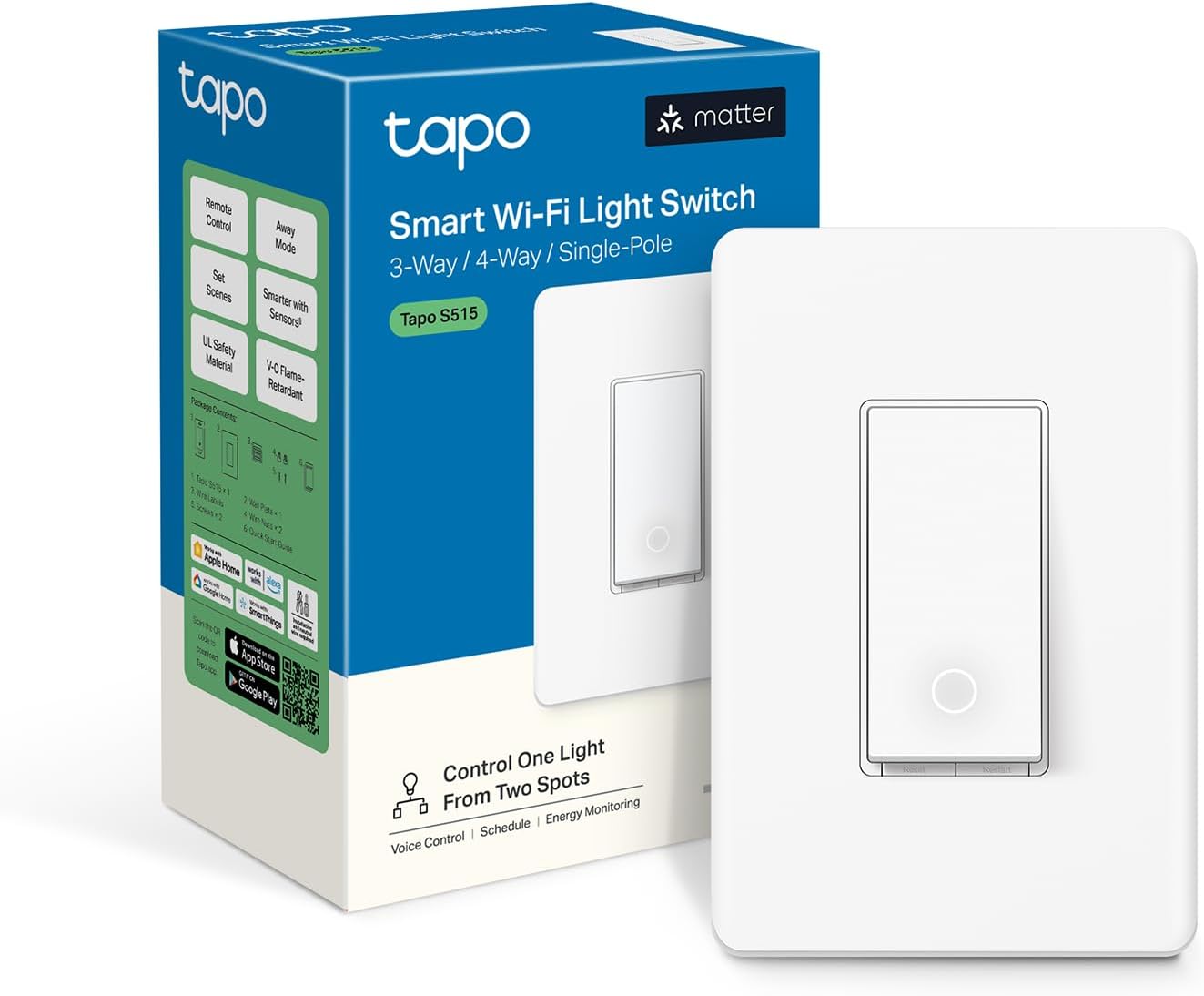
💡 Elevate your lighting game—smart, sleek, and seriously future-ready!
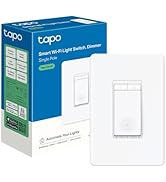
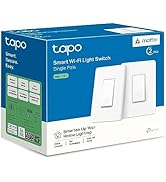
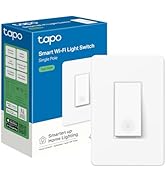
The TP-Link Tapo S515 Smart Switch transforms traditional lighting into a smart, multi-location control hub with 3-way and 4-way compatibility. Featuring Matter certification, it ensures seamless integration across major smart home platforms. With 15A load capacity, real-time energy monitoring, and voice/app control, it offers convenience, efficiency, and enhanced security through scheduling and away modes. UL-certified and designed for easy app-guided installation, it’s the savvy upgrade for modern homes.


| ASIN | B0DKHCF53T |
| Actuator Type | Toggle |
| Batteries Required? | No |
| Best Sellers Rank | #8,044 in Tools & Home Improvement ( See Top 100 in Tools & Home Improvement ) #40 in Electrical Light Switches |
| Brand | Tapo |
| Circuit Type | 1-way, 3-way, 4-way |
| Color | White |
| Compatible Devices | Amazon Alexa, Apple HomeKit, Google Home, Samsung SmartThings, Matter-certified devices |
| Connectivity Protocol | Matter, Wi-Fi |
| Connector Type | Clamp |
| Contact Material | Plastic |
| Contact Type | Normally Closed |
| Control Method | App, Remote, Voice |
| Control Type | full |
| Controller Type | Amazon Alexa, Apple HomeKit, Google Assistant, IFTTT, SmartThings |
| Current Rating | 15 Amps |
| Customer Reviews | 4.5 4.5 out of 5 stars (371) |
| Date First Available | November 15, 2024 |
| Included Components | 1xTapo S515;2xWall Plates;2xWire Nuts; 2xScrews;Quick Start Guide;Wire Labels |
| International Protection Rating | IP00 |
| Item Package Quantity | 1 |
| Item Weight | 4.2 ounces |
| Item dimensions L x W x H | 5.06 x 3.33 x 0.24 inches |
| Item model number | Tapo S515 |
| Lower Temperature Rating | 32 Degrees Fahrenheit |
| Manufacturer | TP-Link |
| Number of Items | 1 |
| Number of Positions | 1 |
| Operating Voltage | 120 Volts |
| Operation Mode | ON-OFF-ON |
| Part Number | Tapo S515 |
| Product Dimensions | 5.06 x 3.33 x 0.24 inches |
| Smart Home Compatibility | Smart Home Compatible |
| Terminal | Screw |
| UPC | 810142820929 |
| Unit Count | 1.0 Count |
| Upper Temperature Rating | 104 Degrees Fahrenheit |
| Wattage | 3600 watts |
R**O
Rock-solid smart switch — easy setup, Matter + energy monitoring
Installed a few of these Tapo smart switches and they’ve been excellent. Setup in the Tapo app was fast, pairing was smooth, and they’ve been rock-solid reliable day to day. The biggest win is Matter support — it makes integration with Alexa / Google Home / SmartThings straightforward, and it feels more “future-proof” than older Wi-Fi switches. The energy monitoring is also a great feature and gives useful insight into what different lights and loads are actually using. The switch itself looks clean, feels well-built, and the button press is firm (not cheap or mushy). Overall it’s a great value compared to other smart switches with similar features.
S**D
Matter-Enabled Smart Switch
These are my absoulte favorite smart switches. Easy to install, way better than typical switches. Matter compatibility is awesome, and the primary reason I got this switch. It's fast, and I really like the light indicator when the light is turned off. One improvement I would like to see is a smart bulb mode that lets it work with smart light bulbs better, but it's a great switch.
B**H
Make Sure You Understand 3-Way Switches
It was fun learning about how 3-way switches work. I was lucky enough to have gotten the correct switch on my first try. What I mean by that is that this switch will only work on the light switch that has the line coming into it. Only one of the two 3 way switches have the (power) line coming into it. You'll need to know which one that is and attach to that one. I'd suggest figuring that out first because if, for example, you're upgrading all of your downstairs switches to be smart switches and not the upstairs ones but the upstairs one is the one with the line coming in, then you'll be in an awkward situation. Easily solvable by just getting a similar styled switch for downstairs that isn't smart, but it's something you should be aware of. Once installed, setup in the Tapo app is easy, as is connection to the Google Home. It's Matter enabled, so that's great for people who don't want to be attached to a cloud service provider (works with Home Assistant).
C**S
Will only work on hot leg of 3 way switch, but otherwise work great.
Be ready to install twice! Okay , maybe that isn't fair. It's partially my fault. I've replaced upwards of 30 or so light switches in the past few years and I thought I knew what I was doing with a 3 way switch. I had previously installed one in my garage. No issues. So figured I would also update a light switch that is used to turn the light on for the stairs. My wife wants it on at night, and I want it off during the day, so it was perfect for some automation. unfortunately I chose the wrong leg to install it on first, so the load was coming from the other switch and not from panel. I flipped through the manual and didn't see anything in their about requiring it to be on the hot leg, although that does make sense. Other than my confusion, the Installation is pretty easy as the load and traveler can be swapped to either load wire. I also prefer more screw in terminals on smart switches as with some of the cheaper switches I've used end up jamming the whole box with wire nuts and having screwed in terminals feels much safer. Long story short, I reinstalled on the other switch and discovered that that was the hot side for this circuit. I should have known by the way the circuit was labeled and how the switches were grouped, but oh well. Other than my confusion, I'm happy with the tapo switches overall and will likely buy another if I ever have the need. I wish therer was a bit more positive feeling on turning the light on or off, sometimes it's easy to push on the wrong part of the switch and not make it click on or off.
M**N
Easy installation and works perfectly
I installed 3 Tapo smart switches. Me: DIY person. Easy to install and super easy to connect and set up on Tapo App. [Appreciated]. I replaced two modern lighting electronic timer switches that have tiny screens and are not easy to program. The Tapo smart switch has an easy menu to program off and on times making it a breeze to control porch and patio lighting. Installation tips: 1. if the switch you are replacing is a 3 way or 4 way unit, the Tapo works perfectly but needs to be installed in the primary switch junction box. You can easily determine this by testing for current in the "line" wire when the switch is turned off. It will retain current when the switch is on or off. If the current stops when the switch is off, then that is not the primary switch in your 3 or 4 way set up. The included instructions explain this as well. Tip 2: verify your existing wire function before removing and installing new Tapo switch. While there are code and industry standards, the previous installer may have deviated. This includes verifying the traveller wires, often one red and one black, but this can vary. Also, the line and load [load goes to light in this case] wires may both be black. A noncontact voltage tester or multimeter can be used to discriminate. Tip 3: take pictures of old switch wiring before removal. This can help if you forget the wire origin. I removed and installed one wire at a time to minimize mix ups. Tip 4: The old wires may have been stripped too long which can expose the conducting copper after installed in the Tapo. This is easily fixed by snipping off any excess copper wire. Tip 5: The Tapo switch includes a single switch plate. If you are installing into a multi- switch junction box, the reused 2 or 3 or 4 switch plate cover will probably not fit totally flush over the top section of the Tapo switch at the screw hole because the switch body plate is a little thicker than a regular switch. I remedied this by shaving off small amount of plastic on the back side of the switch plate cover. ( see picture). This allowed a flat and flush mount onto the wall. I used a box cutter to remove a tiny amount of the plastic. Tip 6: Use of a power screwdriver (not a drill) saves time when removing and installing the two long switch mounting screws. Good luck on your project. Tapo smart switches highly recommended.
R**D
Cannot add a matter device to tapo
G**O
Atende perfeitamente seu propósito. Compatível com Energy do Smartthings, pode ser instalado wifi no app Tapo e depois via Matter no hub Smartthings. Fique sabendo do seu gasto energético com Tapo!
Y**S
Used it for a 4 way connection, put it at the end of the loop so the other lights switches work, no issues
A**A
Great for when we are away
P**L
Cannot be used as the 4-way switch in a circuit. I had to replace the center switch in a 4-way system (3way - 4way - 3way setup) and this can only replace one if the 3 way switches at the ends. Really disappointing. The information before buying suggested it would have been able to. Hopefully I save someone else the trouble.
Trustpilot
1 week ago
1 day ago