Desertcart purchases this item on your behalf and handles shipping, customs, and support to Nicaragua.
🖱️ Elevate your workspace comfort and control — because your forearm deserves the best!
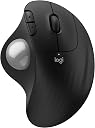
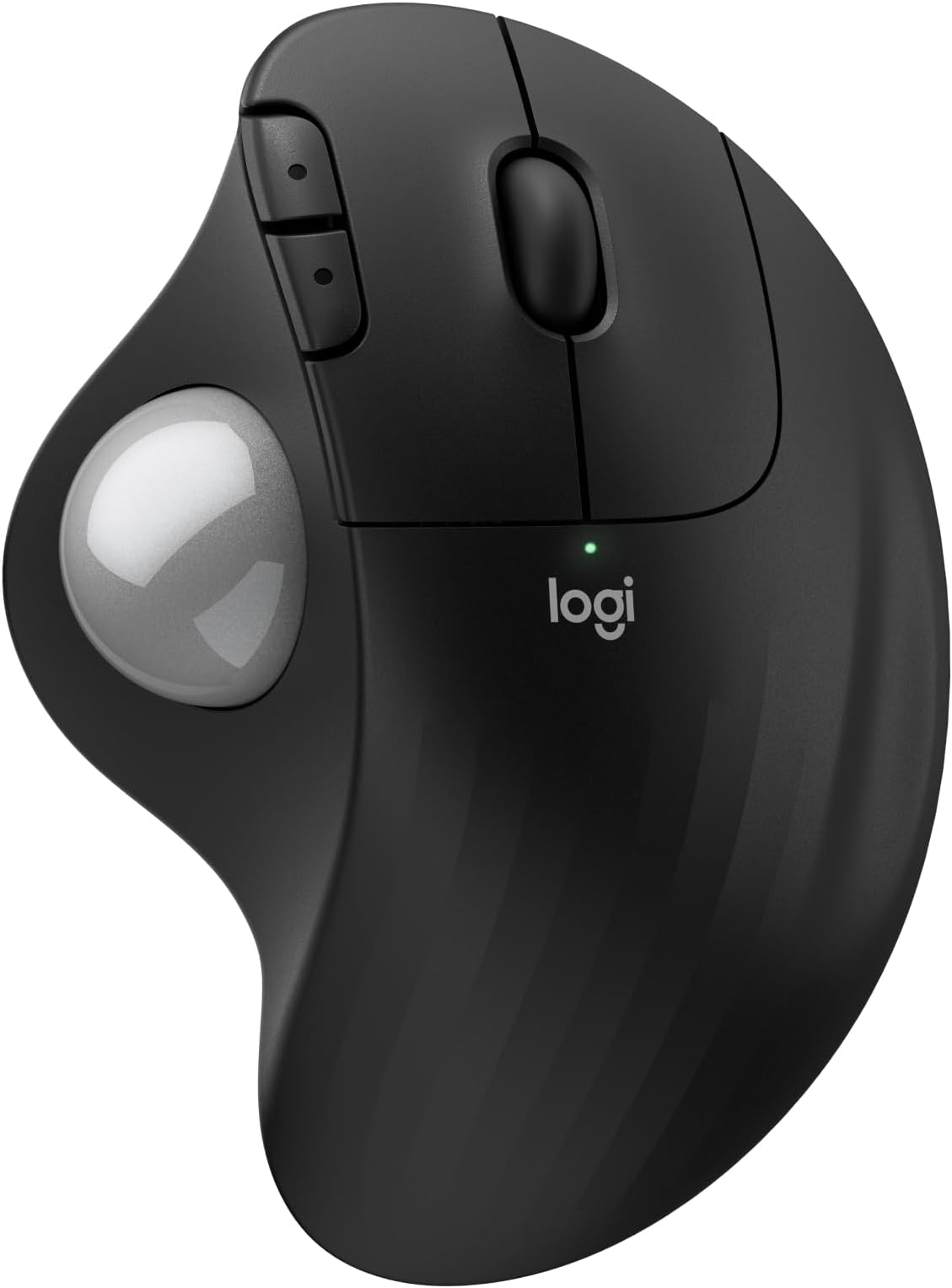
The Logitech ERGO M575S wireless trackball mouse is an ergonomically designed input device that reduces forearm muscle strain by 25%, certified by ergonomists. Featuring thumb-controlled precise tracking, it supports Bluetooth and encrypted USB Logi Bolt connectivity for seamless multi-device use. With up to 18 months of battery life and a nearly silent click mechanism, it’s ideal for professional environments. Its sustainable build incorporates up to 52% recycled plastic, making it a smart, eco-friendly upgrade for any modern workspace.


| ASIN | B0D6PZ5DPN |
| Additional Features | Lightweight, Portable, Wireless |
| Antenna Location | Gaming, Office |
| Are Batteries Included | Yes |
| Are Batteries Required | Yes |
| Battery Average Life | 18 months |
| Best Sellers Rank | #72 in Computer Mice |
| Brand | Logitech |
| Button Quantity | 2 |
| Color | Black + Silver Ball |
| Compatible Devices | Personal Computer, Tablet |
| Connectivity Technology | Bluetooth, USB |
| Customer Reviews | 4.6 out of 5 stars 1,030 Reviews |
| Enclosure Material | Plastic |
| Hand Orientation | Right |
| Hardware Platform | PC |
| Item Weight | 0.21 Kilograms |
| Manufacturer | Logitech |
| Mfr Part Number | 910-007392 |
| Minimum Required Operating System Version | Windows 10 |
| Model Name | ERGO M575s |
| Model Number | 910-007392 |
| Movement Detection | Optical |
| Movement Detection Technology | Optical |
| Number of Batteries | 1 AA batteries required. (included) |
| Number of Buttons | 2 |
| Operating System | Windows, macOS |
| Power Source | Battery Powered |
| Range | 10 meters |
| Special Feature | Lightweight, Portable, Wireless |
| Style Name | Modern |
| UPC | 097855198853 |
| Unit Count | 1.0 Count |
| Warranty Description | 1 Year limited Hardware Warranty |
T**N
A familiar favorite with a much quieter click
I picked up this Logitech trackball to pair with a new Windows machine, and it has integrated into my workflow perfectly. Having used the previous version for over five years, I already knew the ergonomics were top-tier, but the improvements here are immediately noticeable. The most significant change is how quiet the clicks are—they are almost completely silent, which is a great touch for a focused workspace. What makes this a powerhouse for my desk is the connectivity. I switch between systems seamlessly by pairing via Bluetooth to my Mac and using the 2.4GHz dongle for my PC. I’ve even moved my older trackball over to my iPad; using it with the newer "desktop-style" iPadOS layout makes the tablet much more user-friendly and precise. This is a highly reliable tool that stays comfortable through long hours of use. It is definitely worth the price of admission, especially if you can catch it on sale. Whether you are upgrading from an older model or starting fresh, it’s a fantastic investment.
Z**N
Great Mouse!
Product works great! Bought it for my wife’s office set up and once she got used to it she keeps mentioning how easy it is to use and how it helps with stopping her wrist from hurting! Definitely look to add this to your office set up!
M**Z
The greatest trackball Mouse products in my opinion.
I’m am always pleased with Logitech products, and this mouse is no difference. It’s compatible with my laptop and my iPad. I like its fluidity more on my laptop, on the iPad it seems to go across slowly. The setup was quite easy as usual, the size is perfect for allowing her hands to stay comfortable. I’m always satisfied with the price I pay for these items and I think they’re worth it.
I**N
Good quality, great product.
Works great! Wrist pain subsided. I don’t remember the last time I had to change the battery and I leave it on all the time 24/7. Which reminds me, I should probably buy some batteries just in case. I’ve been using this mouse for over a year now.
L**R
No More Clicks
This mouse is great! As someone who is very sensitive to repetitive noises, I love the fact that this is quiet as a mouse. (Pun intended)
C**S
mouse buttons are close to silent: great mashup between mouse and trackball
The quiet buttons was exactly what I was looking for. I found that my Kensington Orbit ball is great, but the clicking is super loud, so at night, I'm working and the clicking is really distracting. These clicks are nearly silent. The ball is small and I prefer using my fingers instead of my thumb, but it rolls very smoothly. I'm kind of a nut and I use multiple track balls at the same time, but it is a great fit into my arsenal and it was easy to get set up on the Mac. You can assign the buttons as well. It is also nice to just take a AA battery instead of charging. There are pluses and minuses, but AA batteries are easy to find. The combination of the mouse style buttons and scroll bar with the track ball is good. I prefer the mouse roller button to the scrolling ring. It is a good mashup between a mouse and a track ball and very comfortable in my hand. I have fairly large hands. I wear 2XL gloves.
A**E
Great brand and product
Has been working great! I love logitech trackballs, have been using them all my life. They usually last a LONG time before needing to be replaced. Just gotta make sure to clean them out often!
D**N
It's ergonomic, mostly comfortable - it's a Logitech Trackball!
I am switching from a Logitech M570 because my oldest one's clickers have been wearing out (LOTS of usage), and so I switched to a new M570 that I had on hand which worked for a few weeks and then just up and died. So I bought an M575S but it won't work with my ATEN CS1308 anymore even when firmware was upgrade. It's a known issue with most KVMs and USB receivers. It's not a Logitech issue, it's a KVM issue, so not marking off for that. About the M575S. I don't like the white because I know over time it's going to look ugly (discoloration from hand oils and such), but I didn't buy white because I wanted it. I bought white because I was cheap and it was a few bucks cheaper. Not marking off for that. I do like that they now offer the trackballs with more color options (including color options for the ball). That's pretty cool. The M575S compared to the M570 feels (to me) just a hair's thickness smaller. The body casing supporting the hand has ruffles (maybe to help air flow when your hand is on it so your hand won't get sweaty when it's hot? dunno). It has the standard left, right, and center click along with the center scroll wheel. I has two additional buttons on the left clicker which can be used for things like COPY/PASTE, BACK/FORWARD. There's a pin hole LED light just behind the mouse clickers to note on/off operation when you turn the unit on. On the bottom is a on/off switch for those who REALLY want to save those batteries (nothin wrong with that), and a button you can hold for 3 seconds to help the device re-sync to the BOLT receiver (it's called BOLT, not Unifying now). The unit appears to support both Bluetooth AND whatever the BOLT technology would be considered. When I turned the unit on for the first time, my computer immediately picked it up via Bluetooth and asked if I wanted to configure it. I read that it was recommended for best performance, that I use the BOLT receiver, so I decided to stay with that. When I plugged in the BOLT receiver, I had to load the Logitech app to get it to sync to the receiver. I had already installed the app on my computer for another M570 issue, so I already had it, but I don't care for devices that force you to install apps to make them work. The marketing pics claim 25% less forearm strain but I don't notice a difference in usage, so not sure what that claim is based on (maybe switching from a regular mouse?) and it claims 80% quieter clicks, but I can't imagine why Logitech felt customers wanted quieter clicks - it wasn't bad on the M570 and personally, I like audible and tactile feedback so my OCD doesn't start acting up (Did I click that or not?). Now, here's my only gripe. Whether a product of the "quiet click" or just new design, the mouse buttons require less force to activate. I don't know if I have random spasms or what, but just resting my fingers on the clickers is setting them off. It's a little annoying, especially on the right clicker. I will probably have to retrain over time how my index and middle finger rest on the clickers so they don't accidentally activate. To be fair, on the M570, I did have right clicks fire off unexpectedly due to my fingers placement, but it was less pronounced that when this new mouse (happening more frequently). So I share in the blame on this, but the clickers could have been less light-to-the-touch for my preference. Despite marking off a star, I would buy this again (and I ended up buying two more actually). I would also make one last comment - I wish Logitech would bring back the wired Trackballs - would have saved me a whole lot of trouble with my KVM, and having to replace batteries and what not. I don't care about the wires - I am able to keep them out of the way and I'm not doing photo shoots of my keyboard/desk setup to worry about seeing a wire or two for peripherals.
A**R
Takes like a day to get used to
I really like this mouse! There's an adjustment period when you're starting out (I kept wanting to switch back to my regular mouse when using it) but by the second day I'd gotten a lot more comfortable using it. While it's still not as easy to navigate as with a traditional mouse, my hand doesn't hurt nearly as much after using it for long periods. In fact, it doesn't hurt at all. I thought my thumb would tire out on the trackball, but it doesn't. I can't attest to its ability in gaming since I use a controller. Precise movement is more difficult so I imagine it's not great for that. You can adjust the tracking speed though and set one of the extra buttons to toggle between speeds. I find the default 50 speed a little too slow so I raised it to 60, and I have a button to switch to a much lower speed when I need the precision. Really minor, but I wasn't expecting the buttons to be so quiet. It's actually pretty nice. Overall, really happy with this mouse. It's comfortable and easy to use once you get the hang of it.
C**N
Great upgrade from the older M570 trackball
I've used the older M570 for well over 10 years and it had a problem with buttons wearing out and double clicking, and I had it replacement more than once under warranty. Near the end when the warranty was up I learned how to replace the switches on my own, but eventually I just couldn't fix them anymore. SO I'm off to buy something new, which lead me to this. This new M757S trackball is almost the same as the older M570, but slightly different shape, but generally feels the same in my hand. The added bluetooth option is a nice addition, but if you already have a bunch of Logitech unifying receivers, this one uses the newer bolt receiver and is not compatible; no problem for me since I use bluetooth now, but if you have an older keyboard you love and don't have bluetooth you'll need to have both an old and new receiver plugged in using up an additional port. No problem having two, but just be aware if you're limited on ports. Base on past history, I've also had good luck with Logitech devices. Great support, great quality (previous trackball excluded, but the warranty was exceptional), fantastic compatibility over the years.
J**S
Stopped Working Twice Within 6 Months – Very Frustrating Warranty Experience
I’m very disappointed with this mouse. It stopped working in less than 6 months — completely dead, no light, no response, even after replacing the battery. What’s worse is that this is already the second time I’ve had issues with it. The biggest frustration is the warranty process. It is extremely difficult and inconvenient. I was asked to ship the defective product to the US, which is already unreasonable for a Canadian customer. After I shipped it, it was returned to me asking for an invoice. I provided the invoice, but the process still didn’t move forward. It’s been a waste of time and effort. Overall: - Poor product reliability - Extremely frustrating warranty/return process - Not worth the hassle I expected much better quality and support from Logitech. Unfortunately, this experience has been very disappointing.
A**S
A very comfortable and natural feeling device from the industry leader in computer mouse design.
With this Logitech trackball mouse, I have effectively "graduated" from my older preferred Logitech M510 mouse. This was my standard choice for years and only required replacing because I tended to slow the smooth operation of the track wheel with gummy fingers. The track ball mouse on the other hand is easy and simple to keep clean and fully functional with an occasional simple wiping of the ball itself. Once you are used to the difference in the feel and the hand position over this mouse, I think many will come to prefer working with the track ball design. A little more expensive perhaps, but the convenience and the comfort is a big plus and a definite advantage over a mouse like the very effective but somewhat less natural feeling Logitech M510.
E**Y
Game changer. No more wrist pain!
I got the black one as a bd gift almost 4 years ago and I loved it. It was a game changer for me as a UX Designer. No more wrest pain. I ordered the white one for my work system. This new upgraded one makes no clicking sound and makes the experience so smooth. I'm surprised that the package indicates a usb Bluetooth, which my old one had too, but nothing included in the box. UPDATE: Amazon customer service sent me a link to buy a usb, once received they'll give me a full refund as they promised.
Trustpilot
1 month ago
5 days ago