Buy anything from 5,000+ international stores. One checkout price. No surprise fees. Join 2M+ shoppers on Desertcart.
Desertcart purchases this item on your behalf and handles shipping, customs, and support to Nicaragua.
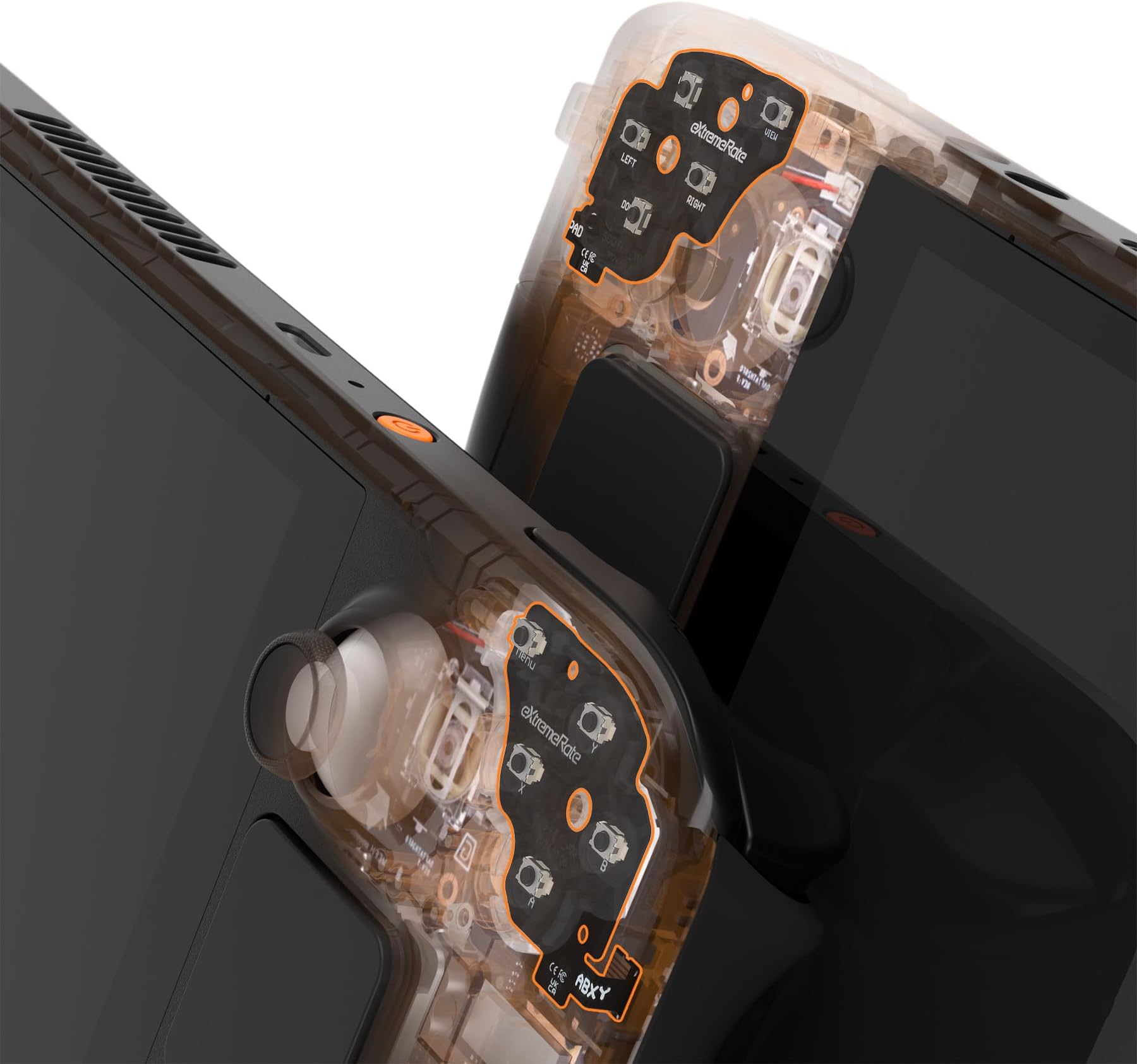
🎯 Click Faster, Game Harder — The Ultimate Steam Deck OLED Button Upgrade!
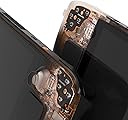
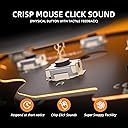
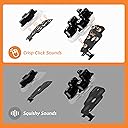
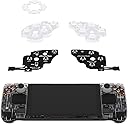
The eXtremeRate Face Clicky Kit is a precision-engineered upgrade for the Steam Deck OLED handheld console, replacing stock buttons with ultra-responsive tact switches that require only 1.57N force. Designed exclusively for the OLED model, this kit enhances Dpad, ABXY, View, and Menu button responsiveness with crisp, mouse-like clicks. Installation is straightforward with no soldering needed, and the package includes all necessary tools plus spare parts for durability. Perfect for gamers seeking a tactile edge and a premium feel in fast-paced gameplay.


| ASIN | B0D2T6KHMF |
| Best Sellers Rank | #7,103 in Video Games ( See Top 100 in Video Games ) #1,567 in PC Accessories |
| Brand | eXtremeRate |
| Brand Name | eXtremeRate |
| Compatible Video Game Console Models | Valve Steam Deck |
| Controller Type | Gamepad |
| Customer Reviews | 4.0 out of 5 stars 162 Reviews |
| Hardware Platform | Steam Deck |
| Item Dimensions | 1.18 x 0.79 x 0.39 inches |
| Item Package Quantity | 1 |
| Item Weight | 10 Grams |
| Item dimensions L x W x H | 1.18 x 0.79 x 0.39 inches |
| Manufacturer | Extremerate |
| Manufacturer Part Number | FUJSL001 |
| Model Number | FUJSL001 |
| Package Quantity | 1 |
B**N
Great product with satisfying feel.
Let's start off with WHY I got this kit: my Steam Deck OLED had a D-Pad that would not register down-left diagonals consistently and the face buttons felt squishy when pressing (the button would not bounce back as well as I liked). Enter this kit. Doing the modification requires some teardown of the Steam Deck. I would strongly suggest to watch the guide that Extremerate has before attempting to see if this is in your skill set. It does not involve any soldering, but does involve some small ribbon cables and undoing the triggers. This mod took me about an hour with testing and some tinkering to make work well. Be warned that this will not make the older PCB for your buttons usable any more, but you can order new kits on iFixit's website. When I initially installed the kit, the down direction on the D-Pad would only go down and to the right. I panicked initially, but this was fixed by loosening one screw by the shoulder button assembly (which does not affect the button but rather how tight the PCB is to the D-Pad). It now works like a champ. The buttons and D-Pad now feel great. I wish the membranes were just a tad softer and the kit came with face buttons that were now just a tad shorter, but that's nitpicking at this point. My buttons don't stick and feel great, and the D-Pad is reliable and feels great. Overall, if you like to do some tinkering and you don't like the stock Steam Deck experience, I'd say go for this. It really is transformative!
K**Z
Flawed, but nice enough.
I just installed this kit today, everything fit as described. One thing of note, though, is that if you follow the instructions in the provided video precisely, your ABXY will rattle, because it doesn't have a PTFE spacer behind it like the DPad does. What I did on my installation, was since it comes with two of the PTFE dpad backing rings, I cut out the circles from each corner of the spare, and stuck them inside the ABXY buttons. Snapped everything back together, now there is no rattle and all the buttons feel very nice. I have seen the reviews that pointed out the flaw with the pads, but given that the PTFE pads I put on should cushion it from the button frames, I feel pretty confident that mine won't have that issue, at least not as bad or quickly as others had it, due to the PTFE surface dampening the impact of the thin frame that normally pushes in to the pad. The buttons are nice and tactile, a bit loud but not too bad, and all register as they should with far less travel. Also makes the DPad more usable, I'm able to hit the 8-way corners much more easily on it with these buttons behind it. Time will tell how my opinion ages for this.
I**R
A must have mod, very well thought out and bonuses included
First, I only installed the dpad tactile button mod, which is the critical one. Not that much of a fan of ABXY button mods as no controllers afaik have clicky (tactile) buttons, but it's there if I need it. The dpad mod makes the dpad feel much better, mushiness is gone and the diagonals respond perfectly. The dpad does require more pressure to activate than before and this will take some getting used to. What is really special about this kit is what they give you. They give you a huge assortment of replacement torx screws, and a few extra springs (I believe bumper and trigger) which is a very nice touch, since it is very easy to lose a spring since if a spring hits a hard floor, it can bounce deceptively anywhere. And they even give you *two* membrane pads for each side (dpad and buttons), so you have one pad and a spare replacement. I never knew those would ever wear out but it's really nice to have an extra. You also get an extra dpad protective layer as well. Really pleased and happy with the attention to detail here, and most kits you buy only give you what you purchased and absolutely nothing else. As for longevity, we'll see. The one thing about the 'stock' capacitive layer is that those things basically last forever (until the contacts wear out, if they ever do). Note that you do have to peel off the stock capacitive layer from the original button board(s), and it's not clear whether (even if you protect the adhesive) the original can be re-used after being bent (you can see bends in the pads after removal), so it's recommended that you buy a spare button and dpad board from ifixit just in case you need something to go back to. *Edit* After seeing some of the posts here and in the extremerate subreddit, I decided to take apart my dpad section (3 months later) and checked the membrane, and the membrane looked flawless. There was no damage that I could see. Maybe the cover for the dpad has something to do with that, but I went ahead and put on another membrane that I had already applied tiny cutout squares of kapton tape to, inside of the dimples, just for good measure. I have not done the button mod at all, as I find clicky buttons a bit strange (only the menu button, which is part of the dpad set itself, is a clicker), but I can see the ABXY long button travel combining with the small hard clicky microswitches causing issues for anyone there. I am rather sure that applying kapton tape inside the button membrane dimples would help preserve the membranes-kapton tape is very resilient (it's used for high temp solder applications). But the dpad part of this kit is flawless and is a must do for anyone who hates the stock dpad. But the button section needs extra attention. Extremerate mentioned on their reddit that they were looking into a fix for this, so you can ask there for any redesigned membranes for the button section.
E**N
Massive improvement in feel for not a lot of money
I recently picked up a Steam Deck OLED, and while I love the device, the buttons and dpad leave a lot to be desired. I've always been a fan of clicky switches on controllers, so I ordered this kit and installed it in my deck. Here are my thoughts. Install - You have to take out a few different parts in order to access the front buttons, but that's not really eXtremeRate's fault, so I won't ding them for that - The parts went into place without issue. Alignment seems perfect. - The ribbon cable that goes from button board to the main board is a bit short, IMO. I'd like a little bit more to make install easier. - eXtremeRate includes extra screws, springs, and membranes in the kit just in case you need them. I didn't need them, but it's a really nice touch. D-Pad - The biggest improvement is the d-pad. The cost of the entire package is worth it for this part alone. Playing indie games or retro titles that favor the d-pad is infinitely more enjoyable with the clicky buttons in place. - In terms of feel, the buttons are probably more difficult to press than something like the Xbox Series controller d-pad, but I didn't find it too stiff at all. - Installing the kit seems to somewhat help with the deck's lack of a center pivot on the d-pad. It's more difficult to press the entire pad down and activate multiple buttons Face Buttons - Not as big of an improvement as the d-pad, but still appreciated - Buttons feel really tight, like the tolerances are somehow tighter now. Makes it feel more expensive, if you know what I mean Tips/Tricks - I did the playing card trick on the face buttons. Basically, you use a hole punch on a playing card and slip the circular piece of cardboard in between the buttons and included membrane. This supposedly reduces the wear on the membrane. - Make sure to extensively check the feel of the buttons and bumpers before putting everything back together. I had to tweak the screws a bit on both sides to get the ideal feel. - After reassembly, one of my triggers had a bit more play in it than before. I assume this is simply down to the plastic wearing a bit during install. I added some tape on the pivot to try and eat some of the gap between it and the trigger. This fixed the issue. Overall, I'm loving the change and recommend it to anyone who likes clicky buttons on their controllers.
A**N
Poor quality, obnoxiously loud
These guys do not know how to make a clicky button. I genuinely believe they bought generic circuit buttons in bulk and just slapped them in. The buttons are so loud, if you play with anyone in the room they WILL be annoyed. When lifting your finger up very slighhhtly after pressing a button in, it unregisters the button press even tho the button hasn't clicked back up yet. There's so many examples of good clicky buttons, but this is not it. Save yourself time and money and everyone around you, the headache.
J**S
Clicky Buttons, Massive Upgrade
The eXtremeRate clicky buttons for the Steam Deck are a subtle but amazing upgrade. The tactile feel is night and day compared to the stock buttons — they’ve got that satisfying pen click feel without being too loud. It’s a small change that makes a huge difference, especially in fast-paced games. Installation is not too bad compared to other modifications, as you won't have to take too many components apart to get to the buttons. If you're already opening up your Deck for a shell swap, these are a must-add.
E**R
Great switches but flawed design
Great switches and a huge upgrade but they are flawed. The switches cut into the rubber spring membrane if you play games (like Silksong) where you are constantly pressing a button, like the A button. It cuts into the rubber and causes it to be mushy. Replacing it for a second time now with 70h of game play.
F**R
Great button upgrade with fantastic customer support
Picked up this kit to replace the stock buttons on my Steam Deck. Installation was easy — the kit includes all the tools you need, and there are plenty of video guides online if you get stuck. My first kit had a faulty D-Pad "Up" button out of the box. I emailed eXtremeRate support and heard back within a day, even though it was during Chinese New Year. They shipped a replacement immediately, no questions asked, and I had it in 3 days. Genuinely impressive service. On performance: the buttons feel great. Inputs register fast with no mushy feel. One heads-up though, after long gaming sessions, I found the ABXY buttons require noticeably more force than stock, which caused some thumb fatigue for me. Ended up swapping those back. The D-Pad replacements have been solid and are staying in. Bottom line: Easy install, excellent customer service, and a quality product. Just be aware the ABXY buttons may cause fatigue during extended play sessions.
H**6
Dpad is good now for fighting games
If you like fighting games, get this! It's a game changer
Y**E
Worked without a hitch
I just spent about an hour installing (first time modding SD so a little slo) but it went off without a hitch. Following the video guide was a straightforward and and the outcome was a brilliant, clicky and tactile switch OLED :D. No harder than a pc component installation, if a little smaller and fiddly. I really wanted a better D-pad experience and after trying a clicky controller buttons I knew I needed it in my steam deck. Had a little scare when it wouldn't turn on after plugging everything back in, but after plugging it into a charger cable it started fine. Couple of points 1. The buttons are a little harder press than expected, would love a light click version, as for fighting games the fingers get fatigued easily and sometime even miss the input when sliding my fingers or clicking 2 buttons at a time (It feels about as tactile as the shoulder buttons). 2. The included screw is a little small for man hands and easy to slip out and hit adjacent components. A slightly better driver would make the installation easier. In any case - Im gonna try lots of games and see how it feels long term!
R**.
Indispensable pour jouer à Céleste sur steamdeck!!!
Facile à a installer si on bricole un peu. un peu raide au départ mais après quelques heures d'utilisation ça devient agréable. Indispensable pour jouer à Céleste sur steamdeck!!!
E**L
Best functional upgrade for your Steam Deck OLED!
If you’re looking to upgrade your Steam Deck OLED without spending a lot, this eXtremeRate Face Clicky Kit is a solid value pick. It’s an affordable mod that noticeably improves the button experience compared to stock. ✅ What I Like: Easy installation: I was pleasantly surprised by how straightforward the install was. As long as you follow a guide and take your time, it’s very manageable even if you’re not a hardcore modder. Better than stock buttons: The buttons feel more responsive and tactile than the original Steam Deck OLED buttons, which makes gameplay feel a bit snappier. Great value: For the price, this is one of the cheaper upgrades that actually makes a difference. ⚠️ What Could Be Better: While the button feel is improved over stock, the button press still doesn’t feel perfect. It’s clickier and more responsive, but not quite as satisfying or premium as I was hoping for. You do need to open up the device, so it’s not for everyone. 👍 Overall: If you enjoy tinkering and want a noticeable improvement over the stock Steam Deck OLED buttons without spending much, this kit is a good option. It’s easy to install, better than stock, and a solid bang-for-your-buck upgrade, even if the button feel isn’t quite flawless.
B**A
A must have....
Great, recommend , fast delivery
Trustpilot
3 weeks ago
2 weeks ago