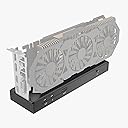
🚀 Elevate your laptop to desktop-level power—because your workflow deserves the best!
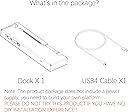
The Mini eGPU Enclosure is a compact, high-performance external GPU dock compatible with Thunderbolt 3/4 and USB4 interfaces, delivering up to 40Gbps data transfer speeds. It supports NVIDIA and AMD PCIe graphics cards and offers 85W power delivery to charge your laptop simultaneously. Featuring the reliable JHL7440 chipset, dual Thunderbolt ports for daisy chaining, and compatibility with various power supplies (DC, ATX, SFX), this enclosure transforms your laptop into a powerhouse workstation or gaming rig. Ideal for professionals seeking desktop-grade graphics performance on the go.


| ASIN | B0CZDSSVKK |
| Best Sellers Rank | #154 in Enclosures |
| Customer Reviews | 4.0 4.0 out of 5 stars (69) |
| Date First Available | March 29, 2024 |
| Item Weight | 9.9 ounces |
| Manufacturer | TREBLEET |
| Product Dimensions | 9.45 x 2.91 x 1.1 inches |
D**R
eGPU is not for the novice. Do your research on USB4 and TB3/4. This thing works and is stable!
Be sure your cables are within spec if you are not using the included one and that your laptop or TB3/4/USB4 device is eGPU ready. If this enclosure doesn't work at all it's something you're doing wrong. Reference egpu.io for help. The JHL7440 chipset is widely used in other similar eGPU products. If you happen to get a defective one I would at least attempt to get a replacement before rating 1 star. This is one of the nicest complete packages I've seen. I am using a USB4 dock in the passthrough TB port with no measurable performance impact. I'm getting the rated 32Gbps, and readings go over that limit often. (This is limited to device side not the enclosure.) The only issues I had was the screws; my unit came with all internal screws loose and some had fallen out and rattling inside the shell. You can easily tighten them yourself so this was a minor inconvenience. Just had to mention. In conclusion: The shell design can accommodate almost any size GPU. Keep in mind when using the passthrough TB to not use any display inputs with the passthrough TB (such as a HDMI port on hub; this causes iGPU/dGPU from laptop to render output, and not the eGPU which takes up bandwidth.) Connect all monitors if possible to the eGPU and disable the laptop display to get the best performance. Only keep laptop display enabled if your laptop allows you to assign the i/dGPU to the laptop display. Do not route any rendering to a display NOT directly connected to the eGPU. It will reduce performance by a bit. JHL7440 chipset is the highlight. Very fast and responsive. No crashes or BSOD. You will likely BSOD if you disconnect the cable without dismounting. Especially while playing a game. So I wouldn't recommend that. Overall, do your research and enjoy eGPU life! This is a good product.
C**P
Works well
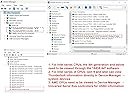
I bought this eGPU dock as an experiment to see what a thunderbolt 3 laptop could do with an external graphics card. Set up was easy, I used an old power supply, connected the motherboard and CPU connectors to the dock. I first tried an old 1080ti GPU. I used two VGA connectors from the power supply connected to the GPU. When I plugged the thunderbolt 3 cable in, and turned the dock on, it downloaded its own driver. I verified using the thunderbolt control panel on my laptop. I did not get a display at all, so I went and got the latest Nvidia driver installed. The monitor came to life. I next tried my current GPU in my desktop, a 3080ti. It was able to run a 3440x1440@180hz, and the new Dell U4025WQ at 5120x2160@120hz simultaneously. This was nice becuase my thunderbolt 3 ports could only run 5120x2160@30hz. Lastly I tried a 3050 low profile card with 2 DP 1.4a, and 2 hdmi 2.1 connectors. It was able to run 4 monitors. The hungriest setup I tried was 5120x2160@120hz, 3440x1440@180hz, 1920x1080@180hz all at the same time. It worked no problem. I did not try any demanding games or rendering with this though. This dock is great if you are like me and want desktop like monitor support from your laptop. The dock charges my laptop over the thunderbolt connection which is nice. I did not see that in the description anywhere so I assumed it wouldn’t. Hardware: Laptop: HP Elitebook 840 G7, i5-10210u GPUs that worked: 3080ti, 1080ti, 3050 low profile. (I had to remove a bit of metal from the dock shell with a dremel and drill to fit the low profile card, this is my only complaint). If this dock works for a long time it will be well worth the money.
S**6
No Stability
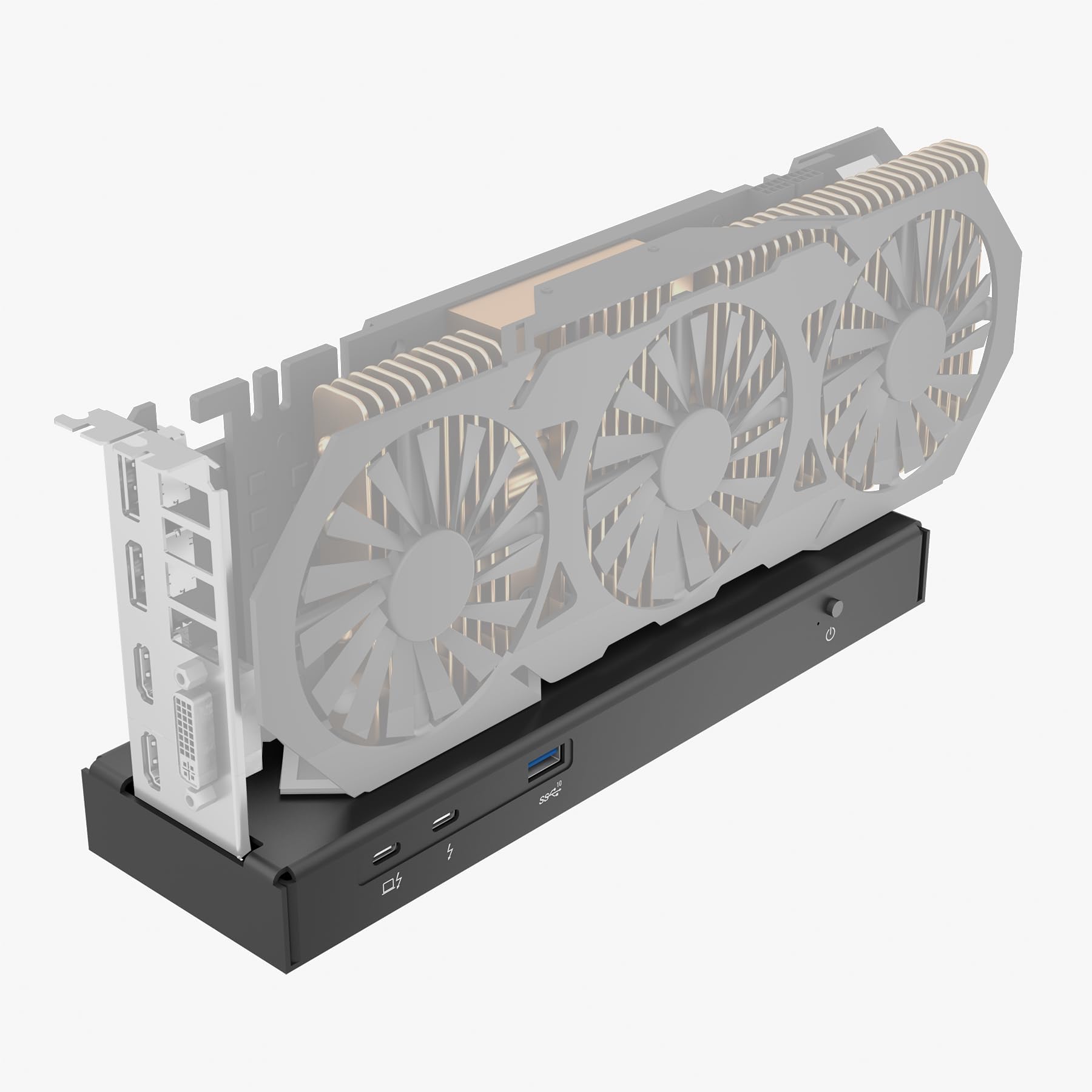
I got this dock because I found it cheaper used. It works finein terms of being a functional eGPU board, but it has no support brackets for stabalizing the GPU (see the video). I'm going to make due with it, but I'm going to have to put together some sticks to make a stabilizing bracket myself. It might not matter if a desk never moves, but one accidental bump and you might damage a GPUs connector pins. I use a walking pad which means I shake the desk more while walking and working, so this isn't acceptable at all. This should be a deal breaker for most people: it simply isn't worth risking damage to a valuable GPU in this dock without modifications.
C**L
Poor fit
Gets the job done, but leaves a lot to be desired. I installed an xtx 7900, and the card says over to one end because there's NOTHING securing it to the eGPU enclosure other than pressure between the pins. Now I have to design a custom bracket.
T**D
Works great 👍
Plugged it in, installed the Nvidia app and it just worked.
O**!
Dangling GPU...
Had to return this product. This enclosure can not hold the GPU without wobbling as it holds the GPU only at its slot. There are plenty of chances to snap the card's contacts when you try to plug the PCIE cables to GPU as there is nothing to hold it firm. Also, wobbly GPU is unstable when in use and may cause system crash which wouldn't be easily understandable.
J**E
Great product, easy to use
Great value, allows me to crunch numbers with my laptop using an external graphic card, I.e. NVIDIA. Super easy to use, must have Thunderbolt to work. I have this connected to a Dell laptop using a docking bay with Thunderbolt (WD19TB). I have an ATX power supply capable of driving the GPU. Applications like handbrake are much faster now. Also, can run CUDA based application. Seems very stable, design is such that the card is exposed. Compatible with system automatically. As for stability, take care to power down carefully, do not let the card be knocked out as it may damage the device - it is fragile. It would be good if it were in a box to protect the GPU card.
T**L
It works like it says it does
Works like it should, if it isn't working you have USB4 without PCle tunneling
M**.
Worked straight out of the box with an AMD Ryzen 7 7840HS/8845HS Mini PC from AliExpress. Simply connected a standard ATX computer power supply (24 pin + 8 pin) to the dock, then a 8 pin power plug to my RX6600/RTX 3060, connected to its USB-C 4.0 port and powered both GPU and PC on. Windows 11 detected the GPU and it was fairly smooth sailing during driver setup. GPU-Z reports the GPU running thru the LH7740 Thunderbolt 3 chip is at PCIe 3.0 x4 link speed which is maxing out the capabilities of the dock (there are no Thunderbolt 4 chips available yet). Read the other review for more helpful hints, the other reviewer does recommend eGPU.io for help and support. You must ensure that the device you wish to use it with has Thunderbolt 3/4 support or has USB 4.0. If your device doesn’t support Thunderbolt, you’re outta luck.
U**D
Not sure what some of the other reviews are going on about - literally the largest 3-slot card with a huge fan housing/shroud is completely clear of the slot on this device. Working perfectly fine under Linux and Windows (and of course Apple killed off any chances of having decent graphic card support when they lost the capabilities of Nvidia support a while back, and again with AMD when they shot themselves in their feet by failing to support any decent GPUs whatsoever under their M1/M2/etc devices). If this isn't working for you, and you didn't somehow get a defective item shipped to you (more likely damaged by the courier, who love to destroy things/ditch deliveries in bushes/etc), then you likely are lacking adequate Thunderbolt device support on your system. Pretty happy with the performance of this product; stable-diffusion works well, as well as Yuzu/other emulators at 4K@120hz, and gaming in general.
Z**C
As the headline suggests, while the product technically works, the enclosure is not deep enough to hold the GPU properly. It causes the GPU to tilt lengthwise, causing the GPU to not seat properly, lowering performance to unacceptably low levels (my Radeon 4600 performed worse than a GTX 1060 from limited testing, when it really, really shouldn't). Additionally, concerns over the rigidity (or lack thereof) have arisen. The slightest nudge causes the GPU to rock back and forth a bit in its seat. I have since removed the GPU over concerns of snapping at the area where the GPU was seated.
M**N
Worked with an AMD Ryzen 7 7840HS Ser7 Mini PC. Simply connected a standard ATX computer power supply (24 pin + 8 pin) to the dock, then a 8 pin power plug PCIe to my RTX 4060, connected to its USB-C 4.0 port and powered both GPU and PC on. Windows couldnt detect the driver and shutdown multiple time. Had to download and install Geforce driver manually. But it works like magic.
H**H
Didn't work disappointing
Trustpilot
1 day ago
2 months ago