✂️ Cut above the rest: Craft smarter, not harder!
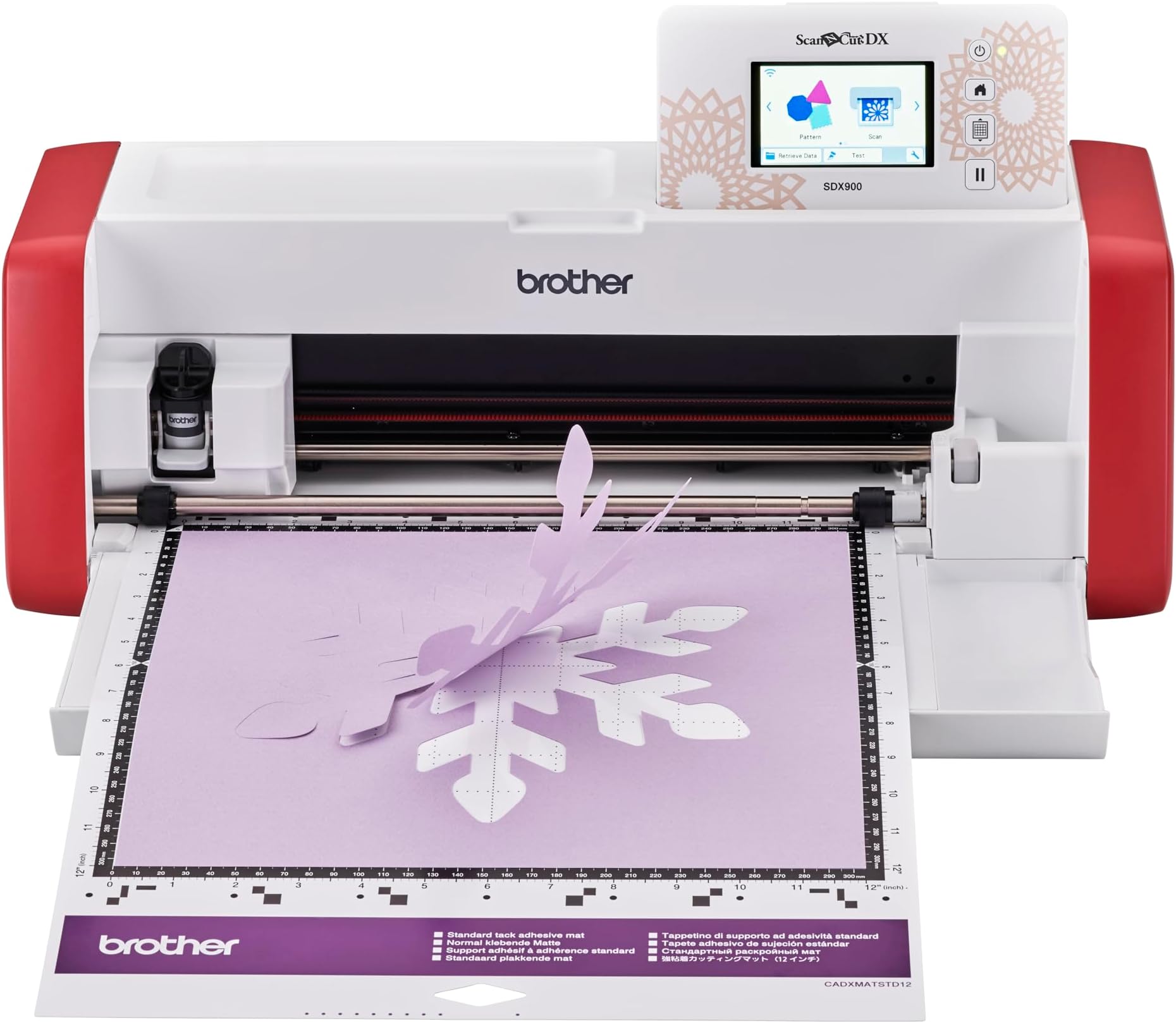
The ScanNCut SDX900 is a versatile home cutting machine featuring a built-in scanner, 3.47" color touchscreen, and WiFi connectivity. It offers 682 preloaded designs and 7 fonts, with the ability to create and import custom designs. Its automatic blade cuts materials up to 3mm thick quietly and precisely, all without needing a PC. Perfect for fabric, vinyl, paper, and more, it empowers creative professionals and hobbyists to bring their projects to life with ease and speed.


| ASIN | B0CJFZY8YG |
| Batteries required | No |
| Best Sellers Rank | 367,187 in Home & Kitchen ( See Top 100 in Home & Kitchen ) 52 in Die-Cut Machines |
| Customer Reviews | 4.0 4.0 out of 5 stars (44) |
| Date First Available | 19 Sept. 2023 |
| Item model number | SDX900ZU1 |
| Item weight | 6 Kilograms |
| Product Dimensions | 21.5 x 53.1 x 17.3 cm; 6 kg |
H**L
Love it
An early Christmas present from my husband. I’m a bag maker and primarily wanted the scan n cut to cut out faux leather/vinyl for raw edge projects and strap connectors etc etc. I spent a week watching videos on you tube first by all brands so got to know the potential of this fab machine . It’s capable of so much..it’s very clever. I did have issues initially trying to connect the machine to canvas workspace..it wouldn’t accept the pin but my husband sorted it out. There is a lot to learn I feel, the process of doing things and understanding how the machine works and reads the data. .ive made a lot of notes! However don’t let it scare you…it’s actually easy but it’s just getting familiar with it. You get the first free project which is just a taster, very simple. So far I’ve cut fabric out as I initially intended but I’ve also tried card making and htv vinyl..it’s a lot of fun. The canvas workspace is also user friendly..I did have to buy a new laptop lol but you don’t necessarily need a computer to use this machine It’s a shame the screen is quite abit smaller then the more expensive models and probably has less pixels too but this is the cheapest sdx model. It’s still easy to see but I’m getting to an age where I’m starting to struggle to see small things. The accessories are basic with this model, a stylus, 2x standard mats, plastic spatula and the auto blade. Unfortunately there is no instruction book which really annoys me..I’m old school, I like a paper manual. You can download but it’s not the same. I recommend buying the scanning mat and the low tack..and if your cutting fabrics then a fabric mat and the rotary blade. Typically accessories aren’t cheap so keep an eye out for sales. I’ve been using it for two weeks now and I love it..I’m learning all the time. I love that I can now buy a pattern that comes with svg files so I can just import them into the scan n cut. Highly recommend it..super impressed
F**R
Easy to use
This has plenty of inbuilt designs to get you started straight away. It is easy to use as the screen tells you what to do. Come with two cutting mats and a couple of tools. It connects to the internet too to enable you to download patterns. This is a bargain at the £349 price and well worth the money. It’s an upgrade for me and it’s a brilliant piece of kit.
M**L
Don't buy this
Honestly not worth the investment at all. While good in theory, I have had a lot of issues with this since buying it. The scanner creates random lines during scan to cut and very limited in options when it comes to using scan to cut to cut specific shapes. Would not recommend it. Sent it back, though likely had a faulty machine.
S**L
New users should be warned that certain papers will permanently adhere to sheet.
Generally I love this machine. However, I ruined both sheets that came with my new machine because the paper I used shattered with large amounts staying on the sticky sheet. After searching YT I discovered warnings about what could be laid on a new sheet, but it was too late. A clear warning printed on the sheet cover would have helped a lot. Replacing the sheets is very expensive. Also, the method of communicating with a PC is unusual. I have managed to successfully cut items and I look forward to some interesting crafting.
C**Y
Well Worth The Wait!!
I received my wonderful SDX900 on time (the next day), I had it connected to WiFi, Brother CanvasWorkspace (free online or PC based additional software from Brother), and cutting my first project in 10 minutes. Its ease you use and so very quite compared to my Gemini machine. I love it! The price was great two! The image was the second thing i cut (see Highlight Crafts Hydrangea You Tube video for more information.
M**E
Brother Scan n Cut SDX 900
I already own sdx 1200. Bought this as a stand along. I bought it at a good price. As I already have the extras I was happy with the package of blade and two mats that came with the sdx900 Have tested it. It works. As someone had put a bad review after mine had arrived to say that it made marks on the mat. This was probably because he’d used it and when was using one of the functions he didn’t put the arrow around the area he wanted to cut. There are a lot of you tube videos to help you. One such is Highlight crafts with Mel Heaton. She does a monthly class on sdx. If you are a beginner that will help you. They are on you tube now from previous classes. She has started from basics as some people were to afraid to take out the box Would recommend sdx 900. It doesn’t have everything the sdx1200 has but it’s a good work horse and will do most everything you need.
W**R
Easy to use
This is a brilliant cutting machine and the auto blade and WiFi connectivity make it soo much easier to use than my CM600
J**S
Scan n cut sdx superb cutting machine
Very quiet and quick cutting machine, no depth adjustments needed. Straight forward. Very happy
Trustpilot
3 days ago
5 days ago