Buy anything from 5,000+ international stores. One checkout price. No surprise fees. Join 2M+ shoppers on Desertcart.
Desertcart purchases this item on your behalf and handles shipping, customs, and support to Nicaragua.
๐ Elevate your home office with speed, style, and seamless wireless power!
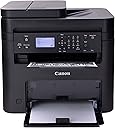
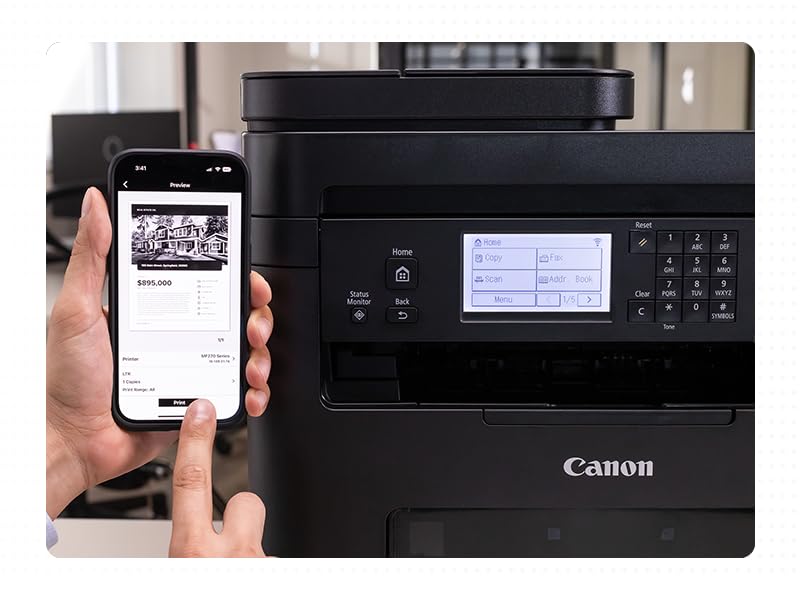
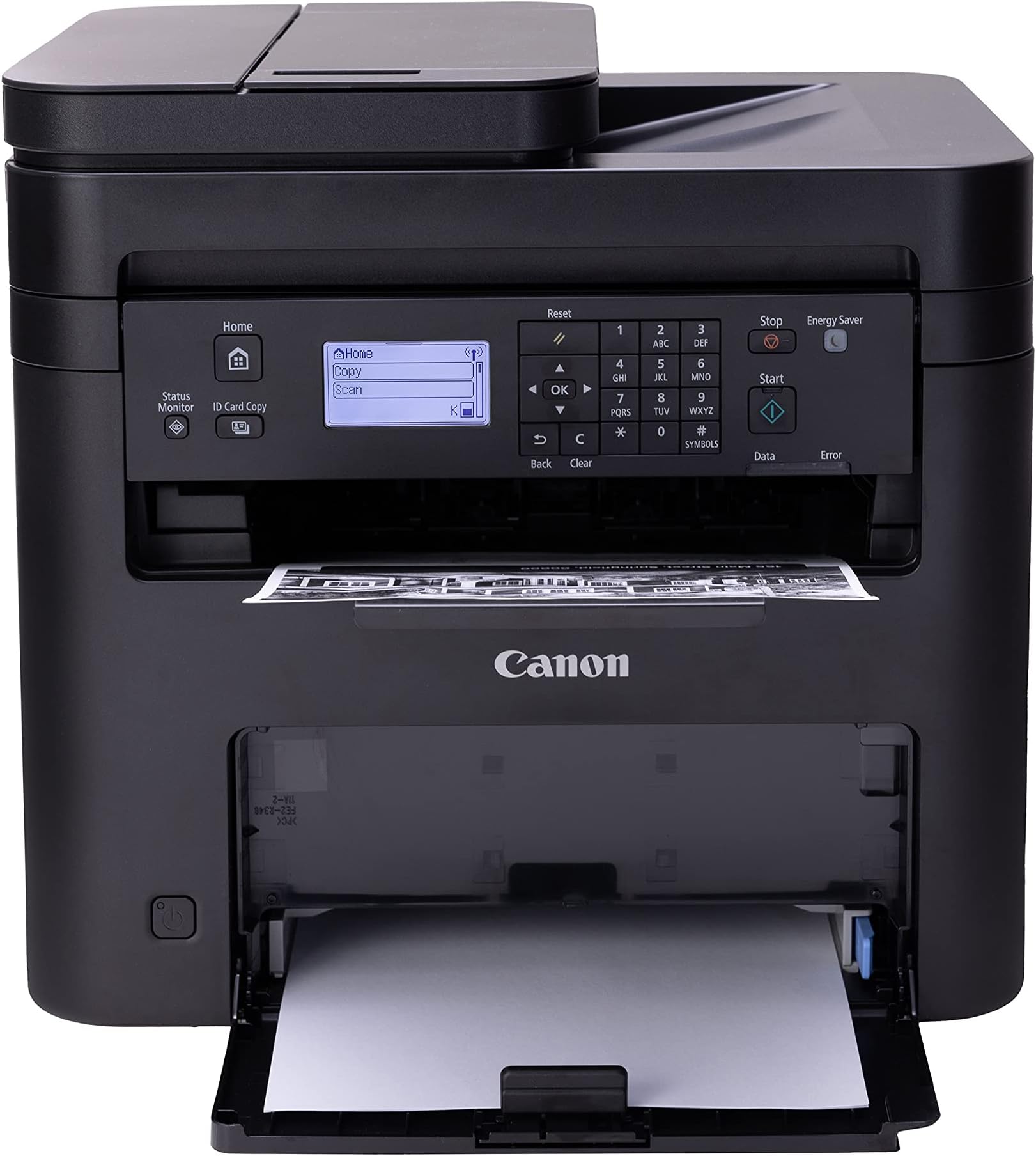
The Canon imageCLASS MF273dw is a monochrome wireless laser printer designed for home and small office use. It delivers fast printing at 30 pages per minute with a first print out in just 5.3 seconds. Featuring 3-in-1 functionalityโprint, copy, and scanโwith an auto document feeder and automatic duplex printing, it boosts productivity while saving paper. Connectivity options include USB, Wi-Fi, and Wi-Fi Direct, ensuring easy setup and versatile device compatibility. Backed by a 1-year limited warranty and Canonโs trusted support, this printer combines professional-quality output with eco-conscious features.


| ASIN | B0C34DKSCN |
| Additional Printer Functions | Scan |
| B&W Pages per Minute | 30 ppm |
| Best Sellers Rank | #16,070 in Office Products ( See Top 100 in Office Products ) #28 in Laser Computer Printers |
| Brand | Canon |
| Built-In Media | Cartridge 071 Black, Starter - 700 Yield, Documentation, MF273dw Product, Power Cord |
| Color | Black |
| Compatible Devices | Laptops |
| Connectivity Technology | USB, Wi-Fi, WiFI Direct Connection |
| Control Method | Remote |
| Customer Reviews | 4.3 out of 5 stars 468 Reviews |
| Display Type | LCD |
| Dual-sided printing | Yes |
| Duplex | Automatic |
| EU Spare Part Availability Duration | 1 Years |
| Global Trade Identification Number | 00013803347463 |
| Hardware Interface | USB |
| Initial Page Print Time | 5.3 Seconds |
| Ink Color | Black |
| Item Dimensions D x W x H | 14.6"D x 15.4"W x 14.4"H |
| Item Type Name | Laser Printer |
| Item Weight | 24.7 Pounds |
| Manufacturer | Canon |
| Maximum Copy Resolution Black and White | Up to 2400 x 600 dpi |
| Maximum Copy Speed Black and White | 30 ppm |
| Maximum Media Size | 8.5 x 14 inch |
| Maximum Print Resolution Black and White | Up to 2400 x 600 dpi Dots Per Inch |
| Maximum Sheet Capacity | 150 |
| Model Name | imageCLASS MF273dw |
| Model Number | 5621C011 |
| Model Series | MF273 |
| Other Special Features of the Product | Auto Document Feeder, Auto-Duplex, Display Screen, Energy Star, Epeat Qualified |
| Output sheet capacity | 150 |
| Paper Size | Min. 3" x 5" to Max. 8.5" x 14" Inches |
| Print media | Labels |
| Printer Connectivity Type | USB, Wi-Fi, WiFI Direct Connection |
| Printer Output Type | Monochrome |
| Printer Type | Laser |
| Printing Technology | Laser |
| Processor Count | 1 |
| Resolution | 2400 x 600 |
| Scanner Type | Sheetfed |
| Series Number | 273 |
| Special Feature | Auto Document Feeder , Auto-Duplex , Display Screen, Energy Star, Epeat Qualified |
| Total Usb Ports | 1 |
| UPC | 013803347463 |
| Warranty Description | 1 year |
| Warranty Type | Limited |
T**L
I would recommend but read review
I want to start by letting you know I bought this printer for home use not for constant or high volume printing, so this is for what I use it for. Very nice printer. Wi-fi works great, prints clearly and quickly. The ink lasts a long time and works with all my devices. Windows computer and android devices, don't know with apple products. Setup instructions were easy to follow and setup was quick.
L**E
My most important home-office tool
Great price for a good working printer. It came with toner included so I was able to print right away. I connected it to my laptop with a USB printer cord (not included). Set up was easy by downloading the drivers from the Canon website. The computer came with the drivers on a cd, but I don't have a disk drive anymore. It is similar my 14 year-old printer which no longer is supported, so using this new one was easy. I wish it had a separate paper feeder for envelopes and other sizes, but I can still print those by taking extra steps to select the paper details manually on the control panel. I like that I can scan using the feeder or the flat tray. The control panel is fairly easy to use, but you have to remember to use the arrow keys and OK button to make your selections, as it is not a touch screen control. It is nice looking, but most of all, it makes my home office more professional, as the laser copies are better than inkjet ones. It can print documents double-sided, which helps save paper and space in my file. Also, the laser printer is more cost-effective when it comes to laser toner vs ink-jet ink. Before you make your selection of a printer, make sure it has all the features you want / need.
F**K
Easy Setup and Use!
This was an upgrade to a previous printer that I had, and this one does it all. It makes prints clear, crips copies quickly! Within about two seconds after you click on 'Print,' it is coming out the front! No need to use your computer to copy items, they can be done 'stand alone' with the printer and simply select Print and push the Start button. And on top of all that, it will make double sided copies! All, neatly and quickly. A great, affordable upgrade, try one.
J**Y
What a great multifunction printer!
This was on sale at Christmas and I was tired of my inkjet always not working as the ink dried up from non use. This laser printer has been flawless, and was easy to setup. It's quiet, easy to use, works great with my Mac and iPhone for printing and the big bonus is the laser toner doesn't go bad! I didn't need color printing for the most part (I usually send pics to walmart for color anyways) so for my needs; printing and scanning it's the perfect choice.
B**J
The best printer manufacturer I have ever owned
I was tired of buying 4 colors of ink for my CANON Maxify color inkjet printer especially when I rarely needed color prints. I bought this machine because I remember what great print quality laser print was in my first printer long ago. The laser cartridge extended is less than 4 ink cartridges and you get so many more pages - plus if a page gets wet, laser print does not run. I was happy with everything about this printer except that it didn't scan both sides of the page. I returned it and got the 269dw+ which was $90 more but well worth it! Canon is so superior to the major brand with 2 letters that I bought for years. Canon isn't a nightmare to connect to wifi or keep connected. Works great with my android phone too!
S**D
NASTY Printer! UGLY problems!
FIRST KNOW: CANON recommends a MAXIMUM of 50 pages in the tray! If I knew about this "design flaw" in advance it would have been a "deal breaker". Working on projects with focus elsewhere, ALL prints STOP until I refill that pathetically 'small tray' ~ again! That's really DUMB! This Canon took quite a while to set up, but "FINALLY" ~ ONE "Test Print" delivered! After that ONE PRINT absolutely NOTHING else would! Instead it was HOURS of ERROR after ERRORS ~ ALL reporting the same: 'NO PAPER'!? AFTER locating and installing EVERY newest Firmware and Drivers I could find ~ STILL NO prints! And yes, I *RESET often and did my best to provide a clean/new slate and "environment" for this *Canon. GOOGLE provided FIX after fix, but NOTHING worked! One fix offered: 'Fool the printer' and Set the Paper TYPE to 'BOND". WHY so many GOOGLE pages of Canon MF273 problems and fixes?? To be fair I add this Canon found and accepted our WiFi network with no apparent problems. But it was Saturday night, Canon Support was closed and still NO printing. Sunday AM I reconnected 'AC' and SUDDENLY ~ this Printer started WORKING!?! I honestly, I have NO idea what made things right? Now the truth is; I'm afraid to turn this Canon off!? Will it WORK again after it reboots?? VOLUMES have been written about "CUSTOMER PERCEPTIONS" ~ ESPECIALLY a "NEW" customer, so I close with this: CANON has been selling printers for decades AND there is NO EXCUSE for dumping poor/bloated software or products ~ on customers that CANON hopes to WIN and KEEP! So buyers, spend what you need elsewhere, but NOT on this Canon product. I now vow this will be my LAST Canon. Canon and AMAZON want to make money and I get that. But will it be worth YOUR hours of FRUSTRATION buying and installing a turkey product? Yes this Canon finally INSTALLED, but it cost me HOURS OF LIFE I can never recover. [Windows 10 Pro 64 with all of the latest updates offered.] * RESETS with: Registrar Registry Manager (64-bit)
B**B
Very good printer
Tried to cable the printer to my desktop computer, just like my old printer, but it absolutely would NOT recognize the printer. Eventually I figured out the wireless instructions and the printer was recognized immediately. This is my second Canon printer. The first one lasted 15 years. Printer quality is very good. Instructions very bad.
V**E
Good quality printer & reasonably priced.
I prefer laser printers because they are usually cheaper to operate in the long run. I had a very basic Brother black & white printer for years. I loved it because it was incredibly cheap to operate and it was durable. This time I decided to pay a little more and get this Canon IMAGE CLASS MF 273dw with many more features than my old Brother printer. This printer is black & white printer that prints, scans and copies. I rarely really need color prints so I prefer b&w printers over more expensive color printers. It has a 150- sheet paper cassette and a 35-sheet automatic document feeder. It also does duplex printing. This printer prints via wired and wireless WiFi network and Bluetooth. It's also ENERGY STAR and EPAT Silver rated. My only complaints about the printer that it doesn't come with a paper manual. You have to download the manual. I know that's standard procedure with tech products but I prefer paper manuals. It's also a little complicated to set up, especially if you don't use the full manual instead of the quick set-up guide. While the set-up can be a little complicated, especially if you haven't set up a new printer recently, Canon's tech support is excellent. I had a problem with my printer not finding my Wi-Fi network automatically and I had problems manually setting it up. The tech support person I talked to was friendly and knowledgeable. He gave me the information I needed to manually set up the WI-FI connection and when that didn't work he suggested, politely, that it might not be a problem with the printer. After the call I tried to set up the WI-FI connection again and that time the automatic connection worked immediately. A couple of days later I realized my router was intermittently failing and that had caused my initial set-up problems with my printer. I am very happy with my Canon laser printer. The print quality is excellent, it's inexpensive to operate, and it's easy to operate after the set-up is completed. I'm also impressed with Canon's customer service.
H**I
ุงููุฑุชููู ู ูุชูุญู ูุงูู ูุชุญ ูุงูุต
ุนูุฏ ูุชุญ ูุฑุชูู ุงูุทุงุจุนู ูุชููุฏ ุงูู ูุชุฌ ูู ุงุฌุฏ ููุจู ุงูุทุงุจุนู ุงูู ุชุตู ุจุงููู ุจููุชุฑ ู ู ุถู ู ุงูุฃุบุฑุงุถ ุงูุงุณุงุณูู ููุฐุง ุฏููู ุนูู ุงู ุงููุฑุชููู ูุชุญุช ู ู ูุจู ูุงุฎุฐ ู ููุง ุณูู ุงูุทุงุจุนู...
A**R
Excellent Product โฆ without being held hostage
Excellent printer. Canon and HP have both always made solid printers. However I, as many other purchasers & reviewers, refuse to buy an HP printer ever again due to their punitive policies that attempt to force you to buy only their original and overpriced toner. Canon recommends their own toner but does not make it difficult for you to use aftermarket brands. This printer works so well. Air Print from both my Mac and iPhone works so well. Buh bye HP โฆ hello Canon!
C**R
Does itโs job
Easy to set up quick printing, good value.
J**Y
ok
perfect
Y**A
Buy it !!!
price is amazing!! and good printer!
Trustpilot
5 days ago
1 month ago