



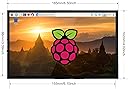
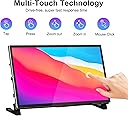
7" Monitor for Raspberry Pi
Product ID: 543747879
Details
- Aspect Ratio17:9
- Brandwisecoco
- ResolutionHD
- Screen Size7 inches
- Screen Surface DescriptionGlossy
📺7-inch IPS touchscreen
🔊Dual built-in speakers
🔌Plug & play HDMI, no extra cables
Desertcart purchases this item on your behalf and handles shipping, customs, and support to Nicaragua.
🚀 Elevate your Raspberry Pi setup with a sleek, all-in-one touchscreen powerhouse!
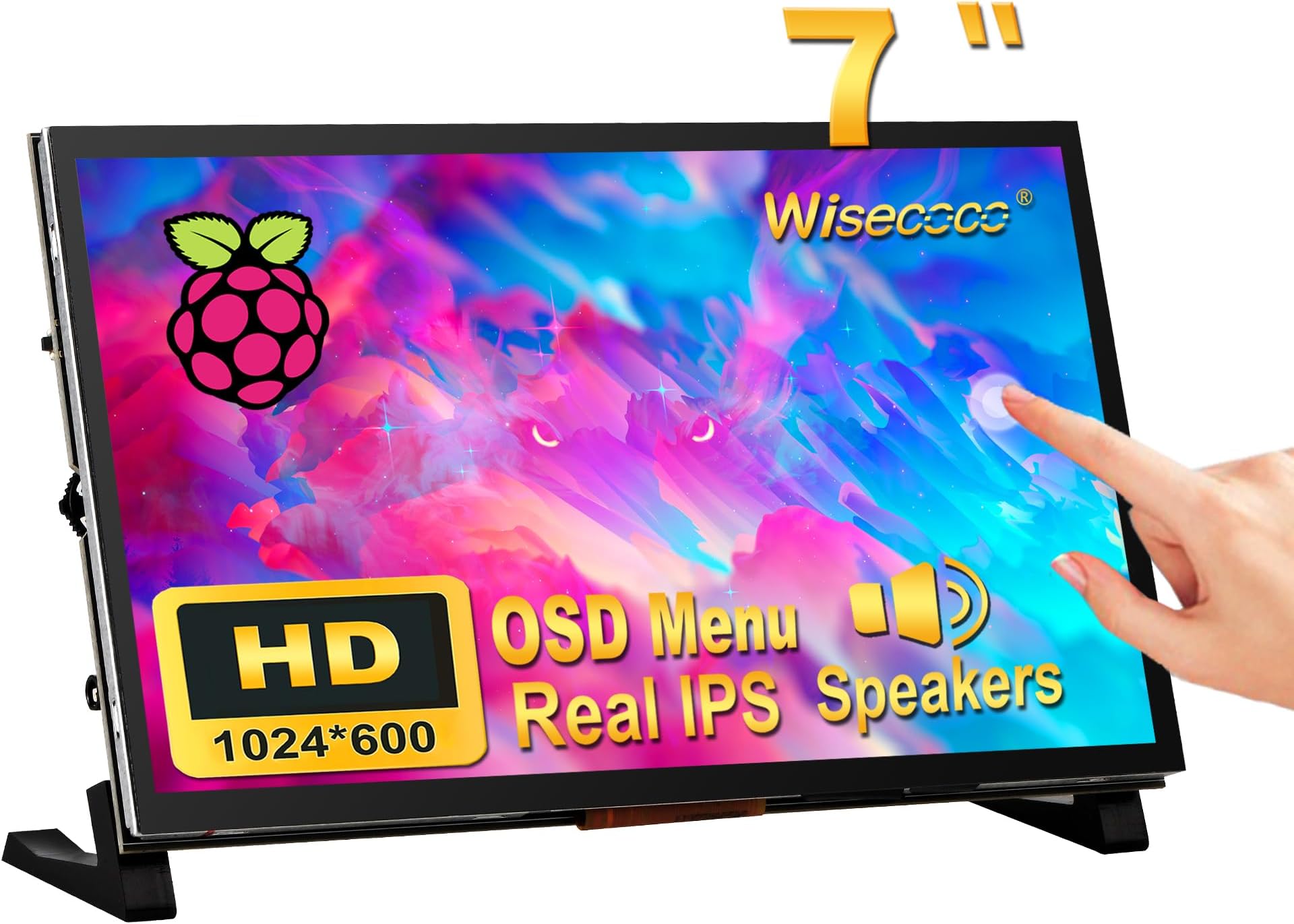
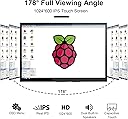
The wisecoco 7-inch portable monitor is a plug-and-play IPS touchscreen designed primarily for Raspberry Pi 3/4/5, featuring a 1024x600 HD resolution with 178° viewing angles, dual built-in speakers, and multi-touch capabilities. It supports HDMI connectivity without extra cables, making it an ideal secondary display for PCs or Raspberry Pi projects, backed by a 1-year warranty.


| ASIN | B0C7BZPC34 |
| Additional Features | Built-In Speakers, Seamless connection with Raspberry Pi 5/4B/3B, Touchscreen |
| Aspect Ratio | 17:9 |
| Best Sellers Rank | #334,916 in Electronics ( See Top 100 in Electronics ) #6,829 in Computer Monitors |
| Brand | wisecoco |
| Brightness | 350 lm |
| Color | Black |
| Connectivity Technology | HDMI |
| Contrast Ratio | 1000:1 |
| Customer Reviews | 3.8 out of 5 stars 35 Reviews |
| Display Resolution Maximum | 1920 x 1080 |
| Display Technology | LCD |
| Display Type | LCD |
| Hardware Connectivity | HDMI, Micro USB 2.0 Type B |
| Image Contrast Ratio | 1000:1 |
| Item Dimensions D x W x H | 0.5"D x 6.5"W x 4.8"H |
| Manufacturer | wisecoco |
| Model Number | R070WS01T7IN |
| Mounting Type | Wall Mount |
| Native Resolution | 1024x600 |
| Number of Component Outputs | 1 |
| Picture Quality Enhancement Technology | IPS |
| Power Consumption | 100 watts |
| Refresh Rate | 60 hertz |
| Resolution | HD |
| Response Time | 3 milliseconds |
| Screen Finish | Glossy |
| Screen Size | 7 inches |
| Screen Surface Description | Glossy |
| Shape | Rectangular |
| Specific Uses For Product | Business, Photo Video Editing, Surveillance |
| Total Number of HDMI Ports | 2 |
| Unit Count | 1 Count |
| Viewing Angle | 178 degrees |
| Warranty Description | 1 year replacement warranty |
| Warranty Type | 1 Year Manufacturer Warranty |
A**R
Perfect display for my DRO project!
I found instructions on how to build a Digital Read Out (DRO) for a mill or lathe machining tools, and they recommended this screen. I wasn't sure how it would work in the machine shop because it sounded a bit small and I didn't know how well the touchscreen would work in a dirty environment. Anyway, it was cheap enough, so I bought it. Then I built the project and finally powered it on and was surprised at how bright and readable the display was and how well the touchscreen worked. I bought another set of equipment so I could have a DRO for my lathe as well. I do recommend this for people who are tech savvy and are building projects that need a touchscreen.
R**H
Good display, poor documentation
The display works well with my raspberry pi 4 b. The instructions for mechanical connecting the board, power input and mounting legs is sorely lacking.
P**N
Worked for a while
Used this with a Ras Pi and initially I was quite pleased, but after about a month, it quit coming on. Seems dead now. Never did find out how to get the touch screen working since there's no real description of what each connector does.
L**S
super duper sharp and pretty bright
I have a Raspberry Pi 5 that I'm hooking to the back of this to use for navigational charts on the boat. OpenCPN runs great on the raspberry pi and this has mounts for it directly. I'm very happy with the display, it has nice controls for brightness, color balance etc.
J**J
Difficult to Set up / No Touchscreen Function
I bought this to use with a Raspberry Pi 4. The idea of the monitor is very good. It is a clean installation when you finally get it installed. The instructions are minimal and missing important steps. For example, they do not mention that you need to install stand-offs or the Pi will contact the monitor because the mounting posts are to short. I was also unable to get the device to work unless I installed two power supplies on it, one for the display and one for the Pi. This was in spite of the fact that I was using Official Raspberry Pi supplies per the instructions. Without the two supplies, the monitor would enter a color cycling phase. I was not able to get the touchscreen to work at all. I don't know if it requires a driver. I have not been able to find anywhere to get support. I was looking to use this as a control device for a smart home. It is unfortunate because the looks like it would be a nice solution if it worked. I am probably going to be returning this device and looking for a different solution.
A**R
Barely works if you're lucky
My whole reasoning for buying this product was to use in combination with a raspberry pi 5 in order to make an apple CarPlay stereo for my car. I began my project months ago and this screen has been nothing but problems. In order to use the screen with a pi 5 you need to use a combination of the pi 3 power adapter and pi 4 video adapter, which is extremely lackluster with actually displaying. Half the time it either wouldn't take the power from the screen, wouldn't take the display from the screen, or the touchscreen feature wouldn't work. There was a point where the screen just completely STOPPED RESPONDING TO ANY POWER OR VIDEO AT ALL AND JUST REFUSED TO TURN ON. After that I literally sat there for half an hour trying to get it to work and eventually it just magically came back to life! Among all of the other things in my project, this has been yet another infuriating roadblock and has cost me a significant amount of time to work with. It has now just chosen to stop responding once more and I am done with this product. I can't speak for compatibility with pi 3 and 4 but if you're using a pi 5 PLEASE find a different screen with better reviews.
M**L
Fantastic Klipper Screen
Installation on a Raspberry Pi 4 worked without a hitch and I got it up and running with KlipperScreen for 3D printing within 15 minutes... The screen is super crip, very bright and super responsive. I only wish there was a matching enclosure & I'll likely end up making my own.
J**S
Works great with Volumio Rivo
Just make sure you plug in the USB for touch screen in the rear panel, not the side panel.
Trustpilot
2 weeks ago
1 month ago