

Desertcart purchases this item on your behalf and handles shipping, customs, and support to Nicaragua.
๐ Elevate your digital signage game with zero hassle and full control!
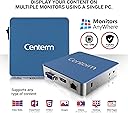
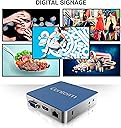
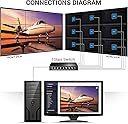
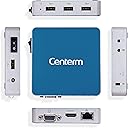
The MAWi ZERO Digital Signage Solution by Monitors AnyWhere revolutionizes multi-screen content management by enabling up to 16 Full HD displays to be controlled from a single PC via HDMI over LAN zero client technology. It supports flexible video wall and multi-zone configurations, eliminating the need for bulky media players or extenders. The package includes the Centerm C75 zero client device, Monitors AnyWhere Connect software, and all necessary licenses, making it a streamlined, professional-grade solution for dynamic digital signage setups.


| Brand | Monitors AnyWhere |
| Product Dimensions | 9.35 x 9.35 x 2.03 cm; 700 g |
| Item model number | FBA_MAW-1 |
| Manufacturer | Monitors AnyWhere |
| Series | FBA_MAW-1 |
| Color | Blue |
| Standing screen display size | 3.1 Inches |
| Screen Resolution | 1920 x 1080 |
| Number of HDMI Ports | 1 |
| Voltage | 75 Volts |
| Are Batteries Included | No |
| Item Weight | 700 g |
W**H
Excellent product
This item does exactly what they say it will do. The software works seamlessly, email support is excellent. This solution is ideal for anyone wanting to display content on a remote monitor. Uses IP addressing, does not flood the network with broadcast data ( like some cheaper models!)
S**.
Five Stars
Helps a lot working on different ideas at the same time
A**N
Low-Cost Alternative to Monthly Digital Signage Subscriptions
UPDATE to 5 stars: see below. The MonitorsAnywhere software, combined with the Centerm hardware, creates a very useful and economical setup for anyone wanting to implement digital signage without expensive infrastructure upgrades (i.e. cabling) or monthly payments. For the most part, this system setup seems to be excellent. The Centerm boxes are excellent. The MonitorsAnywhere software is a little quirky, with some nuances that the user will want to figure out before going live, but the online chat customer support has already helped me several times with remote-in service, where an issue was caused simply by a wrong setting selected in PowerPoint. I am still in the testing and setup phase of my digital signage project, and even already I've noticed a few things I do not like: - Transitions in PowerPoint are clunky. Any transition other than "none" has consistently caused slides to stutter in between one another, sometimes even freezing up entirely in between transition causing a "ghosting" effect of two adjacent slides blurred together. I blame this entirely upon the "native PowerPoint viewer" that is built into the MonitorsAnywhere software, and I do so because when I ran videos through the VLC video player, they were very smooth and stutter-free. - The PC requirements for a setup are a bit much, as well. Based on the data on the MonitorsAnywhere website, I had to purchase a rather beefy graphics card that put the PC I needed to purchase for this project up over $1,000. To me, that seemed a little over the top. Granted, it will pay for itself in 2 years' time when compared with subscription services, but nevertheless, it was a large initial investment. The fact that this software cannot be used on a Mac is disappointing. The positives do outweigh the negatives, however: - No subscription fees - Compatibility with several useful media (PowerPoint, video, websites, etc.) - Scheduling capabilities that are very versatile - Ability to pull media from the cloud, allowing me to update files at my desk while keeping the host PC stored in a data closet (not also on my desk) - Customer support has been outstanding We used MonitorsAnywhere to set up digital signage in a church narthex. I will be sure to come back and update this periodically based on our experience, but thus far I am satisfied. UPDATE: Immediately after leaving the first review, I was contacted by MonitorsAnywhere with a workaround for the issue I was having with PowerPoint. The tech at MonitorsAnywhere suggested I try using Google Slides instead of PowerPoint Viewer. Slides is a cloud-based app within Google Drive that not only produced smoother transitions and allowed multiple screens to show the same presentation at the same time without having to mirror those screens, but is also a better fit all-around for our particular setup. To reiterate what I shared above, the customer support has been outstanding, and this gave me even more confidence in their product. I am very pleased with my decision to purchase this product!
A**R
Great unique monitor controls!
Great product and great service. I have used their products now for several purposes in our company and love the product. Their support and their help is right on. This is key as putting together several monitors together for a novice can be complicated but their support is pretty good for helping fill in the gap!
P**Q
Five Stars
As expected
Trustpilot
2 months ago
2 weeks ago