Buy anything from 5,000+ international stores. One checkout price. No surprise fees. Join 2M+ shoppers on Desertcart.
Desertcart purchases this item on your behalf and handles shipping, customs, and support to Nicaragua.
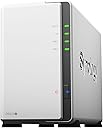
๐ Elevate your data game with Synology DS223j โ your private cloud powerhouse!
The Synology 2-Bay DiskStation DS223j is a compact, energy-efficient NAS solution designed for professionals seeking secure, private cloud storage. Featuring two drive bays for scalable storage, multi-platform access, and comprehensive backup options, it empowers seamless file sharing and data protection. With a sleek design, intuitive DiskStation Manager interface, and smart power scheduling, itโs perfect for managing and safeguarding your digital assets without relying on third-party clouds.


| ASIN | B0C8814GKB |
| Best Sellers Rank | #3 in Network Attached Storage (NAS) Enclosures |
| Brand | Synology |
| Built-In Media | Item |
| Color | White |
| Compatible Devices | Android, Desktop, Laptop, iPhone |
| Customer Reviews | 4.5 out of 5 stars 801 Reviews |
| Enclosure Material | Plastic, Tempered Glass |
| Global Trade Identification Number | 00846504004768 |
| Is Assembly Required | Yes |
| Item Dimensions D x W x H | 6.5"D x 3.94"W x 8.9"H |
| Item Weight | 0.87 Kilograms |
| Manufacturer | Synology |
| Material | Plastic, Tempered Glass |
| Mfr Part Number | DS223j |
| Model Number | DS223j |
| Mounting Type | Tabletop |
| Product Dimensions | 6.5"D x 3.94"W x 8.9"H |
| Size | 2-bay |
| UPC | 846504004768 |
| Unit Count | 1.0 Count |
| Warranty Description | 2 years |
W**N
Up up and away!
Finally took the plunge into getting a more solid backup solution. I have been backing up stuff for YEARS due to a heavy lost back in the 90's. So since then I've started to back up religiously!! The sad part is back in the 90's the HD was like what... 3GB maybe 6GB. Now you got TB's. Well more stuff on 1 disk, but if that disk dies or fails.... you are SOL right. Well, I've been just backing up from drive to drive piggy backing if you will and finally I decided to try a better solution with this drive/backup system. It was recommend by someone in IT as pretty decent and it didn't break the bank! So I got it, came pretty fast I think 4 days max along with a 14TB drive (different order) this thing doesn't come w/ a drive just so you know. Setup was pretty easy, but the interface is something I was not familiar with, so it took a little bit to get use to it, but now after a month or so its just doing its thing since I have it setup. PRO's - Nice design (looks nice), easy to open/close get your drive in etc. It also has USB port in the back which is excellent! I hooked up all my (old drives to be backed up) and once setup, I was able to transfer easily from those drives to my big 14TB. So pleased with that. The webpage/browser access is ok, lots of stuff which I have no clue how to use or why I would use it... Just wanted a drive that I could "share on network" without having to have it hooked up to a pc/laptop running 24/7. This does the trick as it has a network cable and is accessible without a PC being hooked up to it. *Although I haven't figured out how to access it lol* But hey any access I need I am at home so all good for me. For your techies you can probably figure out the offsite access fairly easy I am sure. Ohhhh one feature I did understand and was able to setup really easy is this power on/off of the drive. You can setup a power off and power on time, which is cool and I think that helps because I have it turn off like midnight and then back on around 7am. So it gets a little breather..... as I am sleeping. hahahahaha CON's - Hmmm the software is bit complicated for my taste, but maybe these types of setup are ALL like this so it may not be a huge CON if that makes sense. The stuff I needed to figure out and to use I did, so if you are along my speed (know enough to be dangerous) you should be fine. The only CON and its not huge, but it drives me crazy is this one. So when you plug in a USB drive to the system.... it calls the drive USB SHARED 1. I'd like to change the name to something I can remember... so my naming convention was out the window and luckily I still had my old laptop hooked up to figure out what drive what was so I could AT LEAST keep the (drive letter) the same. That I was familiar with so a little pain, but workable. Overall.... SOLID! I'd get this again for sure! If you don't have the $$$ for a larger drive system (like 4) then this TWO drive system is affordable and solid so far. I think there is even a RAID function for cloning drives in the system if you want to do that, but for me I just wanted to backup the other USB drives I had to another drive and I've done that. So I have 1 slot open for a drive to expand when the time comes. Maybe when I get bored I will look into the webpage "apps" and see what all I can do. There are photo apps and things which I think will let you share photos.... its basically like your "own" personal cloud although I don't have it setup for access like that it would seem. I did however get my PLEX stuff over to the drive and so that's cool! Hope this is somewhat helpful for at least those who may now be as knowledgeable like myself with these setups. :-)
A**V
Far better than WD EX2. Like WAY BETTER
I used a Western Digital MyCloud ex2 for 8 years, however the last handful of years it wasn't doing what it was intended to. I originally got a NAS to automatically back up our family mobile phone pictures as we don't subscribe to cloud storage, nor do I want my personal data in someone else's data center, no matter how secure they say it is. Western digitmade updates to Thier platform requiring the mobile app authenticate using cloud services vs connect directly over the local network. My NAS intentionally has no connection to the Internet, only our local network. With the Synology device, not only was it extremely simple to setup, the interface is amazing and not clunky like the WD EX2 was. It's a Linux desktop view and runs flawlessly in your web browser. Setting up raid 1, volumes, and shares was a breeze. User setup also simple and the way permissions is configured is simple and practical. They put a lot of work making the configuration process flow easy to follow. Most importantly, this is way faster than my EX2 was and the Synology photos app works perfectly for automated mobile backup and stays on the local network. I really like how the app gives options on when to backup, so I can say I want my phone to only backup when it's on the charger. The only downside, is the Synology device would not read my 2TB Hitachi drives. I can't complain as these drives are not on the compatibility list, but the device had no problem reading some very old SSDs that I had. It wasn't a huge deal, as it pushed me to increase capacity which I should do anyway. I purchased two WD 4TB drives on the compatibility list which worked fine. This device overall is doing exactly what I purchased it to do, it's performance faster with data transfera over my local network compared to the EX2, and the price was more than acceptable given the feature list. Last but not least, unlike the EX2, I connected my USB backup drive and restored to the Synology by drag and dropping in the Synology desktop. Was soooneasy, and took 1.5 hours to restore via direct connection vs transferring from USB, through my computer, then over the network which takes nearly 8 hours. Would buy again.
M**E
Clean, Simple, Reliable NAS Server
My original DS218j developed a bad hard drive after eight years of use. While unable to find a replacement drive, I opted to upgrade my NAS server as well in garnering better memory, specs, etc. Please note, I use this strictly for home use vs paying for monthly cloud storage. There are a lot of buying options for this server, but Amazon had the best price with the quickest delivery. My challenge was finding the hard drives. I had no idea their availability and cost had significantly changed. All said and done, this new server is up and working after using Hyper Backup. No issues. No complaints. Added comment - Synology is available 24/7 to address any support questions.
K**J
Nice unit, with good drive capacity support.
Very happy with this NAS box. I had an older Synology 2-bay model with 2tb drives in it. I picked this one up to support larger drives and dropped a pair of 14tb Western Digital drives into it with no issues. They are not NAS specific drives, but they have been working fine. I've got it hard wired into my network via ethernet cable, so no slowness issues. Generally the unit is quiet - I have it in my living room to keep it close to my FIOS router, and the unit itself doesn't produce any fan noise. There are drive sounds that will depend on the drives you put into it. I was able to create mapped network drives as SMB shares for the WIndows PCs on my network, and use the software available from Synology to set up a handful of network/storage services (providing an experience similar to OneDrive, but all housed locally)
S**S
Great Starter NAS โ Does a Lot for the Price
Iโve been using the Synology DS223j since February 2024, and itโs been solid. I bought it because I wanted something affordable but still capable, and this thing checked all the boxes. I threw in two Seagate IronWolf 4TB drives and set it up mainly to back up family photos. The Photos app from Synology makes that seamless โ every phone in the house just backs up to it automatically. Setup was easy, but letโs be real โ you still need to be somewhat tech-savvy. If youโre comfortable using a computer and not scared to follow a setup wizard, youโll be fine. Synology does a good job walking you through everything, including setting up local and remote access. Iโve got both bookmarked and can access the NAS from anywhere. Performance is good โ not blazing fast, but good enough. It slows down a little if youโve got a few things running at once. I use Photos and Surveillance Station, and sometimes thereโs a delay when spinning up the drives or opening up folders. But for the price and what itโs doing, Iโm not mad at it. Right now itโs: Backing up all my familyโs photos and videos Running Surveillance Station for my security cams Acting as a DNS server for my home network Running a VPN server Hosting a file server Syncing with Google Drive Handling MFA logins Itโs honestly a fun little box to mess with. And Synologyโs mobile apps for everything make it really easy to use on the go. Favorite part? It's cheaper than iCloud or any other cloud service in the long run. Biggest downside? Youโve got to manage the storage yourself. That means understanding how capacity works and keeping an eye on your usage. But once you get it, itโs not hard โ and actually kind of satisfying. If you're a beginner looking to get into NAS, this is the move. If you're a photographer, videographer, or just tired of paying for cloud storage, itโs a great long-term option. And this model look great on my desk.
M**E
Simple Solution That Just Works
I wanted my own NAS to back up our family files. Originally I was going to make one using some hardware I had laying around. But I simply donโt have time to build and maintain my own custom NAS. After doing some research I settled on Synology. Iโve had it for about a year now. A modest setup (2 4TB WD Reds with Raid 1 configuration) and Iโve been pleasantly surprised so far. Setup was as easy as installing the drives, turning it on, and following the prompts. Setting up Connect was simple. Accessing files through Connect or file explorer, on Windows and Linux, is seamless. I would say I was up and running within a couple of hours of starting. Plenty of onboard applications for managing files. Robust yet simple options to manage access. A nice feature is the automatic photos backup that syncs to your phone. Once configured it will back up any new photos whenever your phone is on WiFi. My only criticism is you are limited to the compatible applications offered through Synologyโs catalog. I havenโt found a way to side load other applications. But thatโs the price I pay for having a self maintained system that just works. Make sure you use NAS appropriate drives (like WD red). Your satisfaction and usability using non NAS rated drives will vary. Donโt use cheap drives if you care about your data. That goes for any NAS.
J**N
Can't recommend what never worked
We ordered one of these after our Asustor NAS died. It arrived and was set up per instructions, and never connected to the router. No IP could be found. In fact, no connection to it was ever established. Assuming it was a flaw in manufacturing, it was returned for a replacement. The replacement arrived and did the EXACT SAME THING. The error code indicated that it having no operating system was one of the reasons why it wasn't working. The other two potential reasons were no disks installed (Identical, unformatted disks were installed per the usual routine for NAS's) or that it had a "loss of configuration" status. You can't really lose what you never had, so I'm assuming it was no OS. BOTH DRIVES were returned, and a refund should be issued. AMAZON did a GREAT job getting the replacement to us, so no issues there. It's that they shipped it in a plastic bag. Typically electronics do NOT do well in plastic bags, so my guess (supported only by the possibility that this is what happened) is that the METHOD of shipping was such that a static charge could build up on the bag, and cause sufficient EM interference to detrimentally impact the memory. The NAS is mostly built out of plastic, too, which while an insulator, does nothing to stop EM radiation from passing right through it. Metal would have been better, but there wasn't enough metal in it to provide sufficient shielding. Again, that's a guess, because I can't for the life of me imagine that something like a consumer-level NAS as this is would ship without a functioning OS installed. I've set up probably half a dozen of these kinds of devices in the past, I know what is needed to ground things, and do practice good electronics hygiene when working on these. So it wasn't anything I did. It was the device (BOTH of them). I can't recommend what never worked. Two for two DOA (or at least with a blinking status light saying it wasn't going to work) gives it a one star, and it didn't even deserve that much praise. Your mileage may vary, but if it arrives in a plastic bag, I'd be concerned.
K**N
Great as a NAS in our home network.
I have been using this for a few years now. I love it. It has been reliable as a NAS that services 4-5 computers in our home. The speeds are fast so you don't really notice that you are saving data over a network. This makes back-up a breeze and safeguards everyone's data all at once. I highly recommend it.
L**1
Gut
Gutes NAS . Leicht einzurichten. Bisher ohne Probleme .Kein Zwang zu Cloud .
C**E
Does exactly what it should, straight out of the box, painlessly.
This is the least painful setup / configuration experience I have had with any product (including Apple devices) in my entire life. After tossing two SSDs into the internal drive bays, closing it up, plugging it in and pressing the power switch, the DS233J detected both drives, and proceeded to initialise and configure itself pretty much on auto-pilot (while still providing lots of options to fiddle with, if desired, along the way). The web-based setup assistant is idiot-proof (witness myself; exhibit A!), and the only extra step involved in my particular case, was quickly installing the Media Server app from within the web-based management environment (said installation took around 5 seconds, total), at which point, my smart TV immediately recognised the DS233J as a valid input source, and away it went, streaming movies, photos, etc. Network access to the RAID array in the NAS was seamless, from all devices in the house (Chromebook, Mac, Windows PC), and everything functioned as expected, without any further config. hurdles. This thing is small, lightweight, very very quiet (it does have a fan, but it's barely audible even up close), and the setup process and management software are absolutely superb. Even if you barely understand anything about NAS's, filesystems, RAID setups, or DLNA servers, you can have this device up and running within just a few minutes. Basically, it does exactly what it's supposed to, and does it in a way that should make Apple jealous.
S**R
๐๐ผ
๐๐ผ
V**T
Synology DS223J NAS: A Compact Powerhouse
The Synology DS223J NAS impresses with its swift performance and user-friendly interface. Its dual-core processor and intuitive DiskStation Manager software ensure smooth operation for tasks like multimedia streaming and remote access. The sleek design, multiple connectivity options, and built-in applications add to its appeal. While expandability options could be more robust, the DS223J remains a top choice for home and small office environments, offering excellent value and reliability.
T**.
Compact, stable, app easy to use, happy with it
Used for a week, it is good and performs as expected. Phone wireless backup is easy to set up and works smoothly, take a bit of time for first upload a few hundred GB of media. The app is user-friendly, making setup and file sharing simple. App will stop when you use the iphone even focus mode enabled. That can be improved though. Overall, itโs smaller and better than expected for daily home use. Iโm using normal older HDDs and it still runs well. There is a bit of noise when itโs running, but itโs acceptable.
Trustpilot
4 days ago
1 month ago