🚀 Upgrade your rig, outrun the future!
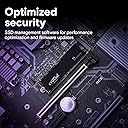
The Crucial P3 1TB M.2 PCIe Gen3 NVMe SSD delivers blazing sequential read speeds up to 3500MB/s and robust random IOPS, offering a massive 1TB capacity with exceptional reliability rated at over 1.5 million hours MTTF. Designed for professionals and gamers alike, it features advanced Micron 3D NAND technology, smart SSD management software, and a 5-year warranty, making it the ultimate upgrade for lightning-fast, dependable storage.


| ASIN | B0C2WGL8DQ |
| Best Sellers Rank | 16,966 in Computers & Accessories ( See Top 100 in Computers & Accessories ) 107 in Internal Solid State Drives |
| Box Contents | Crucial P3, Crucial® Storage Executive, Acronis® True Image für Crucial, Einfache Installationsanleitung für Crucial SSDs, Bis zu 80% Ersparnis bei Acronis Cyber Protect Home |
| Brand | Crucial |
| Brand Name | Crucial |
| Cache Memory Installed Size | 1 |
| Compatible Devices | Desktop |
| Connectivity technology | CT1000P3SSD801, NVMe (PCIe Gen 3 x4) |
| Customer Package Type | Individually packaged |
| Customer Reviews | 4.7 out of 5 stars 48,974 Reviews |
| Data Transfer Rate | 3500 Megabytes Per Second |
| Digital Storage Capacity | 1000 GB |
| Digital storage capacity | 1000 GB |
| Enclosure Material | Nand |
| Form Factor | M.2 |
| Hard Disk Description | Solid State Drive |
| Hard Disk Form Factor | 2.5 Inches |
| Hard Disk Interface | NVMe |
| Hard disk form factor | 2.5 Inches |
| Hard disk interface | NVMe |
| Hard-Drive Size | 1 TB |
| Hardware Connectivity | PCI Express x4 |
| Installation Type | Internal Hard Drive |
| Item Dimensions L x W x Thickness | 8L x 2.2W x 0.2Th centimetres |
| Item Weight | 17 Grams |
| Manufacturer | Crucial |
| Manufacturer Part Number | CT1000P3SSD801 |
| Media Speed | 3.5E+3 megabytes_per_second |
| Model Name | Crucial P3 |
| Model Number | CT1000P3SSD801 |
| Network Connectivity Technology | CT1000P3SSD801, NVMe (PCIe Gen 3 x4) |
| Number of Items | 1 |
| Product Features | Portable |
| Product Warranty | Limited Lifetime Warranty |
| Read Speed | 3500 Megabytes Per Second |
| Special feature | Portable |
| Specific Uses For Product | Gaming |
| UPC | 649528938862 |
| Unit Count | 1.0 count |
C**R
Great for fast storage.
Brought this Cruical P3 2TB SSD storage for my PC, mainly for the issues starfield brought to most of us, but have since used it for other games. Arrived quickly although in possibly less packaging than I would have liked for such a delicate piece of hardware, the hard plastic casing was ok, just a little more would have been nice for piece of mind. Installing the SSD was easy, making sure your pc is on it’s side as this makes it a lot easier to mount and secure it straight to the motherboard. Especially if like me there is a graphics card and power supply in the way. Even though it is a Gen 3 it still loads games faster than I need and steam (or other game launchers) can update/ download games on to the SSD much quicker than a standard external SSD on a usb 3 connection. Games load almost instantly and there have been no issues from the SSD when playing/ loading, downloading or updating games. Overall a great bit of kit for a great price and would highly recommend it to anyone looking for a step into the SSD PCIe storage.
G**Y
Just the job!
I bought this SSD to use as "HyperCache" in our new TerraMaster NAS. Crucial SSDs are good quality and I have never had an issue with them. This one is not the quickest device available (being PCLe Gen 3.0), but is more than adequate for my needs (see my CrystalDiskMark screenshot). It's also very reasonably priced. I initially tested it in a USB caddy and it worked fine - albeit not at full speed due to the restrictions of the USB port (Gen 3) on my laptop. CrystalDiskInfo confirms this to be a new device with no errors. In my NAS, it does a great job - markedly improving responsiveness and transfer times. The NAS OS (Linux) shows it to be running well and at a reasonable temperature. With quick delivery too, I am rather chuffed 😀 😊
J**B
Crucial P3 1TB M.2 PCIe Gen3 NVMe Internal SSD
The Crucial P3 1TB M.2 PCIe Gen3 NVMe Internal SSD is an exceptional storage solution that delivers outstanding performance, reliability, and efficiency. With its impressive speed, responsiveness, and top-notch customer support, it stands out as a top choice for users seeking high-quality storage solutions for their computing needs. One of the most noteworthy features of the Crucial P3 SSD is its outstanding quality. Built with reliability in mind, this SSD is crafted with premium components and undergoes rigorous testing to ensure durability and long-term performance. Whether used for gaming, content creation, or everyday computing tasks, users can trust the Crucial P3 SSD to deliver consistent and reliable performance day in and day out. In terms of speed, the Crucial P3 SSD does not disappoint. With its PCIe Gen3 NVMe interface, it offers blazing-fast data transfer speeds that significantly reduce load times and improve overall system responsiveness. Whether booting up your system, launching applications, or transferring large files, the Crucial P3 SSD ensures a smooth and seamless computing experience. Furthermore, the quick response from Crucial's customer support team adds to the overall satisfaction of users. Should any issues or questions arise, users can rely on prompt and helpful assistance from the knowledgeable support staff, ensuring a positive experience from start to finish. Overall, the Crucial P3 1TB M.2 PCIe Gen3 NVMe Internal SSD is a stellar storage solution that excels in quality, speed, efficiency, and customer support. With its exceptional performance and reliability, users can confidently recommend the Crucial P3 SSD to others seeking a high-quality storage solution for their computing needs.
L**O
Best "budget" range SSD but be warned
This model has very good reviews against top dogs such as Samsung. Unless you're doing high demand workloads and transferring loads of heavy files, this SSD is more than enough for the average user. My games load A LOT faster compared to my external SSD at 300MB/s - as my previous storage unit burned out. Warranty life is a lot lower in comparison against other brands, and also the lack of Cache chip makes it reliant on its own storage space to buffer some work. As soon you reach over 75% of storage, the transfer speeds will plummet below 100MB/s. Transfer speeds are very consistent, making it a perfect unit for booting and running applications from it, as long you're not looking to fill it to the brim. It's very good money for value when it comes to performance.
T**U
fast and reliable SSD
The SSD is very fast and responsive, with sequential read and write speeds up to 3500MB/s and 3000MB/s respectively. It also has a high endurance rating of 600 TBW (terabytes written) for the 1TB model, which means it can last for a long time without losing performance or reliability. The SSD also supports hardware encryption and has a 5-year limited warranty. The only downside I can think of is that the SSD runs a bit hot under heavy load, so you might want to install a heatsink or a fan to keep it cool. Also, the price is a bit high compared to some other SSDs with similar specifications, but I think it’s worth it for the quality and performance you get. Pros: +Fast and responsive +High endurance and reliability +Easy installation and cloning software +Hardware encryption and warranty Cons: -Runs hot under heavy load Reasons to buy: *You want to upgrade your PC with a fast and reliable SSD *You need a high-capacity SSD that can store a lot of files, documents, photos, videos, games, etc. *You value security and data protection Reasons to avoid: *You are on a tight budget and don’t need the extra speed or features *You have a laptop or PC that doesn’t support NVMe M.2 SSDs *You are concerned about heat and power consumption
J**S
A really good product which meets its specifications
I bought this to replace 2 SSDs on my Debian PC. It was easy to fit. I used Clonezilla Live to clone the SATA SSD holding my operating system to this new M.2 disk, then removed the old SATA SSD and rebooted. All good. Then I used rsync to copy all data from the second USB 3.0 SSD (used for Steam storage and VMs) to a new partition on the M.2. Again, all good. It was all amazingly speedy and there were no issues. Write speeds are excellent. I don't know the size of the cache on these but it must be enormous. I tested write speed with cache enabled and copied 100 GiB to the M.2: "dd bs=1M count=102400 if=/dev/zero of=/home/julian/Games/test.img status=progress ;sync" result: "107374182400 bytes (107 GB, 100 GiB) copied, 31.4855 s, 3.4 GB/s" 31 seconds to copy 100GiB is fine! That's on XFS filesystem btw. With the cache totally disabled (running dd with oflag=dsync) the write speeds drop to about 290 MB/s but in real life the cache is so huge that unless you're copying terabyte size files then this is unlikely to ever arise. I didn't measure read speeds but in practise I get massively quicker start up times for my Windows 10 virtual machine, and I find the really big Steam games load much more quickly. There are newer generation M.2 disks which support PCIe Gen4 but my board is PCIe Gen3 and I think this disk actually performs as well as is possible for a Gen3. Overall this seems like a really good product which meets its specifications.
S**D
Feels Like a new PC from the future
I'd been wanting an SSD for years but couldn't justify the cost of a 1gb drive. But when the prime sales came up it looked more agreeable. This is relatively easy to install and will fit into the M2 slot on your motherboard. Ignore the pci-e ports or it will be flapping in the wind ready to cause trouble. I did have to remove and refit my graphics card to fit this but that's no huge burden and is easier than faffing with sata cables and routing. You will have to carry out an initial format before use to prep the drive. Depending on your plans and what Operating system you are using / installing will depend on how it's done. I was using windows 10 so went to computer management> disc management and prepared new simple drive. After formatting I then did a clean install of Windows 11 from usb stick. If you are switching from a conventional HDD to SSD you will have to go into the bios and change your boot order and a few other settings (just search YouTube for the name of your motherboard and enable SSD). There are lots of guides available. There is quite a bit of support documentation on the crucial site but it is basic and going under the idea of everything in ideal condition.. and of course your OS behaving. I setup a partition for a few 100gb for the OS and the rest as a secondary drive for games. What a difference! My pc now boots up in seconds instead of minutes.i often click the power button on the base unit and look up to say "what? Already? That can't be it.I was gonna go grab a cuppa." Stability is excellent and instead of loading things are just available. There's no waiting or buffering.it's just there ready. This really has made a world of difference. The only negative is that it will show you how slow your internet speeds are. Good quality and value. highly recommend. Thank you for reading my review. I hope you found it useful
A**R
Inexpensive, reasonably speedy storage for incremental backup purposes. Comes with the screw!
Used primarily as external storage for backing up my music, speed isn't that essential for me, but it was nonetheless quick to transfer around 400GB, matching the good speeds others have mentioned here and didn't get too warm while doing so. It fitted easily into the external enclosure (I bought this one: https://www.amazon.co.uk/dp/B0BGS3NZ4C?ref=ppx_yo2ov_dt_b_fed_asin_title ), was immediately recognised by my PC, then after initialising was ready to be loaded. It works well for my purpose, so with only small file transfers being carried out from now on I hope it will last a good length of time. Lastly, it comes packed with the all-important screw! Highly recommended if you've you've got a similar need to mine, though obviously it would be faster fitted as an internal drive.
D**S
Memnun kaldım
Sorunsuz çalışıyor. Çok memnun kaldım. İçerisinden küçük bir vida var ama benim anakartımda zaten M2 vidası vardı bu nedenle montajı kolay oldu
H**N
Great Deal
Very Good Item Good Price
M**D
facile a installer , rapide et correspond a la description
Conforme a la description , installation facile , ce M2 est suffisement rapide pour un usage normal et gamer , pour un usage plus lourd ( gros volume de fichiers ) je conseille plutot le P3 plus , j'ai testé le transfert d'un dossier de 60Gb , il s'est effectué totalement en 68 secondes contre 316 secondes sur un samsung 870 evo ' ( ssd 2.5 )
S**S
Transformative Speed and Reliability – Crucial 2TB PCIe NVMe M.2 SSD
After installing the Crucial 2TB PCIe 3.0 NVMe M.2 SSD in my Dell XPS 9560, I ran a series of benchmarks using CrystalDiskMark 8.0.1 to see if the upgrade was worth it. The results were nothing short of spectacular, confirming that this SSD is a top-tier performer. Performance Overview: Sequential Read/Write (Q8T1): The SSD achieved an astonishing 3153.94 MB/s read and 2974.02 MB/s write speeds. This shows that the SSD can handle large file transfers incredibly efficiently, which is perfect for video editing and data analysis. Sequential Read/Write (Q1T1): It recorded 2230.71 MB/s read and 2568.10 MB/s write speeds. These speeds are reflective of typical daily usage and suggest significant improvements in application loading and file access over traditional SSDs. Random Read/Write (4KB Q32T1): With 342.65 MB/s read and 182.53 MB/s write speeds, the drive excels in multitasking and complex operations, which are common in system operations and during multiple applications running. Random Read/Write (4KB Q1T1): Achieving 48.49 MB/s read and 123.72 MB/s write, the SSD proves it can handle random data requests efficiently, enhancing overall system responsiveness. Final Thoughts: The Crucial 2TB PCIe NVMe M.2 SSD delivers exceptional performance that has breathed new life into my Dell XPS 9560. The incredible speeds significantly reduce load times and improve the system's ability to handle demanding applications and large files. Whether it's for professional use or daily computing, this SSD proves to be an excellent investment for anyone looking to upgrade their system. Highly recommended for its superior performance and reliability!
F**M
Performans fiyat ürünü
Ürün açıklamasında ne denildiyse o şekilde çıktı. Onca zamandır kullanıyorum ve sanırım yıllaca da çalışacak gibi görünüyor. Harici depolama ünitesi olarak kullanıyorum. Veri yükleme ve yazma iyi. Beklentilerimi karşıladı.
Trustpilot
3 days ago
2 months ago