
Desertcart purchases this item on your behalf and handles shipping, customs, and support to Nicaragua.
🎯 Clean Lens, Clear Wins: Elevate Your Media Experience Now!
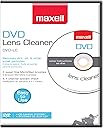
Maxell DVD-LC DVD Lens Cleaner uses ultra-fine copper-infused microfiber brushes to clean and demagnetize DVD and Blu-Ray player lenses, improving playback quality by reducing skips, freezes, and slow loading. Recommended for use every 10 hours and compatible with a wide range of devices including laptops, Xbox, and PS1/2 systems.


| Asin | B00000JPPI |
| Best Sellers Rank | #334 in Video Games (See Top 100 in Video Games) #7 in Xbox Accessories |
| Brand | Maxell |
| Built In Media | Dvd Lens Cleaner |
| Color | White |
| Compatible Devices | Laptop, Personal Computer |
| Customer Reviews | 4.2 4.2 out of 5 stars (7,163) 4.2 out of 5 stars |
| Enclosure Material | Microfiber |
| Global Trade Identification Number | 00025215190209, 00071020436322 |
| Item Type Name | Blank media care & cleaning. |
| Manufacturer | Maxell |
| Manufacturer Part Number | 190059 |
| Media Type | DVD |
| Model Name | 190059 |
| Model Number | 190059 |
| Number Of Items | 1 |
| Unit Count | 1 Count |
| Upc | 611101717454 031111126143 021111897211 100177449708 102930561214 071020053956 506990779945 071020436322 168141218378 617407284195 660190895949 809386492160 807320249580 252151902096 809187140512 807031772650 847721115602 072202022104 172304199664 956260299510 767887435331 803982949745 025215190209 163120711093 151903402993 |
| Warranty Description | Please contact vendor for warranty information |
| Water Resistance Level | Not Water Resistant |
User
It worked like a charm.
Cleaned my DVD recorder lens after one pass. LifeSaver for my electronics. Good price and easy to use.
User
Restored a Blu-Ray Player
Some of my CD's were no longer playing to the dynamic range I used to hear on my Samsung Blu-Ray DVD player. In particular, horns were sounding a bit tinny. Running this cleaner through the player twice restored the range.
User
I guess it worked - It didn't hurt anything
I purchased this CD/DVD lens cleaner hoping to save an external, portable DVD player-burner that was producing unusable disks. The product did not save the day but I have used it on a couple of other CD/DVD drives that were working but had never been cleaned. I followed the directions and the cleaner functioned as expected. I can't prove that the drives are any cleaner but they all still work perfectly so I can say the cleaner did not damage them. I will put cleaning the drives on my spring cleaning and home maintenance list with hopes that it will prolong the life of our CD/DVD drives.
User
DVD cleaning disc
Works great. I thought I was going to have to buy a new DVD players.
User
Trust your valuable products to Maxell
Unfortunately most folks don't recognize the importance of maintaining CD/DVD disc drives. I've always put my trust in Maxell products, while there are many 3rd party products, I've always believed in trusting my valuable players to a trusted name. the only cases where this product did not work is in cases where there is already severe damage to the player heads. In general with routing cleaning this is a superb product, make sure you buy the right one for your device. Brush configurations differ appropriately
User
Didn't Work
Using this was kind of a waste of time and money. Didn't fix the problem I was having with the blu rays and it did not "voice" walk me through the process. Notice before I first used it that there was slight scratches and scuff marks on the edge of the inside disc. Don't know if this had anything to do with it not working.
User
DO NOT PICK AT THE BUMPS ON THE PLAYING SURFACE: Micro Cleaning Brushes
DO NOT PICK AT THE 3 LITTLE BUMPS ON THE PLAYING SURFACE.The Maxell 190050 DVD cleaner came quickly. I opened it up & found no directions written inside the case. Dust cover paper said instructions on rear; so after some tugging, I got the paper out & looked at its back for directions. The DVD enclosed had 3 little bumps on the playing surface, which looked like defects in some plastic surface. So I mistakenly picked at them to smooth them out. But that may have damaged the micro cleaning brushes. They don't look like brushes, but tiny defect bumps on a plastic film surface. Directions say to replace product when brush (singular) becomes visibly worn. I don't see any brush anywhere. I thought maybe it was missing until I noticed on the front dust cover it says, "3 Super fine microfiber brushes." So I figure those 3 bumps must be brushes, but I haven't got out a microscope to look to see if they in fact look like brushes.I ran the disc as directed. The disk played & showed directions on screen and video pictures with a menu of choice: like 1) clean disc 2) check L audio speaker , 23 check R audio speaker , etc. So my DVD player was working to the extent that I could see this menu & heard the classical musical background & watch stuff like clouds floating, plants & insects in a video, while it supposedly was cleaning. But when I got thru on first run, my DVD player would still not play my video DVDs. But then after running the cleaner about 3X, I could now play my DVDs. But after running the disc around 20X, it still would not write on the discs, that is, I still could not record onto a DVD. It could be my fault for not reading the dust cover carefully and having picked at the bumps. But I am next going to try Memorex which advertises 6 brushes, but costs a lot more.Of course if the cleaning does not result in fixing your DVD player / recorder, that proves nothing, since there may be some other malfunction causing your player/ recorder not to work (for example, you might have a bad capacitor on a circuit board). Thus I wish I could make this review "Comments Only," but you have to assign stars to post a review.My main beef is lack of warning on the bumps when you open the case. There should be a piece of paper or warning on disc that says, LEAVE THE 3 BUMPS ON THE DVD ALONE; they are tiny cleaning brushes.UPDATE:I bought the Memorex LASER LENS CLEANER FOR DVD ( 32028015 ) after the Maxell did not restore burn/record ability. The Memorex has more microbrushes that the Maxell. After ~ 1 minute of cleaning, the Memorex restored the DVD burner/recorder so that I could now copy titles off my hard drive to my dvd drive (Pioneer DVR).
User
It works!!!
My DVD recorder was not formatting after recording, and I thought I would have to get a repairman to fix it.I read several of the reviews, and decided to purchase this Maxell lens cleaner DVD.I'm so glad I did. I've used it once, and it worked great! I have been able to record two different times, and the DVD recorder is working perfect.Thank you for a great product! I've already told other people about this DVD lens cleaner.
User
Buen producto
Cumplió su cometido.Buena marca.
User
DVD Lens Cleaner with Microfiber Brush System
good product
User
Won't clean CD player - My fault
I have 2 CD players and both mis-track. I foolishly thought a DVD cleaner could also clean a CD player lens. WRONG! The CD player doesn't even recognise the disc.I haven't tried it on my DVD player (which works fine). In good conscience, I can't return it as faulty seeing it was I that was faulty.Lesson learned.
User
Maxell DVD lens duster
runs great, don't loose it if it's not for you. this and another the lazer runs your movies like a dream
User
Read lots of reviews
Did I get old stock? Not effective alas.
Trustpilot
3 weeks ago
1 month ago