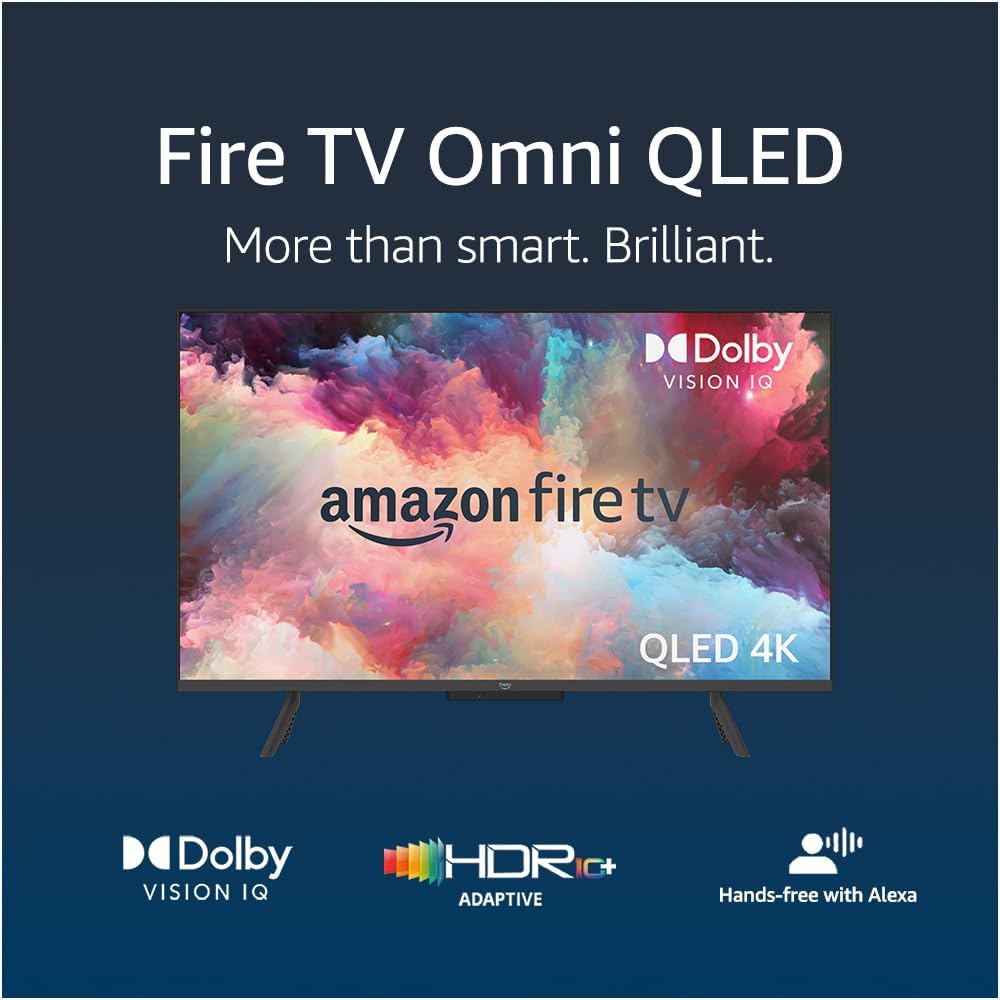




Amazon Fire TV 43-inch Omni QLED series 4K | UHD smart TV, Dolby Vision IQ, hands free with Alexa
Product ID: 517897708
🌈Dolby Vision IQ & HDR10+ Adaptive
📺43-inch 4K QLED Display
🎙️Hands-Free Alexa Voice Control
🔥 Elevate your binge game with Alexa-powered 4K brilliance!
The Amazon Fire TV 43-inch Omni QLED Series delivers a vibrant 4K UHD Quantum Dot display enhanced by Dolby Vision IQ and HDR10+ Adaptive for stunning visuals. Featuring hands-free Alexa voice control, it offers seamless navigation and smart home integration. With 4 HDMI inputs including eARC, it supports multiple devices and premium audio setups. Adaptive brightness and a privacy-focused mic disconnect switch make it a modern, versatile smart TV designed for immersive entertainment and user control.
| Resolution | 3840 x 2160 pixels |
| Display resolution | 4K UHD |
| High Dynamic Range (HDR) format | HDR 10, HLG, HDR10+ Adaptive and Dolby Vision IQ. |
| Backlight type | Screen size 43”: Direct LED Screen size 50”: Full array local dimming Screen size 55”: Full array local dimming |
| Refresh rate | 60 Hz |
| Screen size | Screen size 43” Screen size 50” Screen size 55” |
| Viewable display size | Screen size 43”: 42.5” Screen size 50”: 49.5” Screen size 55”: 54.5” |
| HDMI ports | 3 HDMI 2.0 and an HDMI 2.1 with eARC. |
| Ethernet | 1 Ethernet port. |
| USB | 2 USB 2.0 ports. |
| IR device control with included Fire TV Alexa Voice Remote | The included Fire TV Alexa Voice Remote can control certain functions, such as power and volume, on a wide range of compatible IR-enabled devices, soundbars and A/V receivers. Note: certain functions may not be available on some IR-enabled devices. |
| Voice support | Yes, hands free with Alexa. Press and ask Alexa with the Fire TV Alexa Voice Remote or the free Fire TV app (available for download on Fire OS, Android and iOS). |
| Audio support | Dolby Digital Plus with pass-through of Dolby-encoded audio. |
| Audio power | 12 W + 12 W |
| OS | Fire TV OS |
| Product size without stand (WxHxD) | Screen size 43”: 95.6 x 57.4 x 8.4 cm Screen size 50”: 112.0 x 66.1 x 8.4 cm Screen size 55”: 123.2 x 72.6 x 8.4 cm |
| Weight (without stand) | Screen size 43”: 8.5 kg Screen size 50”: 11.2 kg Screen size 55”: 15.5 kg |
| Bezel size | 1.2 mm |
| Front finish | Grey metal |
| Distance between TV legs | Screen size 43”: 70 cm Screen size 50”: 103 cm Screen size 55”: 118 cm |
| SKU number | Screen size 43”: QL43F601U Screen size 50”: QL50F601U Screen size 55”: QL55F601U |
| VESA wall mount standard | 400 x 300 mm |
| Accessibility features | VoiceView screen reader enables access to the vast majority of Fire TV features for users who are blind or visually impaired. Screen magnifier enables viewers to zoom in/out and pan around the screen. Text Banner consolidates on-screen text into a compact, customisable banner that appears on the screen. Watch videos and TV programmes with subtitles displayed. Use Audio Description for verbal descriptions of what is happening on the screen, including physical actions, facial expressions and scene changes. Subtitles and audio descriptions are not available for all content. You can also listen to Fire TV with compatible Bluetooth headphones. Learn more about accessibility for Fire TV. |
| Content availability | Certain apps and services are subject to change or withdrawal at any time, may not be available in all areas or languages and may require separate subscriptions. |
| Connectivity | Wi-Fi or Ethernet. |
| Digital optical audio output | 1 digital optical audio port. |
| Warranty and service | Fire TV Omni QLED Series is sold with a limited warranty of one year provided by the manufacturer. If you are a consumer, the limited warranty is in addition to your consumer rights, and does not jeopardise these rights in any way. This means you may still have additional rights at law even after the limited warranty has expired click here for further information on your consumer rights. Use of Fire TV Omni QLED Series is subject to the terms found here. |
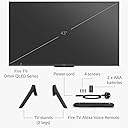
| Included in the box | Fire TV Omni QLED, Fire TV Alexa Voice Remote, power cord, mini AV cable, 2 x AAA batteries, 4 screws, TV stand (2 legs) and Quick Start Guide. |
| Software security updates | This device receives guaranteed software security updates until at least four years after the device is last available for purchase as a new unit on our websites. Learn more about these software security updates. If you already own a Fire TV, visit Manage Your Content and Devices for information specific to your device. |
S**G
Great Value
**2 Month Update** - Thought it may be helpful for other users experiencing any issues with their TV - I was experiencing some minor lag when moving between apps in the home screen and other small gremlins - I decided to do a factory restore (note there are two options "re-start" and "factory restore" - when I did this it caused a series of seemingly large software updates. This really seemed to make a huge difference in the operating of the whole tv, so maybe worth a go if you are finding your TV isn't performing quite as you expected. Also, to note I had slight sound issues, pausing of sound on my echo studios - the software update for the tv appears to have resolved this - if not, try unplugging them and starting them up again? Not sure why the software updates aren't automatic, but nonetheless a system restore seems to pick up hidden updates...? ************************************* Bought this as a used item, so price was very reasonable. There was a small nick to the frame, but considering the price, and the fact it is sold as used, I was more than happy with the appearance, and would not hesitate in buying used again. The fact the firetv is built in, is a massive plus, I had a tv cube with my previous LG, so very nice to lose the cube and its associated wires, which in turn made the overall look more minimalist, and clean. The other bonus is only one remote control, again cleaner and minimalist look enhanced. Moving onto the operation. Logically, I plugged in an Ethernet cable (faster speeds, right?). Wrong. So - I carried out a speed test (from the tv itself), and then unplugged to carry out a wireless test. Frequently the wireless won. Why? I hear you ask?...I phoned amazon, and whilst not a confirmed answer, the working theory is that the tech inside the tv for the ethernet connection, is not able to handle my high speeds. I have 1.6GB of speed hitting my router. However, the wireless tech inside the tv is able to handle a slightly higher speed? Again - this is guess work, not fact. The other theory is that my ethernet cable is not advanced enough, cat 5 I believe. Will purchase a higher Cat and report back. From a user perspective, the home screen lag is negligible, and it would only bother real tech geeks, not the average user. Viewing wise, as long as you have 4k inputs, I.e Netflix etc, I really can't complain about the picture. Taking into consideration the price, it is amazing. However, again if you are willing to pay more, then no doubt you will get a better picture. For me, I'm thrilled with the purchase and suits me as someone who likes minimal wires and minimalist look. The tv will auto adjust the picture based on the light in your room, and it has Dolby Atmos Sound/Vision capability which is excellent. Overall - if you are on a budget, this for me offers both value for money, and exceptional viewing qualities, along with built in Alexa/Firetv. I'd most definitely buy this again, and look forward to seeing what enhancements Amazon make to this TV as tike moves forward. As with all tech, it will only be as good as your broadband speed to your home, and the quality/age of your router. Even with fibre to the property, I still experience some lag on the home screen, albeit, negligible, and only noticeable to a geek like myself.
M**P
I regret buying this, don't make my mistake.
I bought this TV in the black Friday sale a year ago so it seemed like great value to upgrade from my 50" to 55". I was so excited and when I got it set up. It was my step away from sky TV and into only streaming services. So I'll start with the positives because it won't take me long. The picture quality is good and sound from the TV itself is decent, not great, but good enough. It didn't take long before the problems started though. First I noticed how everything was so slow. Changing between apps seems to take ages and using terrestrial TV takes minutes for every command. The menu system is fairly intuitive but a bit clunky. I have it connected to my PS5 and using voice command to switch over HDMI inputs is nice but it often mishears me. I decided to buy a couple of amazon speakers as it made sense to keep it within the same ecosystem. Then the real problems started. It made more mistakes - opening the wrong app or carrying out the wrong function like playing the news when I tried to change the volume, the sound would randomly drop out (especially when using my PS5) and I learned that I had to start Netflix and play something for the sound to come back on. The Internet connection randomly drops out and I have to restart the TV to get it back on or sometimes press the physical power button on the TV to turn it on and connect to the network. I've had to factory reset it 4 times to solve other issues and force it to get updates - none of which helped the underlying issues. This TV has made relaxing harder work than my old TV and I'm now back with sky TV because watching something on it has become such hard work. My expensive 'smart' TV has become a dumb TV that I use more competent systems on and I'll be changing it as soon as finances allow. Please don't buy this TV.
S**3
Great picture but a little sluggish
I bought the 50 inch version for £380 as a prime day offer. I'm very pleased with the picture, it's not up there with the very top end tvs but it's still very nice, and given the price I paid it's extremely good value. The sound is very good too with quite a bit more more bass than my previous tv. I'm not sure where the speaakers are located but they have done a very good job as it sounds like the sound is coming from behind the screen. I do find it slightly sluggish when navigating around the home screen and within the apps. It's perfectly usable and most people would find it perfectly acceptable, but it's quite as zippy as the fire tv cube I had before was. The Freeview implementation is a bit of a mixed bag. It's very nicely integrated with the home screen, there are tiles showing what's on each channel and when you highlight the tile what's on the channel starts showing. On the downside it can be quite slow, the guide can take a while to populate and it can take 4 or 5 seconds from selecting the programme to it appearing, although it does seem to speed up when you having been using it for a while. That's not a problem for me as I use apps virtually all the time and freeview very rarely, and I'd imagine that to be the case for most people these days. Alexa is built in which means it integrates with other Amazon products with no setup required. If someone presses your ring doorbell for example you get a view of the camera in the top right. I wasn't sure whether to rate it 4 or 5. For the price I paid it's definitely a 5 star product, for the higher prices it's been at since I'd say the responsiveness brings the score down a bit. 4.5 would be more appropriaite than the four I gave but that option isn't available.
T**N
Great TV
We needed a larger TV after years with a smaller one. We did a lot of looking around, including Sky Glass. This seemed a bit of a gamble but the setup was great, and the picture is amazing, with decent sound. Some TVs seem to push you to sound bars but this sound quality is good. The Amazon integration is simple, and works well with our Sky package via HDMI. The stands provided are at the extreme ends of the TV, and overhung our table. We had to get a separate stand that was centrally mounted.
R**S
Impressive @ Discounted Price
I’ve had this TV for over 3 months and I’m enjoying the upgrade from an 8 year old, 32 inch Panasonic HD model. First thing I noticed during the unboxing was the TV had a black plastic bezel, rather than the silver one shown when launched (and bought). Amazon has since updated the pictures so that only the 55inch+ models show the silver bezel. The build quality whilst okay, doesn’t have the premium look or feel first mentioned in the reviews when I actually bought the TV. When you first purchase the set on Amazon, you’re given the option to link the device to your Amazon account, so it’s ready to go when it arrives. However, despite selecting this option, my TV wasn’t linked. That’s said, it’s so easy to set up and anyone with a Firestick will be familiar with the OS. So far, I’ve found the navigation to be okay. It’s a lot slower using the remote to navigate between the different apps / services than it is using voice commands. Unfortunately, not everything can be opened using Alexa commands, so with some apps you’re forced to use the remote. I’ve found the voice commands particularly useful when moving between streaming services and terrestrial TV channels, but the voice recognition doesn’t seem as responsive as either my Echo or Echo Dot, and I’ve found myself having to talk a bit louder. Picture quality is fantastic for the price I paid (just over £300), particularly when viewing HD or 4K. Pictures are sharp, and colour is decent too. Upscaling of standard definition is okay but can be a little soft depending on the channel being watched. There’s also been an occasional juddering picture on fast moving sports such as football or tennis, but this seems to be on streaming services rather than terrestrial channels. To get the best out of the TV picture, it’s worth tinkering with the settings by app to set your own preferences. The sound quality seems decent enough and a big step up from my last TV. I’ve found the native sound output is more than adequate for my needs, but you’ll probably want a soundbar if you’re intending to use this as part of a home cinema set up. In summary, both the picture and sound quality are decent from the TV. Being able to use your voice to control almost everything makes things a lot easier, because you’re not constantly searching for the remote control. Its little foibles include; sluggish navigation and boot up sequence, one or two freezes, and it also misses a back / previous channel button on terrestrial TV, but you can use your voice. There’s also no access to BBC Red Button text services, which is probably the thing I’ve struggled with most. Updates to the OS seem to come through at least once a week, so I’m sure any major issues will get ironed out pretty quickly. If you’re thinking about buying the Omni TV, wait for it to be discounted, and you’ll get something approaching a bargain. At full RRP it’s pricey and there are much better options available.
N**B
Adequate but some niggles
Package arrived ok and was straightforward to put in place. Set up was a bit of a nightmare when using the recommended app with phone, but resorting to the more long-winded but reliable method using the remote got me there in time. For someone just wanting live TV plus the occasional catch-up the Home screen was overcomplex and the live TV guide sluggish to load, glitchy and not clearly presented, often starting with yesterday's menu. Maybe it will become easier to use with practice but for those of us wanting a simple watching experience rather than endless twiddling it can get a bit tedious. Nevertheless, picture quality is very good, sound not bad (though probably worth getting the sound bar). The eco rating seems poor with a G rating, the lowest mark, but that may be fairly typical of current TVs generally. Possibly if you avoid using Alexa, which seems an unnecessary gimmick, the power consumption will be less. Overall, it works, picture looks good for the price and the set is useful in having the catch up apps, but menus are not that user friendly.
T**2
Great picture quality and smart features for the price
Really impressed with this TV. The QLED display gives bright colours and good contrast, making films and shows look sharp and clear. Built-in Fire TV is a big plus — everything is easy to access without needing extra devices. Navigation is smooth and responsive. For the price, this feels like excellent value compared to other TVs in the same range. You’re getting strong picture quality and smart features without paying premium brand prices.
R**N
TERRIBLE terrible TV avoid at all costs
The software on this TV is absolutely atrocious. This TV has so many bugs it really should not have been released for public sale. The TV is so slow to react to the included remote it's so frustratingly painful to use, apps just close and the TV just switches itself off whenever it feels like it, the sound will also just stop working meaning I have to switch this terrible TV off at the mains leave it a couple of minutes then switch it back on. Such a frustrating TV which could be ok if they sorted the software out, shame. Update - this TV seems to have gone from pretty bad to pretty awful. The Arc setting on this TV has stopped working so my soundbar is now useless. I have factory reset it 3 times changed the hdmi cable twice (they are both high quality cables) and STILL no sound from the ARC hdmi port. I do now think I have a bad unit with all the software issues and now hardware issues. And trying to sort this via the Amazon app is impossible as it sends you on a loop that gets you nowhere near technical support for this item. Update - these TV's are sold with FALSE advertising they do not support ARC. Read the user forums and there are so many users complaining about this. False advertising Amazon this needs reporting to Trading Standards Update 2 - No sound now from this awful awful awful TV. This product needs removing from sale. I cannot even get into the technical help line as I get taken through a never ending loop on the app. This has really left me feeling very disappointed with all that is Amazon. I urge people not to purchase one of these Omni TV's as they are just not usable and a total complete waste of money. Update - this TV is getting worse by the day and Amazon are just not interested they even cut you off when on "chat" communication with them! I am absolutely disgusted with Amazon for doing nothing at all about this awful awful TV. UPDATE - Please see attached photos showing the 3 lines permanently on the screen near the top. These bright green lines show on every screen and are a new development on this awful landfill ready TV. Amazon I demand you do something about this terrible TV. A TV doesn't have a legally defined lifespan but must last a "reasonable time" under the Consumer Rights Act 2015 (for purchases from October 1, 2015), which could be several years, and you have up to six years from the purchase date to claim for a fault. The shorter the time after purchase, the easier it is to get a full refund; after 30 days, you're typically entitled to a repair or replacement. Your Rights Under the Consumer Rights Act 2015 Reasonable Time: Your TV must be of satisfactory quality, fit for purpose, and last a reasonable length of time for its cost and type. Short-Term Right to Reject (within 30 days): If the TV is faulty, you can get a full refund. Right to Repair or Replacement (after 30 days but within 6 years): If a fault develops, the retailer must offer a repair or replacement. Time Limit for Claims: You have six years (five years in Scotland) to take legal action if the retailer doesn't resolve the issue. What to Do When a Fault Develops 1. Contact the Retailer First: Always go back to the seller first, as they are responsible for resolving issues under consumer law. 2. State Your Case: Explain the fault and why you believe it has occurred within a reasonable time. 3. Be Clear About Your Desired Resolution: You can ask for a refund, repair, or replacement. 4. Use Your Warranty or Guarantee: A manufacturer's guarantee or warranty is in addition to your legal rights. What if the Retailer Refuses? Small Claims Court: You can take the retailer to court to enforce your rights.
Trustpilot
2 days ago
3 weeks ago