🖨️ Elevate your home office with prints that impress and connectivity that keeps you ahead.
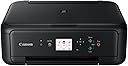
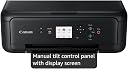
The Canon PIXMA TS5150 is a sleek all-in-one wireless printer designed for home use, offering high-resolution color printing up to 4800x1200 dpi, dual-band WiFi connectivity, and seamless smartphone integration via the Canon PRINT app. It features ChromaLife100 ink for long-lasting photos, auto double-sided printing for paper savings, and a compact design with a flatbed scanner and dual paper feeder, making it an ideal choice for millennial professionals seeking quality, convenience, and eco-conscious printing.


| ASIN | B075CL64RV |
| Additional Printer Functions | All In One |
| B&W Pages per Minute | 13 ppm |
| Best Sellers Rank | 8,185 in Computers & Accessories ( See Top 100 in Computers & Accessories ) 5 in Ink Cartridge Printers |
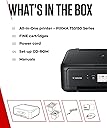
| Box Contents | Canon PIXMA TS5150 Black, Manuals, Power cord, Setup CD-ROM, Setup Ink Tanks |
| Brand | Canon |
| Brand Name | Canon |
| Color Depth | 24 bpp |
| Color Pages per Minute | 6.8 ppm |
| Colour | Black |
| Compatible Cartridge | XL ink |
| Compatible Devices | Laptops, PC, Smartphones, Tablets |
| Connectivity technology | USB, Wi Fi, Bluetooth; Cloud |
| Control Method | Remote |
| Controller Type | Hand Control |
| Customer Reviews | 4.2 out of 5 stars 2,924 Reviews |
| Display Type | LCD |
| Dual-sided printing | Yes |
| Duplex | Automatic |
| Global Trade Identification Number | 04549292090765 |
| Hardware Interface | USB 2.0 |
| Ink Colour | Black |
| Item Dimensions D x W x H | 31.5D x 42.5W x 14.7H centimetres |
| Item Type Name | Inkjet Printer |
| Item Weight | 6.5 Kilograms |
| Manufacturer | Canon |
| Maximum Copies Per Run | 100 |
| Maximum Copy Resolution Black and White | 13 pages par minute |
| Maximum Copy Resolution Color | 4800 x 1200 dpi |
| Maximum Copy Speed Black and White | 13 ppm |
| Maximum Print Resolution Black and White | 6000 x 1200 dpi |
| Maximum Sheet Capacity | 100 |
| Maximum Supported Paper Size | A4 |
| Maximum print Resolution Color | 4800x1200 dpi |
| Model Name | PIXMA TS5150 |
| Model Number | 2423B19 |
| Model Series | 5150 |
| Model name | PIXMA TS5150 |
| Network Connectivity Technology | USB, Wi Fi, Bluetooth; Cloud |
| Number of Drivers | 3 |
| Number of Trays | 1 |
| Other Special Features of the Product | Auto-Duplex, Display Screen |
| Output sheet capacity | 50 |
| Paper Size | 210 x 297 |
| Power Consumption Size | 14 Watts |
| Print media | Paper (plain) |
| Printer Output Type | Colour |
| Printer Type | Inkjet |
| Printing technology | Inkjet |
| Processor Count | 1 |
| Product Warranty | 2 Year Manufacturer |
| Resolution | 4800 x 1200 |
| Scanner Type | Flatbed |
| Series Number | 5150 |
| Special feature | Auto-Duplex , Display Screen |
| Specific Uses For Product | Home |
| Total USB 2.0 Ports | 1 |
| Total USB Ports | 1 |
| Unit Count | 1.0 count |
| Warranty Type | Limited |
A**R
Fantastic functionality and cheap!
I have never got on with printers, I am fairly tech savvy but always seem to have problems linking them to computer or just getting them to print after having them a while! However, this little beast was easy to set up and works on my phone via an app so can print docs straight away. It does lose WiFi signal when switched off and back on, but I have found turning WiFi off and back on on my phone is a quick fix to sync them back up. Print quality is good and can also do double sided printing, although this does take quite a while longer to print (but to be fair I'm used to a big office printer doing this so not particularly comparable). Overall great printer and really good price!
I**E
It does work and produces great results
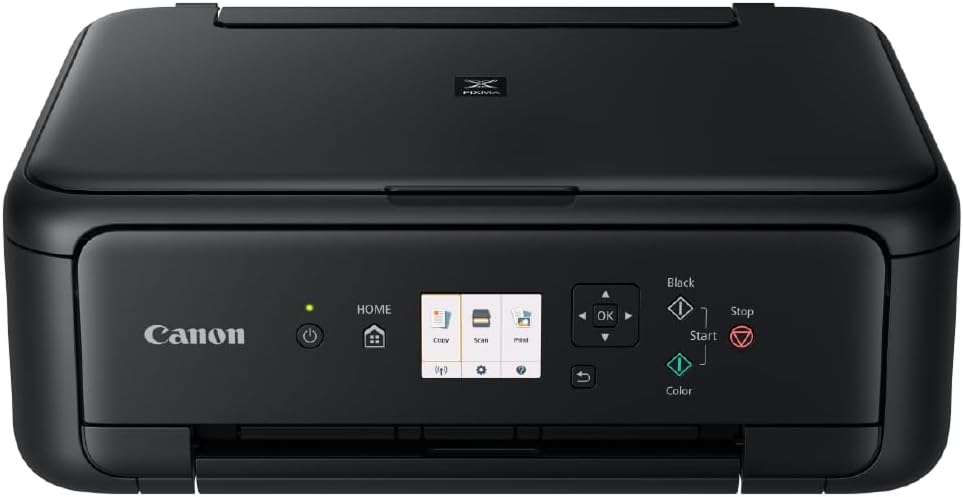
This is a very good printer, but a real so-and-so to set up properly – hence only four stars! I have it working, just about, properly, for my PC, my wife’s PC (both Windows 10), a Samsung Tablet, an iPad and a Samsung Smartphone (A40). This took one evening and most of the next day, albeit not continuously. Initially, I tried to follow the enclosed instructions but when the printer wouldn’t connect to my BT Home Hub 2, I gave up and went by instinct – 40 odd years in IT. This was my second attempt; after the first where I found that I had to reset the Wi-Fi Router after printing from a different device – PC then Smartphone then PC (“printer not found”). So, my suggestions: 1. Turn off your PC. Unpack the printer as per the enclosed instructions, removing all securing tape, transparent covers, etc., load paper and the print cartridges. Stop when the instructions start to tell you how to connect the printer. 2. Connect the printer to a power source and switch on. The printer will now go through warm up processes, with some clicking and clacking, and the information window lights up. When everything settles down - next step. 3. In the little window (doesn’t show up well in my pictures), there are three images (Copy, Scan, Print) and below three small icons (Wi-Fi, Settings, Help), using the arrows to the right navigate down to the Wi-Fi icon and press “OK”. 4. Pressing the down arrow as necessary, locate “LAN Settings” and press “OK”. Locate “Wireless LAN” and press “OK”. Ignore “Wireless Direct” as this lets you connect your device directly to the printer which then stops your device from then connecting to the internet. 5. Locate “Wireless LAN Setup” and press “OK”. The printer now searches for and displays a list of available wireless routers. Navigate to yours and press “OK”. You now must enter the Wi-Fi password key for your router; press “OK” and a little keyboard appears, round which you have to navigate with the arrows, pressing “OK” each time you highlight a required character. When finished, navigate to “Connect” and press “OK”. 6. Your printer should now be safely connected to your Wi-Fi Router. I then followed the above process until I reached the “Wireless LAN” screen again, selected the option “WLAN Active/Inactive” and ensured it was set to “Active”. 7. NOW, switch on your PC and boot up, ensuring that the printer is showing a green light above the power button. Your Windows 10 PC should now automatically find the new printer, set up all the drivers and install the necessary software. There should be no need to use the supplied CD or to download anything from the Canon web site. 8. Finally, go to Windows 10 Settings, Devices, Printers and ensure everything is set up for paper size, etc. so that you can now print a test page. The above is how I saw the setup process that worked for me. Good Luck (I’ve yet to test scanning!)
J**T
Great printer , great price
Easy to use , 2 cartridges colour and monochrome Wireless connectivity great , connect to your network and print from any device, Using the App was great too , print from a phone Handy scanner on the top can scan to you phone or device
S**H
Canon pixma ts5150
I had the hp deskjet 3760 and this has been returned as it was a complete nightmare setting up and trust me the scanner is totally rubbish! Anyway the difference with the ts5150 and hp is literally night and day, this printer is superb, got it for £50 (just £10 more than the deskjet) and the set up was simplicity itself if you follow these instructions... Set up the printer as per the instructions and stop when you get to the "connecting your printer" section. Now using the screen on the printer, use arrow key and navigate to the WiFi icon (bottom left) press OK and it will ask you for wireless lan, click on this, then it will give you a WAP set up option or "set up manually", press on "set up manually", it will then search for available routers, my router appeared instantly (this never happened with the hp), tap on your router and a little keyboard will appear, navigate round this with the arrow keys and press OK for each character, this takes a little time but believe me it's worth it! Once you're password is entered (with correct upper and lower case letters) press on OK. That's it! Instantly connected, from opening the box to up and running took me 15 minutes! The app you need is "canon print" app, not the print /selfy blah blah blah. Open the canon print app, tap add printer (and because you are already connected to the router) your ts5150 will appear, click on this and wait for it to set up. That's all there is to it, this advice was borrowed from another review on here, many thanks to you sir.
S**D
UPDATE- Do not buy this printer
Update after several months of ownership - do not under any circumstances buy this printer. If you go ahead and buy this printer after reading this review, I'm sorry but you only have yourself to blame. I only awarded it one star because Amazon will not let you award 0 or a minus score. It is the most frustrating poorly designed piece of technology I have ever experienced. It will not print on any type of paper I have found without jamming, needing several manual resets, ages spent fishing around in its innards to remove jams, and half-printed pages spat onto the floor (because, as discussed later, why would you supply a paper tray). In 35 years of computer experience I've seldom known a printer more prone to jamming and/or feeding multiple sheets. When it does jam, it seems to have no idea where the blockage is - the LCD panel suggests an area entirely at random, and you just have to go hunting, opening the multiple doors and flaps until you strike lucky. Part of the problem is the very flimsy paper tray, which takes about half the amount of paper the design and guide tabs suggests it will. Overfill the tray (that's about half way up) and you're playing print job roulette: will it jam straight away, misfeed page 7 of 10, or print page 9 across half of two sheets? After the latest refill or jam you then have to navigate the front panel to pointlessly 'register' the paper tray, presumably because the firmware designers couldn't get that working in time so put the burden on the user instead. The design, if you can call it that, also spits the printed sheets out into thin air rather than any form of tray, so good luck if you take your eye off of it for a second and expect your printout to be in order in the same place when you get back. The printer is easy to set up on Android and Chromebook devices for remote printing. But... there's no proper standby function, so you have to go to the printer to turn it on to accept jobs before you can print remotely, which entirely defeats the whole object. And why does the front panel need to be hinged upwards to print? It doesn't block the paper path when down, and the up position makes the front panel controls harder to use. Another utter failure in the Canon design department, whose UX team should be thoroughly ashamed of themselves. This printer will drive you absolutely mad and probably end up being hurled through the nearest window. I've not done that yet but have been sorely tempted. Write things out by hand, give up computer technology altogether and go and live in a cave, or maybe buy another model and brand of printer, but do not buy this printer. Do not even consider it. Please.
D**A
Fast printer
Fast printer, and I can connect it to my phone as well. Cartridges last a good amount of time. No sheet jamming, and really good wireless connectivity.
A**R
Good for home use to print letters, but not so good for printing volume
I bought this because I print handouts for my training programmes but in the 2 weeks I've had it the integral colour cartridge has had to be changed twice and the black one once. It's been expensive particularly if you need to do a lot of printing because you can't buy a single colour cartridge, you have to buy the tri-colour cartridge. Sturdy otherwise and quite easy to use, just not right for me. The paper tray also slides in and out under the pull-out paper holder for the printed pages which is clunky and frustrating.
N**L
Value for money
My second Canon Pixma, easy printing and ink replacement
K**G
Ok…
Loud and slow
C**N
Lo mejor por lo que pago
La rapidez en la entrega
K**Y
Funktioniert einwandfrei
Alles super, funktioniert einwandfrei. Patronen waren dabei.
M**I
Modèle britannique !
Modèle britannique livré avec un cordon à trois broches, pas de cordon français ! L’imprimante fonctionne correctement avec un cordon que j’ai dû acheter en urgence.
R**I
All very well
Fast delivery, product exactly as ordered, easy set-up and great value for money. Probably one of the best products in the low-price range. Perhaps because my old printer was quite old, I find the quality really good for home use
Trustpilot
2 weeks ago
1 month ago