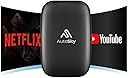
🚗✨ Upgrade your drive with wireless freedom and in-car streaming magic!
The AutoSky AI Box Lite transforms your vehicle’s wired CarPlay system into a wireless powerhouse, supporting both Wireless CarPlay and Android Auto. It offers plug-and-play USB installation, stable performance with a high-end processor, and the ability to stream Netflix and YouTube via mobile hotspot. Compatible with OEM touchscreens and factory wired CarPlay vehicles, it enhances your driving experience by eliminating cables and adding entertainment options on the go.


| ASIN | B0BLJWBZGC |
| Additional Features | Auto Calibration |
| Audio Input | Original Stereo Microphone |
| Audio Output Mode | Stereo |
| Audio Output Type | Speaker |
| Best Sellers Rank | #3,740 in Electronics ( See Top 100 in Electronics ) #212 in Car Electronics |
| Bluetooth support? | Yes |
| Brand | AutoSky |
| Built-In Media | AutoSky Wireless CarPlay and Android Auto AI Box, USB-C Cable, USB-C to USB-A Cable, User Manual, Warranty Card |
| Color | Black |
| Compatibility Options | Vehicles with built-in factory wired CarPlay |
| Compatible Devices | Android, iPhone |
| Compatible with Vehicle Type | Vehicles with built-in factory wired CarPlay |
| Connectivity Technology | USB |
| Connector Type Used on Cable | USB |
| Control Method | Touch |
| Controller Type | Android |
| Customer Reviews | 3.5 out of 5 stars 1,666 Reviews |
| Display Type | LCD |
| Enclosure Material | PC/ABS |
| Hardware Interface | USB |
| Human Interface Input | Touchscreen |
| Includes Remote | No |
| Installation Type | Plug-and-play |
| Item Type Name | Wireless CarPlay and Android Auto AI Box |
| Item Weight | 37 Grams |
| Manufacturer | Promaster Electronic LLC |
| Material | PC/ABS |
| Model Name | WCPAA-1 |
| Number of Channels | 5 |
| Number of Ports | 2 |
| Power Source | USB power |
| Rechargeable Battery Included | No |
| Special Feature | Auto Calibration |
| Supported Application | YouTube, Netflix |
| Supported Media Type | SD Card |
| Supported Standards | Wireless CarPlay, Wireless Android Auto |
| UPC | 850045500047 |
| Voltage | 5 Volts |
| Warranty Description | 1 Year |
| Wireless Compability | Bluetooth |
N**A
Works with Lexus Trackpad & No Touchscreen
My 7th gen Lexus ES only came with wired carplay and this device added wireless Android Auto. I haven't checked all functions, but it does what I need (Google maps & playing music). It works fine on my Lexus without a touchscreen and the trackpad works as expected. Many other AI boxes that cost three times more do not work with Lexus trackpad. What works fine: it quickly pairs with my phone and Android auto starts. The screen resolution auto adjusted the first time and the resolution is very good. The trackpad works in the main menu, but in Android auto, there is a mouse pointer. It does the job fine though (no complaints). Another reviewer stated the night mode doesn't work, but mine works fine and the Google maps goes into dark more at night or whenever the headlights are on. What doesn't work: the steering wheel controls to skip audio tracks don't work when I play music and I have to use the trackpad instead. Not a deal breaker, but it's inconvenient. Also, the song titles don't show up on the instrument cluster or HUD. Other concerns: the build quality is questionable. It's very light. The dongle gets very hot and logerivity is a concern. I'm also concerned about the amount of power it draws based on how hot it gets.
T**S
Buyer Beware! Terrible product
Another new update, they wouldn’t even attempt to help, blocked me. Absolutely worst product service. New update, Customer service finally responded to a social media post, zero resolution, terrible service and product. Update after a month, I’m on the hunt for a new one, this one is so incredibly glitchy and slow I can’t take it anymore. I wouldn’t recommend this to anyone. ZERO customer support as well. Gave it a shot, so far my experience with it is this, it can get the job done, but efficiently, not so much. It’s very slow to startup and start CarPlay, every time I have to push CarPlay to even get it to start loading, and half the time it will try to make me reconnect again. You can’t use CarPlay with YouTube or Netflix. You’ll use one or the other. You have to connect your hotspot for YouTube and Netflix, and when you do, it is VERY slow to load. I’ve had days of it taking almost 10 minutes to finally get on and going. When on CarPlay, the audio for text messages comes out like a distorted Bluetooth signal, you’ll miss part of the message by time it switches the audio. Rather muting the audio or lowering the audio like CarPlay does and my last box did. Only part that has worked right audio wise was the maps, audio read as it should. I also couldn’t get WiFi to connect at first, it kept booting off the network, then YouTube wouldn’t work at all, had to update the app, a lot of logging into things if you ask me.
D**Z
FOR ANDROID Seamless Integration for Enhanced Entertainment: A Review of Autosky on Audi RS5 2023
Step 1: Plug and Be Patient Upon receiving Autosky, I plugged it into my Audi RS5 2023 and exercised a bit of patience as it initialized. Step 2: Follow On-Screen Instructions The device prompted me with on-screen instructions, guiding me through the setup process effortlessly. Step 3: Navigate to WiFi Options An essential step in the setup process was navigating to the WiFi options on the device. This step cannot be overlooked as it ensures seamless connectivity. Step 4: Register Your Google Account To unlock access to Netflix and YouTube, I registered my Google account, enabling me to enjoy a wide range of entertainment options. Step 5: Activate Hotspot and Set to Automatic Ensuring uninterrupted connectivity was crucial. I activated the hotspot and set it to automatic to maintain a stable connection throughout my drives. Step 6: Troubleshoot WiFi Disconnection While I encountered a brief WiFi disconnection issue, I swiftly resolved it by resetting the Autosky device to factory settings without disconnecting it and repeating the setup process. Step 7: Navigate Like a Pro With the setup complete, navigating the Autosky device felt intuitive, much like using a secondary smartphone with apps and functionalities. Step 8: Upgrade YouTube and Netflix Apps For optimal performance, I made sure to upgrade the YouTube and Netflix apps through the Google Play Store, ensuring access to the latest features and enhancements. In conclusion, Autosky seamlessly integrated into my Audi RS5 2023, transforming it into an entertainment powerhouse on wheels. With its user-friendly setup process and reliable performance, it's a must-have for anyone looking to enhance their in-car entertainment experience.
C**S
Good product
Works great, use it every day. Only complaint is it lags and I have to unplug it to reset and then if works great again
M**.
Easy set up works well but stops working after a week of use
So far so good the item works well set up was simple and easy the graphics and compatibility is excellent 05/09/25 Update keeps stopping in the middle of Android Auto while music is playing the app still works however the music will randomly stop while playing and doesnt start back up 06/20/25 Product is stopping and voice is going out while in middle of phone conversation 07/10/25 GPS on android auto gets confused and stuck while driving, music continously stops playing yet track is still going must have something to do with the voice as well 🤦🏾♀️ this product is either defective or just doesnt work as promised.
S**N
A wellbuilt CarPlay Adapter.
I installed the AutoSky CarPlay unit in my Toyota RAV4 2019 and it worked nicely when I first connected to one of my Android Mobile phone (Motorola G Stylus 5G). Then I connected it to 2 more mobiles phones that allowed me to choose from 3 mobile phones and getting it paired took me about 25 seconds and sometimes longer than that and sometimes it took forever and never connected. However, the biggest disappointment was the frequent connect and disconnect between my mobile phone and the AutoSky CarPlay unit. I have received the replacement unit after I contacted the AutoSky Customer Support. The replacement unit has resolved the frequent connect/disconnect issue and I am happy to use it. Only things that are in my Wishlist are the original physical Apps and Map buttons on the Multimedia System which no longer functions even though the AutoSky interface buttons do offer that functionality. The manual does not include details of the AutoSky interface including the steps of connecting/disconnecting/deleting a device and much more which I learned myself by exploring the AutoSky interface. I strongly urge the AutoSky CarPlay device manufacturer to consider all these I have suggested and I have no doubt it would surpass other CarPlay devices available on the market. UPDATE: With my further exploring into and experimenting this device and it's interface on my cars multimedia display I've come to a conclusion that it is the best among all Wireless CarPlay devices available on the market at the given price. I am able to do pretty much everything the device details claims; playing a very good number of Android Mobile apps, that includes YouTube & Netflix. I can browse through a good number of options in its Settings and I am able to go back to the device interface to switch between multiple mobile phones as well as to play music and video from a Micro SD card, all at will. The only thing I am yet to be happy about is the glitch in running HERE WeGo app and the Android Auto and the HERE WeGo app has to do something to fix this glitch, probably by working together with the AutoSky CarPlay.
J**Y
Easy to use but cuts out every 3 minutes.
Out the box install and use was as simple as can be. But upon use, it just cuts outs approximately every 3 minutes. Can't find a fix, but it's about the exact same time every time. Doesn't matter if car is driving or not. It even cuts out if you are just sitting still with the car on not even playing anything. Also, the "update" feature.. it says connect to a phone charger or any powered usb port then connect to its wifi using the code provided, but there is no wifi to connect to. It just doesn't exist. Thinking maybe its cutting out cause it needs to update but the path they give doesn't work...i tried to do a work around for that non working update feature, I simply just went into my car, connected to wifi, and went to settings > and system update that way, but when you click system update, nothing happens. If they can fix the bugs that come with it, I'd highly recommend buying it. However, at this time I cannot recommend this product.. Update: emailed the company for support through their website, no response. Will be returning product.
A**Y
This thing works, but make sure you know what it can NOT do
This thing works on my car which has only Carplay and no android auto. First time connection: I had to spent some time to figure out. Apparently somehow it didn't work from the Android Auto screen but I have to use the Bluetooth connection screen to pair my phone. After that it works pretty well. Startup time: between 30s to maybe 1 min. It definitely would not be as fast as using the wired carplay, but I need Android Auto. You don't need to do anything except for waiting it to connect. As a non-stock solution I think it's good enough. Interaction: if you have a touch screen then it's easier. On my car I have only a touchpad with non-touch screen. It will display a mouse cursor so I can move around and click. The stock wired carplay actually moves between the clickable buttons on the screen when i move my finger on the touchpad. Cursor is not the best, but it works. Now there are some downside No day/night mode: as you can see on the photo, the system isn't syncing with car's day/night mode so the map is bright at night. I think this is something can be fixed. No music information on car stereo: when you play music in Android Auto, the car stereo won't get what music you're playing so you can only see UNKNOWN. You can only check your music on Android Auto interface. No play store: It's based on Android but doesn't have all android features. You will only work with what they provided which is netflix and youtube but you can't download apps. (I personally don't use that but if you need that be aware.) Dated Android Auto interface: the whole system seems to be based on an old Android version and I'm not sure if we will ever get firmware update to have the latest revamped Android Auto. That brings up another thing is it only supports wireless Android Auto, so you can only use whatever Android Auto this box comes with, not the version on your phone.
Trustpilot
2 months ago
2 weeks ago