🚀 Upgrade your laptop’s brainpower and never miss a beat!
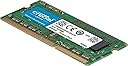
The Crucial CT51264BF160B is a 4GB DDR3 SO-DIMM laptop memory module running at 1600 MHz with CL11 latency. Designed for easy installation and backed by Micron’s 42 years of expertise, it supports dual voltage (1.35V/1.5V) for energy efficiency and comes with compatibility assurance tools to guarantee seamless integration and enhanced multitasking performance.


| ASIN | B005LDLV6S |
| Best Sellers Rank | 31,544 in Computers & Accessories ( See Top 100 in Computers & Accessories ) 145 in Computer Memory |
| Box Contents | 1 product |
| Brand | Micron |
| Brand Name | Micron |
| Column Address Strobe Latency | CL11 |
| Compatible Devices | Laptop |
| Compatible devices | Laptop |
| Computer memory size | 4 GB |
| Customer Reviews | 4.8 out of 5 stars 43,372 Reviews |
| Data Transfer Rate | 1600 MHz |
| Form Factor | SO-DIMM |
| Global Trade Identification Number | 00649528754240 |
| Item Weight | 9 Grams |
| Manufacturer | Micron |
| Manufacturer Part Number | CT51264BF160B |
| Memory Form Factor | SODIMM |
| Memory Generation | DDR3L |
| Memory Speed | 1600 MHz |
| Memory speed | 1600 MHz |
| Model Name | Ct51264Bf160B |
| Model Number | CT51264BF160B |
| Number of Pins | 204 |
| Product Features | Dual voltage, compatibility assurance |
| Product Warranty | 2 year manufacturer |
| RAM Memory Technology | DDR3 |
| RAM Size | 4 GB |
| RAM memory technology | DDR3 |
| Special feature | Dual voltage, compatibility assurance |
| UPC | 088020859464 604715282333 649528754240 014445070788 013686000554 021111528542 132017820194 099505457600 013201127230 804067420517 698013041839 731215076985 163120527809 088021515109 920066749517 013040059471 001910719600 772450671160 |
| Unit Count | 1.0 count |
| Voltage | 1.35 Volts |
S**M
Great product. Affordable and reliable.
I purchased two of these RAM sticks from Amazon Warehouse for my HP Elitebook 840 G1. According to Crucial's own website this RAM is compatible for the intended laptop and I can confirm they do work perfectly and at full speed. The memory units were also in good condition and there were no faults when running Memory Test from the BIOS screen. The only thing that might scare you a little is that the silver holding clips did not sit perfectly on the grooves like the stock RAM provided by HP itself but the RAM is still secure, doesn't move about and connects fully. My system recognised the RAM with no problems at all, I plugged it in and turned on the laptop and that was it. Just a note to those who are new at this, RAM doesn't have drivers so all you have to do is plug it in and that should be it if nothing went wrong. There is no software to install. I'll try to add a picture of the clip later and if someone else made it sit better, please let me know :) Edit: As you can see in the picture (sorry for bad quality, it's the best focus I could get on) the silver clips don't sit in the grooves perfectly and the ridge by the connectors has a gap too. I applied moderate force and did not try to force it into the grooves as I was afraid of damaging it.
A**B
High Quality Memory and a Perfect upgrade for the Asustor AS5002T-DC1C NAS.
This memory was well packaged in a sturdy plasic housing that was easy to open. I purchased this RAM as an upgrade for my Asustor AS5002T NAS which came with just 1 GB pre installed. As usual with Crucial it arrived quickley and fitted easily with no problems, and my NAS immediately saw the 4GB on powering up. Be advised that you cannot leave the supplied 1GB chip in the first slot and add this chip to the second slot as the chips have to be matching pairs. The max total being 8 GB ie 4GB in each Memory slot. Slot one must be occupied. The memory chips are aligned by the cut out slot in the connectors and inserted into the socket at an angle lifting vertically as they are pushed in and engaging with the holding clips into the notches you can see on either side of the board. If you are uncertain there are plenty of clips on You Tube showing the method. Memory is susceptable to static so only hold by the edges and touch any earthed metal before starting especially if you have a nylon carpet etc. Once you have inserted the memory and powered up your equipment should start its power up sequence. If it hangs you have a problem with the memory, it is either incompatible, faulty or not inserted correctly. Try powering off and re-inserting it before going further. I had no problems with this Crucial memory, it looks well made and is functioning fine. As the price is reasonable I highly recommend it.
D**L
Crucial is yet to disappoint me!
After purchasing many Crucial products in the past, this one lives to it's name. Crucial has been known for reliability and value and it certainly shows in this product. The 4GB DDR3 Laptop RAM has been working for around 1-2 months after purchasing and has increased productivity on my laptop by at least 50%. The RAM itself is very easy to install but you must be aware of the specifications of your laptop first before purchasing. These include: Slots available RAM speed RAM type Whilst the RAM works at incredible speeds and providing 4GB extra is fantastic, Crucial offers a Lifetime warranty on this product, so there is no need to worry about the product failing. I installed this into my Acer Aspire E1-571 and it instantly solved many of my issues such as lag when opening multiple programs, multi-tasking lag issues and video editing. It runs hot but cool enough to not overheat and is a fantastic addition to a machine that needs that slight boost. Finally, if your looking for some RAM for a laptop that is affordable, reliable and with great customer service... then this is the memory you are looking for.
A**R
Great improvement for Dell Inspiron 15 3531
This is to let everybody know that this ram is perfectly compatible with Dell Inspiron 15 3531 running with processor Intel Celeron N2830 and hard disk 500GB. I spent months to find out how to go from 4GB ram to 8GB ram. Checked out Intel files about the processor, tried to find motherboard specs. Almost all the vendors told me that it was not possible, that I had to stick with 4GB, no options to upgrade. Well, it was untrue. This 8GB ram is working amazingly, the values taken from Task Manager are extremely low, the use of the disk turns from 98% to 12% and the overall performance of the laptop is greatest than it has ever been before. Just use some commonsense when installing: clean the working area, if possible do it on a wood table without any electric appliance on it. Turn off the laptop, take the battery out, press the power button for at least 15 secs to drain all the circuits from any energy residues. Open the panel, wash your hands (yes, you know that!) and do not touch the golden pins both of the old and the new ram. That's it. A relatively small investment to gain a new, powerful laptop.
S**F
Works perfectly and improves performance of my laptop
Added this to a Toshiba laptop that only had 4GB of RAM in it. It greatly improves performance and makes a big difference to general usage. In case you weren't sure why RAM makes a computer faster, technically it doesn't actually do that. Think of RAM as being a desk. The bigger the desk the more files you can have out on it at the same time. A smaller desk means having to put files away in order to get more files out far more often. That takes up a lot of the other computer's resources. As with any RAM upgrade make sure you have a free slot and can access it. Make sure you are buying the right RAM as there are many different variants.
P**D
Brilliant..
I've been using a Fujitsu Lifebook E751 for several years, intel Core i5, 2.5 GHz with 4 GB DDR3 ram, and Windows 7 Pro. Main uses were internet and Photoshop ( Elements 8 ). No issues, and it's done everything I've ever asked, that was until I upgraded to Windows 10 Pro! It became so painful to use that for a few weeks I only switched it on for a couple of hours per day. I heard about a Security Patch update causing problems, and things improved once that was removed, but I guess Windows 10 was asking for more than my system could give. I decided to increase the ram so bought the 8 GB kit, and what a difference, everything is running so much smoother and quieter. I checked Task Manager before the upgrade and performance was running around 56% with the web browser open (Opera), now it runs as low as 29%...Very very happy and worth every penny.
M**K
The Digital Phoenix Feather - A Stick of Pure Remembering
Rating: ★★★★★ (5/5 - A Snappy Comeback for a Tired Machine) Let's be honest. My poor laptop had reached a state of profound philosophical thoughtfulness. It would pause, not to process, but seemingly to contemplate the vast, cosmic meaning of every click. Opening a browser was less a task and more a meditation on mortality. It had all the urgency of a sloth on a spa day. This little green stick of potential arrived, no bigger than a stick of gum and about as heavy as a guilty conscience. Installation was a simple case of a satisfying click into a dark slot—a moment of silent communion between man and motherboard. The transformation wasn't gradual; it was instantaneous. Upon reboot, the machine didn't just wake up—it sprang to life with the vigour of a puppy who's just heard the lead jingle. Where there was once a wistful beach ball of doom, there is now only brisk, efficient action. Tabs open without sighing. Programs load without writing their memoirs first. It's like the difference between wading through treacle and skating on ice. For a pittance, it has gifted my faithful old laptop a new lease on life, postponing its well-earned retirement for years. It is, without hyperbole, the most cost-effective personality transplant money can buy. Five stars. My laptop no longer contemplates the universe. It just gets on with it, and for that, I am eternally grateful.
M**S
Decent quality and does the job
its very great value for money , instead i buy new laptop i kept mine old Hp and just upgraded to make it faster. Just make sure before u buy that u are able to dissassemble your device first to check the RAM slots you have inside and what RAM capacity you need. my mistake was i relied on Crucial website to scan my HP and advice for extra RAM i need , unfortunately they advised for 4 RAM which i already have 2 chips 8 RAMs inside , i had to cancel and reorder the 16 RAM instead .
K**A
Memória Ram Crucial
Serviu perfeitamente para o meu computador, funcionando normalmente até hoje dia 10-01-26
P**L
ram Crucial 8GB DDR3L SO-DIMM 1600MHz CL11
szybko i sprawnie towar jak w opisie
L**A
Worked immediately and brought my laptop back to life
I bought this Crucial 8GB DDR3 RAM to upgrade an older laptop that was running slow. Installation was simple, and the system recognized it right away with no issues. After upgrading, the laptop runs noticeably smoother. Programs open faster, multitasking is better, and it doesn’t freeze up like it used to. It made a bigger difference than I expected for such a simple upgrade. The RAM arrived well packaged and works exactly as described. If you have a compatible laptop and want an easy performance boost without replacing the whole machine, this is a solid choice.
S**T
Works on 2 iCore laptops
Bought this last year to upgrade a latop of a friend from 3Gb to 8Gb RAM. It works right away and I have tested this on my own first gen iCore laptop as well. Might order for myself one day when Windows 10 expires for other OS.
A**W
Barrette RAM
Super rapport qualité-prix fonctionne parfaitement
Trustpilot
2 days ago
1 month ago