Buy anything from 5,000+ international stores. One checkout price. No surprise fees. Join 2M+ shoppers on Desertcart.
Desertcart purchases this item on your behalf and handles shipping, customs, and support to Nicaragua.
🔗 Bridge the old and new with speed and stability!
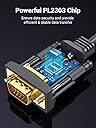
The UGREEN USB to RS232 DB9 serial cable is a professional-grade adapter designed to connect legacy serial devices like Cisco routers, telescopes, and control systems to modern USB ports. Featuring a PL2303 chipset, triple shielding, and up to 256kbps data transfer speed, it ensures stable, high-speed communication across Windows, macOS, and Linux platforms. Its plug & play design and compact 1-meter length make it an essential tool for IT managers and tech-savvy professionals needing reliable serial connectivity.


| ASIN | B00QUZY4UG |
| Best Sellers Rank | 2,064 in Computers & Accessories ( See Top 100 in Computers & Accessories ) 1 in Serial Cables |
| Brand | UGREEN |
| Cable Length | 1 Metres |
| Cable Type | USB |
| Connector Type | RS232 |
| Country Of Origin | China |
| Customer Reviews | 4.6 4.6 out of 5 stars (9,201) |
| Item Dimensions | 15.8 x 2.5 x 22.2 centimetres |
| Item Weight | 0.1 Kilograms |
| Manufacturer | Ugreen Group Limited |
| Manufacturer Part Number | 20210 |
| Model Number | 20210 |
| Recommended Uses For Product | Home |
| Unit Count | 1.0 count |
V**I
It's a serial cable, it works!
Hmm, not much to say here. It works perfectly fine out of the box on Linux (not a given) so I doubt you'll have problems on Windows, maybe on Mac. Zero problems at all, does what it needs to - convert RS232 serial to USB. Have been using this with my Zoom dialup modem for tinkering but can be used for other things, such as connecting to the serial consoles of networking devices. Cheap and cheerful, and perfectly functional to boot.
D**X
Works Well - But incompatible with Windows11
Great device, worked first time no issues. Until I upgraded to Windows 11, this chipset is not compatible with Windows 11.
P**W
Working with Linux, Virtualbox and Windows XP/7
It is functioning nicely as a means of controlling my NIR spectrometer via the spectrometer's parallel D25 serial connection, using a D25 to D9 serial adapter. My PC lacks the now scarce D9 serial port, so a USB to Serial D9 cable represents my only option. This Ugreen cable has a chip inside, in order for it to be recognised by Ubuntu 20.04 linux OS, which it is, natively. The NIR spectrometer software requires Windows XP or Windows 7 but a Virtualbox virtual machine (VM) runs both Windows OS's as guest OS's under Ubuntu 20.04 LTS host OS. This cable enables a serial connection on Virtualbox as serial host machine (not host pipe). Select the dummy guest Windows COM port, IRQ and address and save. Be sure to allow all users read access to the USB serial host device in a linux terminal, using: " sudo chmod 666 /dev/ttyUSB0". After setting up the VMs and configuring the serial connection it worked very well. I would have opted for a longer cable than the one metre length, had this been an option, but a Ugreen USB male to female extension cable privided the necessary reach from PC on my desk to table with NIR spectrometer. Overall a very useful cable indeed.
I**B
Good, But Doesn't Do All Baud Rates
I have been happy with this adapter having used it for 2 years. It installs easily. However, I've just spent quite a lot of time trying to get it to receive at 31.25kHz (same speed as MIDI) and found it just will not do so, presumably the chipset only accepts a standard range of baud rates (e.g. 9600, 19200, 57600 etc). For those rates it is a good choice. But for something less standard you'll need something else. In my case luckily I also have a Startech USB to Serial lead, and that does work fine at 31.25kHz. On the other hand, the UGreen has a higher top rate. So, horses for courses. Amazon has again asked me to rate this product for "Sheerness". I've never been to Sheerness so my 5 star Sheerness rating is entirely arbitrary and should not be used as the basis for any actual evaluation of Sheerness.
M**D
Good cable that works
Used this to debug a device that only supported serial connections, you may need to install a usb driver to convert the serial to usb for mac or windows but the cable works.
N**B
Works with Windows 11 24H2
Confirming that this USB to serial port (RS232) adapter works with Windows 11 v24H2. This comes with a micro CD and on that in "<CD Drive letter>:\Windows\PL23XX_Prolific_DriverInstaller_v300(win11)" I ran "PL23XX-M_LogoDriver_Setup_v300_20210907.exe", it installed okay, works fine (using to update an old Marantz/Pronto programmable remote control).
E**P
The amount of trouble I've had getting a USB-to-serial cable ...
The amount of trouble I've had getting a USB-to-serial cable that works. I bought a cheapo one first but it's given me nothing but grief. I suspect it's one of those Prolific clone chips in it, but I kept on having to downgrade the driver to find one that worked, and in the end even that failed and some devices gave me nothing but garbled output. But this one... it just works. Gets the right driver first time. No hassle. Worth every penny. (I use Windows 7, Windows 10 and Linux.) PS. I was so paranoid I bought a Prolific and an FTDI one. Both work top notch, though with the FTDI one I did have to go and search online for the driver (the Prolific one just worked right off the bat).
D**B
Good butwith a flaw
Works fine on Windows 10. I bought it to control a SkyWatcher telescope and that is just what it does. However I also want to use it with an older Vista laptop as I want the laptop outside and I will live with that system being occasionaly exposed to damp humid conditions. The drivers will not load on this system and although I had an email from Ugreen customer service telling how much they cared about their customers, emailing them about this brought absolutley no response hence 3 stars.
M**W
Inside the Box have Cable and Driver installation Disk, and tested and working fine.
J**Y
パソコンはWindows 7 Pro 32bitを使用しています。 シリアルポートが不具合を起こしたため、このケーブルを使用してシリアルポートを使うために注文しました。 USB 2.0ポートへいきなりケーブルを接続してみましたが、ドライバが当たりませんでした。 付属の小さなディスクを使ってドライバをインストールすると、その後は問題なくドライバが当たり、使用可能になりました。 USB3.0ポートは試していないので不明ですが、USB 2.0ポートを使うのが安心でしょう。 シリアルポートが不具合を起こした際には、こうしたUSB変換ケーブルは非常に重宝します。
K**N
Kargo söylendiği hızda geldi
A**X
Da ich immer noch Geräte besitze die nur via RS232 bedein werden können suchte ich nach einem passenden USB2RS232 Adapter. Es gibt ja massig davon nur nicht jeder funktioniert auch. Da profilic mittlerweile Fernost-Clones durch den Treiber aussondiert, muss man also genau aufpassen. Allerdings weis man das leider erst hinterher. Nun bei diesem Produkt muss man sich keine Gedanken machen. Verbaut bei meiner 2m Variante ist der PL2303TA Chip (Max Baudrate 6Mbps) Unter WIndows 7 wird er nicht automatisch erkannt, hier muss man sich das Treiberpakte einmal runterladen und installieren. Aktuell war es bei mir der Installer V 1.14.0 Wer gerne wissen will, welcher Chip bei sich verbaut ist, ruft das im ZIP Paket verfügbare Programm: checkChipVersion_v1006.exe auf. Wählt den COM Port und schaut was das programm sagt. Vorraussetzung ist allerdings ein einwandfrei instalierter Treiber. Den Com Port, welchem dem Adapter zugewiesen ist, sieht man im Gerätemanager unter Anschlüsse (Com & LPT). Die Treiberinstallation war innerhalb von 5sek erledigt und der Adapter ist einsatzbereit. Aktuell habe ich es mit meinem Morsekeyer getestet und es funktioniert auf anhieb, Andere Geräte habe ich noch nicht probiert. Zu erwähnen sei noch das man die Parametrierung des Adapter anpassen kann (im Gerätemanager). Neben den üblichen Einstellungen wie Baudrate, Datenbits, Parität,Stopbits und der Flusssteuerung unter Erweitert noch den FIFO Puffer (TX/TX) und den zu verwendeten Com-Port. Fifo sollte man immer so lassen wie er ist (max Werte). Bei dem Com-Port muss man wissen, dass nur die genutzt werden können, die noch nicht belegt sind. Hier steht dahinter dann belegt. Jetzt kann es sein, dass man aber ein Comport nutzen muss der im Bereich von Com 1-4 liegt, hier aber schon belegt steht. Problem ist wenn man schon mit einigen Adapter hantiert oder USB Geräte hat, die intern im Grunde auch nur ein USB auf RS232 Adapter integriert haben dann dieser Com-Port durch denTreiber belgt wird. Wenn man ganz sicher weis, das man den anderen nicht mehr nutzt oder nicht gleichzeitig benutzt, kann man diesen trotzdem nutzen und den Warnhinweis auf die schon genutzen Port bestätigen. Fazit: Einfaches Plug and Play und es funktioniert (Win7) Gute Verarbeitung mit vergoldeten Kontakten der Anschlüsse.
E**C
Es compatible con windows 10, el cable es muy flexible y de buena calidad. Perfecto para utilizarlo en una lap-top o una pc de escritorio que no cuente con el puerto serial.
Trustpilot
3 weeks ago
2 months ago