Desertcart purchases this item on your behalf and handles shipping, customs, and support to Nicaragua.
🚀 Upgrade to the future-proof mesh Wi-Fi that keeps your home connected and your lifestyle unstoppable!
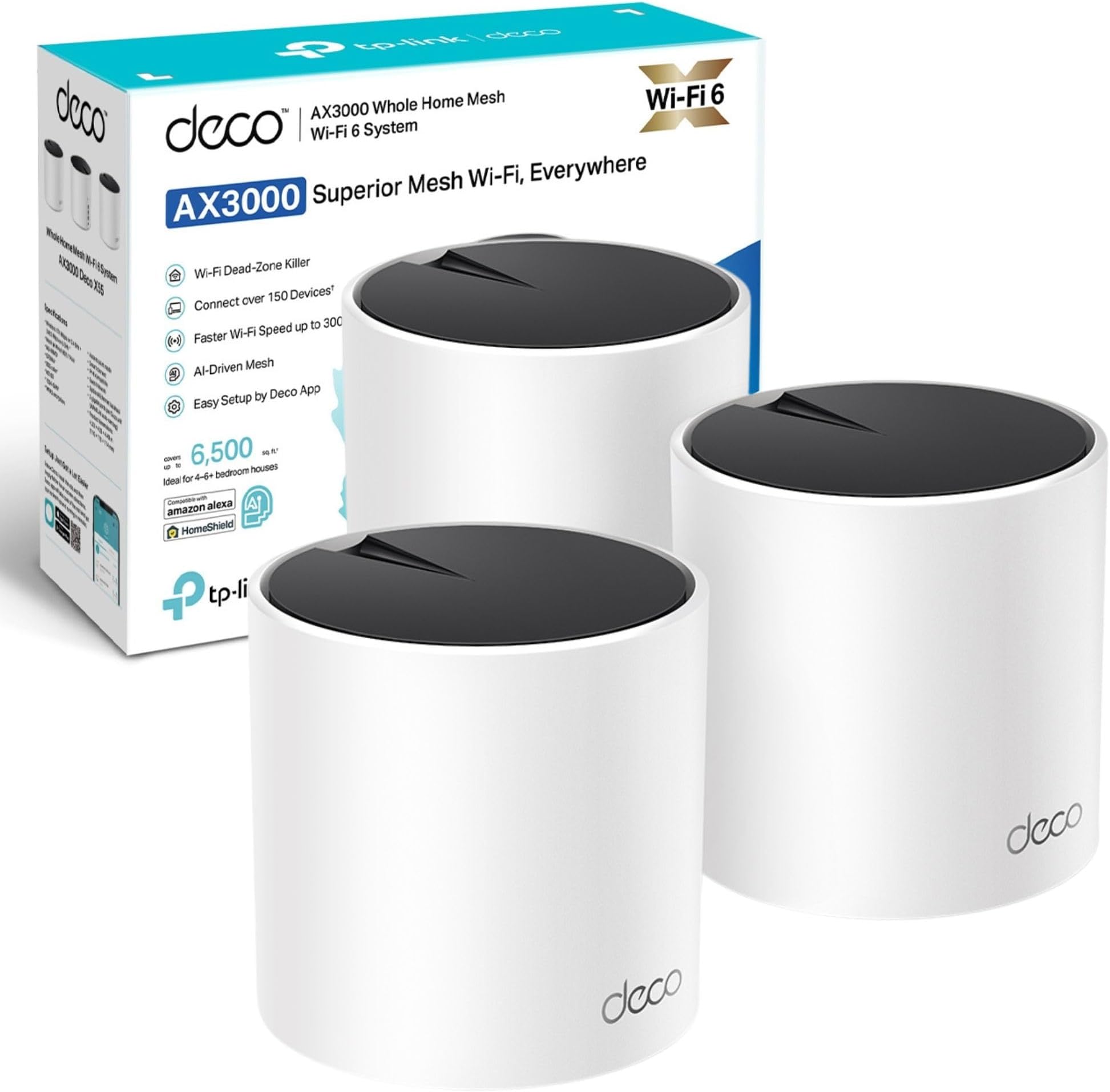
The TP-Link Deco X55 3-pack is a Wi-Fi 6 mesh system delivering ultra-fast AX3000 dual-band speeds up to 3 Gbps and seamless coverage up to 6,500 ft². Each unit features 3 Gigabit Ethernet ports and AI-driven mesh technology for optimized, lag-free connectivity. With advanced security via TP-Link HomeShield, parental controls, and easy Alexa-enabled setup, it’s designed to future-proof your home network with reliable, whole-home Wi-Fi.
| ASIN | B0B8F146PQ |
| Antenna Location | Home |
| Antenna Type | Internal |
| Best Sellers Rank | #13,243 in Computers ( See Top 100 in Computers ) #52 in Whole Home & Mesh Wi-Fi Systems |
| Brand | TP-Link |
| Built-In Media | Deco X55(3-pack) |
| Color | white |
| Compatible Devices | Laptop, Personal Computer, Smart Television, Tablet |
| Compatible devices | Laptop, Personal Computer, Smart Television, Tablet |
| Connectivity Protocol | Wi-Fi |
| Connectivity Range | 6500 Square Feet |
| Connectivity Technology | Wi-Fi |
| Control Method | App |
| Controller Type | Amazon Alexa |
| Coverage | 6,500 ft2 |
| Customer Reviews | 4.4 out of 5 stars 698 Reviews |
| Data Transfer Rate | 3 Gigabits Per Second |
| Frequency | 5 GHz |
| Frequency Band Class | Dual-Band |
| Frequency band class | Dual-Band |
| Global Trade Identification Number | 04897098685792 |
| Has Internet Connectivity | Yes |
| Has Security Updates | Yes |
| Is Modem Compatible | No |
| Item Dimensions L x W x H | 11L x 11W x 11.4H centimeters |
| Item Weight | 1.2 Grams |
| LAN Port Bandwidth | 1000 Mbps |
| Manufacturer | TP-Link |
| Maximum Upstream Data Transfer Rate | 3000 Megabits Per Second |
| Mfr Part Number | Deco X55(3-pack) |
| Model Name | TOMPOL-LJ |
| Model Number | Deco X55(3-pack) |
| Model name | TOMPOL-LJ |
| Number of Ports | 3 |
| Operating System | OpenWRT |
| Other Special Features of the Product | Parental Control |
| Router Firewall Security Level | Advanced |
| Router Network Type | hybrid |
| Security Protocol | WPA3 |
| Smart Home Compatibility | Smart Home Compatible |
| Special features | Parental Control |
| Unit Count | 3.0 Count |
| Warranty Description | 3 year manufacturer |
| Wi-Fi Generation | Wi-Fi 6 |
| Wireless Compability | 802.11ax |
| Wireless communication standard | 802.11ax |
P**A
Full coverage
Easy to setup, no more dead zones and consistent speeds all over. Definitely recommend
S**N
Not recommend
Cloud control is really bad and is useless when connectivity issues occur.
M**S
Mesh
Riktigt bra!
M**O
Easy setup
Super
J**K
Très bon produit, toutefois trop cher.
Très bon produit, toutefois trop cher. Bonne application, installation facile. Dans ma maison j’ai de 800 mégas à 1 giga de wifi en moyenne. Petit conseil laissez le wifi de la box pour les invités et créez un nouveau réseau personnel et puissant à votre usage. Contrairement aux idées reçues adsl ou fibre n’ont pas de meilleur wifi, d’où l’intérêt de ce type d’appareil.
M**K
Finally getting the speeds I pay for - Well worth the investment
Pros: - Dramatic improvement in speed test results and reliability. - Great coverage: my WiFi now feels fast and I’m finally getting close to the advertised speeds I pay for. - The app lets you choose a preferred mesh for devices to connect to, shows signal strength to each device, and download/upload speeds in kbps. - Fairly easy to set up. It may take a while depending on how awkward your WiFi provider/router is, how much you want to test for optimal positions, and the time taken to familiarise yourself with the detail-heavy app and its settings. For some, it will be almost plug and play. - Lots of settings so you can make personalised choices. There’s a huge amount of functionality, right down to being able to turn the light off on the mesh. - Lovely, premium design. - Lots of Ethernet ports. Cons: - I wish there were clearer guidance during setup on testing for optimal placement, or even a mode to help find the best signal. I spent around an hour deciding whether to put the router in a room with important WiFi-heavy devices (showing a medium 2-bar signal strength) or in the hallway outside (showing a strong 3-bar signal but further away from those devices). For me, the stronger hallway position won. - The light colours can initially be confusing in terms of what they mean or indicate during setup. Worth noting: - If you try to name the new network the same SSID as your existing one during setup, it asks you to rename the mesh to something different, which feels counterintuitive if you want devices to switch over smoothly. It doesn’t explain that you can rename it back later after you’ve turned 2.4 GHz and 5 GHz WiFi off on the original router. Overall: - Yes, it’s an expensive investment, but in my view it’s better than paying more every month for “faster” WiFi that you might never get the true benefit of once you’re a bit further away from the router.
A**D
تغطيه مضمونه
DecoAX3000 بطل بعد التجربه التركيب سهل جدا من التطبيق . والاداء جيد جدا .. عندي مودم stc بالدور الارضي شبكت احد القطع معه والقطعه الثانيه باخر الدور الارضي والقطعه الثالثه بالدور الاول بالوسط يعني اعتبره يستحق الشراء
Trustpilot
2 weeks ago
3 weeks ago