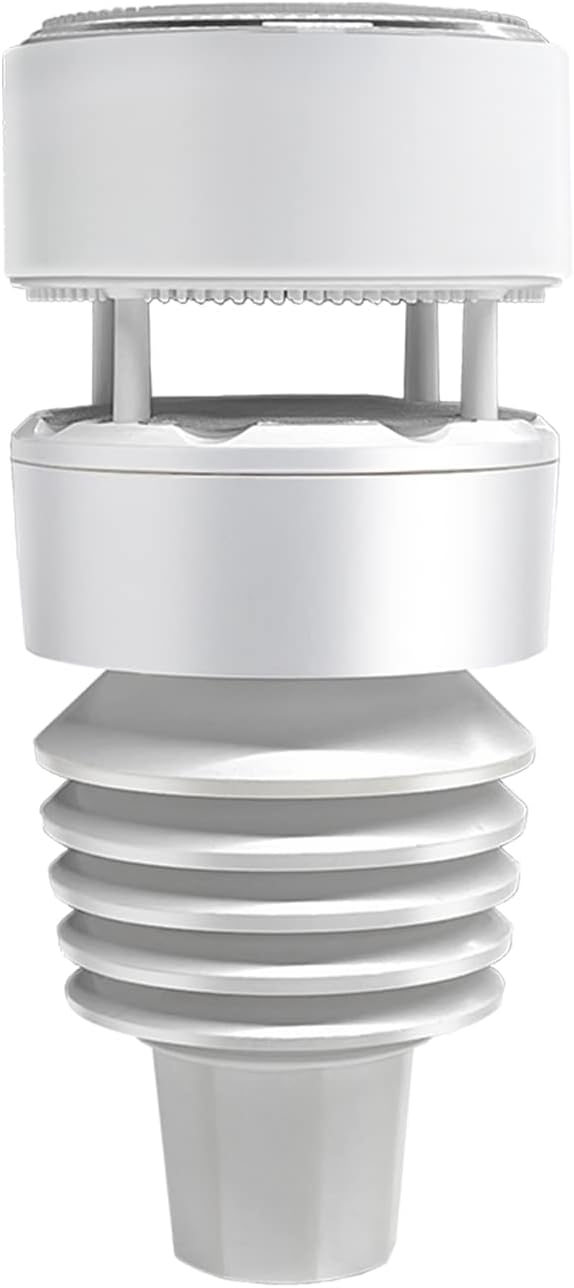
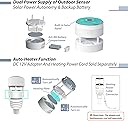
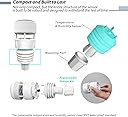
This is a very nice all-in-one sensor that brings all the moving components together into one, solid unit. Compared to other units, you no longer have to properly provide radiation shielding for the temperature/humidity sensor, and you no longer have to worry about debris clogging the rain gauge sensor. Since everything is in one unit now, you only have to worry about battery replacements on one unit versus potentially at three different places. It is also reasonably priced and is priced around the same as a lower-grade sensor replacement. As the item description suggests, however, the sensor itself is not able to work alone, and must be combined with an Ecowitt gateway or display console. Luckily, you most likely do not need to purchase a new console or gateway if you have an existing one available. I am using the HP3500 series (HP3501) display console, and it works fine with the WS90 with the latest firmware upgrade. I have also tried this with the older GW1100 USB gateway, and it was also able to read directly from the sensor (after the firmware upgrade). There is a compatibility chart on the website if you are uncertain whether your existing console/gateway is compatible. Although there is very little documentation stating so, the WS90 does not really work out of the box unless you have one of their newer gateways. As mentioned previously, you will need to make sure you are on the latest firmware version for your gateway/console device (which can be downloaded from the website), otherwise, you will not see any data from the sensor as the sensor type is quite new and has not yet been integrated with most older firmware versions. Furthermore, if you are replacing an older sensor array, old data from that array can conflict with this array, hence causing unexpected readings. So that I can cover all the quirks, I have written out my setup procedure for this array. This assumes you have connected your gateway/console to the Ecowitt portal already (including setting up the long/lat coordinates on the console and adjusting your pressure differences for a relative barometric measurement). Upgrading firmware for console/gateway: You must be running the latest firmware version in order to read data from the WS90. For graphical consoles, you need to download the firmware on the website and upgrade the firmware via the embedded SD card slot. Gateways can be upgraded by using the WSView app. Deregistering old array: If you have an existing array, turn off the data reporting in the console/gateway's array settings page. This will stop the old array's data from conflicting with the new array sensor. Note that taking out the batteries from the battery compartment is not sufficient since many sensor arrays have a battery/capacitor backup and will keep transmitting data even when the batteries are taken out and is left in the dark. You may be able to deplete the battery/capacitor backup using the contacts inside the battery compartment, if applicable (although not necessary if you are able to turn off the reporting for the sensor ID in the settings page). If you have a traditional rain guage/collector, that sensor can remain on as rain tracking is separate for the sensor types. If you have a graphical console and would like to read data from haptic rain sensor instead of the traditional rain sensor, you will need to select the Piezo Rain option from the rainfall data priority settings to get the proper readings. Note that while data from both sensors will be uploaded to the Ecowitt portal, the console can only display one rain sensor type at any given time. You can switch between the rain gauge types without losing any data as the console is tracking both sensor types in the background. You can also see the accumulations for both types and change the rain display settings by holding the Rain button for 2 seconds. For gateways, you must use using the WSView Plus or the Ecowitt app in order to read Piezo Rain values. The older WSView app will show the basic weather information, although the piezo rain information will be missing from the view. Upgrading firmware on WS90 (optional, but recommended): Unbox the WS90 sensor array and peel back the silicone wrap on the sensor and USB port. Download the firmware from the Ecowitt website and connect the sensor to the computer using a microUSB cable (not included). Note that there are a few different variations of the firmware, with different mist/rain sensitivities. Choose the one best suitable for your location and follow the instructions to upgrade the firmware. Mounting the array: The array uses a 3/4" ID or 1" OD pole. The fit should be snug to prevent the sensor from moving around when it's windy. On some poles, the fit maybe somewhat loose. To fix this, wrap a few rounds of masking or electric tape around the top of the pole and ensure the fit is snug. Using a smartphone with a compass app, put your phone next to the W marker next to the wind sensor opening, with the front of the phone facing the N marker. Slowly rotate the sensor along with the phone while keeping the phone to the left of the W marker, until the phone's compass read 0/360 degrees. This will ensure that the wind direction reporting is correct. Install batteries: Install 2x AA batteries by unscrewing the battery plate and replacing it afterward. Either rechargeable NiMH or alkaline/lithium can be used. Connecting 12v/1A DC power supply (optional): If the installed location is affected by snow, you will need to connect a power adapter on the sensor to prevent snow accumulation. This is not needed unless temperature drops below freezing with snow accumulation blocking the wind port openings. Change the battery threshold alerting (optional): Depending on the type of batteries installed, you may want to change the alerting threshold on the Ecowitt portal so you can be alerted when the internal batteries need to be recharged/replaced. This can be done by clicking the cogwheel and the bell icon on the battery panel, and setting the following alert: Battery: Haptic Array(Battery) less than or equal: For NiMH, set the value to 2.4v, for alkaline/lithium, the value should be set to 2.7v. Once all the steps are done, the console/gateway should pick up the data automatically from the WS90 sensor. Here are my thoughts of this sensor after using it for a month: Readings: The readings are very good and is comparable to the old sensors I have before. I like the fact that the sensor has a built-in radiation shield so no additional components are needed to get an accurate temperature reading. The wind readings are also quite consistent, although the faster 8.8s reporting period may make the wind readings a bit more jumpy compared to the older legacy sensors. Piezo Rain: The piezo rain function does work quite well and is able to detect very small amounts of rain that the traditional rain gauge is not able to detect. However, because of this, dense evening fog can sometimes register a 0.02" of rain on the sensor. If this is bothersome, you may want to flash the firmware with lower moisture sensitivity to avoid this problem. Combined with the faster 8.8s reporting period vs the 49s reporting period on the traditional rain gauge, the reported values can end up to be slightly different as the piezo rain gauge is quicker to react to changes compared to the traditional rain collector, but they are close enough as far as trend reporting. Battery Life: This sensor is powered both by the AA batteries and the built-in supercapacitor that provides the primary source of power. Because this sensor provides so many functionalities in one, its power consumption is much higher compared to the more basic sensors. I have asked the manufacturer how long a set of AA batteries are expected to last on this sensor, and I was given an answer of ~9 months, depending on weather conditions. Compared to my old wind/UV/light sensor, I have not replaced the battery on that unit for over 3 years and it was still going strong. That being said, battery life appears to be affected especially by rain, and rain alone can cause power consumption to go up by 3-4x. Under dry conditions, the solar panel is usually self-sufficient to keep the built-in supercapacitors fully charged even on overcast days. A fully charged supercapcitor (5.3v) is generally sufficient to keep the sensor running for 2-3 nights on especially dark days, but one night of rain is all it takes to fully drain the supercapacitor down to 2.3v (the lowest it will go). Once the supercapacitor reaches the battery voltage, it will also start to use the battery as backup power. The sensor will report the numerical voltage values for both the supercapacitor and the batteries back on the Ecowitt portal, and you can alert on these alerts and see historical values just like any other weather attributes. Although the solar panel does not charge the AA batteries that are inside the battery compartment, creating an alert with the specific voltage values should allow you to change out / recharge the batteries before the sensor runs out of power. If the location where the sensor is installed is mostly dry, then it is very likely that you will get much more than 9 months of battery life as the solar panel itself is sufficient to power the sensor without tapping into the batteries. If you live in an area that rains consistently around the year, then your results is probably going to look much different. For reference, it takes about 5 hours of "somewhat cloudy / partial sun" light to fully charge the supercapacitor from empty back to full. It takes about 2 hours of the same intensity of light to recharge a partially discharged supercapacitor assuming dry weather. Overcast days are also generally sufficient to maintain the charge as long as it does not start to rain. Update: 9/2/23: It has been about 9 months since I have purchased this item, and so far the NiMH rechargeable batteries are doing well at 2.54v (1.27v each) without recharging them since the installation. For rechargeable such as NiMH, this is still relatively a high state of charge especially given NIMH also self-discharges itself after some period of time. I would say the NiMH batteries would probably last a least a few years given how it has fared so far, and the supercapacitor has only been drained on days where it's relatively dark with rain throughout the day. Even with the rain, the daylight generally is sufficient to recharge the supercapacitor partially such that the batteries are only used for about an hour or two towards the early morning timeframes. Overall, I think this sensor is a great value and works well. Although the specific quirks can be better documented and explained.