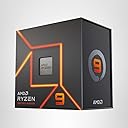
🚀 Unlock elite power and speed — don’t get left behind in the performance race!
The AMD Ryzen 9 7900X is a premium 12-core, 24-thread desktop processor built on the advanced 5 nm Zen 4 architecture. With a base clock of 4.7 GHz and turbo speeds up to 5.6 GHz, it delivers exceptional multitasking and gaming performance. Featuring 64 MB L3 cache, DDR5 and PCIe 5.0 support, plus integrated Radeon RDNA 2 graphics, it’s designed for professionals and enthusiasts seeking cutting-edge speed, efficiency, and future-ready compatibility.


| ASIN | B0BBJ59WJ4 |
| Best Sellers Rank | #19 in Computer CPU Processors |
| Brand | AMD |
| Color | AMD Ryzen 9 7900X |
| Computer Memory Type | DIMM |
| Customer Reviews | 4.8 4.8 out of 5 stars (2,455) |
| Date First Available | September 26, 2022 |
| Item Dimensions LxWxH | 1.57 x 1.57 x 0.1 inches |
| Item Weight | 2.8 ounces |
| Item model number | RYZEN 9 7900X |
| Language | French |
| Manufacturer | AMD |
| Number of Processors | 12 |
| Processor | 5.6 GHz ryzen_9 |
| Processor Brand | AMD |
| Product Dimensions | 1.57 x 1.57 x 0.1 inches |
| Series | AMD Ryzen 9 7900X |
S**G
Paired with the Noctua NH-D15 CPU go burrrr.
The AMD Ryzen 9 7900X is a powerhouse processor that delivers incredible performance for both gamers and content creators. With 12 cores and 24 threads, it excels at handling demanding workloads like video editing, 3D rendering, and heavy multitasking, while also providing exceptional gaming performance. Built on AMD's cutting-edge Zen 4 architecture and the 5nm process, the 7900X offers impressive energy efficiency and increased IPC (instructions per clock) performance compared to its predecessors. With a base clock of 4.7 GHz and a boost clock of up to 5.6 GHz, it handles intensive tasks with ease and ensures smooth, responsive performance in any application. Support for DDR5 memory and PCIe 5.0, offers faster data transfer rates and compatibility with the latest storage and GPU technologies. It’s also equipped with integrated AMD RDNA 2 graphics, making it capable of running basic tasks and offering added flexibility for troubleshooting or systems without dedicated GPUs. What sets the 7900X apart is its balance between professional-grade performance and gaming capabilities. Whether you're building a workstation, a gaming rig, or a hybrid system, this processor excels across the board. The improved thermal efficiency and overclocking potential make it an even better option for enthusiasts looking to push their systems further. Overall, the AMD Ryzen 9 7900X is a top-tier processor that combines cutting-edge technology with versatility, making it an excellent investment for anyone seeking uncompromising performance.
S**R
Ryzen 9 7900X CPU - Excellent CPU for literally everything!
Been waiting to build my new rig for quite some time and this was the missing piece. New build: Corsair Icue 7000X Full Tower RGB Ryzen 9 7900X CPU 32GB DDR5 5600 Corsair Dominator RAM 1 TB Crucial M.2 Gen 4 XFX Merc 319 Radeon 6950XT 16GB Graphics Card Corsair 1000w PSU Gigabyte X670 Elite AX AM5 Motherboard Corsair iCUE H150i Elite LCD XT Liquid CPU Cooler (360 AIO mounted to top as Exhaust 6 Corsair ML140's Fans (10 total fans including those with the case/aio with 6 as intake and 4 for exhaust). Lian Li Strimer V2 RGB Cables for the GPU and Motherboard (they look very nice and controllable via the L Connect 3 software) As I needed additional powered USB headers I also added a Corsair Internal 4-Port USB 2.0 Hub - 4X 9-Pin USB 2.0 Ports for the Commander Core XT and Lian Li Controllers to function. Thermal Grizzly Kryonaut Thermal Paste (removed the stock paste with AIO using TG cleaner wipes as well for better contact). ThermalRight AMD5 CPU Shield - This allows the AIO or Waterblock (if doing a custom loop) to make WAY better contact with the CPU HS. It can be a little nerve wracking as your removing the cpu mount and installing this one but its worth it. As the AM5 CPU has no pins (the mobo now has the pins), its imperative you are gentle on the placement. Best way I found to install this shield was to place the CPU into the socket, then remove the cpu holder so this way you can't damage the cpu or pins as they are socketed. Installing the shield from that point is easy, just don't overtighten it. Theres a bunch of youtube videos on this process. Definitely recommend reviewing them before attempting this step. I upgraded from my old Ryzen 5 2600X system with a GTX 960 SSC 4GB card and a 512gb M.2 Gen 2 drive. Needless to say this was quite the upgrade from my old system. Cinebench scores on my 2600X even with a mild overclock was only around 7200. After getting everything configured/setup and Windows 11 Pro installed with all updates and enabling EXPO1 (RAM OC) and enabling SAM in the BIOS I started my benchmarking. Cinebench score with just EXPO1 enabled baseline was 28745. What a jump! CPU temp on the multi-core threading with the 360 AIO only went as high as 82c (AMD rates these to run at 95c as normal operating temp so it was well below even that). Haven't done any OC'ing other than enabling EXPO1 yet since I really don't need to as the CPU and GPU run everything maxed out. Tested on a few games on max/ultra settings and below are what I got FPS wise: The Division 2 (All settings maxed and on DX12) - Avg 125fps on 3440 x 1440 165hz resolution Aliens: Fireteam Elite - Avg 160fps on 3440 x 1440 165hz resolution Borderlands 2 (older game I know but love to play it with max settings) - Avg 476fps on 3440 x 1440 165hz resolution Forza Horizon 5 - Ultra Settings (max) including Ray Tracing - Avg 155fps on 3440 x 1440 165hz resolution Aliens: Colonial Marines (older game) - Avg 190FPS on 3440 x 1440 165hz resolution Warframe - Avg 155fps on 3440 x 1440 165hz resolution Pairing this CPU and GPU together worked great and the CPU itself is a beast. It does get hot when it turbo's up into the 5ghz range which is why you need a really good cooler (either AIO or custom loop) to keep the temps in check. If you do that, this CPU will be everything you need and then some. One thing I always tell people is to take your time, plan out your PC parts you want for what you want the system to do (video editing, gaming, streaming, etc). Don't be afraid to look around for good deals. I scored the AIO Cooler off Newegg for a much cheaper price than Amazon had it and it works beautifully and the LCD screen is just a nice "geek" factor to put JPG's or GIF's there. Once you have everything, take your time when building it. You may run into an issue here or there which is normal. First boot on AM5 systems is sometimes slow (Memory has to train) and you may see it cycle on/off for up to 1 minute. Mine did this and on the 4th power cycle it posted and I could get into the BIOS and everything showed up correctly. Good luck enthusiasts and hope this review helped with anyone looking at this CPU for their system! Its worth it!
W**D
Excellent processor!!!!
The product is very good and is what I expected. I found one of the affordable prices and its still my best choice so far. It runs on 4GHz which is good for gaming as well as performance. The utilization rate of this processor is also good so far as its a powerful processor. The compatibility is also good if you go for this one for most of AM5 motherboards. Its pretty easy to install and its good for long term use if you are thinking of building a high end system.
V**4
Power CPU.
Update -3-29-25: Since my first review (below) the chip still holds up when I'm using multiple programs such as Rive (possibly the best program for web animation since Adobe Flash) and Corel Ultimate at the same time. It has been a seamless process when creating web pages and editing/rendering in real time. The rasterization process is fantastic and importing/exporting files have been a breeze. I've since repasted the CPU with Cryonaught Extreme. For some, using that particular paste may be a bit overkill for some people on a budget (considering Cryo Extreme are used by people with servers or custom-cooled systems), but working hours on a daily basis have kept my temps low since the CPU can get hot when not properly cooled. Prices may be bit higher currently, but the Ryzen 9 7900X is still worth the investment if you need a chip that touches server grade performance. Be sure to configure your system properly for maximum benefit. This is a great CPU in multi-core processing for photo/video editing. Workflow is smooth with no lag and latency. Keep in mind - you'll also need the best SSD, a good amount of memory (recommend 128GB of memory), and a solid GPU if you want the maximum amount of power for post-production work. As far as gaming, the CPU is pretty powerful. Not on par with AMD's X3D line up, but with the right mid-range to high end GPU and a nice SSD you'll get a great performance for your system. As mentioned above you get great performance for production, gaming, and streaming, but it leans more towards power users who need multi-threaded tasks. Be sure to get an AIO water cooler. It runs a wee bit on the hot side. Great value for multiple uses.
A**N
CPU
Value for Money, Noise level, Cooling, Performance, Great CPU
I**U
妻にメインPCを上げたので自分の2台目のPC用に購入 1世代古くなってますが、MHWildsや最新MMOタイトルを高画質で遊ぶ分には問題ありません。
A**R
reallly loving my CPU Rysen 9 9700x 12 cores 24 threads 1 thing, i would advise on trying with 420MM rad instead of 360MM the thing is a true beast but, he heats like a oven filled up to chimney LOL its all in the specs and all good but by base its a true heater, might even lower my electrical heat bil perfomance wise cant be disapointed, true beast i like how CPU sounds, runs clean, no micro erreor when something manages to peak it a bit you can feel diffrence loving it
A**L
Rätt stor uppgradering för min del och är än så länge helnöjd. Bästa priset på denna CPU vid tillfället.
D**O
Muy buen procesador a un buen precio, es recomendable usar un enfriamiento liquido.
M**N
وصلني نفس المنتج وسليم
Trustpilot
4 days ago
2 weeks ago