Buy anything from 5,000+ international stores. One checkout price. No surprise fees. Join 2M+ shoppers on Desertcart.
Desertcart purchases this item on your behalf and handles shipping, customs, and support to Nicaragua.
๐ Swap drives like a pro โ speed, security, and simplicity in one sleek bay!
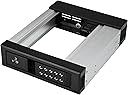
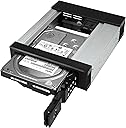
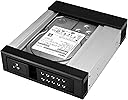
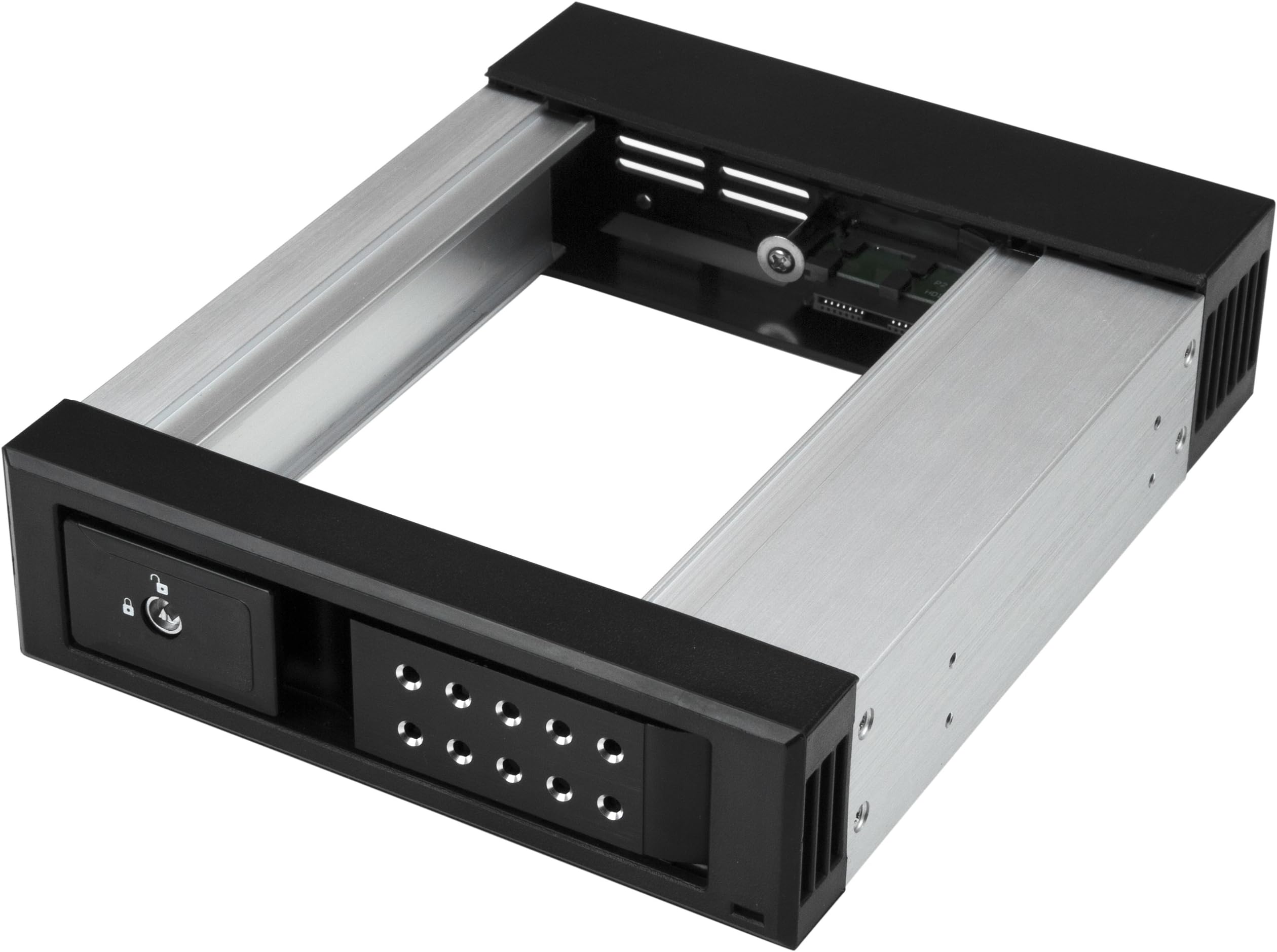
The StarTech.com 5.25" to 3.5" Trayless Hard Drive Hot Swap Bay is a professional-grade removable drive enclosure designed for 3.5" SATA and SAS drives. Featuring a trayless design for quick, tool-free swapping, it supports data transfer speeds up to 6Gbps and includes a lockable aluminum housing with ventilation for secure, cool operation. Ideal for IT professionals managing multiple systems, it offers reliable performance backed by a 2-year warranty and dedicated technical support.


| ASIN | B073JJ2FVR |
| Best Sellers Rank | #1,818 in Data Storage #4,424 in Computer Internal Components |
| Brand | StarTech.com |
| Built-In Media | SATA data cable (1), backplane (1), keys (2), quick-start guide (1), screws (4) |
| Color | Aluminum |
| Compatible Devices | Desktop |
| Connectivity Technology | SATA |
| Customer Reviews | 4.4 out of 5 stars 169 Reviews |
| Data Transfer Rate | 6 Gigabits Per Second |
| Global Trade Identification Number | 00065030872317 |
| Hard Disk Form Factor | 5.25 Inches |
| Hardware Interface | SAS |
| Hardware Platform | PC |
| Item Dimensions L x W x H | 5.25"L x 5.25"W x 5.25"H |
| Item Type Name | Startech Aluminum - Trayless - Vented - Front Mount - 5.25 Hard Drive Backplane - HSB1SATSASBA |
| Item Weight | 0.34 Kilograms |
| Manufacturer | Startech.com |
| Memory Storage Capacity | 3.5 GB |
| Mfr Part Number | HSB1SATSASBA |
| Model Number | HSB1SATSASBA |
| Product Dimensions | 5.25"L x 5.25"W x 5.25"H |
| Supported Devices Quantity | 1 |
| UPC | 065030872317 |
| Unit Count | 1.0 Count |
| Warranty Description | 2 Year Warranty |
J**N
Works very well! It makes it easy to swap in a drive for a project or a backup!
I recently built a new system and one of the requirements was a "Hot Swap" bay so that I can swap in a drive temporarily for a project, or put a backup drive in the bay, make the backup, then remove the backup drive. My old case (a Thermaltake MK1 Cruiser) had a hot swap drive bay built into the top of the case, and it has been used extensively, as that hot swap drive bay has been used to make backups - insert the first 14 TB drive, start the "A" part of the backup, remove the first drive and insert the second 14 TB drive, start the "B" part of the backup, etc. That process has worked extremely well over years and I was very disappointed to not be able to find a case with a built-in hot swap drive bay. I found a case that has two 5.25" external drive bays (Thermaltake Core V71) and bought the StarTek Trayless Hard Drive Hot Swap Bay for one of the two 5.25" external drive bays. Before I continue, I should pass along some reminders regarding "Hot Swap" and Windows and drive letters. First, generally you need to go into the motherboard BIOS settings and enable "Hot Swap". In my experience every BIOS likes to call the setting something different, so read your BIOS manual until you find it. Also, sometimes it is a "SATA" setting, sometimes it is a PCI-E setting, so read the BIOS manual cover to cover. Second, in Windows 10 (I'm avoiding Windows 11) you will need to enable "Hot Swap" in Device manager. As Microsoft like to change things, and if I provide instructions today, Microsoft will change things by tomorrow, I'm just going to suggest you do a search for the "current" way to enable "Hot Swap" on a drive. Third, in Windows Microsoft likes to put "Hot Swap" devices in the list of drive letters depending upon which other devices exist. For example, all of my M.2 SSDs have low letters (C, E, F), and my mechanical 14 TB hard drive started out as drive "G", but I had to move it to "L" because when I plugged in a USB flash drive, or a camera's flash memory card, or inserted a hard drive into the "Hot Swap" drive bay, Windows decided to "change" the drive letter assigned to the 14 TB hard drive and put the USB flash drive, or memory card, or "Hot Swap" drive bay's drive where the 14 TB hard drive was, and give it a new drive letter like "H" or "J" or ... The net result was that the 14 TB internal hard drive became drive "L" (for now) and Windows assigns whatever it wants to the drive letters G, H, I, J, and K. What I'll probably do is assign a new drive letter to the 14 TB drive (which started out as "G", then became "L", and will probably end up as "S" or something like that). Thus, a word of caution... Make sure there are PLENTY of drive letters left unused between where Windows decides it wants to place your USB Flash drives, camera memory cards, and the "Hot Swap" drive when inserted into the dock, so that you don't have "drive letter chaos" where a program using your "G" drive suddenly finds "G" points to a different drive that doesn't have the directory tree structure and files it expects (been there, got clobbered by that). Just to be clear, the StarTech Hot Swap drive bay WORKS GREAT! if you have any problems it will probably be with how Windows assigns drive letters.
G**S
Great product
These are great. I use them with 1 and 2 terrabyte HDDs. A 2 terrabyte HDD fits great. Anything over 2 terabytes would be too thick to fit. I use it for archiving losslessly compressed VHS and miniDV. I capture on a windows 7 PC for compatibility with WinDV and capture card compatibility then edit in windows 10. This helps go from one PC to the next quickly.
J**F
Aluminum light weight frame.
Installed 2 in my Windows 10 server mounted computer. Works well, had a slight issue with my system recognizing the devices. ,ot sure if that's on me or the product, probably me. After I got it working I had no issues. Constantly swapping out HDD for customers so I can transfer data. I do have a momentary freeze with the OS. It goes away, and it worried me at first. Though I received no system errors after checking system files and personal files. I will say, these could be faster, as my setup is designed for high data transfer rate. These transfer at roughly 500 - 750 Mbps. Not bad, could be better. Overall, no complaints here. Nice price. Might order more if the two I have last long enough for when I build another rack setup.
A**N
Perfect
I needed a trayless hard drive hot-swap bay for my tower, so I got this one. Trayless hot-swap bays aren't as cheap as I would like, but it's still a good price for the AMAZING convenience you get with it. It works as expected. If you are new to hot-swap bays, some computers will need to have their BIOS changed so that the SATA port will allow a hard drive addition or removal while a system is running. Otherwise your computer will freeze when you add or remove a drive through this bay. Since it doesn't have any moving parts of it's own, it doesn't make any noise, so any noise you do get is from the drive you put in it. It's put together well, so I expect it to last a long time.
D**C
Does not work.
With the HDD in the bay the PC would not detect it. If I plug the Cables direct into the HDD the BIOS and OS would detect the HDD.
P**T
Quality
Almost took a star off because as advertised I bought the aluminum one. Its not aluminum, its aluminum and plastic, like the other one only built more sturdy. Some of plastic parts do feel flimsy as other have suggested so you have to be gentile. However I doubt they could make all these parts out of metal and keep the price down under 80 dollars so Ill give it a pass. Very nice product. Worked with no hassle. Its not advertised but they have a blue LED that lights up when the computer is on and it turns purple when the drive is in use. Very nice when you are running and raid and want to rest assured your raid is working. The drives slide in and out of the bay smoothly soon as you know the procedure, you cant just jam it in. Came with Sata cables which was pretty thoughtful of them and some extra screws for what, I dont know but im sure when I need them they will be handy. Still fresh and not tested for long term so Ill update this if they disappoint early down the road.
J**S
Excellent SATA Rack for Cloning & Test-Restoring from Images
I bought this item primarily as a fast way to access my Hard Drives for Backup purposes. I Clone my Windows OS Hard Drive every ~2 weeks (& Image less frequently) & occasionally "Test-Restore" a recent Image to one of my bare (unallocated/clean) spare Hard Drives. I've had 2 SATA Racks installed in my PC since I bought my Desktop PC ~12 years ago. I use the 2nd Rack for my 2nd Hard Drive non-OS files, mainly Photo Albums, etc and as my "Target Hard Drive" Cloning Rack. These Racks are a real time-saver for such Backup activities as they allow fast access & eliminate the necessity of accessing the internal chassis of a Desktop PC to swap out a Hard Drive. I bought this Rack to replace another brand's Rack after my original Rack's Door broke after ~10-11 years of constant usage. I've tried a couple other brand's Racks without satisfaction due to their Door Mechanism's being too hard on the plastic Door's Eject action (too stiff, causing more stress on the plastic Doors). One of the alternate brand's Racks broke 2 weeks after I installed it (Door broke). This item's Door Eject mechanical action is very smooth, thus greatly reducing mechanical stress on the Door Assembly. The only critique is one that's been mentioned in other reviews : the Power On/Off Switch is located in the rear of the Rack so there's no way to access it without going into the PC's chassis. For me though, it's not an issue as I'm not using these Racks as "Hot Swap" racks as my BIOS isn't set up for "AHCI". I rate this basically a 5-Star purchase with one exception in the "Sturdiness" category as I've only had this item for a few weeks & only time will answer that question but I anticipate getting years of trouble-free use from this item.
A**3
Perfect for my needs!
This contraption was absolutely everything I wanted and more. I am still ripping all of my bluray and 4k movies to back-up HDDs. I buy 8TB drives because that is the best bang for the buck. Once I fill one, I open up my computer case, detach the old HDD and attach the new one. Was a bit of a pain to be honest. Especially when I have a lot of 4k movies and long television series that eat those 8TB up FAST. I finally had a bright idea to search for a single hot-swap unit. I use one in my NAS already but it's an 8-bay hot-swap tower. I figured there had to be one out there. Search led me to this listing and I bought it almost immediately. To be honest, for the past several months, I left the side open on my ripping PC and the HDDs would just 'hang' there on the side (well I propped them up but it wasn't ideal by any stretch). This proved much easier than mounting the drive in my tower each time I had to swap one out. Then I installed this awesome adapter and man... I can't believe how much easier things will be now. I don't just fill up my archive drives and forget about them. I end up replacing my blurays with 4k versions, rip them to my server and then have to load the HDD with the bluray version and delete it, so I don't have duplicates. I know some like to have the 1080 and 4k versions but not me. Space is valuable and I need all I can get. My RAID array is 5x18TB drives and those are filling up fast! So I'll have to buy a bigger SAS tower and 5 more HDDs for another RAIDZ1 array. Anyway, my point being, I constantly have to cycle my 7-8 'archive' 8TB HDDs to find and delete duplicates and this adapter makes that soooo incredibly easy. My AMD build allows hot-swapping with ease and I seriously doubt I ever went into the Bios to change anything. So for the negative reviews on this adapter, it's most likely a setting which can be remedied with a little bit of research. Don't blame the adapter since it can only do the job it's set up to do! It's also very high quality and should last many years and will be moved over for my next PC build. I can't recommend it enough. Wish I would have bought this thing years ago! Love it, love it, love it!
M**O
Awesome Drive Tray
Worked perfectly with my SFF server
J**K
Excellent unit ideal if you have several SATA spare dives.
Excellent unit, far better than the cheap one I purchased which cost more. This one works on all hard drives, but if you want to use it to run an SSD drive then you have to purchase an additional unit which mirrors an SATA hard disk. I would recommend this unit. Just connect it up and away it goes, no messing.
J**E
Works great
A few minutes to install and configure. Inserted and secured into one of my bays and hooked sata and power in, then enabled port to hot swap in BIOS. Worked like a charm! Great for backups and transfers, much quicker than USB. Note: Most systems require the sata port be enabled for hot swap in BIOS. If you don't, it will still work, but you'll have to reboot every time you put a different hard drive in.
P**L
hinge came apart after 1 week of extremely gentle use
I generally like this product which is largely well made, but the latch hinge is a very bad design. It just came off after 1 week of use and very gentle use at that, during which time I maybe used it half a dozen times. It is badly secured as nothing broke (but imagine it will come out again), the hinge axle just slide out with the only retaining mechanism being the metal on the hinge axle being just slightly serrated on only one side and that being insufficient to retain the hinge particularly well.
A**R
Been working great with weekly swap outs.
I wanted a solution to rotate out backup drives. USB docks with 3.5" slots kept on either breaking or every once in awhile causing errors. Not reliable. This is way more convenient and robust. I've been swapping out a drive every week for awhile without issues. The plastic/metal combo of things seems robust enough that I can't imagine it wearing out that quickly.
Trustpilot
1 month ago
3 weeks ago