Buy anything from 5,000+ international stores. One checkout price. No surprise fees. Join 2M+ shoppers on Desertcart.
Desertcart purchases this item on your behalf and handles shipping, customs, and support to Nicaragua.
๐ Level up your storage game with Buffalo SSDโspeed, space, and strength in your pocket!
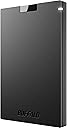
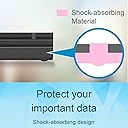
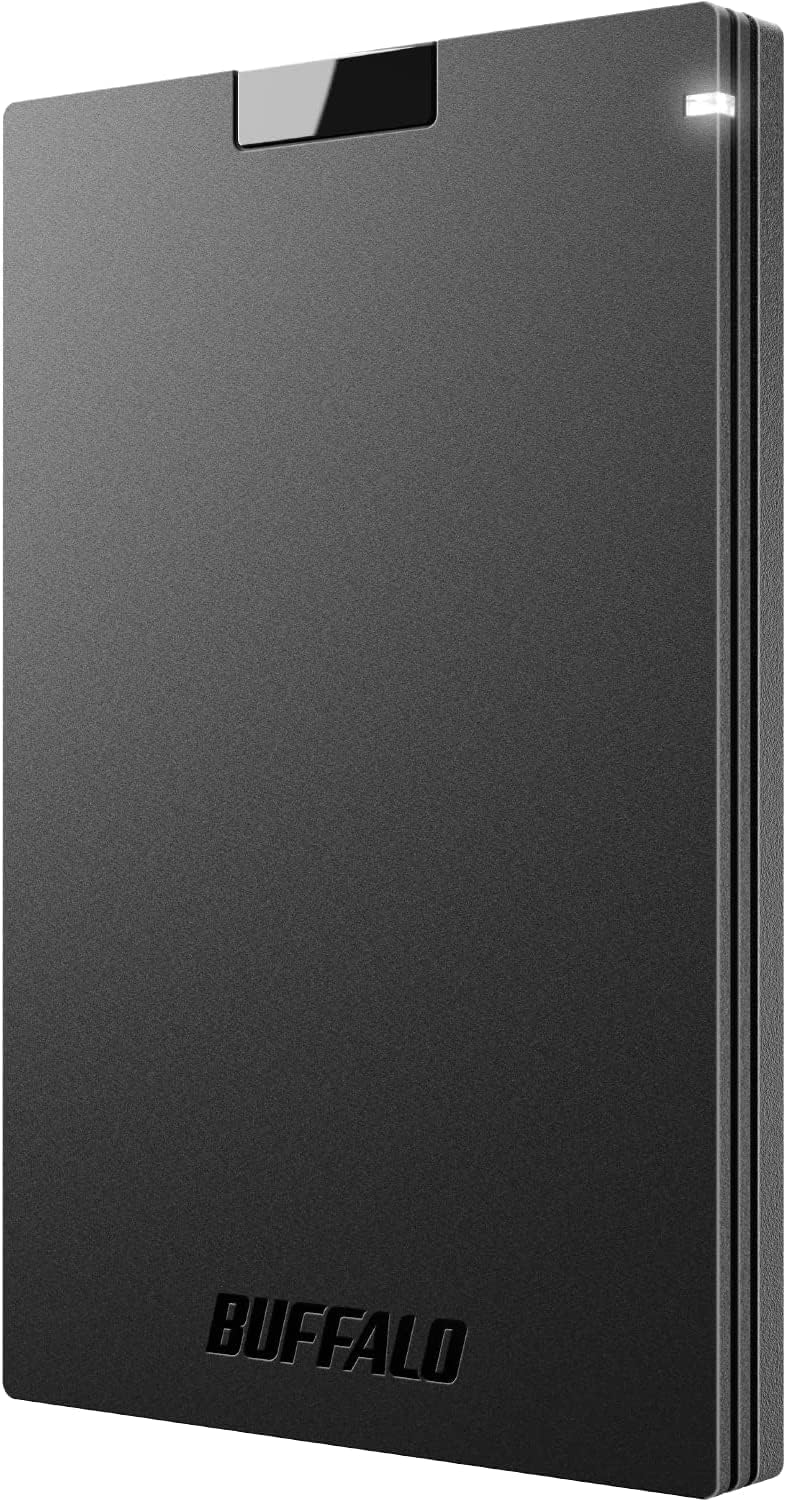
The BUFFALO External SSD 2TB combines ultra-fast USB 3.2 Gen 2 transfer speeds (up to 600MB/s) with a large 2TB capacity, making it ideal for gamers, professionals, and creatives. Its rugged, shock-resistant design ensures durability on the go, while universal USB-C and USB-A compatibility guarantees seamless use across PS4, PS5, Windows, and Mac platforms. Compact and lightweight, this SSD offers plug-and-play convenience backed by a 3-year warranty, delivering reliable, high-performance external storage that keeps your data secure and accessible anywhere.


| ASIN | B09XPDCJMX |
| Additional Features | Best value SSD for storage and gaming, Fast speeds and multitasking, compact, durable, reliable |
| Best Sellers Rank | #35 in External Solid State Drives |
| Brand | BUFFALO |
| Built-In Media | USB Cable (Type A) TypeC adapter, Quick Setup Guide, Gaming Console Manual,Warranty Statement |
| Cache Memory Installed Size | 2 |
| Color | Black |
| Compatible Devices | Desktop, Gaming Console, Laptop, Tablet |
| Compatible Video Game Console Models | Sony PlayStation 4, Sony PlayStation 5 |
| Connectivity Technology | USB-A, USB-C |
| Customer Package Type | FFP |
| Customer Reviews | 4.4 out of 5 stars 4,050 Reviews |
| Data Transfer Rate | 340 Megabits Per Second |
| Digital Storage Capacity | 2 TB |
| Enclosure Material | silicon, plastic, rubber |
| Form Factor | Portable |
| Hard Disk Description | Solid State Drive |
| Hard Disk Form Factor | 2.5 Inches |
| Hard Disk Interface | USB 3.0 |
| Hard-Drive Size | 2 TB |
| Hardware Connectivity | USB |
| Hardware Platform | PC |
| Installation Type | External Hard Drive |
| Item Dimensions L x W x Thickness | 5"L x 3"W x 1"Th |
| Manufacturer | BUFFALO |
| Media Speed | 320 |
| Mfr Part Number | SSD-PG2.0U3B |
| Model Name | BUFFALO SSD |
| Model Number | SSD-PG2.0U3B |
| Number of Items | 1 |
| Read Speed | 340 Megabytes Per Second |
| Special Feature | Best value SSD for storage and gaming, Fast speeds and multitasking, compact, durable, reliable |
| Specific Uses For Product | Business, Gaming, Personal |
| UPC | 747464135311 |
| Warranty Description | 3 years with registration |
D**S
The BUFFALO External SSD 2TB, is the most versable small external drive
Adding the BUFFALO External SSD 2TB to my Genealogy class has been a game-changer in terms of organization and efficiency. This versatile and convenient storage solution has made backing up and managing research data immeasurably easier for both myself and my students. Speed and Performance The BUFFALO External SSD offers impressive speeds of up to 600MB/s, significantly enhancing our workflow. Transferring large files, such as high-resolution photographs, scanned documents, and extensive genealogical records, is now incredibly fast and seamless. This high-speed performance ensures that we spend less time waiting and more time focusing on our research. Versatility and Connectivity One of the standout features of this SSD is its versatile connectivity options. With both USB-C and USB-A ports, it is compatible with a wide range of devices, from modern laptops to older desktops. This flexibility is especially beneficial in a classroom setting where students might have different types of equipment. Additionally, the USB 3.2 Gen 2 interface maximizes data transfer speeds, making it a future-proof investment. Storage Capacity With a substantial 2TB of storage, the BUFFALO External SSD provides ample space for all our research needs. It comfortably accommodates large datasets, multimedia files, and extensive project documentation, ensuring that we never run out of space. This capacity has been crucial in maintaining an organized and comprehensive digital archive of our genealogical research. Portability Despite its large storage capacity, the SSD is compact and lightweight, making it incredibly portable. Students can easily carry it between home, the classroom, and research sites without any hassle. Its sturdy build also provides peace of mind, knowing that our valuable data is protected from the rigors of daily transport. Ease of Use Setting up and using the BUFFALO External SSD is straightforward, even for those who are not particularly tech-savvy. It is plug-and-play, requiring no additional software or complex installation processes. This ease of use means that students can quickly start backing up their work, ensuring their research is always secure. Reliability and Durability The reliability of the BUFFALO External SSD is another major plus. It has proven to be a robust and dependable storage solution, with no issues of data loss or corruption. The durable design ensures that it can withstand regular use, making it a reliable companion for long-term projects. Conclusion In conclusion, the BUFFALO External SSD 2TB has significantly enhanced the organizational aspect of my Genealogy class. Its impressive speed, versatile connectivity, ample storage capacity, and portability make it an invaluable tool for managing and backing up research data. The ease of use and reliability further add to its appeal, ensuring that our valuable genealogical research is always secure and easily accessible. I highly recommend this external SSD to anyone looking for a high-performance, dependable storage solution.
L**T
Awesome and reliable.
Awesome drive. Small and reliable especially for data 1TB and under. Just have to be careful in case loosing it.
T**N
BUY IT
Have had this for a few months and so far so good, even running D3 & Destiny 2 on it no issues. No lag at all! Functionality, transfer speed, design, & ease of installation are all a 10/10. Heat level is very low. I have it plugged in to my rig 24/7.
H**S
Works on PS5, just take your time setting it up
This is a USB SSD 1TB stick for use with a PC and PS4/PS5 console (and Xbox Series). I only have a PC and PS5, the PC was able to read this right away without a problem. So if you're wanting this for PC use, it's ready go out of the box. The Playstation 5 is a notoriously picky console with both internal M.2 SSDs and any external HD/SSD you give it, so this being an annoying setup came with the territory. The first order of business is making sure to follow all procedures when using this on a console, make sure your console is fully powered off when removing or inserting this, this is also true for any external SD or HDD you use. Rest mode is not fully powered off state, make sure it's off. I'm gonna over the installation process, if you want my summary review it'll be the last paragraph. The next order of business is on the PC, insert this on a PC, find and use Buffalo's download page for the firmware updater and format tool called DiskFormatter2. My device came in late November and the firmware tool said it was already up to date, the probability they're all running on the latest firmware is high these days but it doesn't hurt to take a minute to check. Following that just use Buffalo's DiskFormatter2 tool to format it back to NTFS, leave everything on default NTFS values. Before doing this this I've tried the Windows 10 built-in formatter and a 3rd party to use this as NTFS and eXFAT and even FAT32, the PS5 would refuse to format it as extended storage. Once the format is complete just put it in one of the USB back ports of a PS5 and format it as extended storage, you're done. If you come across any issues with the PS5 refusing to recognize it or refusing to format as extended storage, retrace my steps and make sure it is firmly set in place (the light will be on during use). For anyone who doesn't read or has misconceptions: the Playstation 5 usage this is for storing and playing PS4 games on it. Sony has said no external HD or SSD will play PS5 games for the foreseeable future. If you want to backup and play PS5 games, you want an M.2 SSD internal solution. This external drive only functions in the back USB ports of the PS5, this is by Sony's intended design and holds true for any SSD or HD external you bought elsewhere, do not place this or other external drives in the front drives ever. I used this briefly on the PC and safety ejected it after setting it up for PS5, never take any shortcuts with any external SSDs, safety first for the health of the drive. I bought the Buffalo SSD USB stick because of its small form factor as a PS4 games storage device on my PS5, it's nice that I can use it on my PC if I ever want to. The USB can be difficult to deal with when attaching on the back of the PS5 because its a retractable design, a blessing and a curse. On a PC you can use an USB anywhere so it really isn't an issue but the PS5 only accepts USB external drives from the back so be gentle when installing it. This type of technology in this form factor is new and it works. The reason I don't give it a perfect review is because of how utterly annoying it was to format it as extended format on PS5, you need to use Buffalo's DiskFormat2 tool otherwise the PS5 will recognize it but it won't let you format it for extended storage with a generic error message. I'm not sure if this is more Sony's fault for their notoriously difficult and picky internal and external solutions. It's also as I said a bit difficult to safely attach on the back, but otherwise it does what it's supposed to do on PS5: Store and play your PS4 games on it.
K**L
Good quality, customer support and reasonably priced
Buffalo products are great and so is their customer service. I would purchase more just because of that.
Y**S
works exactly how you would expect it to
Perfect for what I need, is just as fast an internal one and is obviously portable which is an added bonus.
S**O
Buffalo lies about write speeds.
I bought this product for my laptop to add storage for large games. I tested the product with one game that was released within the year, since itโs a newer game that could be part of the issue but regardless, I tested the read and write speeds multiple times and troubleshooted for hours. This says it would work with 3.2 usb plugin but did not upload at said speeds on my normal usb plug in for my laptop, even in the 10gbps usb slots. Yet the usb type C adapter was insane. I was getting download speeds of up to 1.2gb per second, Which is double whatโs advertised, yet my read speeds when trying to run the game were maxed out using 100% of the disk drive at 40mbps, this made it impossible to run the game , I could only load it up and then would not load in for over 20 minutes, I tried different YouTube and Reddit posts and Amazon reviews to see the issue but it didnโt work. In the end this is a good USB for business and files, but even then you could get a way cheaper usb or ssd with higher read and write speeds for a cheaper price. Not worth the hassle or money for this product in my opinion. Also I found it hilarious how their QuickStart guide included only warranty information. Oh yeah and they donโt allow you to play ps5 games on it either, only for uploading it to the drive and then you reupload it back to the ps5 or you just hold other games on it for holding the information. Seems to only be good at moving items back and forth.
A**N
Great value
Works perfectly for a second hard drive, I use it to store all my editing videos and so far its has performed flawlessly, combined that with its affordable price and its a no-brainer
A**I
Good
If it had the built in connecting cord (like earlier Buffalo hard disk) it would have been better . We could avoid connecting each time
P**J
The quality of the usb is quite low
The usb is basically fully plastic, that being it bends quite easily without pressing too hard. The rest works fine.
J**Y
bon
merci
N**S
Fidget Toy
It's a USB stick that can retract. Useless? Yes. Fun? For sure!
Y**T
Great extra storage BUT ...
Does NOT WORK for Sony Playstation 5 disc edition. Says not compatible. I'm sure my son will find another use for it so my $200 doesn't go to waste.
Trustpilot
4 days ago
1 month ago