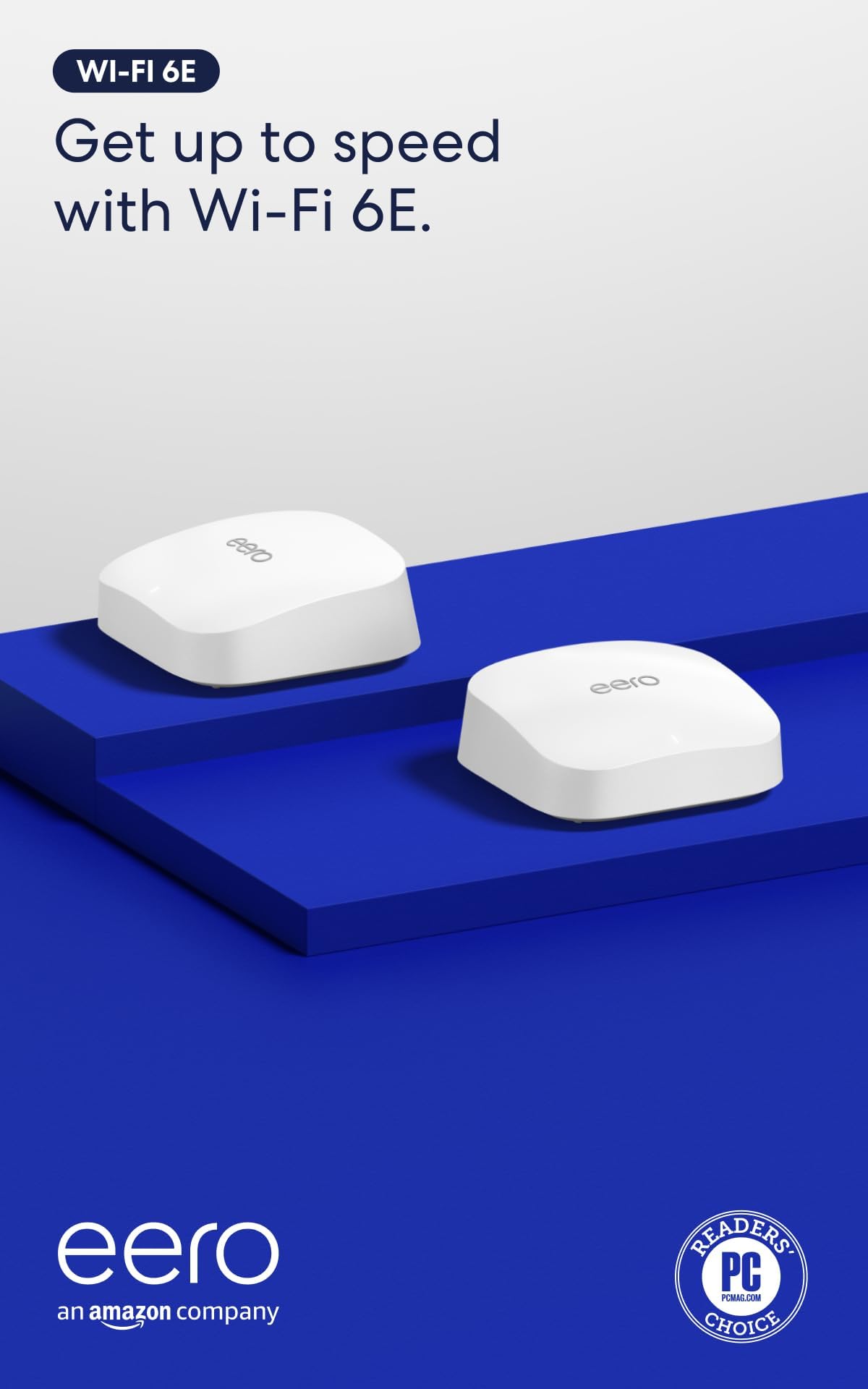
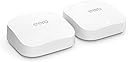





Amazon eero Pro 6E mesh wifi system - Supports internet plans up to 2.5 Gbps, Coverage up to 4,000 sq. ft., Connect 100+ devices, 2-pack
Product ID: 417894994
⚡2.5 Gbps max speed
📶4,000 sq. ft. coverage
🔗Connects 100+ devices
Buy anything from 5,000+ international stores. One checkout price. No surprise fees. Join 2M+ shoppers on Desertcart.
Desertcart purchases this item on your behalf and handles shipping, customs, and support to Nicaragua.
🚀 Elevate your home network to pro-level speed and coverage—because buffering is so last decade.
The Amazon eero Pro 6E mesh Wi-Fi system delivers cutting-edge Wi-Fi 6E technology with support for internet plans up to 2.5 Gbps. This 2-pack system covers up to 4,000 sq. ft. and supports over 100 connected devices, making it ideal for busy smart homes and professional environments. Featuring TrueMesh technology for optimized traffic routing, dual auto-sensing Ethernet ports including a 2.5 Gb port, and an easy-to-use app for setup and management, it ensures fast, reliable, and secure connectivity throughout your space.
| Wifi coverage | Covers up to 4,000 sq. ft. |
| Type | Router (connects to modem as primary router) |
| Supported speeds | Supports network speeds up to 2.3 Gbps, when using both wired (up to a gigabit) and wireless (up to 1.3 Gbps) client devices. Ideal for gigabit+ internet plans (up to 2.5 Gbps using the 2.5Gb Ethernet port). |
| Wi-Fi connectivity | 1-pack: Covers up to 2,000 sq. ft. 2-pack: Covers up to 4,000 sq. ft. 3-pack: Covers up to 6,000 sq. ft. 4-pack: Covers up to 8,000 sq. ft. |
| Wired connectivity | One auto-sensing 2.5 gigabit Ethernet port and one auto-sensing 1 gigabit Ethernet port per eero |
| Speed Rating | AX5400 |
| Smart Home Connectivity | Works with Alexa, Amazon Frustration Free Setup, 802.15.4 radio (Zigbee, Thread), Bluetooth Low Energy 5.0 |
| Electrical Rating | 100-240V AC, 50-60 Hz |
| Processor, memory and storage | 1 GHz dual-core processor, 1024MB RAM, 4GB flash storage |
| Network Security and Services | Profiles, WPA3 (eero Labs feature), WPA2, TLS v1.2+, VPN passthrough, IPv6, NAT, UPnP, port forwarding, DHCP, static IP, and cloud connectivity. |
| Required for setup | Supported iOS or Android device and internet service (with cable or DSL modem, if required). See requirements. |
| Temperature Rating | Operating: 32˚F-104˚F (0˚C-40˚C) Storage: -13˚F-140˚F (-25˚C-60˚C) Operating humidity: 0%-90%, non-condensing Operating altitude: <3000m |
| Dimensions | 5.6 in x 5.4 in x 2.0 in (142mm x 138mm x 51mm) Actual size and weight may vary by manufacturing process. |
| Warranty and Support | 1-year limited warranty. Free customer support is available 7 days a week. Learn more about warranty and support. |
| Software Security Updates | Learn more about these software security updates. |
| Subscription | 30-day eero Plus trial is limit one per new eero customer account. Additional terms apply, see the eero Plus Terms of Service for more details. eero Internet Backup performance will vary and you are responsible for data charges with backup connection providers. Learn more about eero Internet Backup requirements, performance, and compatibility here. |
| Legal Disclaimer | Some features require linking your Amazon account, and downloading the Alexa application or using a compatible Alexa device. Internet connection speeds and availability depend on your internet service provider; if your internet service provider does not provide you with the maximum supported speed, you will not experience that maximum speed. Maximum network speeds, if applicable, reflect combined supported speeds across wired and wireless clients. Maximum wireless signal rates are derived from IEEE 802.11 standard. Specifications assume wired Ethernet connection; your experienced speed may vary when connected to an eero device that is configured as a wireless extender. Coverage estimates are based on normal use conditions. Actual range and performance can vary, and maximum supported speeds may not be available to all customers, due to factors such as local regulations (including power limits), network configuration, interference, connected devices, device usage, building materials, and obstructions. Specifications are based on use of a Wi-Fi 6 or later generation client device that supports 160 MHz. For more information about eero performance, visit support.eero.com. Combining eero Pro 6E devices with older generation eero devices on the same network may result in reduced performance across the network. *“Wired speeds, without the wires” assumes a benchmark of 1 Gbps wired port speed, and use of either i) 6 GHz on mesh backhaul and use of a client device that supports 160 MHz, and/or ii) a Wi-Fi 6E or later generation client device that supports 160 MHz. |
H**N
Impressive solution for the price
I'm a network engineer snob who won't hesitate a single second to give most of the home router and wifi junk sold today a terrible review when it's warranted. After having two router/wifi solutions made by that company that starts with Net and ends with Gear fail on me in less than 6 months, I was about ready to spend a few grand on a Ubiquiti solution and wire up my home for access points and cameras. Then a colleague and friend of mine suggested this eero mesh system as a lower cost/effort option. I'm not a fan of plug and play stuff and was skeptical but figured I could return it if not happy. I have to say I'm pretty impressed. The set up was almost too easy. Just download the eero app to your phone, plug a device in and connect the 2.5g port to your router and the app will walk you through it all. Most importantly, it worked really well when solutions like this from other vendors don't forcing you to connect a cable and manually set up. At first I didn't like that there isn't any ability to give the 2.4ghz and 5ghz networks different SSIDs (I had my previous router set up this way and changing this would have meant climbing up a ladder and reconfiguring several Ring cameras) but eero let's you change the name of the Guest Network to anything you want so this was an easy work around. As others have mentioned download the Wifiman app and shortcut and start scanning your house after you install the main router/wifi device. When you find spots that the signal drops below GOOD quality (-70dbm) drop another unit in between the first and where the signal dropped to poor quality. I bought the 3 pack thinking I'd need it to cover a 6,000 sq ft home. However one device was provided good coverage for most of my house and two provided either excellent or good signal strength everywhere inside and even outside on my patio and driveway. I only have one device on the first and second floors and both floors as well as the basement are all receiving good/excellent signal quality. I could have definitely saved $100 and gone with a two pack but I'm ok with having an extra device as a back up or if someone else in the family needs it (keep in mind any of these devices can act as a standalone router/wifi solution) or even to temporarily extend WiFi farther out into my yard in fair weather for outdoor gatherings etc.. Overall I'm impressed. The dashboard and tools/analytics included with the app are more than adequate for home users. You can even set up alerts for new devices connecting to your network. The GUI is modern and responsive and not like some of the traditional router vendors who still support an antiquated web login that takes forever to connect, lags between function and times out frequently. Time will tell if this is reliable but as mentioned a friend and colleague who owns his own network solution business told me he installs these in homes where the cost and wiring of a Ubiquiti or similar solution is prohibitive and he's never had an issue with their performance and reliability.
3**4
Works very well. Very easy to set up.
Previously just had the standard wifi router provided by ATT with fiber connection. It was fine really but some parts of the house lacked good signal. Purchased the 6 Pro E and put the ATT router in bridge mode, the Eero instructions on doing that were perfect and it worked. The 6 Pro E was up and running in minutes and did it's own software updated immediately. Was super easy to rename the network, set the password and permissions and every single device that was previously on the old router connected seamlessly on it's own without any intervention. I think possibly one 2.5GHz device may not have auto-connected but it connected just fine once I put it in pairing mode. We have a lot of devices, mixed 5ghz and 2.5ghz, and so far both networks broadcast fine and everything works. Also 5th Gen Echo Dots seamlessly boost the wifi signal and I already had those in nearly every room before getting the Eero 6 Pro E. Few things to note: I don't pay for Eero Plus subscription so I don't use any of the extra reporting features. New devices connect with what looks like a random code or with a manufacturers name, which usually does not help identify what it is. That can be a challenge when you're trying to figure out if it is something you just added or someone else who managed to get in passed the firewall. Googling the name that shows up does not always help figure out what it is. For some reason my iphone reconnects every few weeks as a "new device" with a name of "unknown device". This does not happen with my husband's iphone. This means that at any given time there is one active "unknown device" and several others that are inactive with that name. Looks like eventually they drop off the recently connected inactive list. Even if I rename it to something specific, after a few weeks it will reconnect as if it's brand new and I'll get an Eero notification that a new device has connected. It is frustrating to have to continually check the app to make sure it's just my own phone and not something intruding. The Eero devices have a Zigbee hub built-in but my recent purchase of motorized Alexa compatible shades with Zigbee motors had issues. They connected sort of, but were not functioning in the Alexa app even though both Eero and the shade manufacturer said they should work. Eventually I had to also buy 2 older 4th gen Echo's that also have a Zigbee hub built-in, only then would they be found by Alexa and then they started working in Alexa app with voice and scheduling. However, adding the old 4th gen echos created two more issues: While every single other device in my house on other floors away from the Eero 6 Pro can connect just fine because I have 5th Gen Echos in most rooms boosting the mesh coverage, for some reason, the 4th Gen Echo placed on the second floor could not connect to the 6 Pro E router on the first floor. I had to end up buying a second Eero 6 for the second floor to act as a booster up there as well. Only then did the second floor 4th Gen Echo connect to wifi and stay connected. That's very odd because everything else on the second floor and in the basement and detached garage had no issues connecting to either the wide array of 5th Gen Echos or to the main 6 Pro E on the first floor. The second new issue... the Eero devices are set to roam automatically which is the point of mesh coverage. However, the Zigbee shades hated that feature and would constantly bounce from the nearest 4th Gen Echo to the 6 Pro E and back. Each bounce made them "unresponsive" in the Alexa App. Eventually I had to turn off that roaming feature in the Eero app settings so that every device now connects to whichever Echo or Eero it sees first and then stays there. Defeats the purpose of having mesh but it was the only way to make the $2000 worth of "smart" shades actually work with the network and Alexa.
D**.
Bomb.com
Not sure why this doesn’t have 5 stars from everyone! Got the three device set up and man this couldn’t have been easier to set up. This system is bomb, like I’m not sure how much easier of a setup people even want. Everything was basically plug-and-play, and the app walks you through it so smoothly it almost feels too easy. Performance-wise, it’s been amazing. The coverage is solid throughout the whole house, and the speeds are not just fast—they’re consistent everywhere on Wi-Fi, not just when you’re hardwired. I haven’t had any random drops or dead zones like I used to deal with. Compared to the Cox gateway, it’s not even close. They charge $15 a month to rent that thing and it doesn’t hold a candle to this setup—honestly kind of ridiculous. And the quality? Top tier. It honestly feels like an Apple product. From the packaging to the devices themselves, even the cords and the app—everything just feels super polished and premium. I’m actually glad Amazon acquired eero because you can see that level of refinement in the whole experience. My only complaint is the price tag. $400 is definitely not cheap. But when you break it down, Cox charges $15 a month to rent their gateway—that’s $180 a year. In just about two years, this system basically pays for itself, and you’re getting way better performance the whole time. Overall, 110% happy with this purchase.
S**S
BRIDGE BRIDGE BRIDGE
I am not one for writing reviews as of late, but I feel that this is a must for those of you like myself just getting into mesh systems and wanting the best of the best or least wanting something worth the money. Let me start of by saying that this is my first mesh system. I returned it one week after owning it. Why you ask? Because it went on sale for $200 cheaper a week later after I purchased this past August 2022, so I returned it and immediately purchased the exact same setup for the sale price. Now that that is out of the way, lets get into the brass tax. I have over 100 smart devices, bulbs, led strips, switches, plugs, tvs, way too many gaming systems, tablets, phones, blinds, fans, garage door, sprinkler, speakers, 10 variations of Echos, computer pcs and macs, in my 1 story attached garage 2000 sq ft home of concrete stucco hurricane code. I purchased the 3 pk this past August of 2022. Now is it overkill? Maybe. Prior to this I purchased several WIFI range extenders just so I could reach my outside landscape smart bulbs, and my driveway smart lights and my smart sprinkler Rachio. Needless to say that was a fail, the price of those extenders were fairly cheap and that was the definition of you get what you pay for. I was barely getting 15 down and 1 up with those extenders by my smart sprinkler panel that is attached to the outside of my home. I decided to take a dive into EERO and go all out and get the PRO 6e. The first couple of days I was getting speeds of 500 down and 40 up. Then things started to get a little crazy. Mind you I set them up at the farthest corners of the house and have one in the garage as well. As the week went on devices started slowly disconnecting and wouldn't work. Lifx anything was totally useless, and so were the nanoleaf panels. Shortly room by room the wiz bulbs started to not work and then eventually the govee anything and Roombas as well as sonos speakers. Everything started to not connect to the network. I have one EERO set up next to the modem/router combo from Xfinity in the center of my 2000 sq ft home serving as the gateway and each of the other two are over 500 feet away. At this point and you might be thinking to yourself that is one expensive failing range extending system. At least that is what I was thinking. SO I called Amazon customer support and I was transferred to an EERO tech who got me through the process of hard resetting each EERO and only having one connected. He advised me that having more than one in my 2000 sq ft home was overkill and I was clogging up the highway of bandwidth. So shortly after I got off the phone with tech support, I was thinking to myself....wait what? If that were true then why were all my devices working flawlessly in the beginning when I first set them up a week ago? So I connected the other two and boom all my devices were lightning fast no lag no hesitation. This time almost 600 up on my phone and almost 700 on my PC. Wirelessly I might add. A week goes by and then it starts happening again, I went through the entire reset process disconnected every device reconnected everything and things are back running smoothly. At least I thought. So digging through the web and further investigating I decided to go into bridge mode. Based on EEROS software and program design, they are set up to optimize your entire home network every so often, in my case it was one week. However their optimization program in router mode is counterintuitive in my case. This is why all the clients/devices were having connectivity issues. Now here is where the fun begins because I was going to send these back, because my 11 year old Netgear gaming router was out performing this system...until I bridged it. Wow, PC speed is almost at 900 down, and the PC is far away from the mesh systems, phone speeds at about 800. And every single device has not disconnected or dropped and works beyond my expectations. Outside of my house I live on a 10000 sq ft lot and I can go anywhere in my yard and I have signal. Not to mention these things are fighting through concrete stucco and probably more traffic then i35 and i10 combined during construction. Overall 4/5 due to the so called router optimization software they use and the fact that they would have you pay for a sub, which reminds me I need to cancel since their subscription services do not work in bridge mode. If you are too lazy to read all that here is a short list of pros and cons. Pros: Super fast speeds, easy to set up, app is easy, sleek futuristic clean minimal design Cons: Price, takes quite some tinkering on user end to optimize setup, subscription based services Special notes: 1 EERO serving as the gate in bridge mode directly connected to the router/modem from Xfinity. My EERO serving as gateway has an outgoing powered network switch attached to it. I have 1.2 GBps with Xfinity, just with the one EERO Pro 6e wired I an getting above 1.4GBps super fast If you are not savvy with nerdy geeky stuff, hire a pro to optimize your network. These are worth it and I would recommend even without the sale price. Invest into a firewall router if going into bridge mode.
V**.
Great Upgrade — Worth Every Penny
We previously used the dual‑band eero 2 model, and it served us fairly well. After doing some research (and getting a little help from Copilot), we upgraded to the eero Pro 6E — and the difference has been incredible. We bought the 3‑pack, but quickly realized that 2 units easily covered our entire home (~2,000 sq ft). It’s not a loss, though; we’ll leave 2 behind for the family when we move and bring the extra 1 with us and we can buy another single unit later if needed. For context, we pay for 800 Mbps, but with our old modem/router combo we were only getting 70–150 Mbps in most rooms. Zoom calls were hit‑or‑miss, and the layout of our house doesn’t help — the modem is stuck in the far right corner of the house, and moving the line would require some construction/rewiring = $$$. After installing the eero Pro 6E, we’re now consistently getting 350–680 Mbps in every room, and even our garage pulls around 300 Mbps. That’s roughly an 80% improvement without touching any wiring. Setup was straightforward. Since we have a modem/router combo, the only tricky part was remembering to turn off the router portion. Once the main eero was connected, our devices automatically joined the new network since we kept the same Wi‑Fi name and password. From there, placing the second unit halfway through the house filled in the weak spots that we use to have. The speed and stability have been game‑changing for our hybrid/WFH household. We run Ring cameras, smart plugs, a MyQ garage opener, Google devices, and smart lights. For the smart lights, garage and smart locks, I had to manually reset the wifi though and 2 out of 7 of the ring cameras. Pros - Very easy to set up, especially if you’ve used eero before - The app makes managing devices, checking status, and updating Wi‑Fi info simple - Excellent coverage for homes with dead zones or awkward layouts - Truly plug‑and‑play — anyone can get this running Cons - It’s definitely pricey (we were lucky to have a gift card that covered most of it) - Much larger than the older eero 2 units — about 2.5× the size - Works best elevated on a table, so don’t leave it on the floor Overall, if you’re struggling with weak speeds, dead spots, or a modem stuck in a bad corner of the house, the eero Pro 6E is absolutely worth considering. It made a dramatic difference for us.
A**L
Wanted to like this, but had to return... and return was not easy.
This review is on the EEPRO 6E tri-band mesh. I'm not a network novice so after my bad experience I wanted to warn people away from this product. In my 25 years working in technology infrastructure I've acquired experience, network certifications, etc believe me when I claim I'm not stupid. I live in a three floor house on an acre lot so have little external signal penetration into my home. All rooms I wired with Cat6 for gigabit ethernet. My internet service is 1Gb; from the wire I speed test at 800 Mbps down and the same upload. No one in my family wants to plug in anymore so we all rely on three independent wireless routers connected by wire and bridged into the network: a netgear nighthawk (2,4Ghz and 5Ghz bands) on floor two, a Verizon gigabit router (2,4Ghz and 5Ghz bands) on floor three and an apple extreme (2.4Ghz band ) on floor one in the basement. From my apple phone (12 pro) I consistently get 550Mbps download and 300-400 upload except on the basement router where my office is. I wanted a mesh to improve signal handoff and for my office to get the same as the rest of the house. I picked this one because I read good things and the price was discounted compared to the orbi which at $2,000 I just could not bring myself to buy. The installation of the first node was easy (connect to the wire and run the app) on the second floor, the second node complained it was out of reach on floor 1 (directly under node one & connected to the ethernet wire). After two attempts to find it, it worked. The third one was a nightmare. Tried putting it on the other side of the house and connect to ethernet and just would not pickup. I had to bring it one room away from node one before it picked up. Job done? Well the first day I had 450 Mbps download and 400 upload everywhere. Thinking I was happy. Next day, "Dad we have no wifi!". My wife tells me she was dropping connections from her laptop all day within 20 feet of node 2. I thought ok I'll reset the system. Re-input all their devices with fresh connections. That worked for 24 hours. Next day, I'm sitting in the room with node2 and it affect me; 1Mbps download .01 Mbps upload. I renew my connection, no fix. Reset the system and back to 450 Mbps. I check any firmware updates, nope all current. I thought maybe the node below #2 was too close, so moved it an additional 15 feet away to lessen any signal cancellation. Next day,"Honey why did you buy this, it slower and worse than our old system?'. Yep it's time to return. So the old network went back in and all iphones and macbooks are happy again. Here is the worst part, the return. I initiate the return, pack it all nice and find out I can't drop it off at the UPS store. Why? Because Amazon will only process the return if they pickup from my home. Ugg, but fine. Here is where it goes downhill...you have to wait for a phone call from the carrier to arrange a pickup. After a week of waiting for a call and answering numerous telemarketer garbage calls, I decided to call back customer service and find another way because I have to travel for work and can't wait at my house for a phone call. The only other way - is to pay for shipping yourself. So um why can a return label or QR code be processed for anything else but not this product. Very Dodgey. Do yourself a favor and pick another system or maybe the mesh is just not worth it. PS. I did find out that the system ( even though it has a 2.5Mbps network port) is rated as one of the slower systems when it works. I could never get it as fast as my existing netgear with is over 2 years old.
K**P
Wow... awesome upgrade from gen 1 google pucks
I was using 7 first generation Google pucks for the last several years to cover my home (2 stories and a basement), the pool area, and a barn behind pool... with over 50 devices regularly connected. Earlier this year, the Google system started to act up, sporadic reductions in coverage and disconnections that required regular restarts. As Prime Day approached this Oct in 2024, I was having to reset the system almost daily - it was time to upgrade. After doing a little research, I settled on the Eero Pro 6E system.... with Prime promos, it was the sweet spot for value/performance, to me anyway. Although these Eero pucks are a bit larger than I would like, the mesh system as a whole is fantastic. Super quick and easy to setup once you download the app. I bought a 4-pack, but honestly, I am fully covered with 3 of them (vs the need for 7 google pucks). No dead spots, with 85-98% connection everywhere in the house, the backyard pool area... and the barn that is 100 feet away from the house, where I have Sonos amps/speakers with Amazon firestick connected to a projector, and on office setup. Simply amazing. No issues at all since I installed. I will probably hold onto the 4th puck in case I decide to expand coverage to a new area for cameras or something. Not sure why I saw some 1-star reviews here. I am not trying to do anything fancy like split up bands.... and yes, you might need to reconnect some devices even if you keep the same wifi name and password (which I did for simplicity). We have an iAqualink connection for the pool equipment that wasn't working originally. Reddit told me that Eero won't work with it, but that is simply not true. You just need to reattach it to the new network (which requires you to toggle a switch in the iAqualink base unit, search for that iAqualink network on your phone... which takes you to Zodiac.com, where you assign the wireless network). I wouldn't hesitate to buy this again!
C**N
FULL POINTS!!!
After repeated, torturous attempts with other routers to replace the wifi network provided by our beloved Apple Time Capsule, we are relieved and thrilled to have landed on the 2-unit eero Pro 6E router. Hallellujah! Among other things, the eero routers (and their mesh) were trivial to set up, the support was great (and barely needed), and a great surprise, the eero routers automatically connect to our wifi-aware HP LaserJet M401dw printer (via a feature in the eero routers called Universal Plug and Play, or uPnP), so that I don't have to choose the printer's wifi before printing. And oh yeah, the eero routers' mesh covers our 1,600-sq ft house nicely, with great signal speed and strength, and automatically chooses my Mac's fastest wifi speed. TIP (old news to most of you, I presume): To provide additional ethernet ports from the routers, I bought and installed the inexpensive, high quality "NETGEAR 5-Port Gigabit Ethernet Unmanaged Switch (GS105NA)", which required no setup at all, except that the switch must be connected to either of the eero routers after the eero router is connected to your cable modem, so that your ethernet service can recognize the additional ports provided by the switch. My only complaint is that setting up the eero routers requires a cell phone, and as I love macOS for its legacy self-evident user interface, I hate cell phones! But that said, set up with the cell phone was trivial. So... FULL POINTS!!! PS. Despite searching hard, I never found a router that supported Time Machine backups via wifi, which was possible with the Apple Time Capsule. Instead, I have adopted Apple's present guidance to make Time Machine backups to an SSD (removable flash drive). I use two, keeping one in the house and one in the car and swapping them with every backup. Works fine, but I miss Steve Jobs!
Trustpilot
2 weeks ago
2 weeks ago