


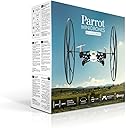


Rolling Spider
Product ID: 4009357
Details
- BrandParrot
- Model NameRolling Spider
- Special FeatureRechargeable
- Age Range (Description)Adult
- ColorWhite
- Video Capture Resolution1080p
📷Vertical mini-camera
🔄360° acrobatics
✈️18 km/h speed
🚀 Elevate Your Playtime with the Ultimate Flying Experience!
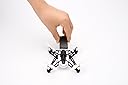
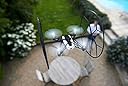
The Rolling Spider is a versatile quadcopter that allows you to fly indoors and outdoors at speeds of up to 18 km/h. It features a mini-camera for aerial photography, performs impressive acrobatics, and includes removable wheels for unique mobility options. With Bluetooth connectivity for easy control via smartphone, this drone is perfect for both beginners and seasoned pilots.
| ASIN | B00KZM53NC |
| Age Range (Description) | Adult |
| Age Range Description | Adult |
| Are batteries included? | Yes |
| Battery Cell Composition | NiCAD |
| Best Sellers Rank | #1,223,918 in Toys & Games ( See Top 100 in Toys & Games ) #12,598 in Kids' Electronics |
| Brand | Parrot |
| Brand Name | Parrot |
| Color | White |
| Connectivity Technology | Bluetooth |
| Control Type | App Control |
| Customer Reviews | 3.5 out of 5 stars 718 Reviews |
| Included Components | Rolling Spider (white) |
| Includes Rechargeable Battery | Yes |
| Includes Remote? | No |
| Item Weight | 0.1 Kilograms |
| Manufacturer | Parrot Inc. |
| Maximum Range | 20 Meters |
| Model Name | Rolling Spider |
| Model Number | PF723000 |
| Optical Sensor Technology | CMOS |
| Part Number | PF723000 |
| Remote Control Technology | Bluetooth |
| Skill Level | Beginner |
| Special Feature | Rechargeable |
| Special Features | Rechargeable |
| Supported Image Format | JPEG, PNG, GIF, TIFF, BMP |
| Video Capture Format | MP4 |
| Video Capture Resolution | 1080p |
| Video Output Resolution | 1080p |
| Wireless Communication Technology | Bluetooth |
D**W
Great Drone But follow this rating!!
Ok on here people are complaing about it taking off and being hard to use here is the truth I thought that at first too. Some things you will need to buy with this are extra blades and an extra or a couple extra batteries so you can practice. I have not had a problem with any of the batteries like some people have put either. Now to controlling it there are three sets of controls one is ace one is joystick and there is one normal. I have found anything other than the joystick a pain and seems to just go up and down the joystick gives you more control of the drone. Problems you may have: something's that I have found that messed up flight are one not charging the battery all the way because it seemed to just take off when I did that with no control and that's probably because the battery was dead. Two it didn't take off for me for a while and I figured out that I had the blades on the wrong parts even though they look the same they are different sizes. And three and this is going to happen when you first get it you are going to hit someone or something and hurt the blade meaning it will be off and it won't work quite right like I said before buy extra blades. Once you get the hang of it it does work I bought this because it was 100 bucks and I also bought the bebop drone and I wanted to practice with something that is a little more replaceable than the bebop. It is a good product you do need to do updates and things before you use it as well. I have seen many complaints about its range and it taking off but keep the battery up and have spares and it won't take off. Make sure the blades are good. Practice before trusting it out and if you have a house big enough to test the range try doing that before going outside so you know what the range is. And if you do wanna test it outside tie a string to it because I have also read that if its out of range it may take off so until you are comfortable with knowing what's going to happen test it out first. It's a good product follow this post and you will be successful trust me I got a little flustered a few times but once I got it down it works very well.
N**H
Recommended, but heed these warnings...
The issue with the battery is that you cannot charge at 1A even though it says you can. Find a charger that provides a max. of 0.7 A or less and you will find the battery will last much longer (e.g. phone charger with micro-USB plug). Also mind the battery temperature. Shut it off and let it cool down a bit before charging. The fly-away issue has to do with the way it behaves when it goes out of Bluetooth range. They should modify the software to freeze when out of Bluetooth contact like it does when you take your hands off the controls. Instead it just keeps going. I would fly in an area enclosed with bushes until you understand the range limitation (about 75 feet). It takes quite a beating. You can usually bend propellers back into a level position or snap them back on after a bad crash. I would recommend getting spare propellers as it doesn't fly as precisely when they are nicked too much. Press the leveling button after a crash. It can go a bit crazy sometimes after a crash if you don't. I recommend using the wheels indoors to minimize damage to everything. I would also recommend limiting the max. angles, etc. when starting out. The thing can accelerate pretty quickly if you don't, resulting in exceeding bluetooth range or causing a damaging crash. Flying over furniture or other sudden changes in distances to the ground confuses it and causes it to shut off. Once you learn it's limitations, you will find it to be fairly precise. Only takes low res. pictures. No on-screen video or video capture due to low bandwidth Bluetooth. Controls aren't great as it often doesn't follow your finger at first try. With all the caveats, it is still a pretty amazing. Just be careful with it. You can end up with $100 worth of garbage pretty quickly if you don't.
M**N
Out of all the gifts that have been toys, this one is BY FAR MY FAVORITE!
So I've gotten a lot of gifts that have been toys over the years for Christmas and for my birthday. When I got those toys as gifts I thought to myself oh I'm going to use this forever this is the best gift ever. However I would end up using those toys for about a week to a month, and then never touch them again, for the most part. Especially when I came to when I got a little toy helicopter I thought it was so cool but I lost interest after week because it was so difficult to control. However, one day my girlfriend saw a video of this on YouTube and knew it would be the perfect gift for me. She is the best and knows me so well! When I got it I fell in love with it! I have been using it almost everyday since! What made it so awesome and enjoyable for me was that it is so easy to control, and with such an easy and fun interface/controller, your smart device! The technology inside of it is so impressive for its size is super safe for indoor flight, which makes it even more versatile, enjoyable, and extremely fun! I mean it is so easy to use and get used to controlling it. It has incredible agility and is extraordinarily deft for such a little fella! Best toy for such a great price! Also replacement parts are super affordable! I love my minidrone so much I made a custom case for it using an old tin "Dairy Box". (view attached picture)
S**E
Updating: Now totally dissappointed
Original review below, but now I have to say that the battery holds no charge whatsoever. My son has gotten totally disillusioned with this. I will contact the company about a replacement. We just received our Parrot Rolling Spider this morning and have been playing with it all day. After reading the previous reviews that were posted here, my son (for whom this is a birthday present) was prepared to be completely disappointed. In fact, we had planned to simply ship it back without opening it. But we were curious, so we figured we'd give it a shot. Result: We have been playing with it all day and having a great time. Our biggest concern was the battery life, but in fact it's held a charge adequate to engage with it -- to have it fly, do tricks, climb walls, and take photos. Really, no complaints. So far, we've heeded the warnings of other users here and on the Parrot forum to avoid updating the software. Apparently, the current update will destroy the batteries ability to hold a charge. (I'm not sure if it actually harms the battery or just interferes with the software's ability to manage the battery.) We haven't had a problem, in any case. Is eight minutes enough time to enjoy flying the drone, if you then have to wait an additional 90 minutes for the next complete charge? For us, the answer is yes when you put the toy's features and price as a whole into perspective. First, the iPhone app is quite good. My son had learned how to fly the drone before it even arrived because he had followed the tutorials and learned how to use the iPhone controls. Once unboxed, he was operating the controls competently. He had the drone in the air and doing flips within one minute of connecting it to the iPhone via Bluetooth. In fact, he had the thing staring me in the face, its red eyes watching me eerily like one of those drones in "Minority Report." The propellers spin so fast and so strongly, that they create a strong breeze when hovering overhead. (It sent popcorn scattering out of a bowl and into the air.) The sound of the drone is a rather pleasant buzz; the pitch is low enough that it's not annoying. Onto the build quality: If you've ever wasted money on something like a Hubsan, you'll be pleasantly surprised. This is a solidly constructed device. And the wheels are a brilliant touch because they act as bumpers during the inevitable, occasional collisions.They protect the propellers from getting damaged or coming oof. (They also provide additional opportunities for tricks, such as walking up walls and across ceilings, as noted previously.) For the price, there is a lot of technology, fun and robust hardware built into this little package. It's miles ahead of what's currently out there in the flying/toy/drone category. It feels like a real drone, with limitations that are completely acceptable and manageable considering the price point and target market.
K**I
Rolling Spider Review- Amazing product!
When I first opened the box of the rolling spider, I wasn't expecting much. However, the drone packs in a ton of features, many of which are found in the AR.Drone 2.0 (Which I also own). I had heard many negative things about the r.s., but decided to go along with the purchase anyway, just to try it out. My first flight was amazing. With presice controls reminiscent of the AR. Drone 2.0's, and a clean, smooth look, I was instantly impressed. However, within 2-3 minutes of flying, my battery died. Like others, I was initially disspointed, however, I decided to charge the battery up anyways. I plugged it into my Mac (with the provided charging cable), and waited for it to recharge. About an hour later, the drone was charged up and ready to go. Again, it failed to hold the charge. The battery lasted about 30 seconds, and then went from 100 to 0%. Desperate, I went to the Parrot online forum and downloaded the update for the drone. I then let it sit for another hour (after the update, while charging it) and tried one last time and... IT WORKED! The drone was performing better then ever before, and held it's charge for 10 full minutes! I think it is a safe buy now that it has been a while since it's initial release. If the drone still isn't working, however, I would suggest buying another 3rd party battery (instead of a Parrot Battery), to avoid the risk of a faulty battery. Overall, a great drone, and well worth the money. If you are on the edge of getting it, do it! Aside from the battery life, it performs better and provides controlls easy enough for anyone to fly. I have flown the husban x4 (another good mini quadcopter, for 30$ less) and this is a much better contender. Happy flying!
R**R
Yes, I had the battery issue... and you're pretty much guaranteed to as well.
Man... this thing is so cool. Quadcopters are so cool. I got this with the intent of scripting interactions with it. As it communicates over bluetooth, one can actually pair with it using their laptop/computer and if you know how, you can get it to fly using a program (and have it do scripted interactions). That's really hard though, and I can spin the motors but I'm too cautious to programmatically control it just yet. And yes, I had the bloody battery issue. I was very busy and am only just getting around to fix it. If you submit a warranty claim though, they'll take it.. however they'll also offer up this advice: If you would like to try a potential fix, it may resolve the problem. Inside the drone there are 3 battery contacts that stick up from the bottom of the battery tray. Slightly bending these inward toward one another will allow them to make better contact with the battery and should resolve the problem. You want to be careful when doing these that you don't cause the pins to touch, or bend too much. This adjustment is best done with a small pair of needle nose pliers. The little guy does take a beating though. I still haven't broken a prop and I've banged it around a bit, with and without wheels. It's balancing/position holding isn't very strong, and it seems to have some issues over grass where it'll start going down for landing and then just get stuck in the air, no longer responding to communication. Stuff like that actually seems to happen a lot, especially with landing/taking off, where it'll receive the action and just lock up. At least it doesn't fly away like it apparently used to! Overall, this is a nifty little device but quite expensive. If you want an intro quadcopter and don't mind a regular controller there are far cheaper ones of at least the same quality. However, the novelty of bluetooth connectivity was worth it to me.
J**Y
Difficult to fly - VERY short battery life - No video streaming
I've been wanting to get a remote quadcopter drone for awhile, but the high price of the AR took it out of the toy category for me. This one is priced at a level where I didn't feel like an adult buying an overpriced toy. That said, I was disappointed. It will probably be returned. Out of the box, there are no useful instructions. Once you download the correct app "Freeflight 3" (no space between "free" and "flight"), it automatically connects to the drone. Mine arrived with only a 30% charge on the battery, so that meant some time (an hour) plugged into the USB charger. Great. . . Once the battery was charged (there is no way to know when it is done), it immediately needed multiple firmware and software updates. Great . . . that used up more battery. Another TWO hours on the charger. If you are keeping score, that is a total of three hours plugged into the charger and another HOUR sending one of the updates from my phone to the drone (BT is very slow) - so four hours and I haven't even gotten to fly. This is not a gift for christmas morning! Once charged and updated, it was time to fly. Of course, the app has no instructions so using it is an exercise of trial and error. Keep in mind that "trial and error" means about five minutes flying, followed by AN HOUR AND A HALF charging, then another five minutes flying, then another HOUR AND A HALF charging . . . and so on. Oh, and when I say five minutes, I really only mean three, because the final two minutes of flying time barely have enough juice for the thing to get off of the ground (I push "takeoff" and the rotors speed up, but it doesn't get off the ground!). This thing is very hard to fly. The people in the online video must have been practicing for days or weeks (months if they had to recharge!). My first few flights lasted only seconds before crashing. This brings up the second problem. Battery life. It is terrible. Five minutes, tops. Then you are stuck on the charger for an hour and half. You can buy extra batteries, but they still need to be charged in the copter, so you can't fly and recharge at the same time. The camera is a terrible gimmic. It does NOT provide live streaming video to your phone. Heck, it doesn't take video at all. (The app allows you to use your phone camera to take video while the app is running - of course, since the gyros in the phone are used to fly, the video is a nausea inducing shot of the ground!) It takes 1990s era webcam quality photos from the drone that have to be transferred to your phone post-flight via the app in a procedure that only NASA could have come up with. Of course, you can only do this procedure if you have some battery life remaining. It can't be done while charging! Do not buy this if you are interested in photography. It won't make you happy at all. Flips? - all four of my preprogrammed flips - L, R, F, B - all do exactly the same thing - a front flip. So, it seems I'll be waiting for yet another multi-hour update. The wheels are pretty cool and I ended up spending some time driving on the floor and ceiling. Going up a wall was just as difficult as flying. It requires an entirely different setting in the app, and I found that, often, once it reached the top of the wall and hit the ceiling, it would think it crashed and fall to the floor. It takes a LOT of practice. It is not loud. I took it outside on a very still day and was able to get it to go about 50 feet away from me before it fell from the sky. (No damage though!) A small breeze (3knot?) came up and this thing was completely uncontrollable. It uses a bluetooth connection, not wifi (like the AR does). Admittedly, I need a lot more practice, but I doubt I have the patience for the neverending charging cycles. My six year old could push the button to make it take off then immediately crashed each time she took the controls. My longest continuous flight was probably four minutes - before the batteries died. This thing needs a LOT of work. The battery does not last anywhere nearly long enough. Charging takes at least an hour and half. (Recently, mine spent two hours on a fully powered USB before it showed 90% charged in the app - not sure if this is a sign of early battery degradation.)
A**A
A lot of fun! But read before you buy!
I bought mine and I love it!!! I did the firmware update as soon as I got it and I also updated the freeflight app. I also have the AR drone 2.0 and the Bebop and I use the Nvidia shield tablet that has the joysticks controllers that gives you so much control over the drones. With the rolling spider you do have to tell the Nvidia shield to switch to "joypad mode" so you can use the joysticks. Once you do that you have so much control of the flight with the rolling spider. It also makes it so much more fun!! I just wish they would make the little drone with a streaming camera just like the jumping sumo. I have a small drone that is the same size called the Hubsan X4 H107D That has streaming video. It's only 640 x 480 and you can take 2MP pictures with it also. I am sure Parrot could make something that is the same size with a slightly better camera. I just hope the next gen of the mini drone will have a streaming camera. But overall it is a lot of fun to play with. Just make sure you do your updates and get a good tablet. Because it also depends on the tablet you have for your drone. If you buy a cheap tablet you will have issues and you will think the problem will be with the drone when it;s the tablet. I suggest buying a dedicated tablet for the drone you buy. The one tablet I would suggest is the nvidia shield tablet controller. They come out the box ready to use with the AR drone 2.0 and Bebop. But you have to switch it to "joy pad" for it to work with the joy sticks on the Nividia shield tablet.
O**Y
Top ... mais
Un produit de qualité comme y a habitué Parrot Ce petit drone est très efficace, il a une durée de 8mn après une charge de 1h30mn, il décolle à la demande via tout système portable Bluetooth ou après avoir actionné l'option, être "jeté" en l'air pour se mettre en marche et se stabiliser à quelques mètres du sol. Les +: Petit appareil extra pour se divertir Les -: assez fragile, pas évident à manier au début, temps de jeu très court 8mn, utilisation en intérieur parfois difficile et en extérieur, un petit vent vient contrarié l'appareil en vol Mais je le recommande
J**N
Difficult at first but you'll soon get the hang of it
This small drone is great for someone buying whose never bought a drone before. The free Flight 3 app you download to use this drone explains perfectly how to get your drone up and running (or flying) by starting with the basics and moving on to the more advanced controls. YouTube also has a number for videos to help you on your way to pilot mastery! When flying the drone, there is a default setting which causes it to cut out should you fly into anything with too much impact. Simply attach the wheels and turn this setting off and have all the fun you can flying on the ceiling and walls, however the battery will drain about 5 times faster. Remember to turn this setting back on when you take the wheels off though. The app has take off, land, and emergency buttons to start and finish you drones flight. The Emergency button is great to quickly cut the power off to help avoid hitting a wall or a hanging light. There is also a feature to initiate the drones flight by dropping it out of your hand, which I think is the easiest way. If you're planning on taking your drone out to fly then I'd suggest investing in a second battery. Without the wheels attached, the drone will fly continuously for about 10-15 minutes. With an hour and a half dedicated to recharging the battery, you might find a second battery is worth the few £ to sustain your fun for a little longer. Luckily the app will tell you when your battery is getting low so you won't have to worry about your drone falling out the sky from soaring heights. A nice little feature about the app is that you can set a maximum speed and height for the drone. This will help beginners to pick up the basic controls without having to worry about the drone quickly shooting up or sideways into your walls or ceiling (or tree if you're braving the outdoors). I think it's pretty obvious not to use this out in hurricane winds, but I think it'll remain fairly stable against a mild breeze.
L**R
Excelente me encanta!
Este producto es sumamente divertido, la bateria dura mas o menos 8 minutos y es bastante estable, mucho mas de lo que esperaba! recomendable 100%
D**A
Diana
Esta muy bien. Fácil manejo y muy estable. Lo que es preferible comprar una batería extra, ya que la batería que lleva dura muy poco.
K**E
Recensione + Consiglio
Articolo Ottimo, leggero e maneggevole, completo di ruote che non solo servono a far correre drone su pareti e pavimenti, ma hanno l'ottima funzione di proteggerlo dagli urti dei primi test di volo per chi non è ancora esperto. Quando siete alla prima esperienza di volo, dopo aver aggiornato il drone alla versione firmware + recente mediante l'apposita app freeflight3, ricordatevi di attaccargli le ruote e soprattutto IMPOSTATE LE RUOTE NELLE IMPOSTAZIONI DELLA APP, se non impostate l'utilizzo delle ruote prima del decollo, il drone si aspetta di decollare senza pesi da sostenere e quindi risulterà incontrollabile e impazzito! 1) Attivare il Flat Trim prima di ogni decollo (soprattutto dopo un urto o una caduta). Assicurarsi che il Parrot Rolling Spider sia posto su una superficie piana e premere l'apposito tasto (è un cerchio con una riga orizzontale al centro). 2) Assicurarsi di attivare o disattivare il menu WHEELS (ruote) dalle impostazioni dell'applicazione a seconda della situazione (con ruote oppure senza) Attivando il Flat Trim siamo sicuri di mantenerne la stabilità prima di ogni decollo e impostando ovviamente opzione CON o SENZA ruote diamo la giusta configurazione al drone prima di decollare, le ruote pesano + che essere senza, quindi se andiamo cn le ruote e non impostiamo questa opzione prima del decollo, il drone si aspetta di decollare senza alcun peso e xciò risulta instabile o incontrollabile. Provate a seguire questi due punti prima del decollo e poi sappiate dire se il problema si è risolto oppure no, in caso contrario, il punto 3) è resettare il drone tenendo premuto il tasto accensione/spegnimento x circa 10 secondi. Quindi prima di rimandare un prodotto indietro come incontrollabile o difettoso assicuriamoci di aver dato le corrette impostazioni al drone prima del decollo.
Trustpilot
3 weeks ago
5 days ago