Buy anything from 5,000+ international stores. One checkout price. No surprise fees. Join 2M+ shoppers on Desertcart.
Desertcart purchases this item on your behalf and handles shipping, customs, and support to Nicaragua.
🎨 Unlock your creative edge anytime, anywhere with VEIKK VK640!
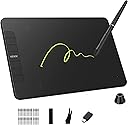
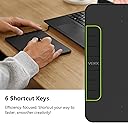
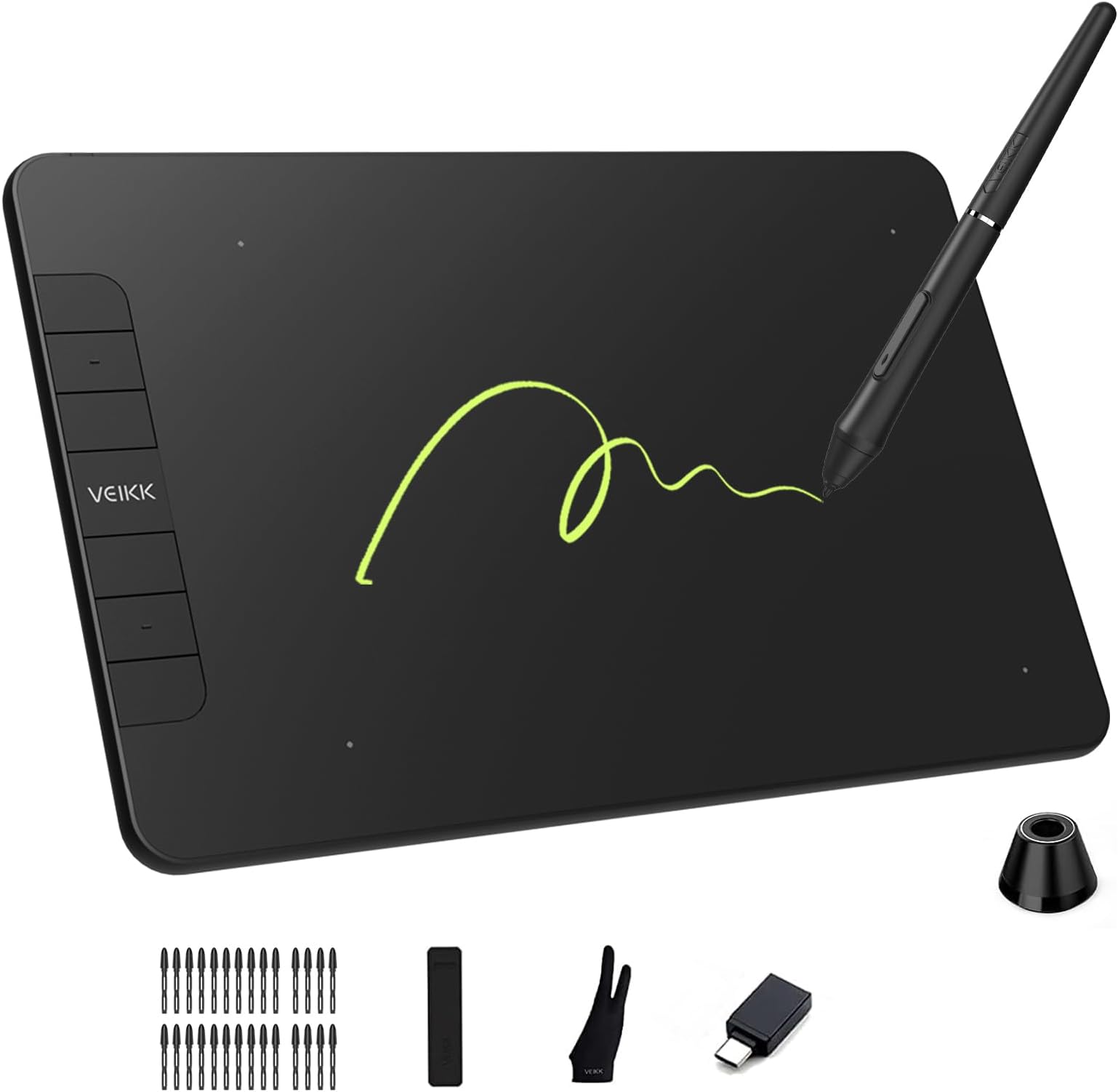
The VEIKK VK640 is a sleek, portable 6x4 inch digital drawing tablet featuring a battery-free stylus with 8192 pressure levels and 60° tilt function. It offers 6 customizable shortcut keys to enhance productivity and supports multiple operating systems including Windows, macOS, and Linux. Perfect for artists, designers, and educators seeking precision and convenience in a compact form factor.


| ASIN | B0FPWH5K4D |
| Active Surface Area | 24 square inches |
| Additional Features | 60° Tilt Support, Extra-Slim, Shortcut Key |
| Best Sellers Rank | #310 in Computer Graphics Tablets |
| Brand | VEIKK |
| Built-In Media | Digital Pen, Glove, OTG x 1, Pen Holder, Pen Nib x 28 |
| Color | Black |
| Compatible Devices | Adobe Photoshop, Krita, Adobe Illustrator, SAI, SketchBookPro, FireAlpaca, OpenCanvas, Manga Studio |
| Connectivity Technology | USB |
| Customer Reviews | 4.4 out of 5 stars 1,312 Reviews |
| Item Dimensions L x W | 6"L x 4"W |
| Item Weight | 279 Grams |
| Manufacturer | VEIKK |
| Mfr Part Number | VK640 |
| Model Name | VK640 |
| Model Number | VK640 |
| Operating System | Windows 7 or later , Mac OS 10.12 or later, Android 6.0 or later and Linux |
| Pressure Sensitivity | 8192 Levels |
| Screen Size | 6 Inches |
| Special Feature | 60° Tilt Support, Extra-Slim, Shortcut Key |
| Specific Uses For Product | Drawing, Online Education, Teaching |
| Target Audience | Artist, Designer, Student, Teacher |
| Warranty Description | 1 YEAR |
E**O
Great Product! Great Company!
I recently upgraded from the VEIKK S640 to this VEIKK A15 and boy am I ecstatic at the outcome! I love my S640 but I actually think the A15 is the better bargain for the price. I think the amount of upgrades and benefits the A15 bring is worth the price! Compared to the S640 this tablet is bigger and thicker but still sleek and easy to use and have on your computer desk. The tablet worked perfectly out of the box and came exactly as described with everything included within the box. Came with an added surprise of an art glove to help your hand glide across the tablet and I can say as a man with big hands the glove was nice and elastic and allowed me to use it easily. I think the best thing about this tablet is the 12 shortcut keys you get on the side of the tablet. This allows you to map just about ANYTHING to your tablet and really helps eliminate the need for you to use your keyboard or to go back and forth between the two. The VEIKK driver allows you to map pretty much anything you could want to these buttons making it such a versatile tool in design and art. The VEIKK driver also allows you to adjust the pen pressure sensitivity although mine was perfect out of the box. I also liked the pen for the A15 better than the S640 as the common 'squeek' you have on the S640 is gone on the A15's pen. Pen is not battery powered so that's another huge plus as it doesn't require charging. I use mainly Photoshop, Illustrator and Krita for most of my projects and this tablet works great with all three! Pros: - Great upgrade but still affordable for beginners - Easy-to-use - 12 SHORTCUT BUTTONS! - Great pressure sensitivity - Pen that doesn't need charged - Affordability - Plenty of extras included - Perfect for beginners to mid-range artists - Great support and customer service! Cons: - Where my USB plugs into the tablet seems a bit loose. But could just be my tablet So if you're looking for an upgrade to your tablet or an affordable starter tablet I highly recommend this one! I also can not say enough about the customer service and the people working for VEIKK. They are amazing and what the do and can answer questions quickly and professionally!
M**N
Lightweight, Affordable, Beginner & Experienced Friendly
I’m a digital artist who has been using tablets to draw for well over 10 years now, and this tablet felt perfectly natural from the moment I started using it. General appearance: Removing the A15 from its box was a delight. This tablet is thin, sleek, and lightweight with a lovely matte finish. As soon as I took it out of the box, I got excited about how portable it is and how well it will travel. The pen is very light as well and fairly comfortable, however it doesn’t come with a pen grip (which might become more noticeable if you’re drawing for several hours at a time). Functions: The A15 comes in at 10” x 6” of working space (about 14” x 8” overall). My previous tablets have been slightly smaller, and the A15 feels roomy without being overwhelming. It has 12 buttons that you can map functions to (such as making your brush size larger or smaller, an undo button, or a shortcut to your favourite brush). In addition to the tablet being lightweight, the pen is also very light and has given me no issues with lag or slow responses. The tablet took about 2 minutes to install, and I haven’t yet encountered any performance issues with the pressure or connectivity. (One note: I personally have never used an “erase” function at the top of a tablet pen or a tablet wheel to adjust my brush sizes, so the lack thereof on the VEIKK was not a deal breaker - but it’s worth mentioning for the folks who do use them!) Price: This is the aspect I’m most impressed by. For the quality of the tablet, the A15 comes in at a fraction of the cost of competitors (with a glove AND 20 extra pen nibs). Particular name-brand companies will charge upwards of $200-400 USD for a similar sized, similar functioning tablet. I’m extremely supportive of more accessible tablets, and this one is a fantastic, affordable alternative. Overall, I’m incredibly pleased. I would highly recommend this as a solid quality tablet for starting artists, or a very wallet-friendly alternative for experienced artists.
D**E
A Good Affordable Tablet, Worth the Cost
The point of comparison I will be using to review the Veikk A15 is the Huion Inspiroy H640P, named Helia, which I’ve used for a while and have even recommended to my close friends. In the order, I received everything the product says it comes with. Now for some product details; comparing the Viekk A15 to the Huion Inspiroy is a really fair comparison, for they’re both about the same price and have 8192 levels of pen pressure. Both pens are battery and charge free. The A15 is bigger than the Inspiroy, having a work area of 10x6 inches compared to the Inspiroy’s 6.3x3.9 inches. However the Inspiroy is marketed as being more portable, and I don’t really mind the size anyway. The A15 is able to be used for left handed and right handed people, which is super cool because usually the market, as most things do, cater to right handed people as it’s the majority. While the Inspiroy has 6 hotkeys, the A15 has 12 which is REALLY cool if you’re a fan of hotkeys. I’m personally always really impatient and can’t be bothered to learn the hotkeys so I usually don’t use them, but doubling the amount of hotkeys is incredibly useful in speeding up your drawing time. First impressions; the tablet looked a lot bigger than I previously imagined, which somewhat intimidated me? My first tablet was the Huion H420 tablet which is smaller than the Inspiroy. But I don’t think the size really effects the quality of how the product works, just nice to have a bit more space. The pen’s design is alright, I was worried it wouldn’t fit in my Huion pen stand but what do ya know it fits fine! The nibs look a bit different, but again it’s just a visual difference. I just switched out the nibs and the stand and look at that! I made sure to uninstall my Huion tablet driver before installing the Veikk driver. Which is important with whatever brand or type of tablet you get! Now time for my thoughts on the product; The Veikk is like a lot of standard graphics tablets, basically just a really fancy mouse. Unlike display tablets or drawing traditionally, where you can use hand eye coordination to kind of guide what you’re doing, the graphics tablets generally just seem more disconnected? I don’t know how to really explain this, but when I first started using a graphics tablet to get used to not looking at my hand while I draw. But eventually you learn to adapt, it’s more affordable to adapt to a graphics tablet than to rip out your savings for a display tablet. Anyway, the Veikk is pretty nice! There’s a lot of use for it’s wide own pressure sensitivity and I genuinely enjoyed using it a lot. I’m used to having my tablets stay to the side of my laptop, but because the Veikk is so big I have to keep it in front of the laptop, so that’s taking some time to adjust to. But that doesn’t really squanch the quality of the tablet! In fact it’s very reliable and I’m very excited to use it. I’m gonna start now with some critiques. When I was just messing around and getting a feel for it, the tablet itself would squeak? And I was afraid of pressing too hard because I don’t want to scratch it but I also wanted some thick lines, but it never scratched no matter how hard I pressed. It just sounded like I was scratching it, but after drawing a bit more it mellowed out. Also, I have a feeling the cord to port thing might be a bit wonky? I’m not sure how to describe it, but it happens with my Huion too. The cord sometimes just shifts awkwardly in the port, and I have to check it before I continue drawing. I think it’s just a thing with cord tablets so, you win some you lose some, if you have that much of an issue with it, maybe get a wireless tablet y’know? Also occasionally, the tablet has a habit of lagging? Again, my Huion also has a habit of lagging so it may just be my laptop. But sometimes the pen lags. Also sometimes, the tablet seems to respond to random objects, but not my hand. I was playing around with some sketches and the charger for my phone kind of gently grazed the tablet’s surface, and it registered and moved the mouse to the lower half of the screen. So just keep it clear I guess. Again, I have this issue with my huion, but sometimes the pen pressure just stops working. I think it might just be my SAi acting up, but all I have to do is close out of it and restart it and it works fine. I tried out how it worked in Krita, but so far I haven’t really seen any issues with how it worked, which I don’t think my Helia ever really had an issue with Krita either. It’s probably just SAi. Also, I noticed with the size of my Huion I’m used to work faster and with the flick of my hand I’m on the other side of my screen, but with the Veikk I actually have to move it because the size is larger and more accurate to my laptop’s screen. The tablet is really nice though! Like, it just feels really nice to draw on and I’m a big fan of it. I was able to draw dots a lot easier on this, and I can’t tell if it has to do with the pen or the tablet. But with Helia dots and freckles would always kind of start to become lines, but I just tapped really fast with the pen and they came out like, well, dots! No product is perfect, which is why I listed the critiques I did. I really don’t have many issues with the tablet, but I can’t just be a pansy and say it’s the perfect product, because no tablet or product is gonna work perfectly. Again, none of the critiques I mentioned are personally deal breakers, they’re just very minor inconveniences I had with the tablet, and I wanted to get my voice out there on these certain details. I still plan to continue to use this product, as it’s treated me incredibly well in the time I’ve been using it. For such an affordable price, I think it’s a good quality tablet and effective. If none of the issues I had with it are dealbreakers, and you’re looking for a nice tablet to upgrade to for an affordable price, I might recommend the A15. I’ve named him Viktor, and he’s making a wonderful addition to my collection.
S**Z
Incredible Quality for Low Price
This tablet is an incredible buy for beginning artists. I’ve been working with it for the past few days and it works stellar. The tablet comes with an installation guide, charging cable, pen, nibs, and an artist glove. Pros: -The charging cable is type C, making it extremely easy and inexpensive to replace, come the need for it. Not to mention, it’s easier to plug-in type C cables. -The sensitivity on the tablet works stellar- it’s just as good if not better than my Intuos Pro -The design is very thin, slick, and lightweight, giving it a wonderful feel to use and look at -The cost- which is by far the biggest pro- is $49.99. This makes it about ⅓ the price of the old model of the Intuos Pro Small (about $150) and ⅕ the price of the new model (about $250) Cons: -No scrolling function on the tablet itself (this being said, the tablet has plenty of extra buttons that can be programmed with keyboard shortcuts to make up for this) Overall, this tablet is well beyond being worth your money. It comes extremely close to matching the Intuos Pro in functionality and comes in at ⅓ to ⅕ the cost of the smallest Intuos Pro. For anyone who is getting into digital art but is wary about spending $150 on a tablet, this is the tablet for you. Even if you’re fine spending $150 on a tablet, I recommend this over the Intuos Pro (the tablet I’ve been using for about 3 years now). This is much more cost-efficient, with minimal cons that you’d barely even notice.
J**S
Awesome Drawing Tablet
I recently got my hands on a Veikk A15, because I have wanted a portable tablet for graphic work on the go. I have had multiple drawing tablets in the past, but all have been a bit bulky. The dimension of the A15 called my attention from the beginning 14.0625 x 7.875 x .375 with a drawing surface of 10 x 6 more than enough space for working on Photoshop or any other drawing software. First impressions from the package were positive it did not look like a knock off of some other brand or some cheap looking generic brown cardboard box. While the graphics on the box may be simple, it has the tablets specifications and where to download its drivers. Upon opening the box I was surprised of how well everything was packed. Drawing glove, tablet wrapped in foam like sleeve, cable in a designated slot, and the pen in its own sleeve. Connecting the tablet was a cinch, it was recommended to uninstall other tablet drivers. Easy steps to follow: 1) download drivers 2) connect tablet (through USB cable) 3) install drivers and you are done. The pen felt a little light and it had cheapish feel to it, but after using it a bit, I totally forgot about it. The pen felt comfortable, it was precise on every square inch of the drawing surface, and the two buttons have a solid feel to them. I tried out the tablet on different software like Photoshop, Illustrator, Maya, and even as my mouse for a period of time. After working on Photoshop for a bit I started to customize the 12 Hot Keys to the short cut I use most, and I can say no problem there. I do wish the Hot Keys customization screen could record your presets by just clicking the short cut instead of having to type the commands like CTRL+Z one character at a time. The texture of the drawing surface is not too slick or too rough it feels just right. I tried using a ruler on it and no jagged edges. I was really impressed with this tablet, its portability, drawing surface, multiple hotkeys, and most of all, its price. My only gripes (and I am nitpicking here) are the weight of the pen, and having to type every character of a shortcut for the hotkeys preset. Overall for a sub $50 dollar drawing tablet, this is a great buy. I am glad I picked this up, and I would recommend it to all who are looking for an affordable, portable drawing tablet.
T**A
Veikk A15 Drawing tablet!
My Review on the Veikk A15 Pen Tablet is that for beginners its a very nice alternative to Wacom and or any other brand! Veikk is an affordable alternative, and also works just as well if not even better than most tablets i have tried!! - For starters the tablet is lightweight and easy to move around and carry, almost like you're moving around paper! - Veikk supplies you with over 10+ nibs, Extremely generous considering most companies only supply 2-4 nibs, but i've come to find that Veikk nibs last a VERY long time! So even if you have to replace a nib its no big deal considering that you'll have dozens to exchange from and the fact they also dont run out very easily! - The tablet comes with a stylus, a stylus felt pen holder, a glove, nibs, nib remover, and a installation card! The box is neatly organized and set up as well as a label stating the box contains content for those who may accidentally get too excited and throw it out! - The stylus is my favorite considering its lightweight and feels like im using a pencil! Its not as bulky and definitely easier to manage! - This tablets a nice in-between size of small and large, in which makes it pretty simple and easy to use!! Beginners would have an easy time starting off with this tablet for sure and for others who aren't necessarily beginning its a very good alternative! In conclusion: i would recommend Veikk brand products to anyone! Beginners and Others alike as the tablet is very well functioning and easy to use!! Especially for the price!
T**K
It's okay
I know built-in OS tablet drivers are minimal, they could put a little more effort into the software. It's lacking at best. The device itself works well enough with the provided Windows drivers. The unit I received had a large bubble on one side which I could not smooth out. So I had to reduce the usable surface. I'm new to drawing tablets, so I can't say how well this works with the apps that can use it. Some configuration required.
R**E
Very Great for Beginners on Budget
I'm giving it a 4/5, though I enjoyed just about every aspect. For beginners, it's amazing quality for the low cost. It was super easy to download the driver and setup. I was able to use it within minutes of opening it! I loved the amount of buttons to be able to record shortcuts with, some only come with 4 or 6 buttons but this came with a whopping 12! I also loved the feel of the pen, and the fact it came with 20 extra pen nibs! You might not be able to see it in the picture, but there are dots that map out the four corners of the box that registers the pen to draw in. They are sort of small but very distinct against the tablet color. I would have liked they to be a bit bigger or maybe marked with a small L on each corner to make it stand out a bit more. The only thing that bothered me, and the reason I'm giving a 4/5, is that the colored circle is not a wheel to be able to zoom in and out while drawing. There is a keyboard shortcut to be able to do this, yes, but it's way easier to have a circle wheel that functions like a mouse wheel than to have to click between buttons to achieve the same effect. Other than that, I was thoroughly pleased with this tablet for the price. As I said before, definitely a good choice for beginners especially if you are looking to begin with a small budget. Definitely going to be recommending to my friends who have been looking for drawing tablets!
J**R
Muy util
Muy buena para escribir rápido y ahorrar libretas
M**I
worthy
Easy and worthy
M**O
Mamalon
Tenia altas espectativas y las supero, la tableta esta super bien, y me siento un poco mal por tener algo asi sin saber nada de dibujo, pero ya estoy arreglando eso en general, la tableta esta excelente, funciona diferente a como crei que funcionaria una tableta, pero no tiene nada que ver con esta en particular, el movimiento de la pluma es suave, y te dan muchisimas puntas de repuesto para la pluma, y 2 cosas para quitarlas, sin mencionar que aparte de todo, tiene portaplumas Y despues de estudiarla tantito, la tableta solo localiza la posicion de la pluma, y la pluma hace todo el trabajo, lo que facilita el poner un protector o algo encima de ella, lo que se traduce en que se va a mantener como nueva por mucho tiempo En general, la tableta esta excelente, y puedes ponerle un protector de pantalla como los de ipads y sigue funcionando perfectamente (obviamente no de ipad tal cual, simplemente una capa protectora) y como detecta la posicion de la pluma, no obstruye de ninguna manera al escribir o dibujar, al contrario, un protector de pantalla de hidrogel, que fue el que le puse, solo hace que se sienta mas suave
A**T
Me encanto!
Super buena. Lo uso con Blender y funciona de maravilla. Cinco estrellotas!
A**.
Excelente compra
Superó las espectativas, muy completa y el unboxing es muy disfrutable pues se ve de calidad y ya trabajé con ella y es muy predecible y sensible al trazo, muchas funciones que no tiene una Wacom por ese costo. Vale mucho la pena para profesionales.
Trustpilot
3 weeks ago
3 weeks ago