🖊️ Elevate your digital artistry with every stroke
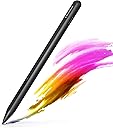
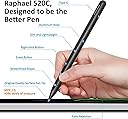
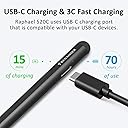
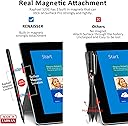
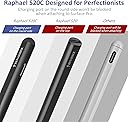
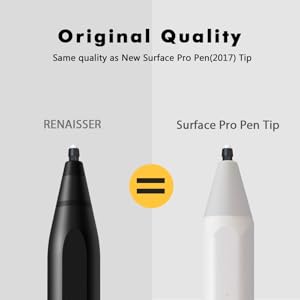
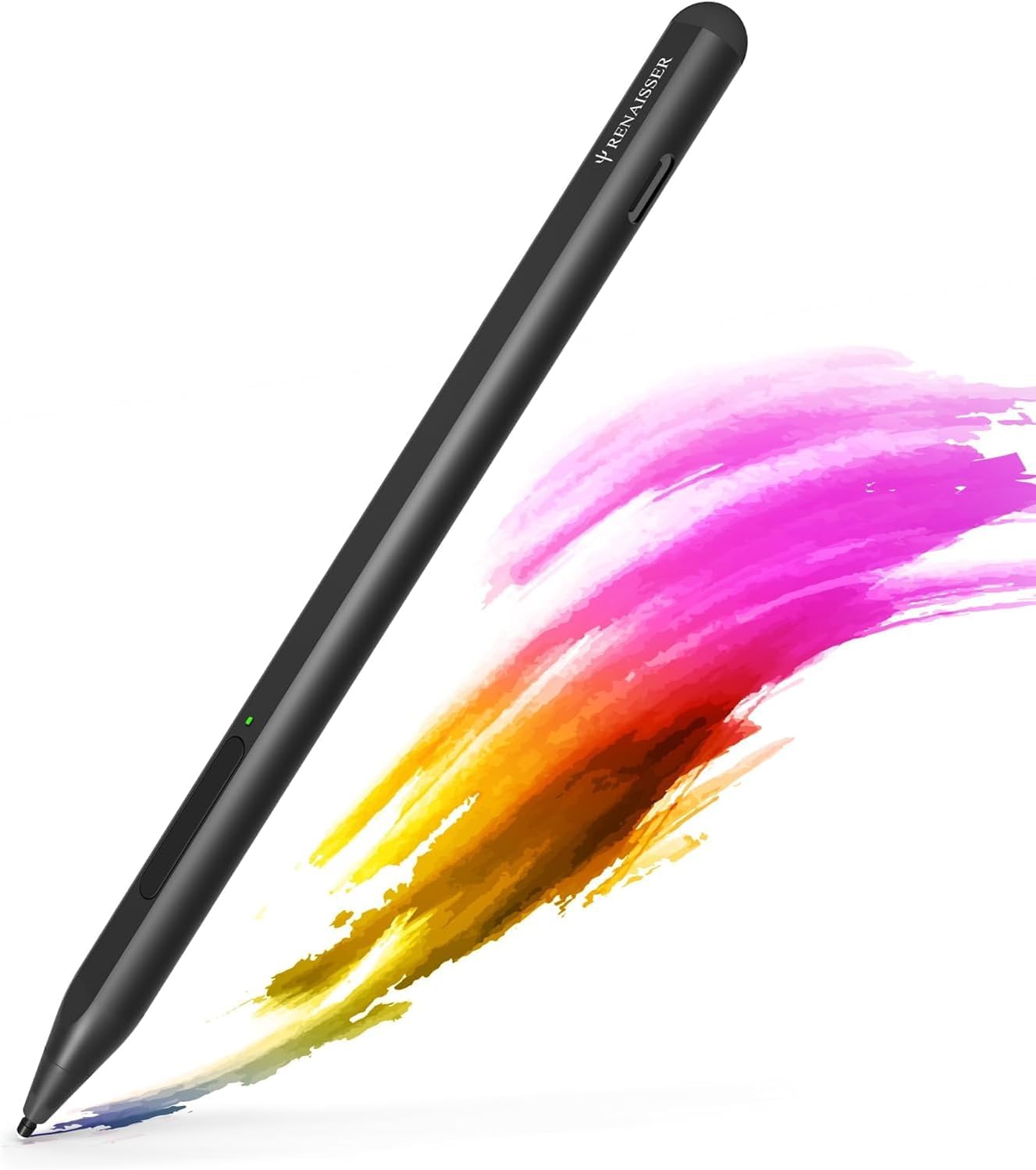
The RENAISSER Raphael 520C is a premium stylus designed for Surface devices and MPP-compatible tablets, featuring 4096 pressure sensitivity and tilt support for precise, natural drawing. It charges rapidly via USB-C, offering up to 100 hours of use on a single charge, and magnetically attaches to most Surface models for convenience. Lightweight and ergonomically crafted, it includes palm rejection and original Surface pen tips for a seamless, professional creative experience.


| ASIN | B0987J23K1 |
| Are Batteries Included | Yes |
| Are Batteries Required | Yes |
| Battery Average Life Standby | 100 Hours |
| Battery Description | Lithium-Ion Polymer |
| Best Sellers Rank | #114,715 in Cell Phones & Accessories ( See Top 100 in Cell Phones & Accessories ) #2,368 in Styluses |
| Brand | RENAISSER |
| Charging Time | 1 Hours |
| Color | Black |
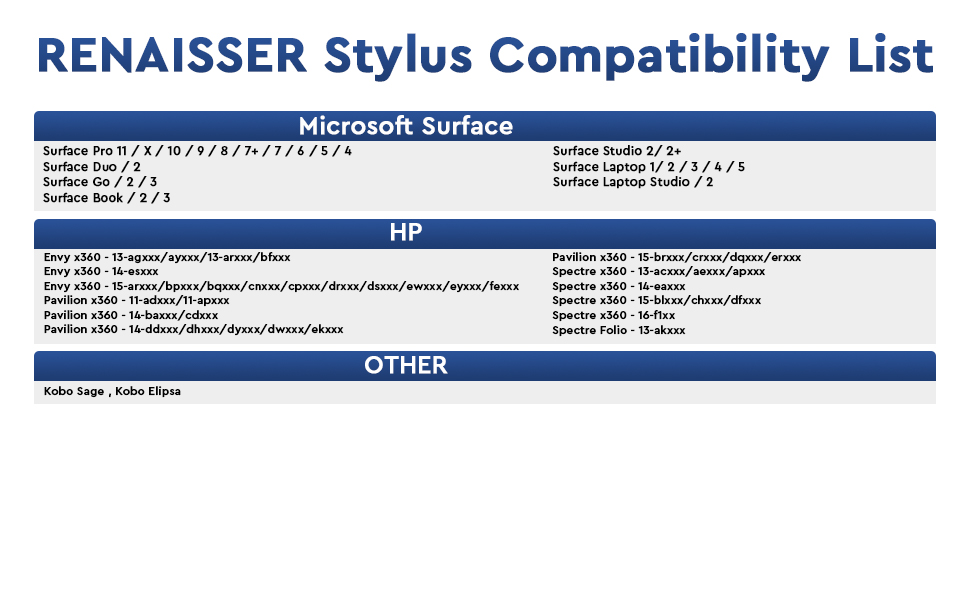
| Compatible Devices | Surface Pro 12/Pro 11/Pro 10/Pro 9/Pro 8/Pro 7+/Pro 7/Pro X/Pro 6/Pro 5/Pro 4/Pro 3, Surface Duo/Duo 2, Surface Go/Go 2/Go 3/Go 4, Surface Book/Book 2/Book 3, Surface Studio 1st Gen/2/2+, Surface Laptop 1-5, Surface Laptop Studio, Kobo Libra Colour,Kobo Sage,Kobo Elipsa, Kobo Elipsa 2E,other device with MPP(Microsoft Pen Protocol) |
| Compatible Tablet Computer Models | Microsoft Surface Go, Microsoft Surface Go 2, Microsoft Surface Go 3, Microsoft Surface Pro 4, Microsoft Surface Pro 5, Microsoft Surface Pro 6, Microsoft Surface Pro 7, Microsoft Surface Pro 7+, Microsoft Surface Pro 8, Microsoft Surface Pro 9, Microsoft Surface Pro X |
| Customer Reviews | 4.4 out of 5 stars 2,702 Reviews |
| Enclosure Material | Aluminum |
| Item Dimensions | 5.87 x 0.35 x 0.35 inches |
| Item Weight | 14 Grams |
| Manufacturer | RENAISSER |
| Material | Aluminum |
| Mfr Part Number | R99-8800-RB0-010 |
| Minimum Required Operating System Version | Windows 10 |
| Model Number | Raphael 520C |
| Number of Batteries | 1 Lithium Metal batteries required. (included) |
| Pressure Sensitivity | 4096 Levels |
| Unit Count | 1.0 Count |
| Warranty Description | 1 Year Warranty Against Manufacturer Defects |
A**A
Phenomenal quality for price
For being so much cheaper than other pens, the quality is outstanding. Got this when I first purchased my Surface Pro and have had zero issues. Really like how I can just plug it in to recharge instead of replacing the battery, which is extremely nice when I'm traveling. Pen pressure is absolutely perfect, she's very lightweight and doesn't easily fall off the side when magnetically attached.
Y**G
Great feel, easy install, nice quality
I purchased the RENAISSER Taiwan Raphael 520C Stylus Pen to use with my LG Gram Pro 16 2-in-1 (Costco version, which didn’t include a stylus). Initially, I expected to spend time configuring it since there isn’t much guidance for non-Surface devices. I was particularly concerned about setting up the Bluetooth connection, but to my surprise, it automatically connected and configured seamlessly with Windows 11. I tested it with the Wacom Bamboo Paper app preloaded on the laptop, and it worked perfectly right out of the box. The best part? It’s significantly more affordable than LG’s own stylus, which is sold separately. Overall, I’m thrilled with this purchase and highly recommend it!
K**E
ACCURATE! pen tip to line!
Bought this pen cause for some reason my official surface pen was feeling faulty, the "ink" line was falling under the pen itself and not on the tip like it was supposed to so it was REALLY throwing my drawing off (even after calibration). Buying another 100$ pen was not an option, and the surface pen 2 doesn't seem to work as well as it should with older surface devices so i tried this one. THE GOOD! pen tip and line align perfectly! even after changing orientation. The pen is thin like a normal pencil! you'll have a more familiar and comfortable feel to it when drawing! its metal just like the surface pen! very good quality! it brings 3 hard arrow nibs (think of the apple pen) these ive been preferring over the surface one, and these arent those bad quality nibs you get when buying those off brand nib replacement that smear over your screen. OH and you can use the surface pen nibs with it! isn't that convenient?. It has strong magnets so you can place it on your surface just like the official pen! So far i haven't had to charge the battery since the first charge when it arrived. The quality, the feel and the accuracy are amazing! put a windows logo on the pen and you could've swore this was an official surface pen! THE BAD! there isint much i can say thats bad about it but there IS an annoyance. The pen will have palm rejection hiccups even when having the pen a hair off the screen, its not that frequent but it gets suuuuuuper annoying when the slight touch of your finger just moves your canvas while youre trying to make lines, really does get into your work flow. Some people mention that you have to push the button to turn it on but thats just fine, pen turns on in a second, saves battery! and this isint a problem but I WISH there was a little lid to cover the usb C port like some wireless bluetooth earphone do, battery last long we're not gonna be using that port so much, but we're gonna be handling the pen a lot, it be nice to have a way to cover it to prevent getting that port to get dirty or even damaged In short! its a great pen! i plan on buying a second one to keep as a back up! no artist should have just one pen. Only reason i dont give it 5 stars is because of the palm rejection hiccups but what can you do....
N**F
Cheap yet productive
Normally a Surface Pen will set you back $100 to $120 but for $25 this pen dose just about everything the expensive ones can. The only downside is that you need to press the button power it on and it sometimes times out, Despite that it changes up in mere minutes. The aluminum body at first felt like plastic due to how lite it is but I've gotten used to it. That being said, it's a great stylus and is quite accurate and easy to draw with. I often enjoy using it over normal touch imput because it's like a mouse for your phone. Used with Surface Duo. TLDR:It's a great value but it does have a few comprises.
S**M
Perfect for Microsoft Surface 7+
I considered this product with a couple other options including the 520 model of this same pencil. After reading the reviews I ultimately opted for the 520C model. I cannot say how happy I am with my purchase enough. It not only attaches to my Surface with ease, the charging port is indeed still accessible and the connection from the pencil to my tablet was instantaneous- as soon as I turned it on and touched the screen. I am excited for all the possibilities this pen offers at a fraction of the price of the alternatives with overall much better quality. Highly recommend.
V**S
At last an affordable, rechargeable pen
I use my Microsoft Surface to create art, and for a long time I've been using a Wacom Bamboo Surface pen. However I was getting frustrated with constantly having to replace the expensive, and difficult to find AAAA batteries. When I found this pen for sale I thought I would give it a try, and so far I've been impressed. Accuracy is every bit as precise as the Wacom. It tracks my drawing accurately, while being rechargeable by USB-C, and holds enough charge to draw for days without a recharge. Like other pens it can magnetically cling to the side of the Surface, has full pressure sensitivity, and two buttons for additional control. There are maybe two minor gripes. You do need to push a button to turn it back on. It auto sleeps after a few minutes without use. This conserves battery, but it is a new habit you'll have to develop. The other is that it feels a bit light. I know the weight of my older pen was largely due to the heavy metal battery it needed, but making the pen's case out of metal, or including a small amount of zinc weights inside might have given it a bit more heft. Again that's something I'll just have to get used to. Neither warrants less than a 5 star review however. I've included a small snippet of artwork made with it.
U**1
Should work with MPP 2.0 devices.
If your device has Microsoft Pen Protocol (MPP 2.0), the pen should work with your device. I'm not sure if the seller actually researched the compatibility of this product. Seeing the Q&A section with responses stating it will not work appears to be misleading. Aside from that, this pen works great as intended. It responds to pressure sensitivity, has incredible battery life, and has magnets for securing the pen. (Attaches with certain devices). -Asus Rog Flow Z13 user
M**D
Review with ASUS ZenBook flip 14 (UP3404)
I bought it for my ASUS ZenBook flip 14 (UP3404), since the original pen breaks easily. The battery is very good and the magnet is really strong, and the writing is smooth when it decides to write, which brings me to the problems. A lot of times when you try to write it doesn't respond and you need to press it more or touch the screen then back to write, which is frustrating. Also, I feel it's a bit small which made it a bit uncomfortable for me in comparison to the ASUS 2.0 pen. In comparison, ASUS 2.0 is more comfortable when writing, better connection with the laptop, but its battery sucks and its nibs broke easily. On the other hand, the 520C has much better battery, smoother writing and better nibs. Note. This review apply only for ASUS laptops, not Microsoft Surface which the pen is mainly designed for.
م**ت
القلم ممتاز يا بنات
جدا ممتاز سواء سرعته في الكتابه او شكله ما شاء الله
E**O
Bon substitut
Impossible de retrouver mon stylet d'origine alors j'ai opté pour cette alternative. Il est léger, les mines sont interchangeables, et il a 2 fonctions ; le clic droit et la gomme. Je ne trouve pas la gomme très pratique car il faut rester appuyer sur le bouton pour ce faire mais elle a le mérite d'exister. Celui ci ne fonctionne pas avec une pile comme le stylet d'origine de chez Microsoft et ce n'est pas plus mal car la batterie ne se décharge pas aussi vite. Le câble de recharge est fourni avec. Il y a un voyant lumineux qui indique l'état de marche et il s'aimante tout aussi bien à l'écran, au niveau latéral gauche. Je n'ai jamais eu de problèmes de reconnaissance ou autre. Je recommande cette alternative sans souci !
O**K
Works with Surface Pro 8
First off, the initial product I'd received must have been a 1 in 100,000 (or more) unit missed during quality control. A standard USB-C connector could not fit into the pen's connector cut-out. Also noticed that the USB-C connector in the pen was not aligned to the cut-out. If the cut-out was a standard size, the misalignment would have prevent the connection. Notified the seller and advised to return as a defective product. A second purchase was effected and was "next-day" delivered. This works flawlessly. Felt better being more substantial compared to the SF Pro 8's slim pen. Drawing is not a primary use-case for me so did not do one-for-one comparison. For office automation with note taking and scribbling much prefer this Rena Pencil. Surface Pro 8 note - if you've upgraded from previous Surface Pro models (I did not) and used to the pen magnetic attachment to the left to the Surface Pro, it does NOT with the Surface Pro 8. The Rena Pencil will "stick" to the bottom and the right side. Both are NOT ideal as it would normally be connected to the keyboard and the power connector and USB-C connectors.
M**A
Very good
I bought it for my Microsoft surface pro 8 Very good quality
T**Z
Works well, battery lasts forever
Really glad I got this instead of a surface pen: - There's very little line wobble on my HP Envy convertible - pressing the 2nd side button for erasing is a lot faster than turning the whole pen around, and you can use the button for other things (eg. when you're using the pen for 3d sculpting) - the battery is rechargable and still lasts forever (have used the pen for quite a few hours now without recharging). It also works while recharging, so you can continue drawing even if the battery is empty. - It doesn't feel cheap - And all this for half the price of most other styli with tilt sensors
Trustpilot
3 weeks ago
2 days ago