Buy anything from 5,000+ international stores. One checkout price. No surprise fees. Join 2M+ shoppers on Desertcart.
Desertcart purchases this item on your behalf and handles shipping, customs, and support to Nicaragua.
🚀 Capture Every Frame, Stream Like a Pro!
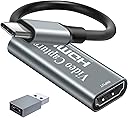
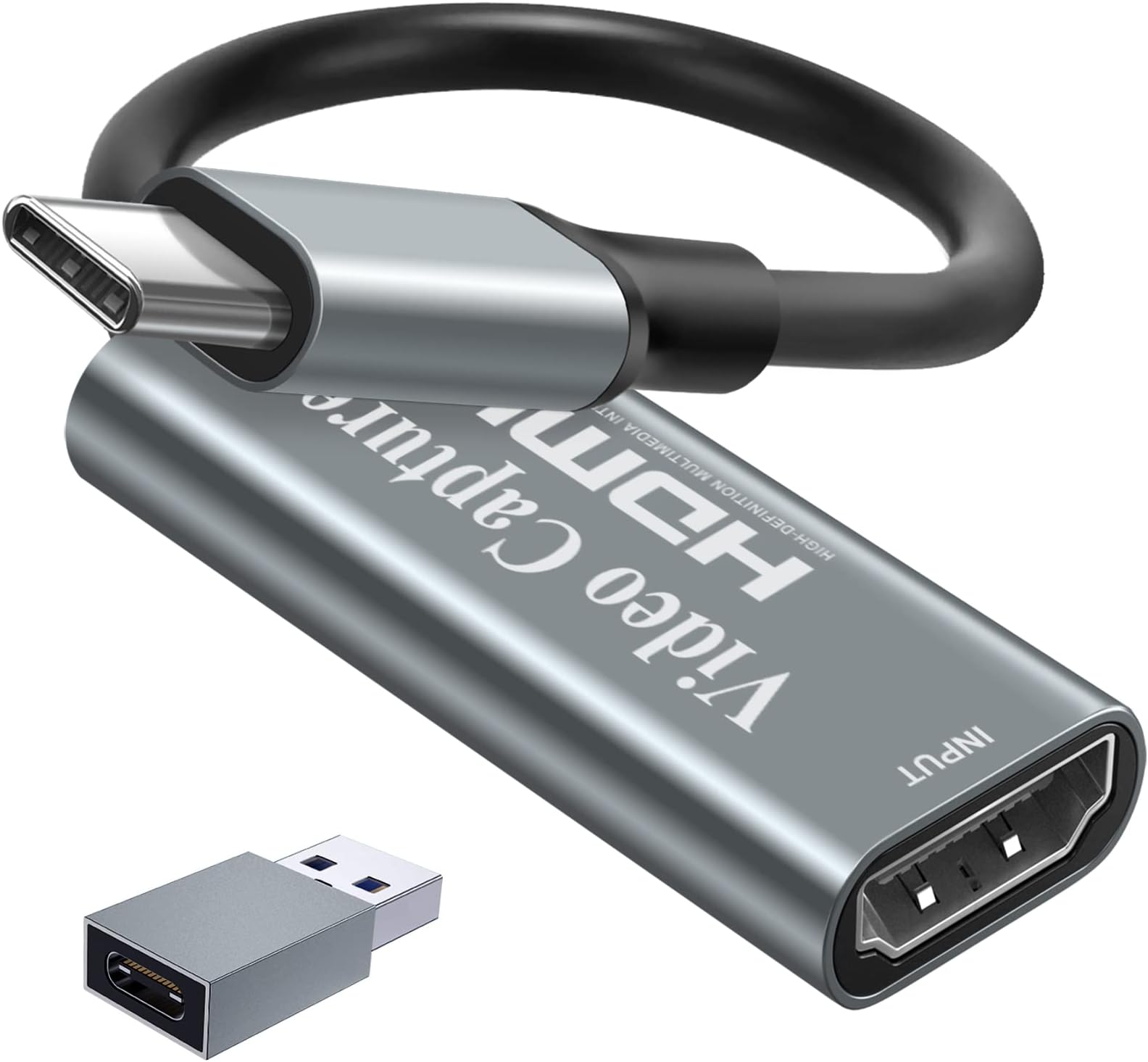
The Papeaso Video Capture Card delivers smooth 1080p60 video recording from 4K HDMI sources via USB-C, compatible across Windows, Mac, Linux, and Android. Designed for gamers and streamers, it supports major consoles and streaming platforms with plug-and-play ease, ensuring lag-free, high-quality broadcasts backed by a 2-year warranty.


| ASIN | B091NX27S8 |
| AV Output | HDMI, USB-C |
| Antenna Location | Video Recording |
| Best Sellers Rank | #4 in Internal TV Tuner & Video Capture Cards |
| Brand | Papeaso |
| Built-In Media | Installation Guide |
| Compatible Devices | Camera, Gaming Console, Laptop, Personal Computer |
| Customer Reviews | 4.3 out of 5 stars 2,361 Reviews |
| Hardware Interface | HDMI, USB Type C |
| Manufacturer | Papeaso |
| Mfr Part Number | HU-03C |
| Minimum System Requirements | Windows, Linux, Mac OS |
| Model Name | HU-03C |
| Model Number | HU-03C |
| Operating System | Windows, Linux, Mac Os |
| Other Special Features of the Product | USB-C Connectivity |
| Platform | Windows |
| Recommended Uses For Product | Video Recording |
| UPC | 734065846210 |
| Unit Count | 1.0 Count |
| Video Capture Resolution | 1080p |
| Warranty Description | 2 years warranty |
J**.
9 stars if I could! Don't hesitate! Amazing CS!
I bought this to use with Hyperion or HyperHDR. It works great with both and is a great component for DIY ambient light system for your TV. I have it attached to a Raspberry Pi using the software above and other components, and it is $300+ less than a Hue kit. It was basically on for 2 months straight (active even with standby on my roku) and one day the Pi still recognized it as a device but there was no signal. The item temperature felt like a million degrees so I imagine the heat did something. Lesson learned about leaving it active. I have read a lot of the negative reviews saying the item stopped after a couple months, there was no company contact information or warranty. Usually for something under $20 I would just eat the cost and move on but wanted to see if the complaints were true. I will tell you most of that is not true and completely false. The only truth was, the contact information is not included with the product. I contacted the seller through Amazon (ask seller question about product), provided order information and told them about what happened. They offered either an order refund or replacement. I chose replacement and they sent a replacement using next day (1-2 day) shipping. This was almost 3 months after purchase. I received the new item the next day, plugged it in and my system was back to working status like expected. Use common sense and a little effort before leaving a negative review and spreading false information. While the product did have issues eventually, they 100% did what I (and anyone) should expect from a company. I would give them 10 stars but they absolutely should include contact information and/or warranty information with the product... And yes there is some spelling issues on the back of the product box (teh instead of the) but that doesn't take away from the quality of the product.. especially because of the price. Functionality wise, it captures at 1920x1080 60fps and also captures HDR and SD frames without issue for me.
T**E
This worked fine just not what I needed
This did not do what I expected it to do, but it worked fine just not what I needed so I kept it and put it away. Someday I might have a use for it..
T**D
The best you can buy for under $20 and essential for anyone on a low budget.
TL:DR - Highest quality capture card for the price BUT doesn't support 1080p60 recording/broadcasting like it says (720p60, then 30 fps above that resolution). The user needs to manually make HDR look good (to be expected). + At 1080p, the image quality is great. This is a perfect cheap solution for Twitch streaming in particular since you won't be uploading at a high bit rate/encoding quality etc. anyway. It's still a good solution for YT videos too though. + You can record at 60 fps at the noticeable cost of resolution. + 4k60 HDR input is accepted (will not record at this of course) + Has fewer audio issues compared to the USB 2.0 versions. - Despite what this product page says, ANY resolution above 720p, even 1280x960 WILL NOT play at 60 fps. It's hard capped to 30 at anything above 720p. I tested both with the USB-C adapter and using the capture card with a native USB-A 3.0 connection, there's no difference in frame rate (didn't do in-depth testing to see if there were any quality differences, I didn't notice any though). The concessions are probably understandable at below $20 but I consider it to be unacceptable to lie about this on the product page. Across the 3 software I've used, not a single one would actually display above 30fps at above 720p. One star deducted for the lie. Was really considering making it two. - If dealing with HDR content, you'll need to tone map it yourself for streaming/content creation. I've done this in the above screenshots but it looks washed out otherwise. This is to be expected at this low price point. - Despite being of excellent quality for the price, some blocking artifacts can still be noticed in some high-contrast scenes or ones with transparency. 720p is noticeably blurry. These are to be expected and doesn't ruin the image.
A**R
Awesome tool! Essential item, especially at this price!
I have to admit. I was very skeptical about this item's performance, initially... especially, considering how inexpensive it is. After receiving it I was blown away by how immediately intuitive, easy and effective it is. After installing the Meta Quest HDMI link app directly in my Metaquest 3S headset, all you do is attach this device to the other end of the HDMI cable that is running from your device (in my case, a PS5...) and plug the USB-C end of the device into your Metaquest unit... and that's literally, it. Your Metaquest unit should immediately recognize the signal. In my opinion, this item is a must have. Just make sure that before you plug the adaptor into your headset that you change your HDCP settings on a PS5, otherwise your headset will just display a black screen. If you want to change your HDCP settings on your PS5, just go to: Settings > System > HDMI and then toggle the "Enable HDCP" option to turn it on or off. When you are done using your headset with you PS5, just turn HDCP back on, otherwise you won't be able to view any streaming networks on your PS5. Again, this is a fantastic buy and I cant recommend it enough. My only criticism of this item is that it doesn't offer you a way to charge your headset while you use it. If you can find an item that's exactly similar to this but has that feature, I would definitely recommend it. Otherwise, charge your headset up nice and good and you'll be good to go for a few hours.
U**P
Excellent performance for a budget price.
I'm working on a two-camera setup to do live streaming of events for a church conference, and I was planning on using my two DSLRs. There's a utility for these cameras, that will let you feed video into a computer via USB. Problem is, you can only use one instance of it at a time. For roughly 20 bucks, this thing solved my problem. (I'm also now two inches taller, ten pounds lighter, and a better dancer.) It worked without any fuss or problem. Plug it into the computer, run an HDMI from the SLR that is not on USB, and all is well with the world. It just plain works. I had some worries about the two cameras not being in sync, due to the different transport systems to get to the computer. As I expected, they are not perfectly in sync. However, they are so close to being in sync, that I'm not going to worry about it, and no one will probably notice. (I used to work in television, so I'm a little more attentive about this sort of thing than some people are.) If I really felt like fussing with it, I could probably adjust my software to get them perfectly in sync. I really don't think that will be necessary. Someone had offered to loan me a capture card to get the HDMI into my computer. It was five times the price of this device, and larger. I feel the $20 investment was quite good, for an excellent solution that easily fits in my pocket. Heck, it could probably easily fit in the little coin pocket on a pair of jeans. :-)
A**R
Great Inexpensive USB Video Capture Device!
Sweet gravy biscuits, it actually works! I’ve got a history of failing miserably to get USB video capture devices working. A lot of them don’t work in macOS, only work with PAL (vs NTSC) signals, whatever. It’s been a rough time, and I wasn’t expecting anything different from this but the price was worth a shot, so I figured I’d give it a try. I was very pleasantly surprised! I used an HDMI splitter to split the video and audio signals from my gaming PC, ran one HDMI connection to the monitor and another to my capture device. Once that was done, it was a simple task of opening QuickTime Player in macOS (though you can use any software that can capture video from a source like a webcam and mic), selecting “New Movie Recording”, and then specifying “USB3.0 Capture” as my camera and microphone inputs. Everything just works, even when plugged into an adapter (my 2012 MacBook Pro does not have USB-C ports so I had to use a USB-C to USB-A dongle which worked just fine). There is no noticeable lag, the frame rate is excellent (QuickTime records at 60fps, but in theory other software could do higher fps if you’re outputting higher fps), and the audio sounds great. Highly recommended if you’ve got video to capture and that video outputs an HDMI signal (I mean, you could also use a converter to go from Composite or D-SUB or whatever to HDMI, so the options really are extensive). Has paid for itself several times over already!
K**L
Beware - does not support capture at full 4K resolution
I have had zero success getting this product to capture at anything greater than HD (1920x1080) resolution, despite trying multiple android and linux UVC apps. The claims for "4K" support are confusing at best. Seems to work otherwise but runs very hot.
B**O
Works perfect for the switch
I bought this to be able to use my pc and my switch together. This item, along with OBS, I was able to hear both my PC and my switch with the same pair of headphones. For anyone with the same niche use case: I’m able to move the switch screen window around my monitor, have it full screen, resize it, etc. To my surprise, I feel NO input delay when playing games, and here I was considering buying something more expensive. I’ve even used it to screen share my switch on discord which was a neat plus too; that I didn’t even think of prior to purchasing. Extremely easy to set up, plug it in, set up the sources on OBS, including audio and I was done. Conveniently that same set up allows you to record, go live, or whatever it is you want to do with your captured device.
A**.
Problème avec l'appli
Dommage que l'application ne pas terrible
M**E
Easy installiert
Einfach zu installieren und hat bisher in jeder Möglichkeit 1a funktioniert. Nutzen es, um PS5 auf PC OBS zu bringen und haben auch andere Konsolen und Mobile Geräte gecaptured, funktioniert auch mit digitalen Kameras
P**T
works great
works a treat, use it on my ipad i connect my ps5 to it.
J**B
Fait parfaitement le travail pour mon Oculus Quest et ma Xbox.
J’utilise cette carte de capture pour brancher ma Xbox sur mon Oculus Quest et ça fonctionne nickel. Le branchement est rapide, reconnu tout de suite par l’ordinateur, et la qualité d’image est fluide sans latence visible. Le format compact est pratique pour l’emporter facilement et la compatibilité avec OBS permet de tout configurer rapidement. Seul petit point à améliorer, le son peut parfois avoir un léger décalage selon le logiciel utilisé, mais un simple redémarrage règle le problème. En résumé, un bon produit, efficace et abordable pour capturer ou diffuser sans prise de tête.
B**E
Unit works well.
Good value mid range product.
Trustpilot
1 month ago
3 weeks ago