We remain fully operational. Our teams are working around the clock to ensure your deliveries continue safely.

DOWNLOAD THE APP


Copyright © 2025 Desertcart Holdings Limited
DOWNLOAD THE APP
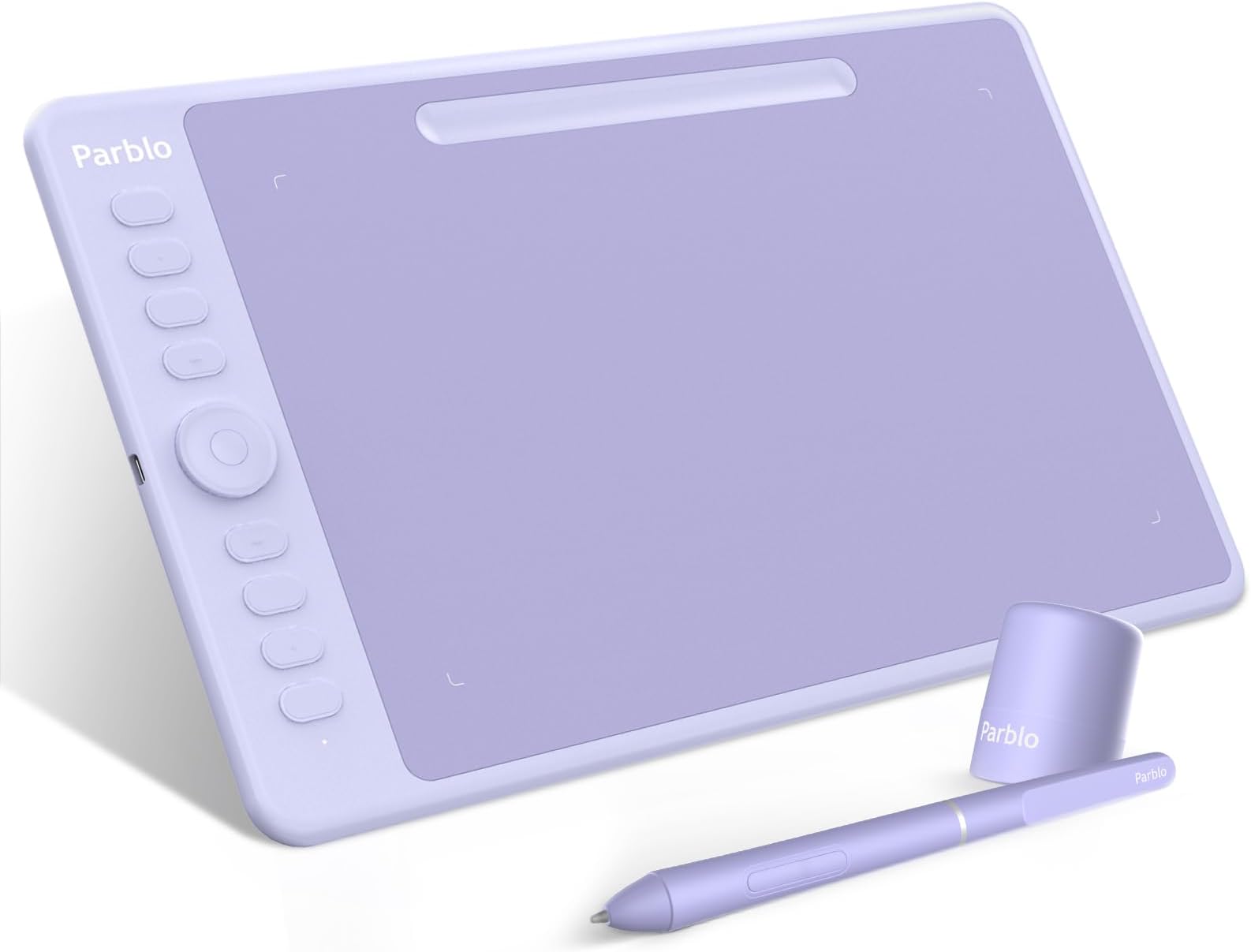


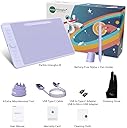
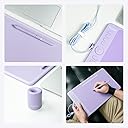

🎉 Elevate Your Art Game with the Parblo Intangbo M!
The Parblo Intangbo M Drawing Tablet is a 10x6 inch digital graphic tablet featuring 8192 levels of pressure sensitivity, a battery-free stylus, and eight customizable hot-keys. Compatible with Windows, Mac, and Android, it offers a seamless drawing experience with tilt support and a sleek design, making it an ideal choice for both professional and aspiring artists.


| ASIN | B094XW34V2 |
| Active Surface Area | 10 inches x 6 inches |
| Additional Features | 60° Tilt Support, Extra-Slim |
| Best Sellers Rank | #375 in Computer Graphics Tablets |
| Brand | Parblo |
| Built-In Media | Battery-free stylus, USB-C cable |
| Color | Purple |
| Compatible Devices | Window,Mac,Chromebook,Android |
| Connectivity Technology | Wireless |
| Customer Reviews | 3.9 3.9 out of 5 stars (73) |
| Item Dimensions L x W | 14"L x 8.8"W |
| Manufacturer | Parblo |
| Mfr Part Number | Intangbo M |
| Model Name | Intangbo M |
| Model Number | Intangbo M |
| Native Resolution | 5080 |
| Operating System | Linux,Windows,Android |
| Pressure Sensitivity | 8192 Levels |
| Screen Size | 10 Inches |
| Specific Uses For Product | Painting, Drawing |
| Target Audience | Teacher |
C**E
Works great on android
Easy to set up with my Android tablet, I love the color. Sadly express keys did not work on Android, drawing experience is fantastic, I drew this drawing, definitely recommend
B**E
Pretty tablet, Nightmarish installation
My advice to anyone who may be looking into getting a Parblo Intangbo tablet for the super pretty colors they come in; Don't buy them. They look cute, but installation set up is an absolute nightmare. Upon receiving it in the mail, I was thrilled to open it up, and get started with making art, but holy crap, the installation process was infuriating. Weird to say too, because compared to Huion pen settings set up, the one for Parblo looked fairly minimal in every aspect. But boy, was the process enough to wanna rip your hair out. Drivers crashed frequently, the constant lagging was unbearable, pressure sensitivity was either way too high or non-existent, there was never an in-between no matter how much you fooled around with the settings, and the same issue went for brush stabilization as well. One point too high, and the brush stroke would lag a few seconds, never giving you the right thickness where you needed it, and one point too low, then the crisp lines of your brush strokes become a sloppy, jagged mess. And I'm not sure if this was an issue with the drivers being wonky, but halfway through moving your brush, it kinda just 'lets go' as you're laying down lineart, so there were so many broken brush strokes, and random ink blots all over the canvas that I never intentionally put there myself. Uninstalling the drivers seemed like a struggle, too. Even after removing the Parblo driver, restarting my laptop, reinstalling Huion, and then restarting twice (Just to be safe), my Huion pen STILL wouldn't work until I went deeper into my drive to remove some other left over scrap info from the Parblo downloads before restarting again. I have very little issue with the tablet itself, not only are the colors pretty, but the tablet itself has a nice feel to it and is quite lightweight and comfortable to use. But that's where the positives end, because it's ruined by the actual setup process. Super disappointed, because the tablets ARE pretty, and I always appreciate having more colors in our selections besides the usual black all the time, but it felt like the functionality of the tablet was sacrificed for the tablet's appearance.
S**Y
Great entry-level tablet for the aesthetically conscious
This tablet is a stand out of all the other tablets I've owned for the sheer color alone. I'm a graphic designer so I will be using this when I want to use my laptop either away from my desk or in the classroom. The pen is lightweight and the tablet provides feedback when in use by lighting up on the bottom left when it recognizes any pressure. You get 8 replacements of the same nib, in case you wear your original one down, with a ring to remove your used nibs and the nibs glide really nicely on the tablet. The little tray for the pen is a minimal place for your pen which makes it great for when you're traveling and don't want to bother with bringing the nib holder in your pack. Some of the downsides include a few hurdles of installation for the driver that were easily bypassed. It does not allow for Pan/Scroll shortcut on the buttons on the pen, which is my go-to shortcut for my other tablets, but the ring on the left side is a good replacement because it is a tactile feedback experience. Overall this is a great tablet for beginners and students who appreciate cute aesthetics and are looking to upgrade their creative experience to get more connected to their work.
N**K
Good for drawing/art
For basic drawing this tablet is easy to use and does the job. It comes woth everything you need to get it hooked up and use it. I really like the size and it's very light feeling. The pen fits comfortably in my hand. The included glove helps a lot as I like to drag my hand. It has software to map the keys and customize your experience. I found it a bit clunky and not as straight forward as I would like. It took so time but I got it set up the way I wanted, I am happy I only had to do that part once. It works great for drawing and photo/video editing but I found it has too much lag for game playing (atleast for the games I play). At this price point it works well for what I use it for. I've played with nicer more expensive ones but they are in a different price tier. If the software gets a good update I would love this a lot more.
L**E
Truly plug and play
All I did was plug the thing into my little hp laptop and it took over as the cursor. Works in Adobe, works in paint.net, works in my weird Slavic cross stitch chart program. I’m totally new to drawing tablets so I have no clue what to do with all the buttons, but so far I’ve been able to do everything I wanted with it. And I love that all the things are PURPLE, cord too! I keep all the bits in a spare zipper pouch. Easy peasy. I did sew a fabric cover for the tablet itself so I’d feel better about sticking it in a backpack.
Trustpilot
1 week ago
1 month ago