Buy anything from 5,000+ international stores. One checkout price. No surprise fees. Join 2M+ shoppers on Desertcart.
Desertcart purchases this item on your behalf and handles shipping, customs, and support to Nicaragua.
๐ผ Classic reliability meets modern connectivity โ stay productive, stay ahead!
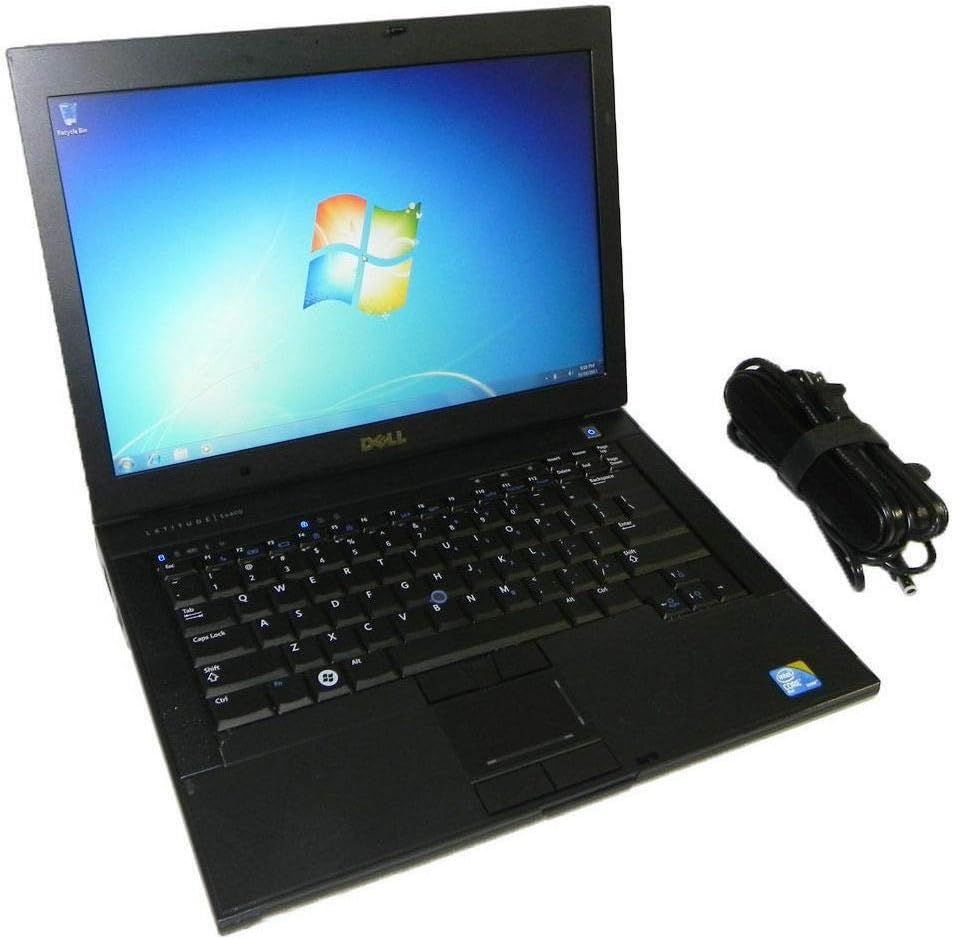
The Dell Latitude E6400 is a business-grade laptop featuring an Intel Core 2 Duo 2.27 GHz processor, 2 GB DDR2 RAM, and a spacious 300 GB hard drive. It supports Windows 7 Professional with options to upgrade to Windows 10, includes built-in Wi-Fi (802.11n), Bluetooth 2.0, and HDMI output. Its durable design, backlit keyboard, and matte 14.1-inch display make it a solid choice for professionals seeking dependable performance on a budget.
| ASIN | B001GN5OLK |
| Audio Output Type | Speakers |
| Audio Recording | No |
| Automatic Backup Software Included | Windows 10 |
| Available M2 Slot Count | 1 |
| Battery Cell Type | Lithium Ion |
| Battery Life | 2 Hours |
| Best Sellers Rank | #66,148 in Computers & Accessories ( See Top 100 in Computers & Accessories ) #11,246 in Traditional Laptop Computers |
| Bluetooth support? | Yes |
| Brand | Dell |
| CPU Codename | Merom |
| CPU L1 Cache | 128 KB |
| CPU L2 Cache | 6 MB |
| CPU Model | Intel Core 2 Duo |
| CPU Model Generation | Penryn |
| CPU Model Number | T9600 |
| CPU Model Speed Maximum | 3.06 GHz |
| Color | Black |
| Compatible Devices | USB devices, HDMI displays, Bluetooth devices, Wi-Fi networks |
| Connectivity Technology | Bluetooth, HDMI, USB, Wi-Fi |
| Control Method | Touch |
| Customer Reviews | 3.7 out of 5 stars 412 Reviews |
| Display Resolution Maximum | 1280x800 |
| Display Technology | LCD |
| Display Type | LCD |
| Form Factor | Laptop |
| Graphics Card Ram | 128 MB |
| Graphics Coprocessor | Integrated Intel Graphic |
| Graphics Description | Integrated |
| Hard Disk Description | HDD |
| Hard Disk Interface | Serial ATA |
| Hard Disk Rotational Speed | 5400.00 |
| Hard Disk Size | 300 GB |
| Hard-Drive Size | 300 GB |
| Hardware Interface | Bluetooth 2.0, DVD-RW, Ethernet, IEEE 1394 (FireWire), Memory Stick |
| Has Color Screen | No |
| Human-Interface Input | Keyboard |
| Item Dimensions L x W x Thickness | 13.19"L x 9.84"W x 1.38"Th |
| Item Weight | 5.1 Pounds |
| Keyboard Description | Backlit |
| Keyboard Layout | QWERTY |
| Lithium-Battery Energy Content | 49 Watt Hours |
| Manufacturer | Dell |
| Model Name | Latitude |
| Model Number | E6400 |
| Model Year | 2009 |
| Native Resolution | 1280x800 |
| Number of Ethernet Ports | 4 |
| Number of Ports | 6 |
| Operating System | Windows 7 |
| Optical Storage Device | CD-RW |
| Other Special Features of the Product | TrackPoint |
| Power Device | battery |
| Processor Brand | Intel |
| Processor Count | 2 |
| Processor Series | Intel Core 2 Duo |
| Processor Speed | 2.27 GHz |
| RAM Memory Installed | 2 GB |
| RAM Memory Technology | SO-DIMM DDR2 |
| RAM Type | DDR2 SDRAM |
| Ram Memory Maximum Size | 8 GB |
| Resolution | 1280x800 |
| Screen Finish | Matte |
| Screen Size | 14.1 Inches |
| Series Number | 6400 |
| Specific Uses For Product | Business, Gaming, Student |
| Supported Monitor Maximum Quantity | 1 |
| Total Number of HDMI Ports | 1 |
| Total Usb Ports | 4 |
| UPC | 735858184632 |
| Unit Count | 1.0 Count |
| Video Output | HDMI |
| Voltage | 110 Volts |
| Warranty Type | Extended |
| Webcam Capability | Yes |
| Wi-Fi Generation | 802.11n |
| Wireless Compability | 802.11n |
| Wireless Technology | Wi-Fi, WiFi+3G |
C**Y
RedTag Computers - ACES This one
K ... I wanted a cheap'o slug of a laptop to install Solaris on - more on that later - This laptop arrived from Red Tag Computers in record time & the thing was MINT !!! ... didn't even look used. Best part was - it contains a Core2Duo - 2.5ghz - 4gigs of ram & came with a 200gbhd. First order of business was to download & install VirtualBox from Oracle - that went without a hitch - then I installed Solaris 10 in a VM environment - that went without a hitch. I then popped out the 200gbhd & dropped in a Kingston Extreme(which also came from Amazon) & I then attempted to install a clean copy of Solaris - that didn't go so well - not sure why - it's complaining about not being able to contact something on the network - which confuses the heck out of me - cause it installed flawlessly in a VM ... but anyway ... This Dell e6400 is one rocking solid little laptop ... oh ... did I mention it came from Red Tag pre-installed w/Win7_64 Pro (sweet !!!) ... so if anyone is looking for a cheap, solid little laptop ... & your on a tight budget ... I'd HIGHLY recommend picking one up from Red Tag - if your in the market for a solid, cheap, slug of a laptop - you can't go wrong in getting one of these - just remember - these babies came out in 2009 - so don't expect this thing to compare with a i3 or i5 etc - what you get out of the box is a solid little laptop to surf, some SIMPLE word processing etc - don't expect this thing to rock w/gig flop's in speed - it's a SOLID "little" laptop - beat's the other used slugs out there from misc manufactures ... mine even came with the extended battery !!! ... Red Tag really, really, really out did themselves on this deal. As mentioned, I'd highly recommend both this little beast & Red Tag. Thanks.
S**E
Wasted time and money on LIES
I've just sent the last hour trying to see some redeeming quality about this prehistoric piece of junk. Remember back in the day when you had a desktop computer that was just a hair fancier than Dial-up? That's this laptop but even WORSE. The first issue I encountered was that it was dead on arrival. No big deal, I figured. I plugged it in and gave it time to charge. Turns out, IT DOESN'T CHARGE. It NEEDS to be plugged into the AC adapter just to function! It honestly acts like a desktop computer that needs to be plugged in all the time! Unplug it, and it immediately shuts off. And before you ask, yes, it DOES have a battery in it. I made sure to check. The next problem is the sound. Now, I know the speakers work because it plays a loud sound upon startup. However, once the laptop is booted, you hear...NOTHING! The device simply gives an error message saying there is no audio hardware. Now, the biggest issue is that this laptop is living in the Stone Age. It runs on WINDOWS XP!! I thought, "okay, not what I was promised, but I can update it". HA! If only! This particular kind of Windows XP does not support wifi. I spent the better part of an hour trying to get it to connect to the internet. It won't even try to locate wifi networks! So, updating this OS is impossible unless I waste money buying a Windows 10 disk. So, what does that leave me with? A computer that can't even turn on if it is not plugged into the wall. A computer with no sound, so I can't even play games or watch DVDs on it. It can't connect to the internet, so I can't update it from this outdated, unsupported operating system AND I can't download any other programs (making the camera useless), leaving me with only the default programs (half of which require sound and/or internet)! Not to mention that the mousepad is awful, making every second of agony spent trying to use this laptop last twice as long. For such a cheap price, I wasn't expecting the best quality. I was prepared to have it stop working in a few months' time. But this isn't even poor quality. It's NO quality. There is nothing I can do on here. I needed an emergency laptop after my last one suddenly quit. After days of anticipation, this is one of the worst things I could have received. Awful, awful, awful!
Q**N
Oldie but goodie
The E6400 I ordered from Blair Technology was listed "Used - Like New". The unit I received was refurbished (according to the tag on the underside) and had a few nicks on the speaker grilles (on either side of the keyboard) that were easily covered up with a Sharpie. There was also a 2"x2" L-shaped smudge inside the screen that disappeared completely when the backlight came on. I rate these as minor flaws considering the price. I immediately installed a Crucial 250GB SSD and 4 GB of Crucial RAM (the E6400 will take 8GB but that seemed like overkill) and was impressed at how fast this seven-year-old laptop still is. I'm not a gamer but I watch streaming sports video from MLB.TV and ESPN and the E6400 handles this like a champ. I also really appreciate having a real keyboard again, instead of the chicklet type that seems to come on most inexpensive laptops. My unit came with a DVD drive, a nice surprise since I was expecting it to come with just a CD drive. A novelty with this laptop that some may appreciate is the number of peripheral formats it supports. If you have any PCMCIA or ExpressCards lying around you can use them again with the E6400. There's also Firewire (IEEE 1394a) in addition to USB 2.0. Another small problem cropped up with the power supply that came with the unit. When running the laptop plugged in my internet connection practically stopped. Turns out the power supply was picking up interference from my new Powerline (internet via electrical wire) network. Swapping the provided PS with an old Dell supply cleared up the problem instantly. The one they give you works OK in most situations but appears to be poorly shielded. All things considered I'm happy with this purchase. Buying refurbished goods is always an adventure, but if you're willing to upgrade and do a little troubleshooting you can have a very serviceable laptop with a real keyboard, that's still quite fast for it's age.
D**S
Best deal I've gotten to date.
I bought this laptop for my youngest daughter to start college with. I didn't want to spend much because I didn't know what she would really need and I thought this would hold her over until were figured that out. I believe I paid $119 for it (refurbished). Much to my surprise, it out-performs everyone's laptop in the house with the exception of mine that cost me $1250.00. The other laptops in the house are all in the 6 to 8 hundred range, and even after I loaded the Dell down with Adobe Suite, Microsoft Office and Bit Defender antivirus (all huge programs), it still runs faster than the rest. The graphics card is excellent as well. I have yet to see it bog down no matter what programs are actively running. Also, I've never heard the fan come on. It barely even gets warm. It came with 4 USB ports and a CD burner that works as well as any I've seen. It would have been nice if it had a 15.5" screen, but the 14" is large enough The built in speakers are nothing to write home about, but I hooked up a pair of Bose speakers that I had bought, and there's plenty of power to push them extremely well. The webcam is as good as any I've seen built in as well. It's also worth mentioning that it wasn't advertised as having the CD burner or the webcam, so both of those were a really nice surprise. The Windows 7 Pro OS is the icing on the cake. I honestly can't say enough good things about this laptop. It surpasses my expectations by a mile, and would not think twice about buying another..
B**S
Not bad, but a few glitches in the machine.
If I use Function+F1 or select hibernate or sleep from the menu, it goes to sleep. But I cannot wake it up! It should wake up with the touch of a key or movement on the touch pad, but it does not. The only way I found to get out of the situation is to unplug both the electricity and battery and then turn it back on. Not an ideal situation. Also, I like to scroll up and down a web page with the touch pad cursor, but the only ways I have found to do it is to either use the arrow key or move the cursor over to the scroll bar on the web page and coax the page down. In other words, the touch pad is not very responsive. Once again, not ideal. And when they said that it would be about three weeks for it to arrive, they were not kidding. I ordered it on March 7th and it arrived on April 1. So if you do not want to wait, pay for the faster shipping. Given that I knew that it was refurbished and given what I need it for, it wasn't a bad deal, though as noted above, there are a few disappointments. It came with MS Office 2007 which by itself is around $100, it'll work for me. Last night I wanted to listen to some tunes on CDs. Forget that. The player skipped, jumped and stalled. If I continue to find problems, I'll be dropping from 3 stars to 2.
F**Y
Dell Latitude E6400 Laptop Is A Real Workhorse, But Needs More Ventilation Clearance Underneath! (... a quick fix, though)
I purchased my used Dell Latitude E6400 Laptop on Amazon.com, after my trusty old WinBook J1 laptop (Windows XP) died after 12 years of hard use (don't laugh, I'm still grieving). In my search, I opted for a Dell Latitude E6400, with Windows XP installed, although the native operating system was originally Windows Vista. As laptops these days no longer come with bundled software, it made sense to go for a seamless transition with all of my tried-and-proven applications. And, as I always knew, Windows XP will still do everything I need it to do, especially on a laptop designed for the newer, and more resource-hogging, operating systems: I can play high-resolution movies, photoshop-type projects, digitally master music files, and blaze through the internet. My Dell Latitude E6400 has Intel Core2 Duo CPU P8400 @ 2.26GHz (smallest available processor for the Dell E6400), 2.0GB RAM, NVIDIA Quadro NVS 160M installed. The first thing I noticed was that the rubber feet under the Dell Latitude E6400 provided only 1/16 inch (= 1.6 mm) clearance between the bottom of the laptop and the table it rested on. This severely restricted the air intake of the internal cooling fan. And some quick math revealed the the 1-3/8 inch (= 35 mm) diameter horizontally-mounted internal fan required about 1/4 inch (= 6 mm) clearance to properly draw in cooling air for the hot running CPU, and even hotter running GPU. And the overheating problem is compounded if the laptop is used on a table cloth. The heat-exhaust vent for the cooling fan is on the left side of the laptop, and measures 2-5/8 x 7/16 inch (= 67 mm x 10 mm) and is quite small, so be sure to not block it with clutter on the tabletop. So, I peeled off the five thin OEM rubber pads from the bottom of the laptop, and replaced them with five 3/4 x 3/4 inch (= 19 x 19 mm) square self-sticking rubber bumpers, purchased from a local hardware store, providing the necessary 1/4 inch (= 6 mm) clearance. My gut feeling is that the engineer(s) who designed this laptop probably specified the same clearance that I changed it to, but was probably overruled by the Dell marketing staff, opting for a sleeker, low profile, and more marketable look. I then Googled the Dell Latitude E6400 and found that overheating was indeed a serious issue with this laptop, sometimes reducing the laptop clock speed down to 20% of rated speed. Yet no one seemed to grasp the lack of proper ventilation clearance issue. Everyone was either sidetracked, or completely mired down, in trying to isolate the overheating problem down to a software or BIOS issue. I've seen similar instances, many times, in the online forums, where everyone tries to isolate a problem with an electronic device, and heads off in the wrong direction without solving it. Even after I post a simple and bench-tested solution (... add an extra AAA battery... or add a heat sink...) the herd still continues off in the wrong direction. The latest Dell BIOS Version: A34 (6/4/2013) seems to properly activate the internal cooling fan, so be sure to download and install it, if your Dell Latitude E6400 laptop is one of the few that still has an older BIOS. Although not mandatory, but just to be safe, I also downloaded, installed, and tested SpeedFan 4.49, a freeware app that monitors and turns the laptop fan on at somewhat lower temperatures, for both the CPU and GPU. After installing, open up SpeedFan, and on the Readings tab, simply check the Automatic fan speed box. Then select the Configure button, the then select the Options tab. In the Tray Bar section, check the start minimized box. And below that, check the Enable DELL support (use this function only on DELL notebooks). And below that, there's an option to select Fahrenheit, instead of the Celsius default. Then click the OK box. But the benefits of SpeedFan 4.49 seem slight, at best, as I see only subtle improvements over the latest Dell BIOS Version: A34, even when a heavy GPU and CPU load test (high-resolution movie + logging on to a busy internet website at the same time). For many, SpeedFan may not be worth the effort. So, to make a long story short, simply download and install the Dell BIOS Version A34 update (if your laptop doesn't already have it), and replace the OEM rubber pads underneath the laptop with off-the-shelf peel-and-stick rubber bumpers, from your local hardware store, to provide 1/4 inch (= 6 mm) clearance for that cooling fan intake, underneath your laptop. For those whose laptop is wired for more performance than mine, may need to install and set up SpeedFan, for more control. I also want to point out that these legacy Dell Latitude E6400 laptops still receive 5-star reviews from the owners. That's powerful testimony, to the rare technological stability one finds these days in electronic products. Like my old WinBook J1, I now expect my "new" used, but easily upgradable Dell Latitude E6400 to provide years of reliable service.
H**N
Great notebook for the price
Update 10/8/13 - I only had this laptop for 3 to 4 months now and I'm beginning to experience a dead lcd screen and the charger is beginning to go out. Don't get confused this is a decent notebook it's just who I purchased it from. Whatever you do don't buy this notebook from Tampa Laptops they shipped me a notebook with no bluetooth module and I had to ask them to give me one since they false advertised. Also there customer service is slow and not very customer friendly. Pros ---- Backlit keyboard 4x usb ports Decent speakers Decent graphics card/Intel GMA 4500MHD Ambient sensor for monitor screen Windows Experience Index score of 3.4 Cons ---- Minor scratches Heats up pretty quick especially when charging No webcam but there is still a mic built in Battery life is a little over 3 hours 80gb HDD So far I'm enjoying my latitude bought from Tampa Laptops. The design is super slick and nice. It has a DVDRW for burning and watching movies. I had to upgrade it from vista 64-bit because it runs extremely buggy and sound is screwed. On windows 7 you can see an amazing difference between vista it runs so much smoother and gives an accurate battery level and time estimates. Drivers where all installed and where easy to upgrade with to windows 7. The charger wasn't the original but is a replacement from Dell so I guess that's good enough. As for storage the hard drive came with 80gb which I can tell you now it isn't enough space for my files so if you get one with 80gb I would recommend upgrading the hard drive ahead of time. Overall this is a great notebook for the price compared to all the other cheap notebooks.
M**S
Still going strong after 5 years
This laptop is great. As someone else said its a workhorse. I bought it three years ago for my wife and she used it pretty good and then she went to a tablet. i took it over and use it hard. I used a 4 gig micro flash drive to boost its memory (slot in front) I store my big files and music files on usb flash drives. the Win 7 OS still works good. I have Office on it and it does very well. I stream YOU TUBE TV programs with my chromecast. I use this in my out building from my house where i am 100 yards from the router and the wifi still connects. We use it on trips and works well. I also have left it out in hotel rooms and no one bothers it. If you want work laptop that is durable and no nonsense. I may look to get another one with more hard drive capacity.
M**S
Muy muy contento
Tengo que decir que no esperaba que tuviese el office completo y que sea windows 7 en lugar de windows vista como asi ponia en la descripcion, va perfecto, esta totalmente restaurado, recomiendo al vendedor 100%, no es un notbook si no un portatil estupendo, lo volveria a comprar, ah y llego un dia antes, repito, muy contento.
F**E
Good Little Workhorse and Outstanding Customer Service
This is an excellent vendor with immediate and Outstanding customer service and support. I am very happy with this computer model and supplier. I bought it based on other reviews and they were accurate assessments. It is fast (much faster than my old HP) also the keyboard is easy to type on. It isn't as thin as newer computers, but it has a DVD/CD player/burner which is what I wanted. It is compact and not heavy. This is a business model with 4 GB, perfect for my needs. I write and use photo/video functions. It handles these very well. I am not a gamer, so can't speak to that function. If you want a good little workhorse for business/home office, this is it. Supplier packed it well, delivery was as promised. It is a refurbished laptop with only slight cosmetic scuff on cover. Excellent value for the price. Software included Windows 7, which is what I am familiar with, so happy about that. Would recommend.
M**I
head phone given in pack was dirty and used and faulty
fan was making noice as soon as it was switched on.. they didnt provide any invoice or warrety.. head phone given in pack was dirty and used and faulty... would not recommend to this one to buy.. it looks good from picture and price but not worth pruchasing... i have returned this product and expecting my money back
G**L
4 star
Works good but for some reason video card reader or something of the kind not up to date tried playing starcraft on the laptop and couldn't wasn't up to date updated and still didn't work but whatever works very good
A**T
Five Stars
Amazing product..one shortcoming. Finger mouse acts up a bit, but bearable...other than that..amazing product very happy
Trustpilot
2 weeks ago
2 weeks ago