


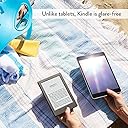


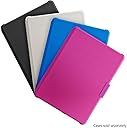

Kindle E-reader (Previous Generation - 8th) - Black, 6" Display, Wi-Fi, Built-In Audible - Includes Special Offers
Product ID: 30276697
🎧Built-in Audible
📚6" Display
🔋Weeks of battery life
📖 Read, Listen, Repeat: Your Library Awaits!
The Kindle E-reader (8th Generation) features a sleek 6" glare-free display, built-in Audible for audiobooks, and a battery life that lasts weeks, making it the perfect companion for avid readers and busy professionals alike.


T**Y
Best for being a college student or parent or any body that loves to read books.
It far better then a tablet, because you dont get thst led screen and glrae on the screen. Thounsands of books to read at your figer type. Light way and store anywhwere like a bag or ypur pocket. Easy to take with you on the go. It lasted a week or less on battery if your a read alot. Kindle unlimited is something I'm trying out. Been read alot so far. Won't get any other brand e-ereader. This one set up for my liking. I'm still wish it had back lit light so i can read when in the dark. But i got to say for being $49.99 at best buy 2017 as amazon was selling ot for $79.99 i got a better deal. But i carry it with me every wear i go. It still look new. The case i got in red is the best. Because it wakes and put my e-ereader tp sleep with out touching the buttons. It help keep the button from being worn down. Amazon has come along way from the first kindle thst was ugly to something beautiful this time. I can read and shard my book to millions of book lovers out there. Plus goodreads is a better way to stay in syc with books amd people. I got the kindle cause it easyer on my eyes when i read, i dont get eye pain as i do when i read it on the kindle fire books app. It so light weight and sleek looking. Easy to hold for hours on hand. And i like how if ur lost in the book because ur nephew was messing with, you can syc back to the close page and start from where u lift off. Plus kindle cloud if u break or lost the kindle when apond getting a new one all your books will not be lost. That my favorite part. I get to know im safe when it comes to my books i look to read. And i never have a day where i never get tired of reading. Im going to upgrade to the paperwhite when it time after thid kindle dieds or stop working. Oh most two years now since i got it and it runs just find. Nothing bad about it. I should had got one year ago but when i did it was a smart move to buy a kindle. So if u looking to get a e-ereader go with kindle touch screen e-ereader for amazon kindle it a buget friendly device and you won't go broke getting one. But i wish they had choices for color back like red, green, blue, yellow, pupler, and ECT. But ijust love my kindle ereader touch 8th generation what will theh think of next?
S**I
I love this little e-reader
There are sadly a lot of negative reviews on here, so I though I would add my positive one. I had a second-generation Kindle many years ago, and it has since stopped working. I finally decided to buy a new one. I chose the basic Kindle because that's exactly what I wanted -- a bare-bones e-reader. I have no need for a tablet or anything of the sort. This Kindle delivers on that front in every way possible. At first, I thought I would miss the page turn buttons, and dislike the touch screen. However, I have been delightfully surprised. Tapping the edge of the screen to turn the page is incredibly easy and less intrusive than pushing a button, which was always a nice little jarring reminder that I wasn't, in fact, reading a paperback. The small, quick tap of my thumb on the edge of the screen has become almost like a reflex and I don't notice it anymore; it feels natural. I do slightly miss the metal backing of the older Kindles; it made them feel a bit sturdier, whereas this basic Kindle is just hard plastic. However, I suspect that using a metal casing would up the price considerably, and I feel that the cheaper price of this basic Kindle far outweighs that slight drawback. I bit the bullet and bought one without the special offers. I do not want ads intruding my Kindle experience, even if they only show as the screensaver or on a bar across the bottom of the Home screen. It is just distasteful to me, and the extra 30$ was worth it to me to avoid the ads. I do not need or want a case for my Kindle. I do not like to read with a case on, and it would be cumbersome to remove my Kindle from its case every time I want to read. That being said, this version of Kindle does seem quite fragile, as mentioned before, so when I carry it with me in my purse, I am covering it with a knit beanie hat for now. Eventually I will buy a small soft pouch to store it in; I have seen them for sale here on Amazon. Even though the Kindle seems fragile, the size and weight of the device is a definite advantage while reading. It is so comfortable to hold that it just disappears in your hand and you forget that you are reading from an electronic device. It really is a cool experience. As to the complaints of the screen being dim--it is no dimmer than previous generation Kindles. No, there is no back light. It looks just like a printed page, and can be read easily in all lighting conditions -- whether by lamp or by sunlight. If you find that you are straining your eyes, you can simply adjust the size, font, and spacing of the text to something that better fits your eyes. I personally do not read in bed with the lights off -- I fall asleep while reading like that. However if you are a frequent bed-time reader, you will want to get the Paperwhite, Voyager, or Oasis models. If you've never had a Kindle before, why should you get one? Simple...anyone who loves to read should get one. Now, which model is your personal choice; I have already explained why I love this one. Amazon has millions upon millions of books that are able to be purchased and downloaded to the device. A good fourth of those available are free, and another good chunk are $2 or less. So if the price of the device itself makes you hesitate, it can easily end up paying for itself if you read a lot of free or cheap titles. More and more titles become available for Kindle every day -- when I got my original 2nd Gen Kindle nine years ago, the Harry Potter series was unavailable to Kindle. Now with my new device, it is. The Half-Blood Prince is the first book I downloaded for my new Kindle, since that is where I am at in the series right now, and I could not be happier. They even preserved the chapter illustrations for the e-reader format. Kindle has the ability to store thousands of books, so you shouldn't have to worry about running out of storage. If you do, however, the overflow can be stored on Amazon's Cloud service, so you never have to worry about giving up any of your old favorites. Kindle also gives you the ability to highlight passages, make notes, and bookmark pages. Your Kindle will also always remember what page you left off at, in every book that you have stored on it. Kindle also has the ability to look up words in the dictionary or thesaurus. It really brings reading to a whole new level. Well, that about sums up my review of this model of Kindle, and Kindles in general. To put it simply, this Kindle does what it is advertised to do, and does it, in my opinion, flawlessly. If you want a tablet or a reader with a back light, stay away. If you are new to Kindle and/or want something basic, this is a great device to start with.
D**R
Great for book lovers, but managing non-Amazon content is a bit cumbersome
Editing my original review since I've discovered how to get around the biggest flaw that I perceived with the device. If you are an avid reader and want a reasonably priced device to make your life easier, then you should definitely give the Kindle a try. Especially since Amazon tends to put this device on sale for quite a bit off sometimes. Not only can it hold a large number of books, but it allows you to use Amazon's cloud storage to easily manage your books and collections. First off, the device itself: Battery life: Very good, though perhaps not quite as good as advertised. It may indeed last weeks if you rarely use it, but if you are like me and keep your nose buried in a book then you should expect to charge it once every other day. Which is still very good, considering. Non-glare screen: While much better than any device with a glossy screen, this screen still produces a glare which may require you to tilt the screen away from the light source or reposition yourself. I find it to be just a minor annoyance. Weight: Perfect. You can hold this indefinitely with no strain on your hand or arm. I even have a thin protective case on mine and still never find myself needing to rest my arm. Capacity: Extremely good. You won't get the entire 4GB, of course, since a portion of that space will be dedicated to the operating system, important files, and the dictionary if you have it downloaded. Even with that slightly diminished capacity, you will still be able to store hundreds of books. As an example, the book "Clean Code" is 464 pages, and the kindle version is only 42MB. The Kindle's capacity (factoring in the aforementioned reductions) is around 3,400MB. Usage: I find this device to be very easy to use. Flipping pages just requires a light touch on the screen. Touch towards the left side to go to previous pages. Tapping the top of the screen bring up the menu allowing you to exit the book, search your library, access the table of contents, add a bookmark, etc. Swiping upwards from the bottom of the screen opens up a panel which lets you quickly scroll through the book using a scrollbar. Tapping the bottom left corner of the screen cycles through information that shows up at the bottom, giving you the current page's location id, or what percentage of the book you have already gone through and roughly how much time is left if you continue reading at the same pace. One other important note about usage. The screen is not a capacitive touchscreen, which means that you can use it while wearing regular gloves. Collection: Have way too many books on your Kindle? Trust me...I understand the feeling! This is where Collections come into play. You can create collections that you then add books into. Then when you are navigating your library, you can tell it to only show you collections. Adding Amazon Content: If you acquire the content through Amazon, then it is extremely simple to manage. It will automatically be added to your content on the Amazon cloud (click your Account & Lists at the top of the page, then Your Content and Devices). From there you can create collections, and then add your books to those collections. The changes are pushed to your device. Adding Non-Amazon Content: This was really one of my only complaints. If you end up acquiring content from sources other than Amazon, it can be a bit of a hassle to add into the library. Thankfully, I recently found that Amazon has taken this into consideration, and created an application appropriately named "Send to Kindle". Once it is installed and registered to your Amazon account, it adds a "Send to Kindle" item to your context menu, allowing you to right click the eBook file on your computer and then select Send to Kindle, and it will push the book up into your Amazon cloud library for you. From there you can manage the content and add it to collections the same as you would any Amazon content. One note with registering the Send to Kindle application...if you use 2-step authentication, then in the password field of Send to Kindle enter your Amazon password followed immediately by the current 2-step key. No spaces. Sounds really weird, but it worked. Adding Content via USB: This deserves a special note. The USB cable that came with your Kindle is not the same as other micro usb cables. This means that, while other cables may work fine to charge the Kindle, they cannot be used to transfer documents and books. Your computer likely won't even detect that the Kindle is plugged in. Just be sure not to lose that cable, and keep in mind my earlier note about using the Send to Kindle application. On-device Purchases: You can use the Kindle to browse Amazon's books and even make purchases. Very quick and easy. Device Browser: While the device does have a browser that can display web pages, it is not very good and you shouldn't really expect much from it. I'd recommend just ignoring it and using your smartphone or computer instead. To sum up, the device is relatively inexpensive, easy to use, and can store a lot of books for you. The only real downside is trying to manage non-Amazon content, but the Send to Kindle application helps alleviate that pain point. If you are a reader, or you are looking for a gift for someone who is, I highly recommend this device.
R**N
Perfect reading experience with long battery
This Kindle E-reader is fantastic! The 6-inch glare-free display is incredibly easy on the eyes even for extended reading sessions. The built-in Audible functionality is a great bonus. Battery life lasts weeks on a single charge which is amazing. Wi-Fi connectivity is fast and reliable for downloading books. The design is lightweight and comfortable to hold for hours. The touch interface is responsive and intuitive. Storage capacity holds thousands of books. The reading experience is far superior to tablets or phones. Perfect for avid readers. This has completely transformed my reading habits. Highly recommend!
J**N
The New Generation Is A Bit Unfamiliar, Yet Still Great Company (EDITED 5/22, EDITED AGAIN 5/26)
And so it had to happen. After 4 years, my 4th gen Kindle eReader got to the point where it couldn't quite hold up as well as it once did. I had been lamenting the day this would come, but to be honest, I had worn it out. I read a lot, somewhere approaching 150-200 books a year. That's a lot of mileage to put on a Kindle, and it performed admirably. Still, there was a permanent silver flecked thumbprint in the lower left corner where I held it so often (to the point where I had worn off the finish), and it couldn't hold a charge as long, while charging took twice as long. So it was time to upgrade. I saw the Kindle 8th Gen eReader and considered my options. Would I buy the paperwhite or go classic? Well, I went classic because I don't have a lot of money. It's not that the paperwhite is unreasonably priced, just that I had to stay within my budget. So I bought the Kindle 8th Gen with special offers, because ads on my screensaver do not bother me. When I received it, I was surprised how light it was. It's a very lightweight reader. That's a nice feature, because I read for hours, and my hands do get tired. It is also a touch screen. That almost kept me from buying it. You might think "why would you avoid a touch screen?" To that I say, I have big fingers. Also, I'm very lazy. I'm used to the rocker switches on the older Kindles, and got used to holding it in one hand, and using the joint between my thumb and forefinger to push the "forward" rocker switch. Thus, I could eat a sandwich while reading. It is important that readers eat sandwiches while reading. Still, it wasn't a deal breaker, though I'm still getting used to "tap" and "slide" rather than "click," but I imagine I will adjust. So that aside, everything else about the new Kindle is terrific. Double the storage of my old Kindle, a little smaller so it fits easier into my back pocket (that's what the cool kids do), and a UI that works a little more smoothly than the old 4th gen. So yes, this is a worthwhile replacement for those of us who have been holding out, just be ready to adjust to a few new things. As for everything else, it's classic Kindle quality, and I highly recommend buying one. As for the old one, well I gave it to my 11 year old niece, who now uses it to read books on Egyptology and biology. I have never been so proud. 3 stars. (Updated) EDIT: I have to take away a star. After using this Kindle for a little over a week, I have found the battery life is terrible. Even with Airplane mode on, and reading an hour or two a day, the battery is on fumes after only 3 days. This has happened several times. My previous Kindle lasted weeks without needing a recharge. I'd also like to note that the touch screen is far too sensitive. I will lightly tap the right side of the screen to move the page forward, and it will jump anywhere from 10 to 20 pages at a time. I have spent 15-20 minutes trying to get back to my last known page. There are also times when items in my library will no longer be in my library, and I have to go searching for them again. Between this, and the other issues, I'm taking away a total of 2 stars. While still a decent e-reader, this Kindle does not hold up to its predecessors. I cannot recommend it as an upgrade if you have a 4th or 5th gen Kindle e-reader. Maybe try and wait until the next generation. Hopefully they won't cut corners like they seem to have with this one. :( EDIT: I have now charged this Kindle fully two times in a row inside of 4 days. I have Airplane mode on, refresh every page turned off, and have cut every power save corner I can, and moderate use (2-3 hours a day) means the battery is depleted in less than two days. TWO DAYS. That's ridiculous for a Kindle. It isn't a Paperwhite, and it isn't anything beyond a basic Kindle, and yet it's draining power like nobody's business. So I'm returning it, and knocking the review down to one star. This review only applies to the Kindle 8th Gen e-reader. I miss my old Kindle. Now, that said, I might try again with a new Kindle, or I might just switch to Nook as I'd rather not spend days and weeks at a time exchanging e-readers hoping to find one that's half the quality my old Kindle was. Maybe B&N they can make e-readers that don't cut corners so drastically. One star.
E**L
Cheapie Kindle is GOOD!
I am writing this review as someone who really struggled choosing between this 8th Gen. Kindle and the Kindle Paperwhite. In then end, I chose the 8th Gen. Kindle because of it's low price ($59 on sale) and the fact that it does not have a light -- many complain about this feature, but it was a selling point for me because I don't want any blue light effecting my sleep, as I read right before bed most nights. I realize that the Paperwhite is technically front lit, but this only ensures that less blue light is getting to your eyes, you can do your own research on this. A lot of folks have complained about the grayness of Kindle's screen, but I find the contrast level to be quite good. Sure, it doesn't have white, warm glow of a book page, but it is serviceable. I think it's best to get the black version, because it tricks you eyes into thinking the page is lighter than it is, versus the white which will make it appear darker. From the other Kindle reviews I read, people seemed to say that this would be virtually unreadable in low light settings, but I would disagree. I am reading by lamp light, just as I did old paperbacks. Not much has changed. That said, I have great eyesight, so your mileage may vary. I am reading mostly classic novels on this, with the occasional comic here and there. You can read comics on this, albeit at the 167 ppi level. If you are a stickler, you may want the Paperwhite, which has the higher resolution of 300 ppi. I can't tell you what to do, I'm reading mostly for story! Reading comics on Kindle seemed best in landscape mode. At any rate, you can have a decent experience on the entry-level Kindle, if you so choose. All and all, I can say I'm quite pleased with my Kindle. This version is small, sleek, and refined -- the sum of Amazon's years of knowledge in engineering a great e-reader product.
J**U
A good, basic Kindle.
Edit: unfortunately, I had to take a star off because of major issue; that being the Bluetooth is a royal pain! Everytime I go to connect my bluetooth headphones, which work perfectly fine on my phone and kindle fire btw, I have to restart. Otherwise, it works ok. But, that is SUPER annoying. Moreso than any of the other minior things I've mentioned combined. bought this to replace my old Kindle keyboard (may it rest in peace.) I already had a Kindle Fire, but I can't read for long periods of time on it because of the bright screen. I get headaches. Since I already spent quite a bit on the fire, I didn't want to spend much on a dedicated e-book reader. This fit the bill. It's a basic model. But to me this is not a fault, but a strength. Perfect for just a dedicated e-book reader. Which is exactly what I wanted, and exactly what I got. Set up is pretty quick and easy. If you had any book collections, they are already on the cloud. All you have to do is download what you want on the device. The size and weight is very convenient. The screen IS very small, and I guess that can be a con for people with poor vision. But you can adjust the font size in the books. The only problem is that you can't adjust the font size on the home screen or in the menus. And the font there is quite small. It is compatible with audible, which is a huge plus. I had a little trouble figuring out how to download my audible books onto the device. But, once I found it (you have to go into my library, and on that screen there is a drop-down menu. One of the options is Audible. And there you go.) It was just as easy to download them. Just press and hold until the options cone up and hit download. Easy. However, while it IS compatible with audible, it does NOT have a headphone jack nor external speakers. So, you NEED Bluetooth speakers or headphones for this. Not a really an issue for me. But it is something to consider. Paring both my headphones and speaker was easy. The only faults I can really find is that: 1) it's not very customizable. I wish I could decide what goes on the home screen more than anything. I would like my 2018 reading list collection to be front and center. Instead, it displays the last book you opened. I guess that's ok, but I'd like to decide what goes there. I'd also like to rearrange the content in my collections the way I want. Like I can on my Kindle fire. You get options recent, title, and author. You don't get a custom option. Same with audible. I like my audiobooks arranged by length and you do not get that option. Also, the cover art doesn't appear on the Audible books. The My Reading List that is also displayed there (whether you want it or not.) Would be a cool feature if you could customize what books are on it. Instead it pulls from your Goodreads To-Read list and Amazon wish lists that contain books. If you could customize this as kind of a "what book to buy next at a glance" list, I'd like it. But it goes in order by last thing you added to your Goodreads list or Amazon wish lists. Which is not necessarily the order you want to buy them in. 2) I liked the display on my Kindle keyboard better. This is much darker, and there doesn't seem to be a way to adjust it. The more expensive models seem to have better display. But only the Oasis is compatible with audible, and I did not want to spend that much. so win some-lose some I guess. It's not that bad though. 3) I would have liked the option for more storage. 4GB isn't bad. It would actually be plenty for just books. But if you use Audible a lot (I do) you have to be selective. 4) while the touch screen is just fine, I liked the physical page turn buttons better. Less chance of accidentally turning the page. Most of these faults are actually quite minor to me, despite my going on about them. Just things I observed. The pros absolutely outweigh the cons. Some of these thing might not even be cons depending on what you want. If you're looking for a very simple, but overall good quality dedicated e-book reader for a great price. This is it. If you want more bells and whistles, look into a more expensive model or even a Kindle Fire. I will say as a side note, Kindle Fires are also great. So, it's just a matter of deciding what fetures you want and are willing to pay for. (actually, Kindle Fires can be cheaper. Go figure.)
D**O
This Kindle E-reader is a real 'keeper' for me!
Books are one of my favorite things. I have hundreds of books. My strong interest in books and all they contained started when my aunt (who was a school teacher) started taking me to our tiny town library well before my first birthday and has continued ever since. I enjoy reading all kinds of books on a variety of subjects. I read everything from history, Christian mysteries/romances, to biographaries, to cultural topics, to anything that catches my interest. Because many of the books (particularly the series) become my 'friends,' I do not like to part with them and will read them over and over again throughout the months or years. Because of this, I have a very large number of books in my apartment...all nicely housed in bookcases in some sort of order that makes sense to me (if no one else!). My best friend recently commented that I would soon either need to stop purchasing books or I would need a larger apartment so that they could have their own room. She meant it as a joke, but I realized that it was the truth. I certainly did not wish to get rid of any of my books (although I did convince myself to do a big purge, which made a local receiving organization very happy). However I knew that it was time to bite the bullet and move from paper books to ebooks. I had been resisting because I could not imagine reading a book that I could not hold in my hands.I started slowly by adding Kindle to my computer and purchasing a few ebooks. I found it a bit strange, but not terribly offensive! lol So after using Kindle on my computer for some time and then receiving gift cards for my birthday I took the plunge and purchased an ebook, a Kindle E-reader 6". Even when I first purchased my Kindle E-reader it took me a few days to even do more than look at it and set it up so that I could make sure it worked. But then I thought I should at least give it a fair shot, so I synced my Kindle eReader with my online Kindle, purchased some more ebooks and began to build a relationship with my new Kindle E-reader. It has been a month and a half now, and I am feeling very comfortable with my Kindle E-reader. No it is not the same as holding a book in my hand or being able to write handwritten notes in the margins, etc. But amazingly in many ways it is much better. I can still read my favorite books as often as I want. I can purchase and read new books easily and quickly. I still have the same wide choices I did before with Amazon. I can still make notes in the books I read. And there are many added advantages for me. The Kindle E-reader saves me room while allowing me to have as many books as I wish without wondering where I am going to put them all. The Kindle E-reader is super easy to use, particularly with the touchscreen feature. There is a dictionary right in the Kindle E-reader, so if I need information I do not have to go to my computer to find it or whatever. It is convenient to take with me, some of the books I like to read can be bulky and/or heavy. This does not matter on the Kindle E-reader. The Kindle E-reader easily received five stars from me. It has worked well and with out any glitches since I first purchased it. As I said it is easy to use and convenient to use. It is definitely a keeper for me, and I would recommend it to anyone who might be considering purchasing an e-reader. One other thing about the Kindle that means a lot to me is the Amazon service that backs it up. Before I purchased my Kindle I called and asked several questions about it, I further called after receiving it for help in syncing it with my computer Kindle. Each time I contacted Amazon I was treated with respect and kindness by a professional and knowledgeable pleasant customer service representative who answered all of my questions and helped me with the syncing, etc. Since I am a person who believes that a product is only as good as the service that stands behind it, Amazon's five star service meant a lot to me, and helped to confirm for me that I had made the right choice in purchasing my Kindle E-reader. I will confess that I still buy a paper book now and then just for old times sake, but basically I am truly enjoying my Kindle E-reader and use it regularly. It has helped me in many ways in my busy life!
Trustpilot
1 month ago
1 week ago