Buy anything from 5,000+ international stores. One checkout price. No surprise fees. Join 2M+ shoppers on Desertcart.
Desertcart purchases this item on your behalf and handles shipping, customs, and support to Nicaragua.
⚡ Future-Proof Your WiFi, Stream Like a Pro!
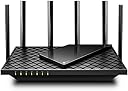
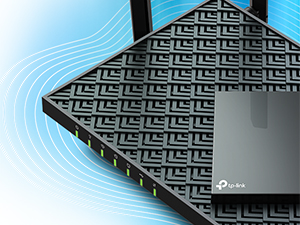
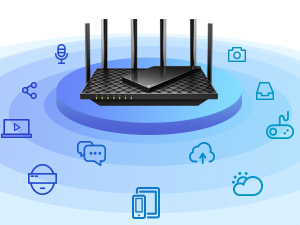
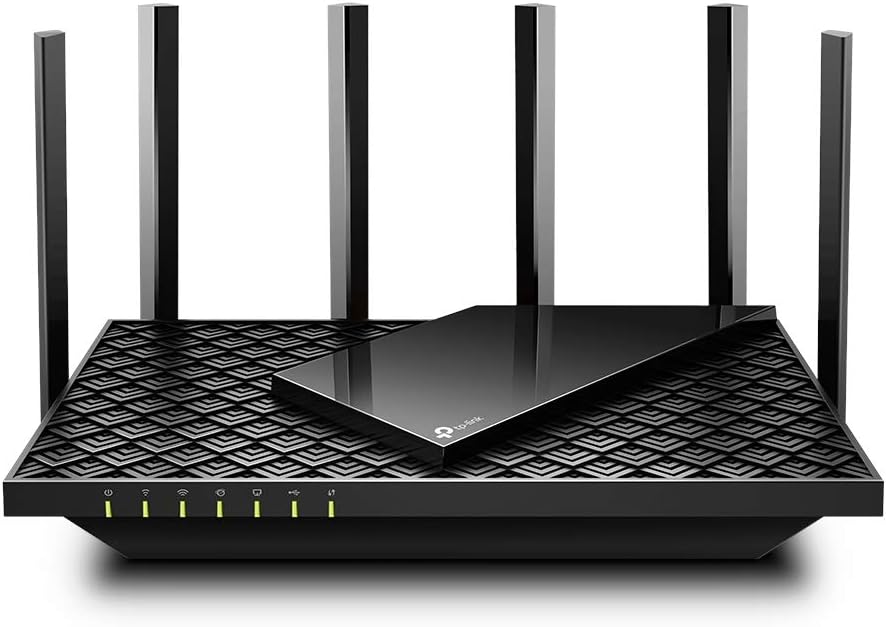
The TP-Link Archer AX73 WiFi 6 Router delivers ultra-fast dual-band speeds up to 5400 Mbps, powered by 6 high-gain antennas and advanced Beamforming for extensive home coverage. Designed for seamless 8K streaming, gaming, and multi-device connectivity, it features MU-MIMO and OFDMA to reduce congestion. Enhanced with TP-Link HomeShield security and a vented cooling design, this router ensures a safe, stable, and high-performance network experience for modern smart homes.


| Antenna Location | Gaming |
| Antenna Type | Fixed |
| Asin | B08TH4D3QV |
| Best Sellers Rank | #9 in Computers & Accessories (See Top 100 in Computers & Accessories) #1 in Computer Routers |
| Brand | TP-Link |
| Built In Media | Power Adapter, RJ45 Ethernet Cable, Wi-Fi Router Archer AX73 |
| Color | Black |
| Compatible Devices | Laptops, Desktops, Smartphones, Tablets, Game Consoles, Streaming Devices |
| Connectivity Protocol | Wi-Fi |
| Connectivity Technology | Ethernet, USB, Wi-Fi |
| Control Method | App |
| Controller Type | iOS |
| Coverage | Extensive Coverage |
| Customer Reviews | 4.5 4.5 out of 5 stars (8,635) 4.5 out of 5 stars |
| Data Transfer Rate | 5378 Megabits Per Second |
| Frequency | 5 GHz |
| Frequency Band Class | Dual-Band |
| Has Internet Connectivity | Yes |
| Has Security Updates | Yes |
| Is Modem Compatible | Yes |
| Item Dimensions L X W X H | 10.73"L x 5.8"W x 1.94"H |
| Item Weight | 1.5 Pounds |
| Lan Port Bandwidth | 10/100/1000 Mbps |
| Manufacturer | TP-Link |
| Maximum Upstream Data Transfer Rate | 2500 Megabits Per Second |
| Mfr Part Number | Archer AX73 |
| Model Name | Archer AX73 |
| Model Number | Archer AX73 |
| Number Of Antennas | 6 |
| Number Of Ports | 5 |
| Operating System | Proprietary operating system developed by TP-Link |
| Other Special Features Of The Product | Beamforming, Parental Control, QoS, WPS |
| Router Firewall Security Level | High |
| Router Network Type | dual-band |
| Security Protocol | WPA2, WPA2-Enterprise, WPA3 |
| Smart Home Compatibility | Smart Home Compatible |
| Unit Count | 1.0 Count |
| Upc | 840030702327 |
| Voltage | 100240 Volts |
| Warranty Description | 2 year manufacturer |
| Wi Fi Generation | Wi-Fi 6 |
| Wireless Compability | 802.11ac, 802.11ax, 802.11b, 802.11g, 802.11n |
User
Fast router, no issues after two months
I use this with my Hutton CODA56 modem. I have not had any issues with this router at all. My internet is 250mbps up and down, speed tests show me pushing 300, and when I game my ping is usually in the 40s. This is from my desktop pc using a WiFi PCIE adapter. Basically, the router is as fast as an Ethernet cable. The router has multiple antennas which surprisingly are not for looks - the router is in my basement and after initial setup, my smart tv upstairs was showing low signal. I adjusted one of the antennas to point at the living room and my tv. showed full bars. Router setup is easy, and the menu options when you’re logged in to set the name, etc are pretty intuitive.One note about setup is that there is an option to optimize your connectivity. Instead of having a separate 2.4 and 5ghz network like most routers, this router can just have one network to connect to and the router decides based on load, demand, etc which bandwidth to operate for each device, behind the scenes . We have a hatch sound machine for our kid that operates on WiFi (seriously, why does a sound machine need an app?) but you can only connect to a Hatch on a 2.4ghz WiFi network. I had to log in to the router and uncheck the optimize setting to create separate 2.4 and 5ghz networks so that I could connect to the sound machine and change whatever settings needed to. Not an issue or a knock gains the router, just something to be aware of.Really I don’t think about my router often, which in my opinion is a good thing. I have owned it almost two months now and it has been completely reliable.
User
Mind blowing performance in all aspects.
This is by far the best wireless router I have owned. Why didn’t I ever go with TP-link before?Signal strength is amazing, all the way to end of the driveway. No dead spots in a two story home 4800sqf including basement. Returned extender bought for the prior purchases. Setup is super easy with Tether App. Didn’t need Tech support so, I can’t really rate that but if it’s anything like their product, I don’t expect disappointment. I was a Netgear royalist but they have really fallen from the top and support is non- existent unless you pay up. Tried several new Asus models due to consumer product testing, reviews and recommendations; that was a burst with poor signal, performance and weak vulnerability security set up options for safeguarding from intrusion. Spend your money wisely; Go big or go home. You get what you pay for. I had to go through 4 routers to finally get here. At almost $200, it seems expensive but I promise, you won’t regret the purchase. I have mine connected to the ISP modem in the basement via a wall plug. On main level, It’s faster than the modem when using wifi on both, crazy!!! I can’t speak to other reviewers disappointment but I am sold to TP and will be a royalist. Love love love this router!!!
User
Excellent WiFi Router
I bought one of these 4 years or more years ago, still running solid. Bought another one for another network without hesitation, got it deployed without issue, more than doubling our speeds on a 1GB fiber connection. Very pleased with this particular product.
User
Overall decent Wifi 6 router with one major issue
Update: I’m upgrading this review to four stars. I did some more research and it’s looking the PS5 issue may be on Sony, rather than TP-Link.This is actually a decent router and I like it for the most part. However, what's keeping me from giving it five stars is my struggle to connect a PS5 to the main wifi network.The Good:Most of our Wifi 6 devices (a bunch of Apple stuff and a PC) connected without a hitch to the main 5Ghz wifi network, and we're getting the max download speed from our ISP (300mbps). We've got a few older devices that easily logged on to the 2.4 Ghz band.Setup was a breeze , both the software and iOS app are well designed and easy to use. Much better than the Netgear software from our previous router.The Bad:The only way I can get the PS5 (which is Wifi 6) to connect to the main 5ghz band is basically to turn of Wifi 6, or. ax, mode in the software. If I run the router as Wifi 5, or ac, PS5 connects with no sweat. Turn wifi 6 back on? Router says "Ha ha, sucker, no can do."The Weird:If I enable the 5ghz guest network, with wifi 6 mode active, the PS5 will connects no problem. I've actually had the issue escalated fairly high up through TP-Link support and they're baffled as well.Shout out to TP-Link Tech Support. They genuinely are trying to do their best to understand what's going on here.I thought about returning the router on the grounds that I should be able to connect *all* of my devices to my main network without having to jump through hoops, or running in a slower mode. I did some more research on home networking and read a lot of recommendations that say to keep things like game consoles and Internet of Things devices on the guest network as a security measure. Since the PS5 runs full blast on the 5Ghz guest network, I'll probably hang on to the router.Keep in mind that all of the above may be something dumb I doing, or some weird spec Sony implements with the PS5. Overall this a decent router, and I really love the software UI/UX. Just really disappointed that the PS5 thing was such a hassle. Like buying a new car that runs really well, but has a ding in the exterior you just cannot buff out.
User
Excellent purchase
I wish I had purchased this router years ago . I kept needing to reboot my 20 year old router. Too lazy to look for something better . I thought changing would be a big deal. This router was incredibly easy to set up . There is nothing that I don’t love about it, very reliable. No more buffering and it looks good.
User
Perfect router for most users
There are many routers claiming to be fast and support the max speed of the wifi 6 protocol. However, most routers fall short terribly. Some heat up like a toaster like AX3000 and some don't have the processing power i.e. the required number of CPUs to quickly process the packets by 20+ devices. Further, some are $300+ which kind of brings the affordability into play.This router however finds the right balance in all the features which I was looking to upgrade. I was looking in the range of about $100 and tried to AX3000. However, it heats up too fast and then starts to thermal throttle the speed and doesn't even stay connected with the clients like a laptop or mobile devices. I have tried a Netgear router from Costco AX4300 but fall short when around 20 devices are connected to it and don't support the mesh networking.Features which I wanted and like:Range:This device has a superb range by itself and covers my home pretty easily. I see I have a good wifi signal at all ends of my home and I live in a 2-floor apartment with the router placed upstairs.Mesh:I like to receive a good network in my backyard as well and so I have added a RE505X which costs another 80 bucks but saves money on my mobile data plan as I don't invest in an unlimited data plan. There is only 1 SSID that is broadcasted and it automatically switches based on where I am in the home.Heat:Some routers heat up and create a fire hazard and also have the probability of breaking down sooner than I like them to. This is not the case with this one and it stays relatively cooler and never experienced any slowing down of the network. I have touched it to check several times and it's good.Setup:The setup was really easy. The basic setup can be done in minutes and there is no RnD required. The tether app is pretty cool for basic setup. I also have requirements for static IP based on mac address and port forwarding. Both of them are easy to configure. They also have support for dynamic DNS so you can easily host your basic website in your home network. For this, I need static IP address reservation and port forwarding.Parental controls:This is a real plus that allows me to block youtube or any site whenever I need to get my kid away from the TV.Reboot schedule:I like to have a reboot schedule which is good this router has it and very easy to set up.LED lights:This router allows to turn off led lights and I like it that way once the setup is complete.Summary:I think its a router for average home with right balance of ease of use and price and features.Note: I have not been paid for this review and have bought the router with my own money.2 Weeks Update:Going strong with over 20 devices connected, no disconnections reported by anyone in device. I have 3 heavy internet users at home. No heating issues, range is good.4 Months Update:Working perfectly for 4 months. No issues.2 year updateStill works as new with no issues
User
Best/helpful review — for Ziply customers!
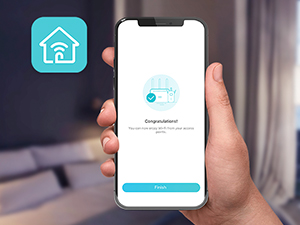
I am a Ziply fiber customer and this router works great! I directly replaced my Arris NVG578HLX Ziply provided combo router with this AX5400 without adding an additional modem. I have a ethernet cable coming out of my ONT, not a coax cable. So I was hoping I did not need a modem for this router, and I was correct.There is an initial set up step that asks you if you are using a modem, or are connecting directly from the ONT to the router. Just be sure to select the direct from ONT option. This worked for me!I placed this new router in the central location of my house, and the antennas proved to reach much farther than my prior Arris combo router, very pleased with the performance so far!I used to set up my new routers with a direct connection to the router with the ethernet cable. But this is the first time that it was easier and quicker to use the Tether app on my smart phone to set up this router. Very slick and easy. Default set up is a breeze.
User
Stopped working after two months
-FIRST OF ALL, ABOUT MY RATING OF THE PRODUCT: Had the unit I received not been defective, I would have rated this 5 stars (see the original review below). But after so much trouble it has caused me, I couldn't rate it higher than one star. It does not mean that I disagree with others who have given this product a higher rating. Every user experience is just a data point. I contribute my data point truthfully.If the replacement router remains reliable for at least a year or two, I'll adjust the ratings accordingly. That's a bit of a long time to test, I know. I normally wouldn't wait that long to give credit to a product, but after having a defective product, the burden of proof has shifted.DEFECTIVE PRODUCTThe product worked well initially but became completely unusable after two months. Devices could not stay connected. They get disconnected frequently, sometimes even within minutes of reconnection. When disconnected, devices could not auto-reconnect, and manual reconnection became unpredictable.It happened all of a sudden with all devices. Restarting and even resetting could not fix the problem.I am very experienced with routers. I know the problem had nothing to do with configurations and devices. The router broke on its own. I didn't do anything to the router before it broke. Not even a reconfiguration. Even if some reconfiguration caused it, factory resetting would have solved the problem. But it did not. I don't think it's the firmware problem, either. I updated it to the latest firmware immediately when I got the router. The router worked for two months with the latest firmware before all this happened.I have used many routers in the past. There have been other problems, but I have never had a router that suddenly stopped working, never even after years of use. But the TP-Link did it within two months—just long enough to pass the Amazon return period.Too bad because it worked well when it did.REPLACEMENTI received a replacement, which worked immediately once set up, proving that the previous unit was indeed defective.But I will have to wait to see if the replacement unit can remain stable. After all, the previous unit worked perfectly for two months before it suddenly broke.The replacement is not a new unit but a "refurbished unit". That doesn't give you a lot of confidence. Many of these routers are returned because they have become unstable, not because they simply died. I have serious doubts that the refurbishing process can truly diagnose all of the stability issues. They will be able to diagnose and fix apparent problems, but unlikely all of them, especially stability problems.As a result, I just don't feel very good about the whole thing. I hope I got a good sample, but to be honest, I don't have much confidence. If this one also has problems, I'm not going to get another replacement. I will certainly switch to a different router.THE REPLACEMENT PROCESSThe replacement process was at least 10 times harder than Amazon's return. This is an objective statement because I measure the processes by the time and effort required to get replacement authorization and shipped. With Amazon, a return would take just a few minutes to get both authorization and a free shipping label. With TP-Link, the process took me at least an hour (though it felt much longer than that).First, I had to argue with customer service to convince them that the device needed to be replaced. Then, I had to open an account with them, go through a complicated process to register the product, initiate a replacement process, monitor individual steps, and so on. You will not be able to do it unless you are determined and patient enough to read many instructions and navigate through many things to decide what to do and what not to do.In the end, I also had to pay for shipping, which was almost $20, with the slowest option. And they don't ship the replacement until they receive the old one.Fortunately, I had another router that I could use temporarily. But what if I didn't?To TP-Link's credit, the replacement was shipped only two days after they received the defective router. Also, because it was shipped from a warehouse very close to me, it arrived after an additional two days. So, the total turnaround time was less than one week, much shorter than I had expected.Also, to be fair, I don't think TP-Link's product return process is particularly bad compared to other manufacturers. Returning a product is inherently difficult for both the manufacturer and the consumer. To prevent consumer fraud, the manufacturer has to have some degree of verification and prevention. Amazon made its return super simple because it forces manufacturers to accept returns with essentially no condition imposed and to offer free two-way shipping. No manufacturer can afford this kind of product return service for a long time. Amazon also has extremely efficient return address label printing and drop-off services, taking advantage of its vast platform and network, which individual manufacturers don't have.For the manufacturers, the only way to avoid this problem is to make the product more reliable.The following is the ORIGINAL REVIEW (which was written before the problems described above, and you can see it was positive):THE ORIGINAL REVIEWI installed this only a few days ago, so it is too early to judge its stability. But I can comment on some other things.This router replaced a five-year-old NETGEAR Nighthawk Pro Gaming XR500 Wi-Fi router and instantly solved all the problems we had with the old router. Since we had the Netgear, we always experienced random delays in receiving mobile text messages under the Wi-Fi setting. Phone calls through Wi-Fi calling were also unreliable. But we couldn't determine whether it was the router or the mobile carrier and hence did not consider changing the router until recently.Upon installing the TP-Link AX5400, it became clear that the old router was causing problems with Wi-Fi text messaging and calling. So far, everything seems to work perfectly with this new router.The signal strength and coverage also seem better, although we had no issues with the Netgear either.It took just several minutes to set up the new router. The only part that felt "difficult" was choosing a new admin password that felt secure.By the way, the price of this new router is less than half of what we paid for the Netgear five years ago.
User
Amazing
Good and you can monitor everything from the application
User
حي الصحافه
هذا المقوي رائع، فقد رفع قوة الاشاره من ٣٠ الى ٣٠٠ في الدور الارضي
User
Resolvió mis problemas de Wifi. Wifi 6 y MU-MIMO son una maravilla
Tengo contratados 125 Megas de internet con Izzi y el modem de la compañía me daba muchos problemas de conexión, y este TPLink Archer AX73 me resolvió todos mis problemas de Wifi en casa.Mi casa es de 110 m2 y de 2 pisos, construcción de block y concreto, el router lo tengo ubicado al centro de la casa en 1ra planta debajo de las escaleras, la señal Wifi llega sin ningún problema a toda la casa, la señal 2.4ghz llega casi a full speed (105-115 megas) en la primera planta, y en la segunda como a un 80 o 70% (80-90 megas), pero la señal 5ghz es una maravilla, cada rincón de la casa incluso hasta fuera del cerco de la casa llega a full speed, (120-125 megas), somos 3 personas en casa y cerca de 15 dispositivos conectados (alexa, 3 Tvs, 3 celulares, tablets, laptop, consolas de videojuegos, etc), las habitaciones estan en 2da planta y tenemos 2 consolas PS5 arriba, el Wifi 6 que trae el AX73 es 'día y noche' en comparación al Wifi del modem de Izzi, las PS5 ya no tienen Lag aunque esten jugando las dos al mismo tiempo CoD Warzone (con Ping entre 30 y 40 ya en partida) y con otras Tv's reproduciendo streaming HD de Netflix y celulares conectados (con la opción OFDMA y MU-MIMO activas).En principio tuve problemas con la red 2.4ghz, la señal se iba constantemente, y la velocidad de la red era muy lenta, no obtenía de la 2.4ghz mas de 40 megas y eso estando al lado del router, ya alejado no subía de 10-15 megas, busqué información y encontré en una página de TPLink que uno de sus técnicos sugería cambiar el tipo de señal de 802.11b/g/n/ax a 802.11b/g/n, lo hice y con solo quitar el "ax" de la red 2.4ghz las velocidades subieron a las que mencioné al principio de mi reseña y la señal dejó de desconectarse, por otro lado la red 5ghz nunca me dió problemas, dejo fotos de como lo tengo programado.También les recomiendo que en la app Tether le pongan una "programación de reinicio" 1 vez por semana mínimo, se puede programar para que sea por la madrugada, esto sirve para liberar el caché del router y que el internet siempre sea fluido.
User
Good on the 5Ghz, so-so on the 2.4Ghz at long distance
The router work great and cover the dead spot from my previously router (EA8100). For some reason, it does not seem to like the older generation WIFI standard on the 2.4GHz band, giving out lower then expected speed at longer distance.Overall I still give this router a 2 thumb up for the no fuss setup as well as it value for money.
User
Muito bom
Muito bom. A minha rede ficou muito mais organizada e com melhor performance
Trustpilot
4 days ago
1 week ago